 PluginStats
MASM/TASM installs statistics
By clcxsrolau (2 listings) · VS Code Marketplace · Programming Languages
run MASM/TASM assembly in DOSBox 汇编语言开发插件
MASM/TASM has 313,350 recorded installs on VS Code Marketplace.
It ranks #1117 of 2,500 tracked VS Code Marketplace listings by installs.
It is rated 4.9 out of 5 from 7 ratings.
PluginStats has 3 daily observations since Oct 16, 2026; the latest is from Oct 18, 2026.
Rating: 4.86 / 5 from 7 ratings
About MASM/TASM
Basic Support for MASM/TASM v2.x
Chinese | English 中文 in Gitee
Basic language support for assembly in DOS environment. It may be suitable for studying MASM/TASM in DOSBox or courses like *Principles and Peripheral Technology of Microprocessor*.
• Language Support: Offers *grammar* validation, basic *outline* view, *hover* tips, and *code formatting* support for DOS assembly language • Status Bar: Quick access to switch DOS emulator and assembler independently, with executable paths shown • Run and Debug: Right-click on the VS Code editor panel to run and debug your code • Diagnose: Processes the output of ASM tools and displays diagnostics in VS Code • Supports all platforms including Web — see Platform Support • Note: This extension is built for learning assembly in DOS, and it does not work with Win32 assembly
Demo
Demo 1: Language Features
| Format Code | Diagnose |
| | |
The extension provides language features such as hover hints, code formatting, and jump to definition for the assembly language ID.
Code Formatting
The built-in formatter follows the style of sample .asm files: • Labels at column 0, instructions indented with tabs • Top-level directives (.386, .model, .STACK, include, etc.) stay at column 0 • Blank lines preserved as truly empty • Original operand spacing and comments preserved • Formatting is idempotent — running it twice produces the same result • Use the Format Document command (Shift+Alt+F) to apply formatting. You can also use other assembly language support extensions (e.g., the asm-collection language ID) by installing ASM Code Lens.
Demo 2: Run and Debug
| Using TASM via DOSBox | Using MASM via jsdos |
| | |
When editing assembly files, right-click in the editor panel to access the following options: 1. Open Emulator: Launch DOSBox and prepare the runtime environment 2. Run ASM Code: Assemble, link, and execute the program 3. Debug ASM Code: Assemble, link, and debug the program
Run/Debug Notes
• The extension copies your file to an isolated directory before assembling, to keep your workspace clean. • Note that this extension is not optimized for complex projects.
Project Configuration with dosasm.jsonc
For multi-file projects or custom build workflows, you can place a dosasm.jsonc file in your project directory. When you right-click an .asm file to run/debug, the extension searches upward from the file's directory for dosasm.jsonc. If found, it uses the configuration defined there instead of the default settings.
Example dosasm.jsonc (see dosasm.jsonc v1):
• multi file project sample • compile to .com file • Turbo C example
Template variables: • ${file} — the full path of the assembly file in DOS • ${filename} — the file path without extension • ${actionFolder} — the directory containing the dosasm.jsonc file • ${/TASM.jsdos} — the extracted bundle folder path (the extension automatically extracts the .jsdos zip bundle and mounts the resulting folder)
How it works: • The action.before commands set up the DOS environment (mount drives, set PATH, etc.) • The action.run commands assemble, link, and execute the program • The action.debug commands assemble, link, and launch the debugger • The action.open commands are used when opening the emulator without running • When dosasm.jsonc is found, the default single-file mount behavior is skipped — the before section fully controls the environment setup
Copy file before run/debug: • action.copyFileAs (string | null): Controls whether the active file is copied before run/debug • String: file is copied to this path (relative to the action folder) • null: file is not copied, the original file path is used directly • Bundle extraction: ${/TASM.jsdos} references a built-in .jsdos zip bundle. The extension extracts this bundle to a folder and replaces the variable with the folder path, so you can mount it as a DOS drive
Platform Support
This extension interfaces with the DOSBox(-X) binary via Node.js's child_process module. You must install DOSBox or DOSBox-X first to use this feature.
Since VS Code is primarily built with JavaScript (TypeScript), we support the WebAssembly (Wasm) version of DOSBox(-X) — namely js-dos. The extension bundles all required js-dos files, and it uses js-dos as the default DOS emulator for Web platform support.
Docs & Acknowledgments & Licenses
• Special thanks to my teacher, *Mr. Han*. Wishing 2020 and the coming 2021 to be happy and fulfilling years. • Inspired by Woodykaixa's masm-code project • Thanks to the excellent DOS emulators: DOSBox-x, DOSBox, caiiiycuk's js-dos, and msdos-player • Thanks to Roncho's extension Assembly (TASM) and blindtiger's masm for reference on assembly language support • We welcome issues and pull requests to help improve this extension • Acknowledgments • Additional Information: Wiki
Enjoy! 😊
Description from the VS Code Marketplace listing.
- 16位
- asm-collection
- assembly
- assembly(DOS)
- dosbox
- masm
- snippet
- tasm
- x86
- 微机原理
- 汇编
Where MASM/TASM sits in the listing
Each band is one page of 20. Installs on a log scale. Placement is projected from installs, so it can differ from the marketplace's own sort order. Hover a dot to see the listing.


Charts
Images: 30d · 1y · all time · 1600×900 dark
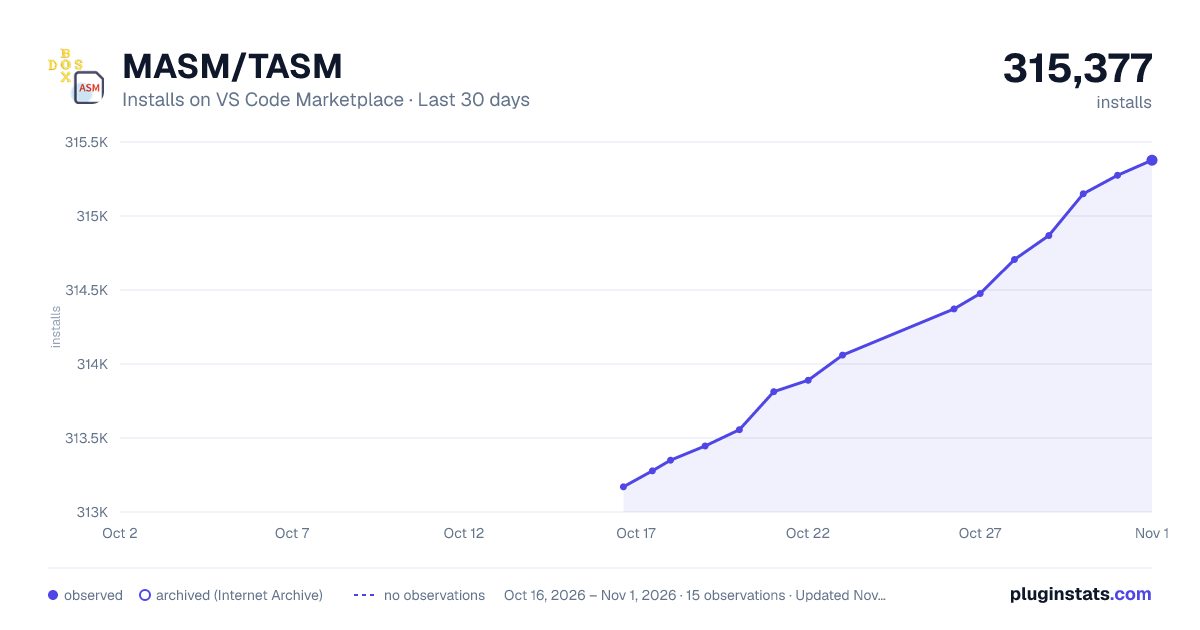
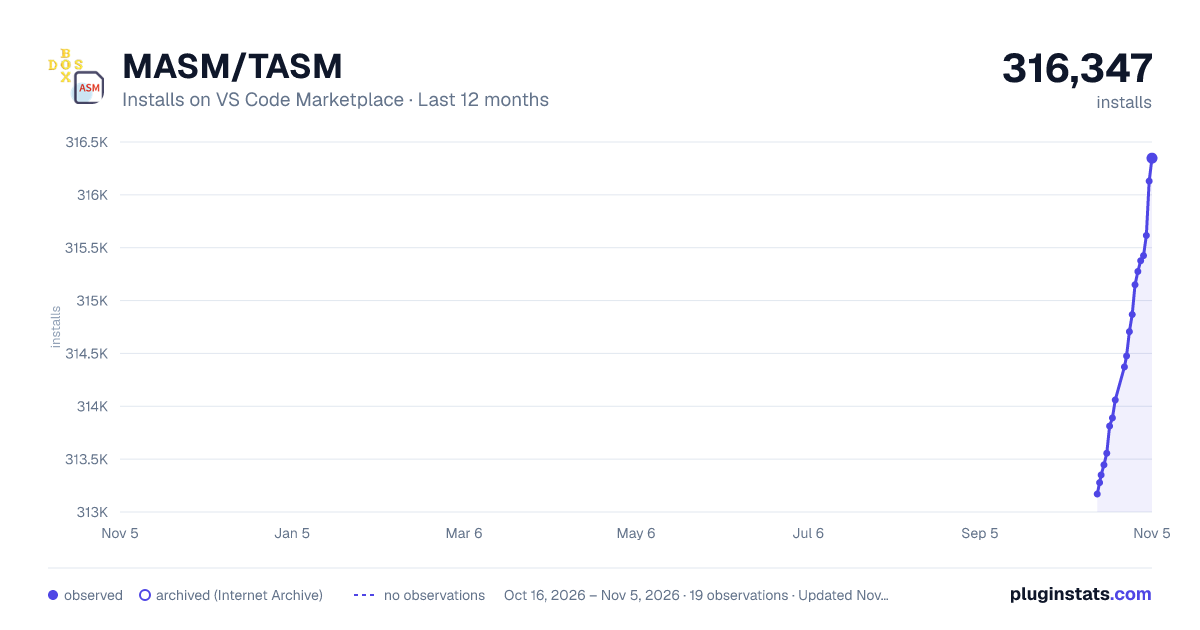
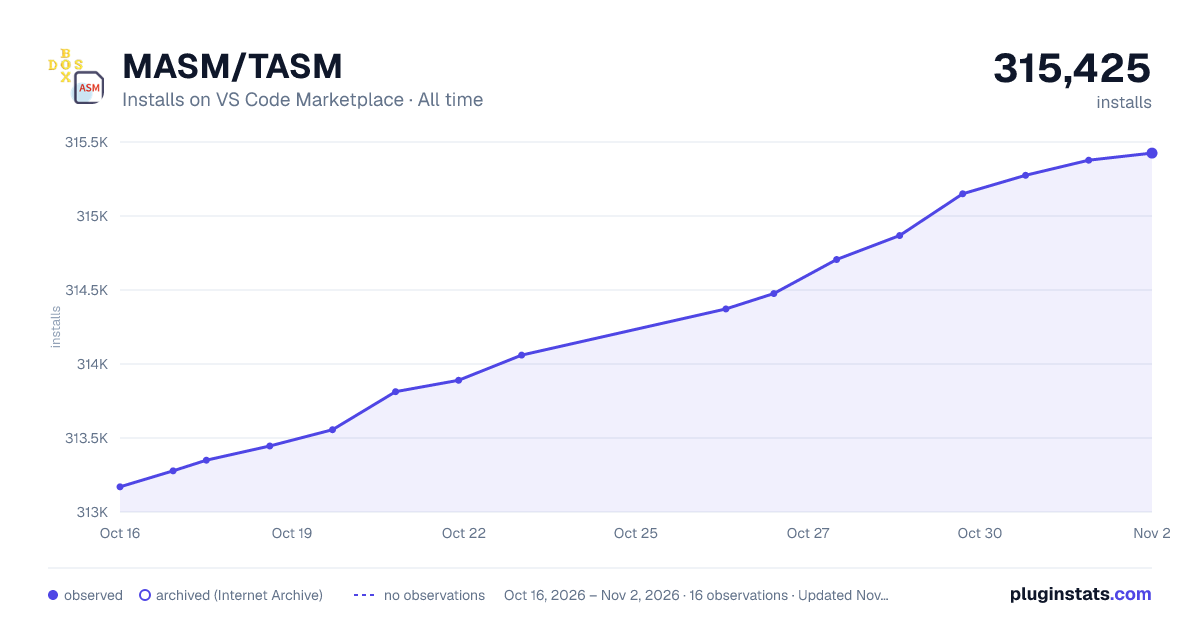

Adoption over time


7/30/90-day growth


Ranking history


Filled points are observed values; hollow points come from Internet Archive snapshots of the listing page. Dashed segments span periods with no observations — values between points are not interpolated.
Recent observations
Full history (3)Similar VS Code Marketplace Programming Languages plugins
Data source
Install counts, average rating, and rating counts come from the public Visual Studio Marketplace gallery API. Installs are cumulative and exclude updates.
Listing: https://marketplace.visualstudio.com/items?itemName=xsro.masm-tasm. First seen Oct 16, 2026; last successful collection Oct 18, 2026. See the methodology.