 PluginStats
Draw.io Integration installs statistics
By Henning Dieterichs (2 listings) · VS Code Marketplace · Visualization
This unofficial extension integrates Draw.io into VS Code.
Draw.io Integration has 4,228,144 recorded installs on VS Code Marketplace, ranking #201 of 2,502 tracked listings.
Rating: 4.91 / 5 from 161 ratings
About Draw.io Integration
Draw.io VS Code Integration

This unofficial extension integrates Draw.io (also known as diagrams.net) into VS Code.
Mentioned in the official diagrams.net blog.
Features
- Edit
.drawio,.dio,.drawio.svgor.drawio.pngfiles in the Draw.io editor.- To create a new diagram, simply create an empty
*.drawio,*.drawio.svgor*.drawio.pngfile and open it. .drawio.svgare valid.svgfiles that can be embedded in Github readme files! No export needed..drawio.pngare valid.pngfiles! No export needed. You should use.svgthough whenever possible - they look much better!- To convert between different formats, use the
Draw.io: Convert To...command.
- To create a new diagram, simply create an empty
.drawiofiles are plain XML: they diff cleanly in git, and AI assistants can read, edit and review diagram changes like any other code.- Uses an offline version of Draw.io by default.
- Multiple Draw.io themes are available.
- Use Liveshare to collaboratively edit a diagram with others.
- Nodes/edges can be linked with code spans.
Demo

Editing .drawio.svg/.drawio.png Files
You can directly edit and save .drawio.svg and .drawio.png files.
These files are perfectly valid svg/png-images that contain an embedded Draw.io diagram.
Whenever you edit such a file, the svg/png part of that file is kept up to date.
The logo of this extension is such a .drawio.png file that has been created with the extension itself!

If you want readable diffs, for your reviewers and your AI tools alike, prefer .drawio over .drawio.png diagrams.
Collaboratively Edit Or Present Diagrams
With version 1.0 of this extension, extensive support for VS Code Liveshare has been added. You can now edit or present your Draw.io diagrams remotely, while seeing each participant's cursor and selection! This can be used for discussing, reviewing or brainstorming diagrams. With Draw.io's freehand drawing tool and integrated LaTeX support, this extension becomes an advanced whiteboard solution that can be used for remote code interviews!

Internally, this extension synchronizes Draw.io diagrams with text documents. These text documents are shared by Liveshare. As Liveshare has no understanding of the text, modification conflicts might occur on simultaneous modifications.
Code Link Feature
In the status bar, you can enable or disable the code link feature.
If it is enabled and you double click on a node whose label starts with #,
you will perform a workspace search for a symbol matching the rest of the label.
If you have a node labeled #MyClass and a class of name MyClass, you will jump to its source if you double click the node!
Please note that you have to open at least one file of the project that contains the symbol. Otherwise, VS Code will not consider this project when searching for symbols. This file itself does not have to contain the symbol though.
Thanks to my latest github sponsors, this feature is open source and freely available now.
TIP: If you open the draw.io editor to the right side (i.e. the second editor column) and navigate to a symbol, the diagram will stay visible.

Themes
<details> <summary><b>Available Draw.io Themes</b></summary> <!-- Please use HTML syntax here so that it works for Github and mkdocs --> <ul> <li><p>Theme "atlas"</p><img src="https://github.com/hediet/vscode-drawio/raw/HEAD/docs/theme-atlas.png" alt="atlas" width="800"></li> <li><p>Theme "Kennedy"</p><img src="https://github.com/hediet/vscode-drawio/raw/HEAD/docs/theme-Kennedy.png" alt="Kennedy" width="800"></li> <li><p>Theme "min"</p><img src="https://github.com/hediet/vscode-drawio/raw/HEAD/docs/theme-min.png" alt="min" width="800"</li> <li><p>Theme "dark"</p><img src="https://github.com/hediet/vscode-drawio/raw/HEAD/docs/theme-dark.png" alt="dark" width="800"></li> </ul> </details>Associate .svg Files With The Draw.io Editor
By default, this extension only handles *.drawio.svg files.
Add this to your VS Code settings.json file if you want to associate it with .svg files:
"workbench.editorAssociations": {
    "*.svg": "hediet.vscode-drawio-text",
}
You won't be able to edit arbitrary SVG files though - only those that have been created with Draw.io or this extension!
Light and Dark .drawio.svg Files
By default, .drawio.svg files are saved with light colors, whatever theme the editor uses.
Set hediet.vscode-drawio.svgAppearance to auto to make them adapt to the color scheme of the page that shows them, for example a README on GitHub in dark mode, or to dark to always save them with dark colors.
The setting applies the next time a diagram is saved. Add it to the workspace settings so that everyone on a team saves the same file.
Inline Diagrams in VS Code's Markdown Editor (Experimental, Insiders only)
VS Code Insiders ships an experimental WYSIWYG Markdown editor (View: Reopen Editor With... > Markdown Editor).
In that editor, every fenced code block tagged drawio is replaced by a live, resizable Draw.io editor:
```drawio
<mxfile>...</mxfile>
```
````…
Description from the VS Code Marketplace listing.
- ai
- architecture
- code link
- diagram
- diagram as code
- diagrams.net
- Draw.io
- drawio
- git
- keybindings
- markdown
- uml
- visio
README badge
Show your rank in a README or on your website. The badge updates automatically.
Charts
Images: 30d · 1y · all time · 1600×900 dark
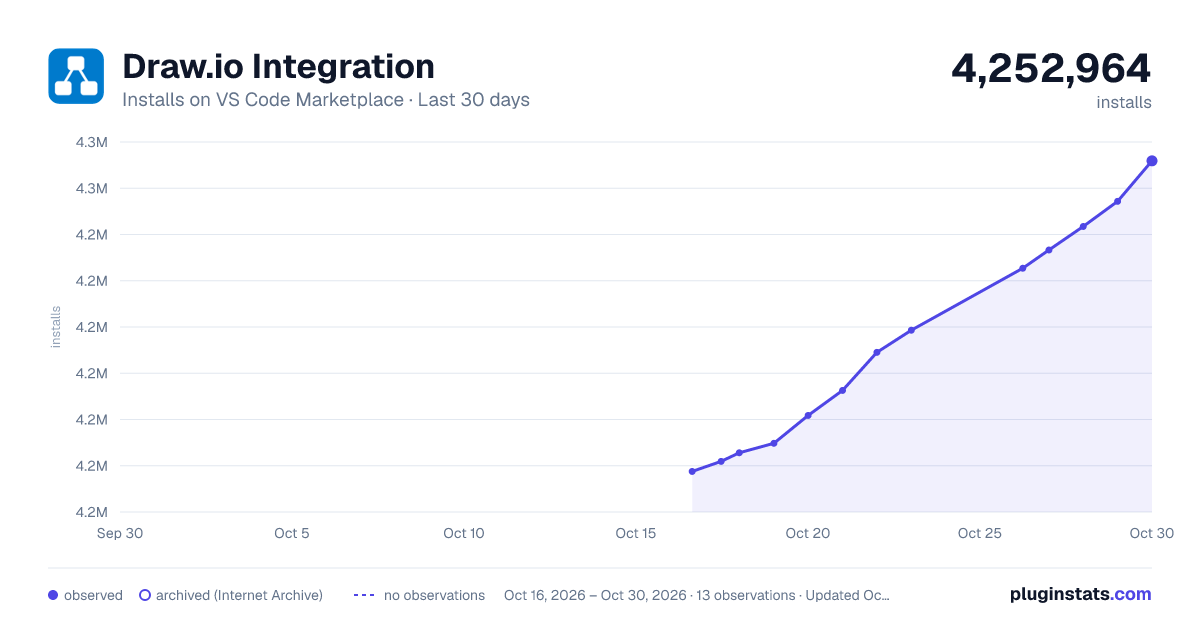
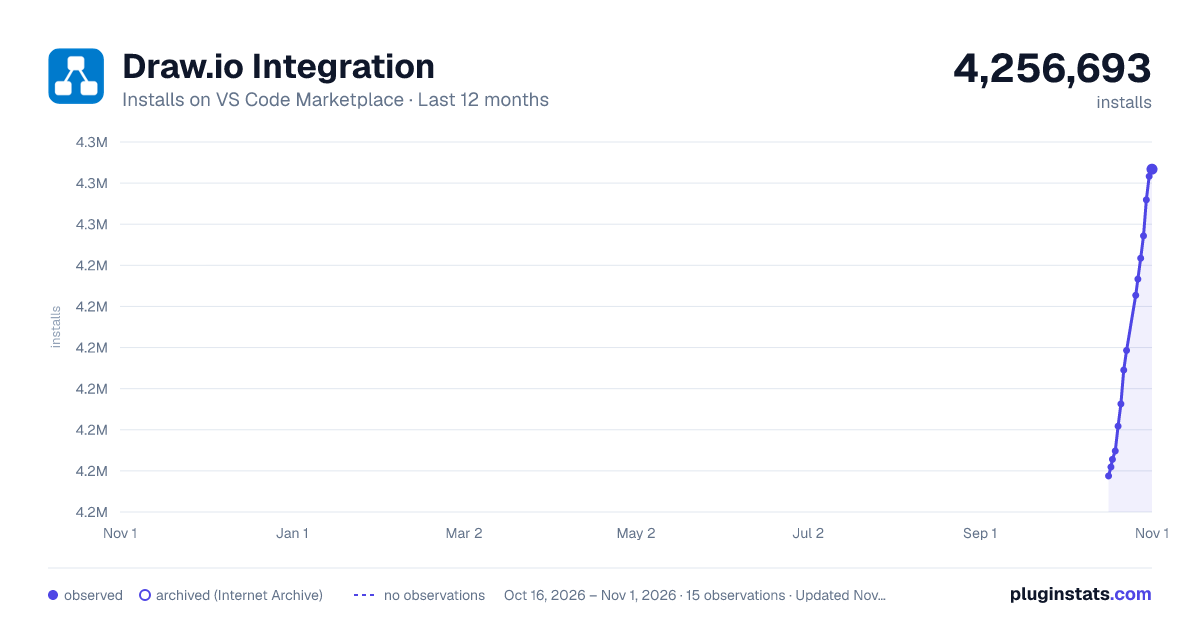
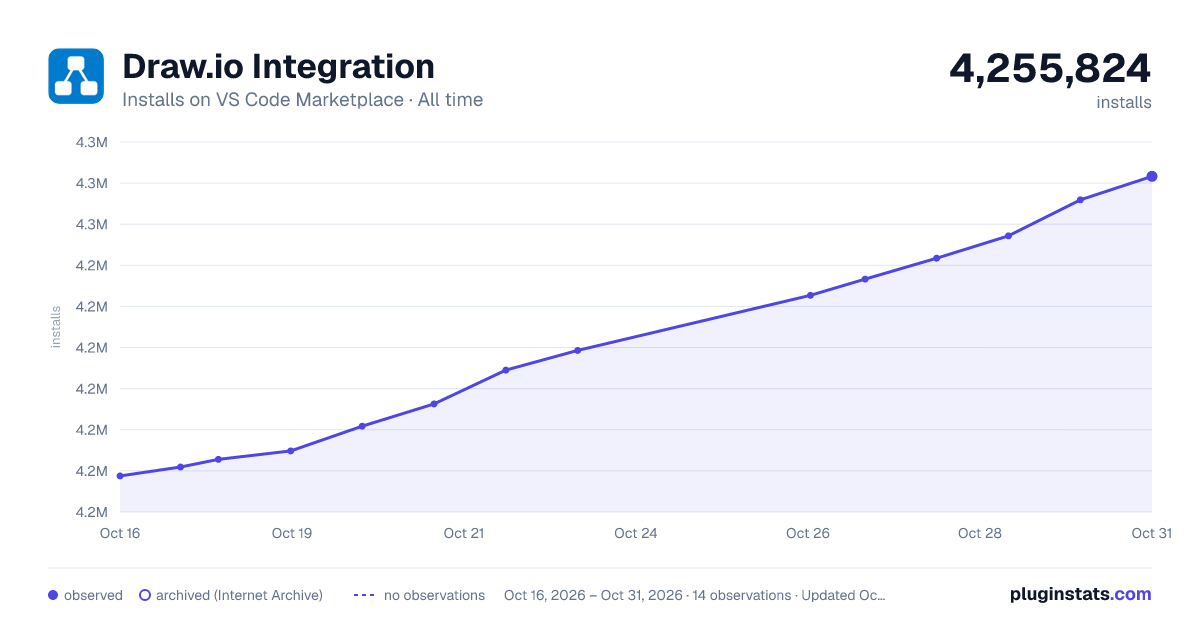
Adoption over time
7/30/90-day growth
Ranking history
Ratings over time
Listing placement
Listing placement
Filled points are observed values; hollow points come from Internet Archive snapshots of the listing page. Dashed segments span periods with no observations — values between points are not interpolated.
Each band is one page of 20. Installs on a linear scale. Placement is projected from installs, so it can differ from the marketplace's own sort order. Hover a dot to see the listing.
Recent observations
Full history (6)Similar VS Code Marketplace Visualization plugins
All 20 Draw.io Integration alternatives

Data source
Install counts, average rating, and rating counts come from the public Visual Studio Marketplace gallery API. Installs are cumulative and exclude updates.
Listing: https://marketplace.visualstudio.com/items?itemName=hediet.vscode-drawio. First seen Oct 16, 2026; last successful collection Oct 21, 2026. See the methodology.