 PluginStats
Scala (Metals) installs statistics
By Scalameta · VS Code Marketplace · Programming Languages
Scala language server with rich IDE features
Scala (Metals) has 823,933 recorded installs on VS Code Marketplace.
It ranks #603 of 2,500 tracked VS Code Marketplace listings by installs.
It is rated 4.7 out of 5 from 38 ratings.
PluginStats has 3 daily observations since Oct 16, 2026; the latest is from Oct 18, 2026.
Rating: 4.66 / 5 from 38 ratings
About Scala (Metals)
Metals extension for Visual Studio Code
The following table shows the status of various features.
| Feature | Status | Notes |
| Import build | ✅ | Works with sbt, Gradle, Maven, Mill and Bloop. | | Compile errors | ✅ | Syntax errors as you type and type errors on file save. | | Completions | ✅ | | | Hover (type at point) | ✅ | | | Goto definition | ✅ | Works for project sources and Java/Scala library dependencies. | | Document symbols | ✅ | | | Formatting | ✅ | Uses Scalafmt. | | Find references | ✅ | | | Find implementations | ✅ | | | Workspace symbol | ✅ | Searches workspace sources and library dependencies. All-lowercase queries are case-insensitive. | | Highlight | ✅ | | | Folding | ✅ | | | Rename symbol | ✅ | | | Run/Debug | ✅ | | | Code actions | ✅ | | | Organize imports | ✅ | | | Show implicits | ✅ | | | Basic Java support | ✅ | Most basic features aside from signature help and semantic tokens. |
Requirements
macOS, Linux or Windows. Metals is developed on many operating systems and every PR is tested on Ubuntu, Windows and MacOS.
Scala 2.13, 2.12, 2.11 and Scala 3. Metals supports these Scala versions:
Scala 3 versions from 3.3.4 are automatically supported by Metals.
Any older Scala versions will no longer get bugfixes, but should still work properly with newest Metals.
Note that 2.11.x support is deprecated and it will be removed in future releases. It's recommended to upgrade to Scala 2.12 or Scala 2.13
Installation
Install the Metals extension from the Marketplace by clicking on this badge
or via the VS Code editor:
Next, open a directory containing your Scala code. The extension activates when the main directory contains build.sbt or build.sc file, a Scala file is opened, which includes *.sbt, *.scala and *.sc file, or a standard Scala directory structure src/main/scala is detected.
It is also possible to opt in to install the pre-release version and try out the latest cutting edge features from Metals server. Apart from new features, pre-release versions also include many bugfixes. It's encouraged to use them with SNAPSHOT releases of Metals server. Using pre-release versions may result in less stable experience and it is not intented for beginners. Pre-release versions follow major.minor.PATCH versioning.
Importing a build
The first time you open Metals in a new workspace it prompts you to import the build. Click "Import build" to start the installation step.
• "Not now" disables this prompt for 2 minutes. • "Don't show again" disables this prompt forever, use rm -rf .metals/ to re-enable the prompt. • Use tail -f .metals/metals.log to watch the build import progress. • Behind the scenes, Metals uses Bloop to import sbt builds, but you don't need Bloop installed on your machine to run this step.
Once the import step completes, compilation starts for your open *.scala files.
Once the sources have compiled successfully, you can navigate the codebase with goto definition.
Custom sbt launcher
By default, Metals runs an embedded sbt-launch.jar launcher that respects .sbtopts and .jvmopts. However, the environment variables SBT_OPTS and JAVA_OPTS are not respected.
Update the "Sbt Script" setting to use a custom sbt script instead of the default Metals launcher if you need further customizations like reading environment variables.
Speeding up import
The "Import build" step can take a long time, especially the first time you run it in a new build. The exact time depends on the complexity of the build and if library dependencies need to be downloaded. For example, this step can take everything from 10 seconds in small cached builds up to 10-15 minutes in large uncached builds.
Consult the Bloop documentation to learn how to speed up build import.
Importing changes
When you change build.sbt or sources under project/, you will be prompted to re-import the build.
Manually trigger build import
To manually trigger a build import, execute the "Import build" command through the command palette (Cmd + Shift + P).
Run doctor
Execute the "Run Doctor" through the command palette to troubleshoot potential configuration problems in your workspace.
Configure Java version
Metals separates JDK used for starting Metals server from the JDK used for the project.
Metals's server JDK
Minimum supported version is 11. The VS Code plugin will first search for java executable with version equal or greater than setting using JAVA_HOME environment variable (via locate-java-home). If no matching Java found, a JDK will be downloaded using coursier.
Settings:
• Java Version - minimum JDK version accepted for running Metals server. If none found, this is also the version that will be downloaded using coursier. Allows for one of: 11, 17, 21, with 17 being the default.
Project's JDK
JDK used for compiling and running the project. Build servers like mill and sbt are started using that JDK. In case of Bloop Metals's server JDK is used for running the build server but appropriate -release flags are added for compilation. By default Metals uses JDK defined by JAVA_HOME environment variable, if the variable is not set is falls to using the Metals's JDK.
Settings:
• Java Home - path to project's JDK's Home. Note: this setting isn't respected for Bazel.
Note: Project's JDK version should be greater or equal to Metals's server JDK version for features like completions to work correctly.
macOS
To globally configure $JAVA_HOME for all GUI applications, see this Stackoverflow answer.
If you prefer to manually configure Java home through VS Code, run the following command to copy the Java 8 home path.
Custom artifact repositories (Maven or Ivy resolvers)
Use the 'Custom Repositories' setting for the Metals VS Code extension to tell Coursier to try to download Metals artifacts from your private artifact repository.…
Description from the VS Code Marketplace listing.
- buildtarget
- debuggers
- ide
- java
- javap
- javap-verbose
- keybindings
- language server
- lsp
- markdown
- routes
- scala
- scalameta
- semanticdb
- tasty
- Twirl HTML
- Twirl JavaScript
- Twirl Text
- Twirl XML
- twirl-html
Where Scala (Metals) sits in the listing
Each band is one page of 20. Installs on a log scale. Placement is projected from installs, so it can differ from the marketplace's own sort order. Hover a dot to see the listing.


Charts
Images: 30d · 1y · all time · 1600×900 dark
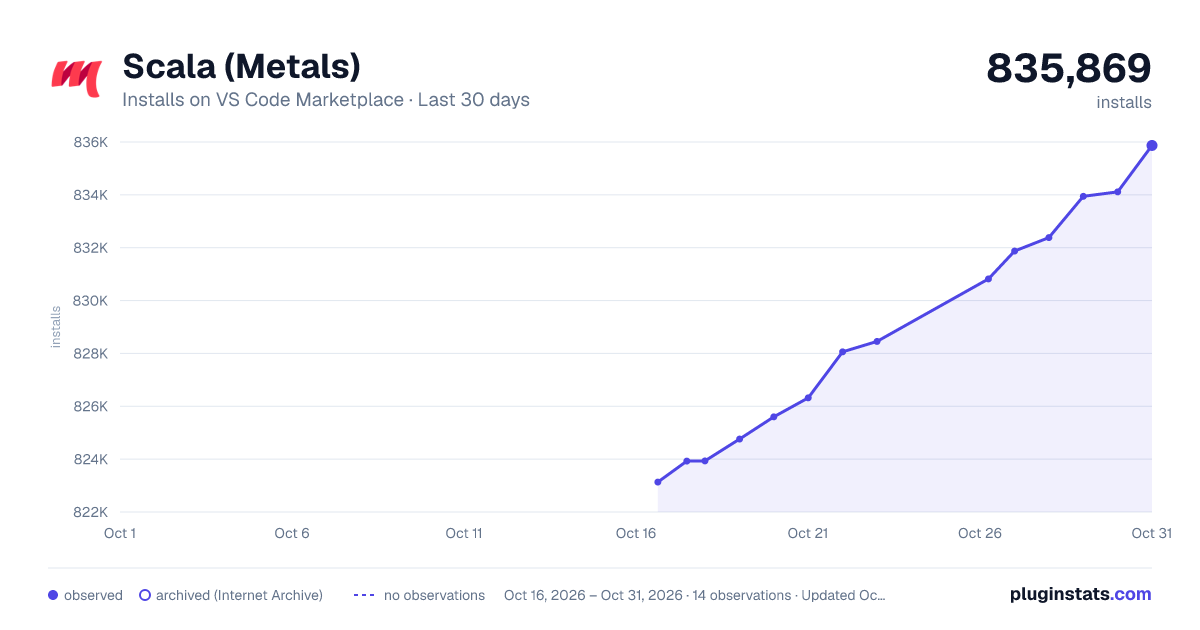
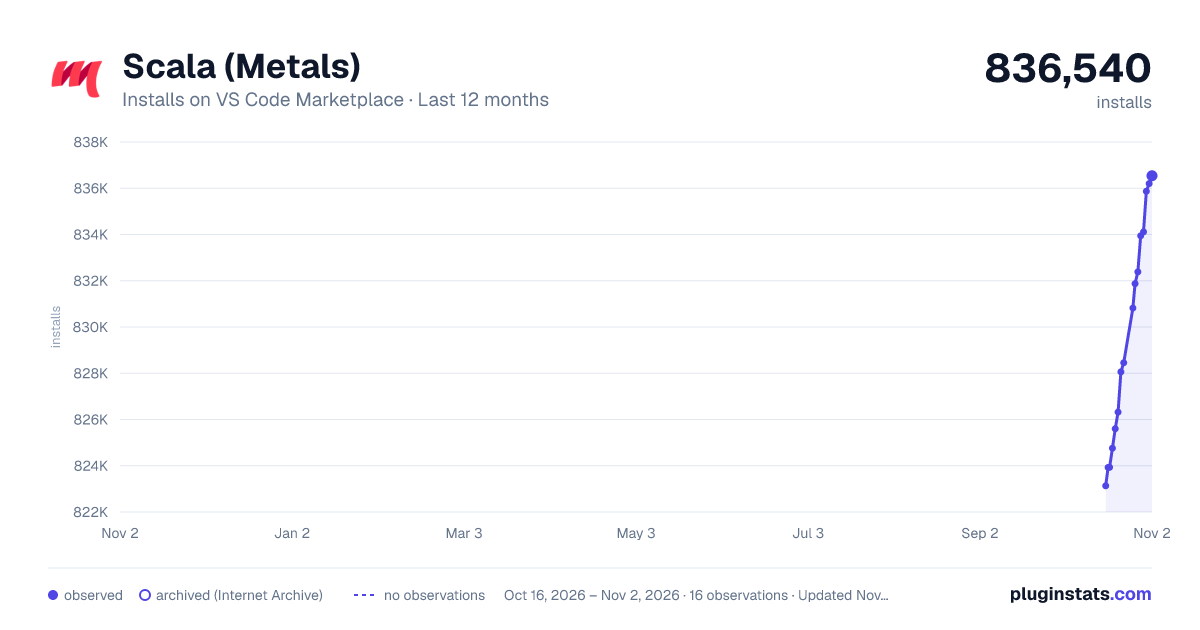
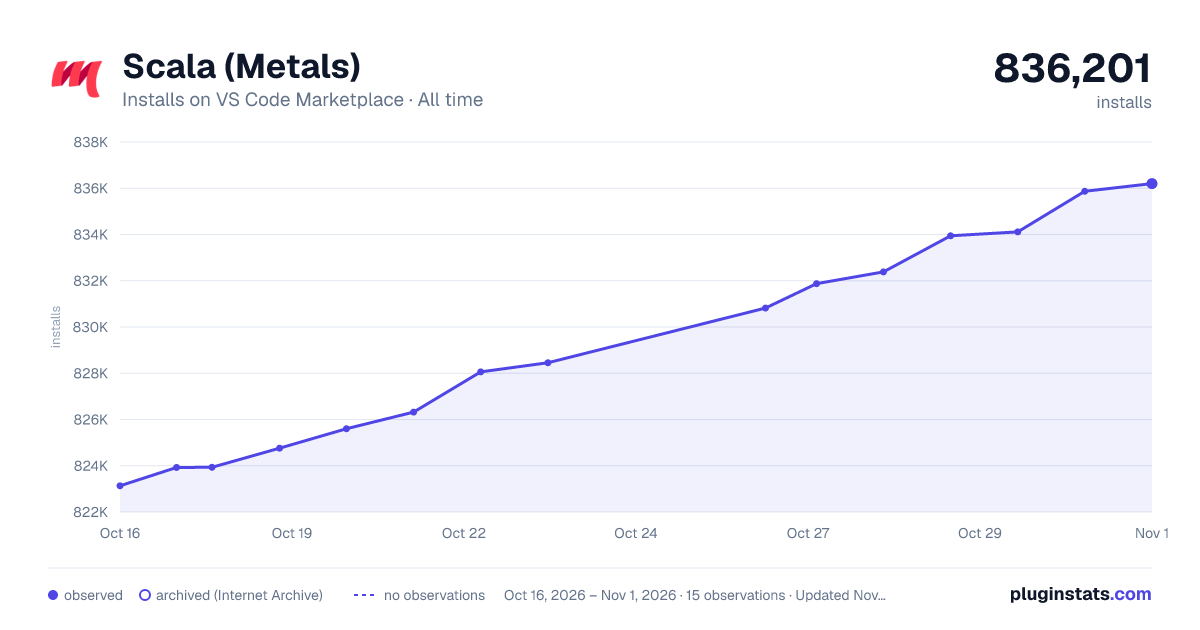

Adoption over time


7/30/90-day growth


Ranking history


Filled points are observed values; hollow points come from Internet Archive snapshots of the listing page. Dashed segments span periods with no observations — values between points are not interpolated.
Recent observations
Full history (3)Similar VS Code Marketplace Programming Languages plugins
Data source
Install counts, average rating, and rating counts come from the public Visual Studio Marketplace gallery API. Installs are cumulative and exclude updates.
Listing: https://marketplace.visualstudio.com/items?itemName=scalameta.metals. First seen Oct 16, 2026; last successful collection Oct 18, 2026. See the methodology.