 PluginStats
Web and Desktop Serial Monitor installs statistics
By Eclipse CDT Cloud (3 listings) · VS Code Marketplace · Other
Views serial port output on desktop or web
Web and Desktop Serial Monitor has 303,863 recorded installs on VS Code Marketplace.
It ranks #1150 of 2,500 tracked VS Code Marketplace listings by installs.
PluginStats has 3 daily observations since Oct 16, 2026; the latest is from Oct 18, 2026.
About Web and Desktop Serial Monitor
Serial Monitor
Generic serial monitor VS Code extension for reading and writing serial ports on the desktop or on the web (using WebSerial).
Opening the Serial Monitor view
The Serial Monitor view displays the output of a serial port.
Procedure
Follow these steps to open the view:
1. Use the contributed Open Serial command in the command palette to select a serial device (CTRL+SHIFT+P).
1. • In desktop environments, select a serial port in the dialog box that displays at the top of the window, and then click Connect. • In browser environmants, a WebSerial dialog is displayed. Select a serial port in this dialog.
A drop-down list displays at the top of the window where you can select a baud rate. The baud rate is the data rate in bits per second between your computer and your hardware. To view the output of your hardware correctly, you must select an appropriate baud rate.
1. Select a baud rate.
The Serial Monitor view opens with the baud rate selected.
You can have only one Serial Monitor view open for each serial port. Before you open an external serial monitoring program, close the relevant Serial Monitor view.
Next steps
To modify the baud rate, follow these steps:
1. Click Change active device Serial baud rate in the status bar and select a baud rate from the drop-down list.
API USage
It's possible to drive the serial monitor from another extension programmatically. Please refer to the API file for interfaces and type definitions.
Example
Description from the VS Code Marketplace listing.
- devices
- embedded
- microcontroller
- monitor
- port
- serial
- webserial
Where Web and Desktop Serial Monitor sits in the listing
Each band is one page of 20. Installs on a log scale. Placement is projected from installs, so it can differ from the marketplace's own sort order. Hover a dot to see the listing.


Charts
Images: 30d · 1y · all time · 1600×900 dark
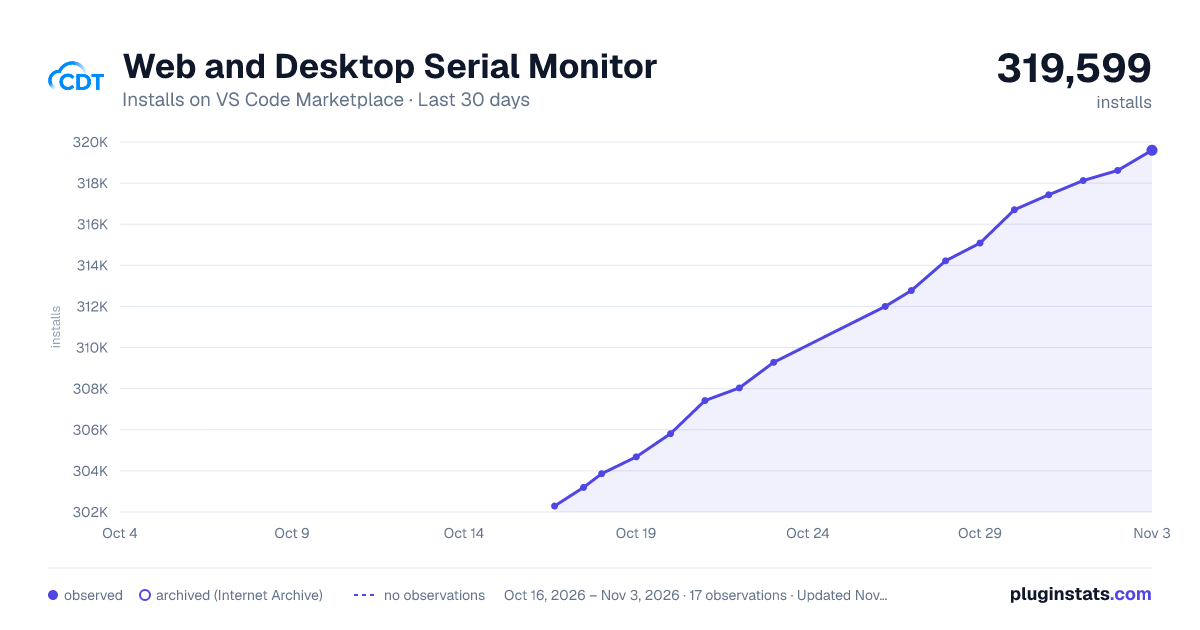
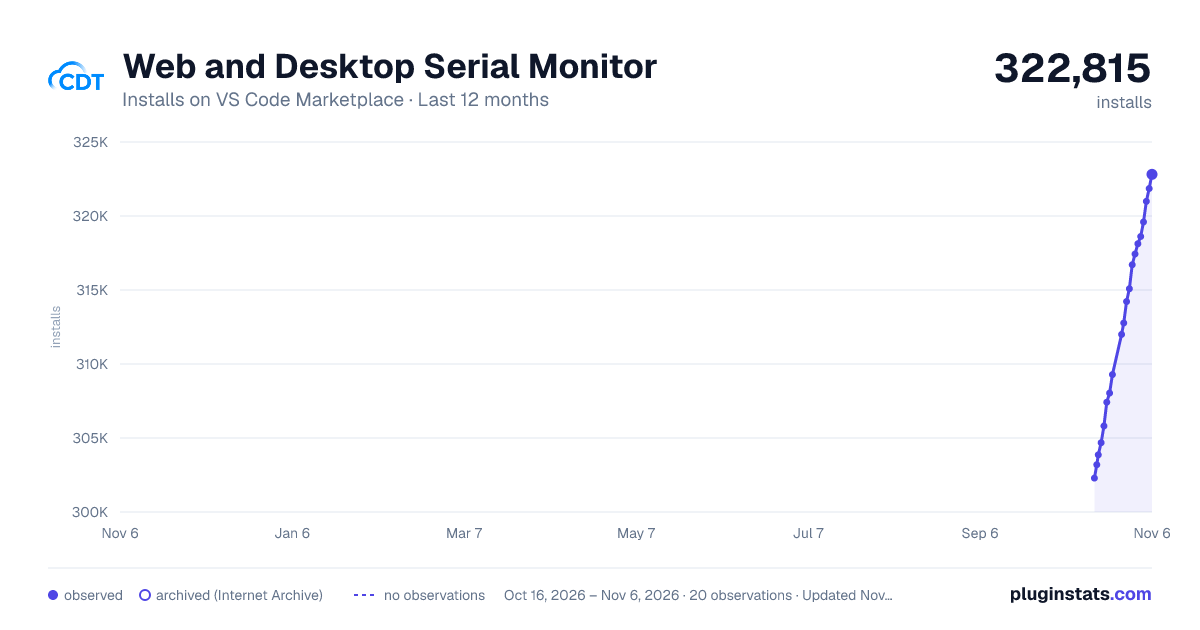
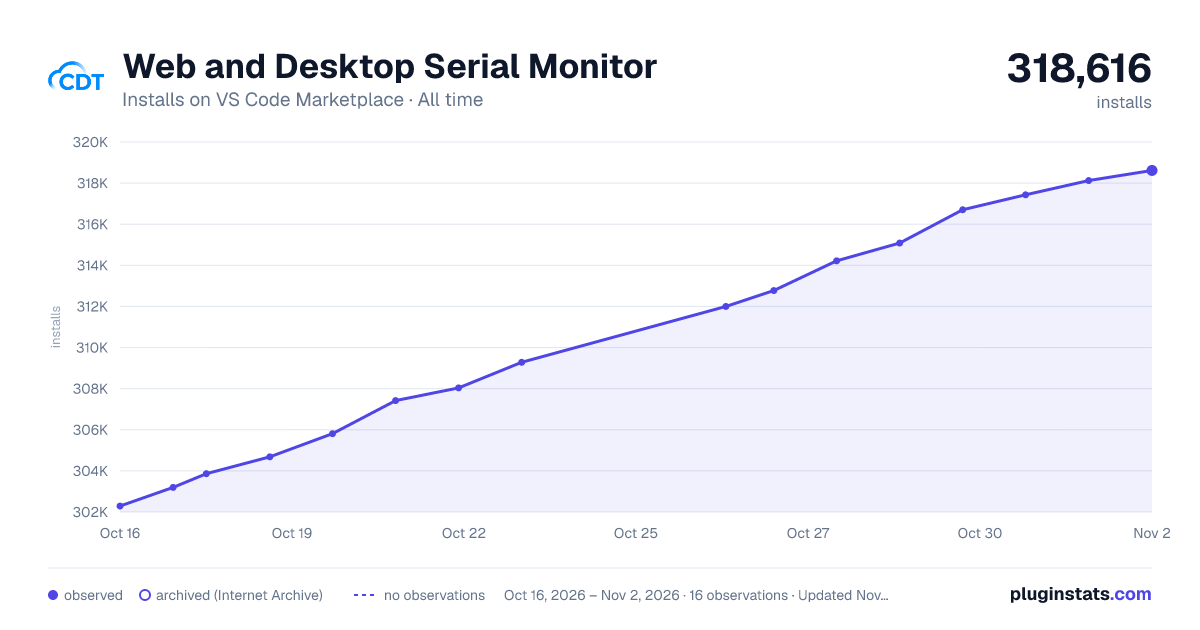

Adoption over time


7/30/90-day growth


Ranking history


Filled points are observed values; hollow points come from Internet Archive snapshots of the listing page. Dashed segments span periods with no observations — values between points are not interpolated.
Recent observations
Full history (3)Similar VS Code Marketplace Other plugins
Data source
Install counts, average rating, and rating counts come from the public Visual Studio Marketplace gallery API. Installs are cumulative and exclude updates.
Listing: https://marketplace.visualstudio.com/items?itemName=eclipse-cdt.serial-monitor. First seen Oct 16, 2026; last successful collection Oct 18, 2026. See the methodology.