 PluginStats
C# installs statistics
By Microsoft (223 listings) · VS Code Marketplace · Programming Languages
Base language support for C#
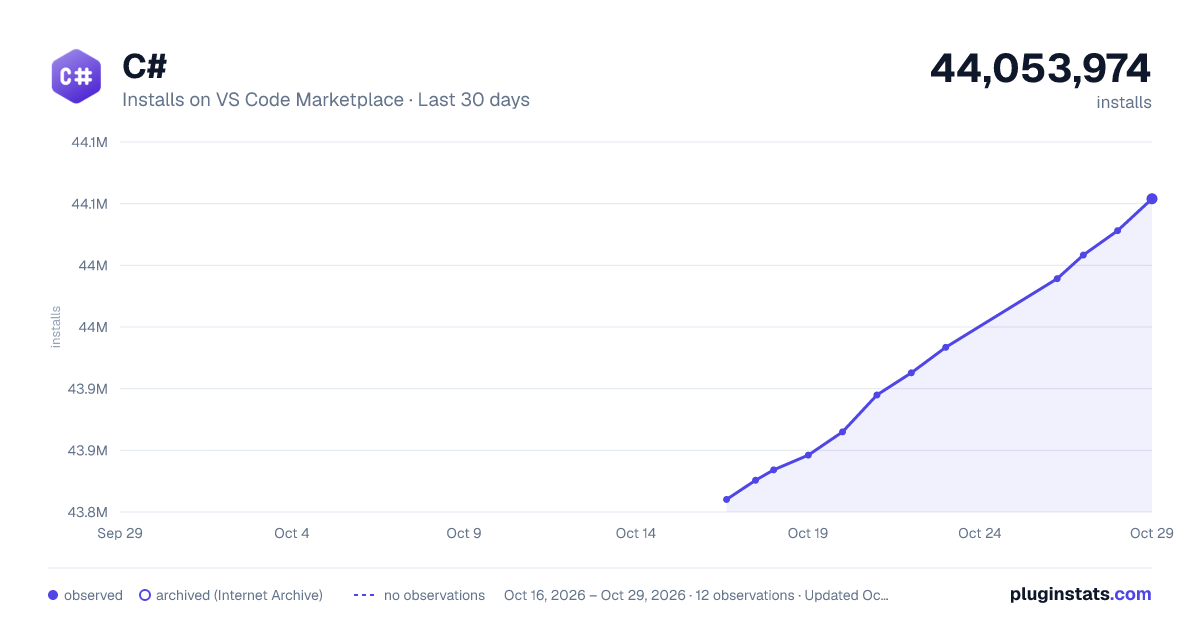
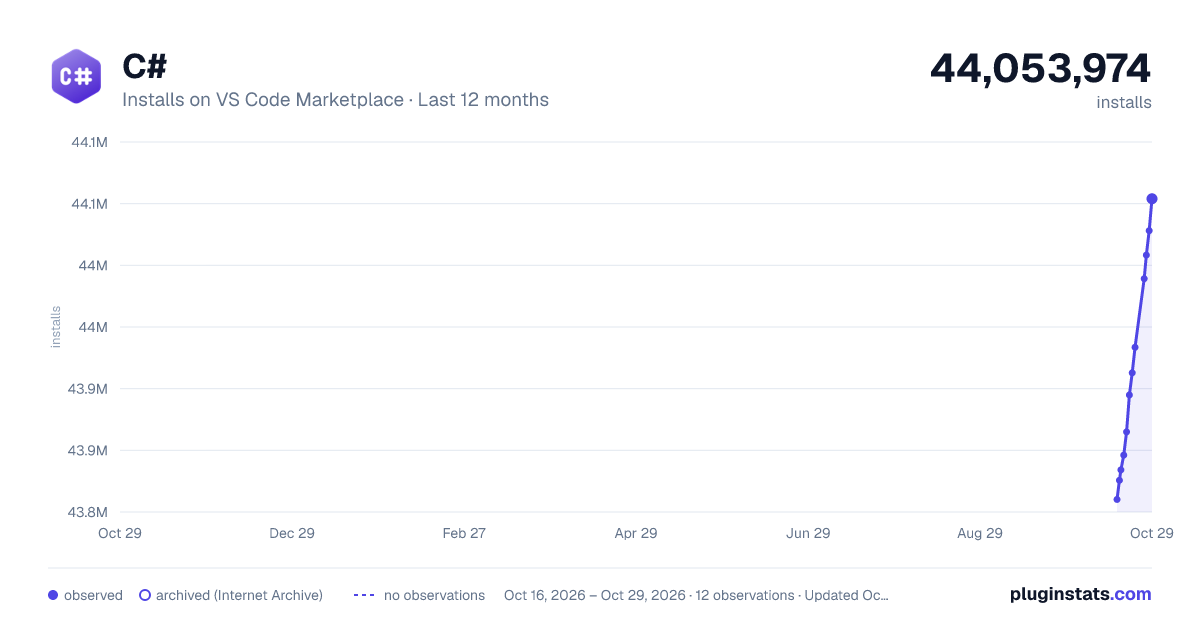
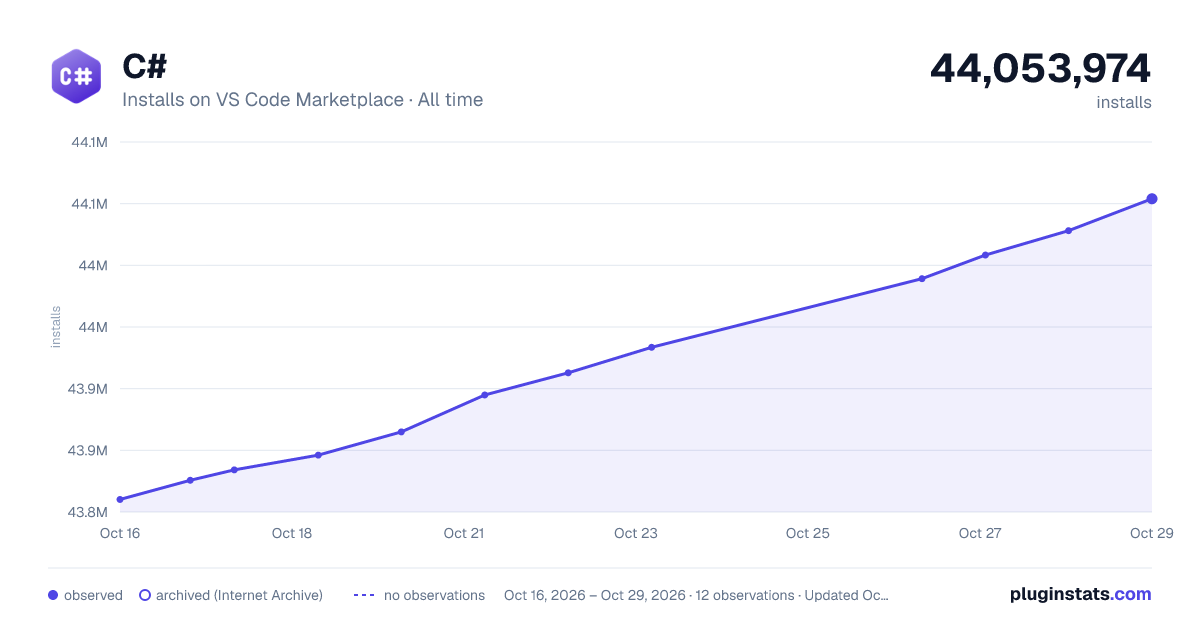
C# has 43,834,154 recorded installs on VS Code Marketplace.
It ranks #31 of 2,500 tracked VS Code Marketplace listings by installs.
It is rated 2.7 out of 5 from 678 ratings.
PluginStats has 3 daily observations since Oct 16, 2026; the latest is from Oct 18, 2026.
Rating: 2.73 / 5 from 678 ratings
About C#
C# for Visual Studio Code
A Visual Studio Code extension that provides rich language support for C# and is shipped along with [C# Dev Kit][csdevkitextension]. Powered by a Language Server Protocol (LSP) server, this extension integrates with open source components like Roslyn and Razor to provide rich type information and a faster, more reliable C# experience.
Recommended Install
While it is possible to use the C# extension as a standalone extension, we highly recommend using [C# Dev Kit][csdevkitextension].
1. Installing [C# Dev Kit][csdevkitextension] will automatically install this extension as a required dependency. 2. Open a folder/workspace that contains a C# project (.csproj) and a C# solution (.sln/.slnx) and the extension will activate. 3. Whether you install C# Dev Kit or just the C# extension, the .NET Install Tool will be installed as a dependency.
Note: If working on a solution that requires versions prior to .NET 6 or non-solution based projects, install a .NET Framework runtime and MSBuild tooling. • Set omnisharp.useModernNet to false and set dotnet.server.useOmnisharp to true • Uninstall or disable C# Dev Kit • Windows: .NET Framework along with MSBuild Tools • MacOS/Linux: Mono with MSBuild
Features
Learn more about the rich features of the C# extension: • Refactoring: Edit your code with code fixes and refactorings • Navigation: Explore and navigate your code with features like Go To Definition and Find All References • IntelliSense: Write code with auto-completion • Formatting and Linting: Format and lint your code • GitHub Copilot C# LSP .NET plugin: Automatic installation of .NET skills and C# language intelligence for Copilot, and how to uninstall
For more information you can:
• Follow our C# tutorial with step-by-step instructions for building a simple app. • Check out the C# documentation on the VS Code site for general information about using the extension.
How to use OmniSharp?
If you don’t want to take advantage of the great Language Server features, you can revert back to using OmniSharp by going to the Extension settings and setting dotnet.server.useOmnisharp to true. Next, uninstall or disable C# Dev Kit. Finally, restart VS Code for this to take effect.
Found a Bug?
To file a new issue, follow the instructions at https://github.com/dotnet/vscode-csharp/blob/main/SUPPORT.md.
Contributing
License
Copyright © .NET Foundation, and contributors.
The Microsoft C# extension is subject to these license terms. The source code to this extension is available on https://github.com/dotnet/vscode-csharp and licensed under the MIT license.
Contribution License Agreement
By signing the CLA, the community is free to use your contribution to .NET Foundation projects.
.NET Foundation
This project is supported by the .NET Foundation.
Feedback
Provide feedback File questions, issues, or feature requests for the extension.
Known issues If someone has already filed an issue that encompasses your feedback, please leave a 👍 or 👎 reaction on the issue to upvote or downvote it to help us prioritize the issue.
Quick survey Let us know what you think of the extension by taking the quick survey.
Description from the VS Code Marketplace listing.
- .NET
- .NET Core
- ASP.NET
- ASP.NETRazor
- aspnetcorerazor
- C#
- color-theme
- coreclr
- csharp
- debuggers
- dotnet
- json
- keybindings
- multi-root ready
- snippet
- theme
- xaml
Where C# sits in the listing
Each band is one page of 20. Installs on a log scale. Placement is projected from installs, so it can differ from the marketplace's own sort order. Hover a dot to see the listing.


Charts
Images: 30d · 1y · all time · 1600×900 dark

Adoption over time


7/30/90-day growth


Filled points are observed values; hollow points come from Internet Archive snapshots of the listing page. Dashed segments span periods with no observations — values between points are not interpolated.
Recent observations
Full history (3)Similar VS Code Marketplace Programming Languages plugins
Data source
Install counts, average rating, and rating counts come from the public Visual Studio Marketplace gallery API. Installs are cumulative and exclude updates.
Listing: https://marketplace.visualstudio.com/items?itemName=ms-dotnettools.csharp. First seen Oct 16, 2026; last successful collection Oct 18, 2026. See the methodology.