 PluginStats
Google Translate installs statistics
By Hancel.Lin (2 listings) · VS Code Marketplace · Other
A extension uses to translate words between different language by google.
Google Translate has 226,305 recorded installs on VS Code Marketplace.
It ranks #1388 of 2,500 tracked VS Code Marketplace listings by installs.
It is rated 4.9 out of 5 from 79 ratings.
PluginStats has 3 daily observations since Oct 16, 2026; the latest is from Oct 18, 2026.
Rating: 4.86 / 5 from 79 ratings
About Google Translate
English Readme / 简体中文说明 / 繁體中文說明
Google Translate Extension
Based on Google Translate. No API Key translation extension required.
❤ Sponsor me / 赞助开发者
Features
1. Language translation Ctrl + Shift + T. 2. Translate and copy results to clipboard Alt + T. 3. Expand the translation result candidate word selection box Shift + Alt + T. 4. Translate and replace Ctrl + Alt + T. 5. Hover to translate selected text. 6. The target language of translation can be set through the setting. 7. Temporarily switch to which language to translate to until you close the workspace or modify the configuration. google-translate.switch Tips: Shortcuts can be modified by going to VSCode's Keyboard Shortcuts (Ctrl + K Ctrl + S)
Release Notes
1.2.9
1. Support to connect to Google Translate via http proxy. 2. Fix hover link domain and switch language notice.
1.2.8
1. Update the translate mirror to China .
1.2.7
1. Fixed Translate.Google.cn invalidation.
1.2.6
1. Fix the incompatibility issue of the wrong source translate language that has been set.
1.2.5
1. Added a Quick pick box to selected translate language.
1.2.4
1. Update translate module use to @imlinhanchao/google-translate-api.
1.2.3
1. Update the clipboard Use the vscode clipboard api.
1.2.2
1. Added option to reduce the message box.
1.2.1
1. Update switch target change language to save in setting. 2. Added detect language setting command. 3. Added swap first and second language command. 4. Added target language and detect language setting status bar.
1.1.6
1. Add replace translation and hover translation support multi-selection feature.
1.1.5
1. Fixed launch extension home page failed at MacOS and Linux.
1.1.4
1. Add a setting item maxSizeOfResult to set the maximum display characters for the translated content and results of the status bar and message box.
1.1.3
1. Fix issue that the translation result is empty when the first language is not Chinese. 2. Add the function of temporarily switching the translation language.
1.1.2
1. Fix the operation and display problems of a large number of text translations.
1.1.1
1. Update extension description.
1.1.0
1. Added setting interface to configure target translation language, etc. 2. Added function name translation feature. 3. Prompts support multiple languages(i18n). 4. Fix several known bugs.
1.0.10
1. Update request library to got, to avoid some compatibility issues.
1.0.9
1. Added internal error prompts for user feedback issues.
1.0.8
1. Remove Request and URLEncode dependencies, use native modules instead, and reduce package size. 2. Added the option to automatically switch the target language based on the language of the editor. If the text in the current compiler language is selected, it will be automatically translated into English.
1.0.7
1. Update limited function trigger conditions to avoid conflicts with VSCode shortcuts.
1.0.6
1. Fixed the problem that only the translation result of the first sentence is displayed when translating a paragraph of text.
1.0.5
1. Added the function of displaying the translation result of the selected text when hovering.
1.0.4
1. Add the instruction to directly replace the selected text language translation. 2. Update Copy to Clipboard and Candidate function, no need to perform after translation.
1.0.3
1. Add automatic translation into Chinese based on the selected text language.
1.0.2
1. Add Linux notes.
1.0.1
1. Add shortcut key description.
1.0.0
1. Support Google Translate Chinese-English translation.
For more information
• GitHub • VSCode Market • Icon made by Pixel perfect from www.flaticon.com • Icon made by Google from www.flaticon.com
Enjoy!
Description from the VS Code Marketplace listing.
- chinese
- english
- Japanese
- keybindings
- Korean
- language
- Translate
Where Google Translate sits in the listing
Each band is one page of 20. Installs on a log scale. Placement is projected from installs, so it can differ from the marketplace's own sort order. Hover a dot to see the listing.


Charts
Images: 30d · 1y · all time · 1600×900 dark
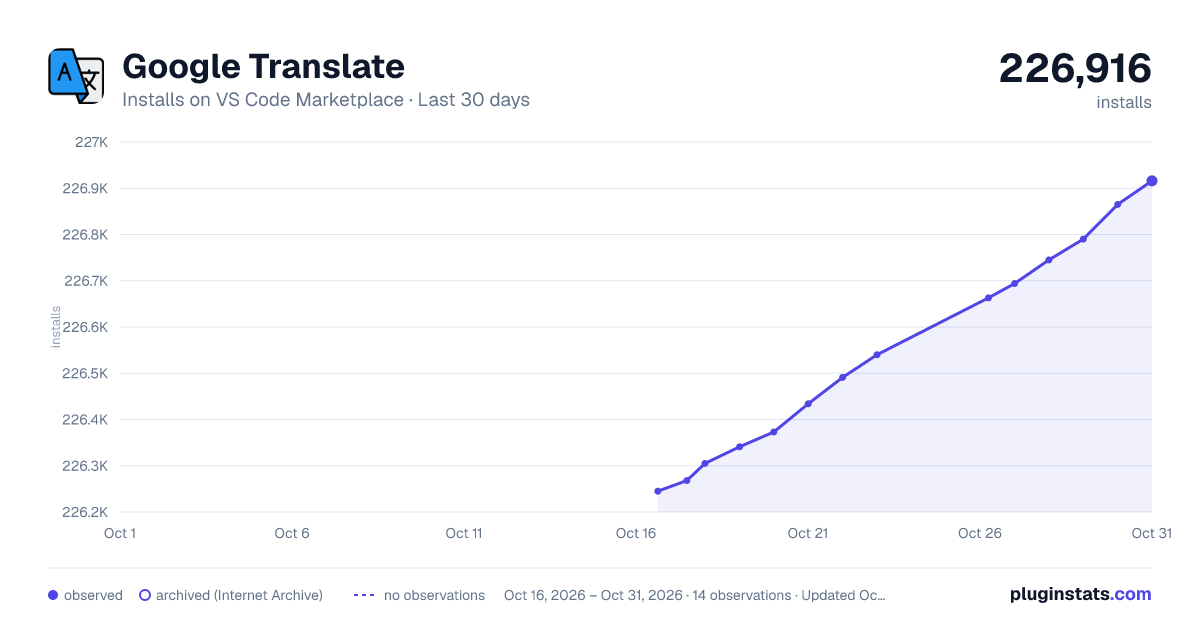
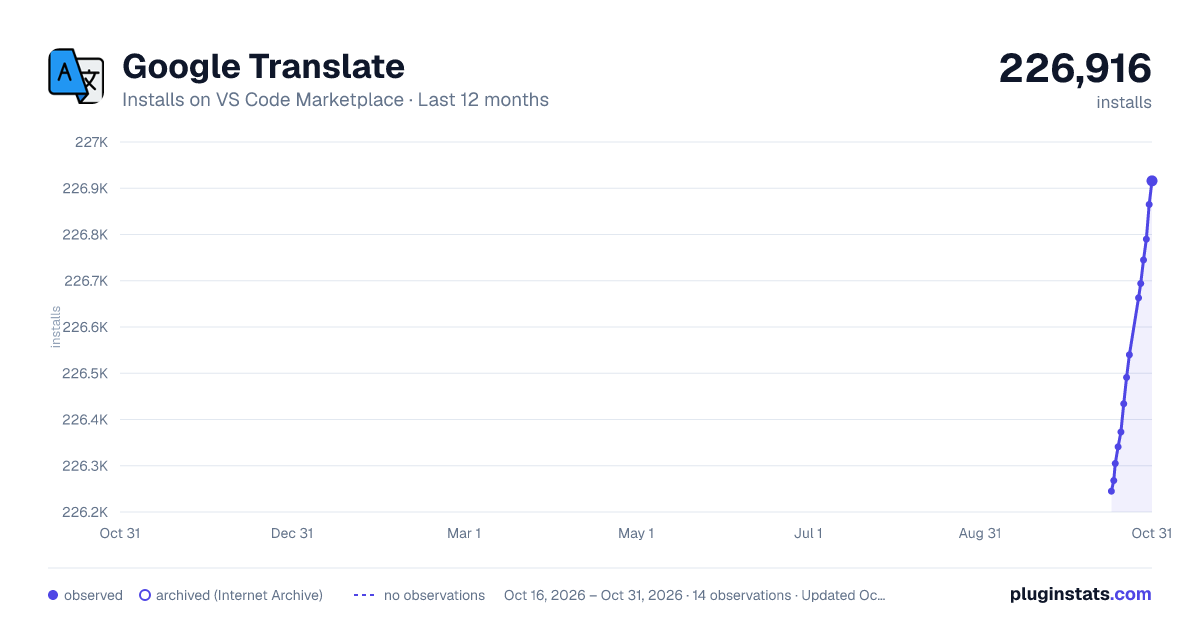
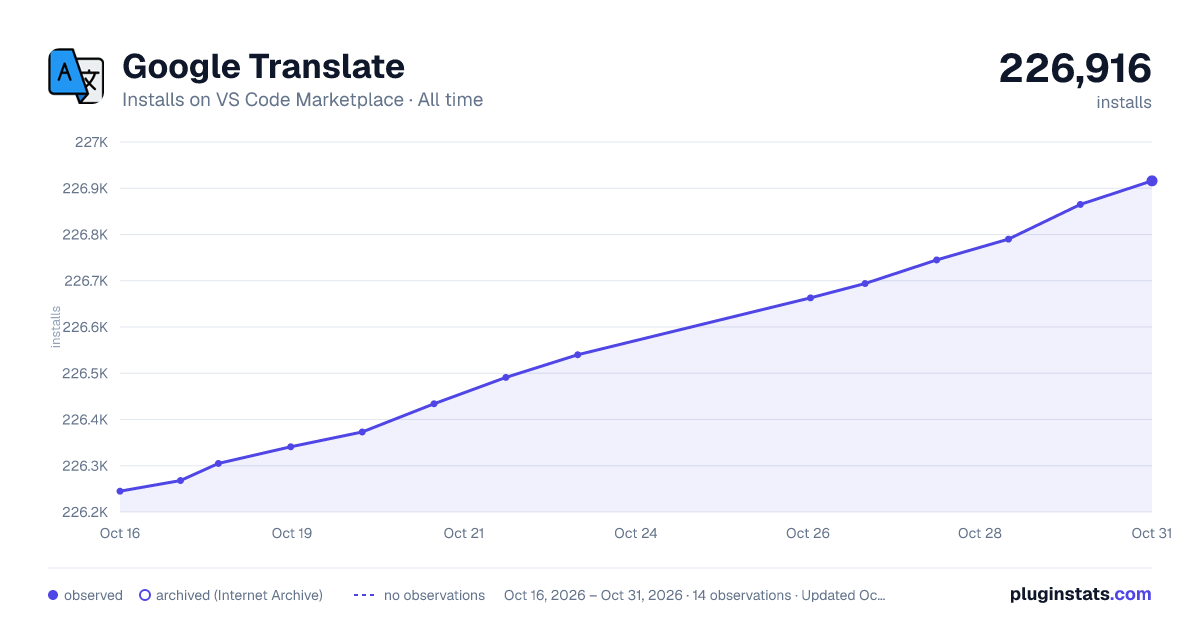

Adoption over time


7/30/90-day growth


Ranking history


Filled points are observed values; hollow points come from Internet Archive snapshots of the listing page. Dashed segments span periods with no observations — values between points are not interpolated.
Recent observations
Full history (3)Similar VS Code Marketplace Other plugins
Data source
Install counts, average rating, and rating counts come from the public Visual Studio Marketplace gallery API. Installs are cumulative and exclude updates.
Listing: https://marketplace.visualstudio.com/items?itemName=hancel.google-translate. First seen Oct 16, 2026; last successful collection Oct 18, 2026. See the methodology.