 PluginStats
Agent Script installs statistics
By Salesforce (33 listings) · VS Code Marketplace · Programming Languages
VS Code extension for Agent Script language support
Agent Script has 231,979 recorded installs on VS Code Marketplace.
It ranks #1366 of 2,500 tracked VS Code Marketplace listings by installs.
PluginStats has 3 daily observations since Oct 16, 2026; the latest is from Oct 18, 2026.
About Agent Script
Agent Script Language Server for VS Code
This extension provides Agent Script language support in VS Code through the Agent Script Language Server.
Overview
Agent Script is a high-level declarative programming language for representing Salesforce agents. It allows you to define conversational agents, their reasoning capabilities, actions, and transitions between topics using a clean, YAML-like syntax. This extension brings Agent Script language support to VS Code, including syntax highlighting, real-time diagnostics, and code navigation.
Agent Script files use the .agent extension and are compiled to an underlying specification (AgentGraph) that the Salesforce reasoning engine executes.
Features
• Syntax Highlighting — Full Agent Script syntax highlighting from semantic tokens • Diagnostics — parse errors, lint warnings, and compile errors • Hover — type information and documentation • Completions — field and namespace completions • Go to Definition • Find References • Rename • Document & Workspace Symbols - Easy code navigation from outline view • Code Actions — quick fixes with suggestions
Installation
The Agent Script extension is installed automatically when you install the Agentforce DX extension, which contains tools for authoring, previewing, and testing the agents you build using Agent Script. But you can also install this extension separately from the VS Code Marketplace.
Open a workspace that contains an Agent Script file (.agent). The language server automatically starts when you open an Agent Script file.
Get Started with Agent Script
See the Agent Script documentation for examples and how to get started.
Settings
| Setting | Default | Description |
| agentscript.dialect | agentforce | Default dialect when no # @dialect: annotation is present. Options: agentforce, agentscript | | agentscript.trace.server | off | Traces communication between VS Code and the language server. Options: off, messages, verbose |
Selecting a Dialect
You can set the default dialect in VS Code settings, or override per-file with a comment in the first 10 lines:
File Organization
Agent Script files are typically organized in Salesforce DX projects as part of an AiAuthoringBundle metadata component in a package directory. Each .agent file represents a complete agent definition.
Additional Resources
• Agent Script Documentation • Examples • Agentforce DX Documentation • Agent Script Recipes • Agent Script Recipes Documentation
Description from the VS Code Marketplace listing.
- agentscript
Where Agent Script sits in the listing
Each band is one page of 20. Installs on a log scale. Placement is projected from installs, so it can differ from the marketplace's own sort order. Hover a dot to see the listing.


Charts
Images: 30d · 1y · all time · 1600×900 dark
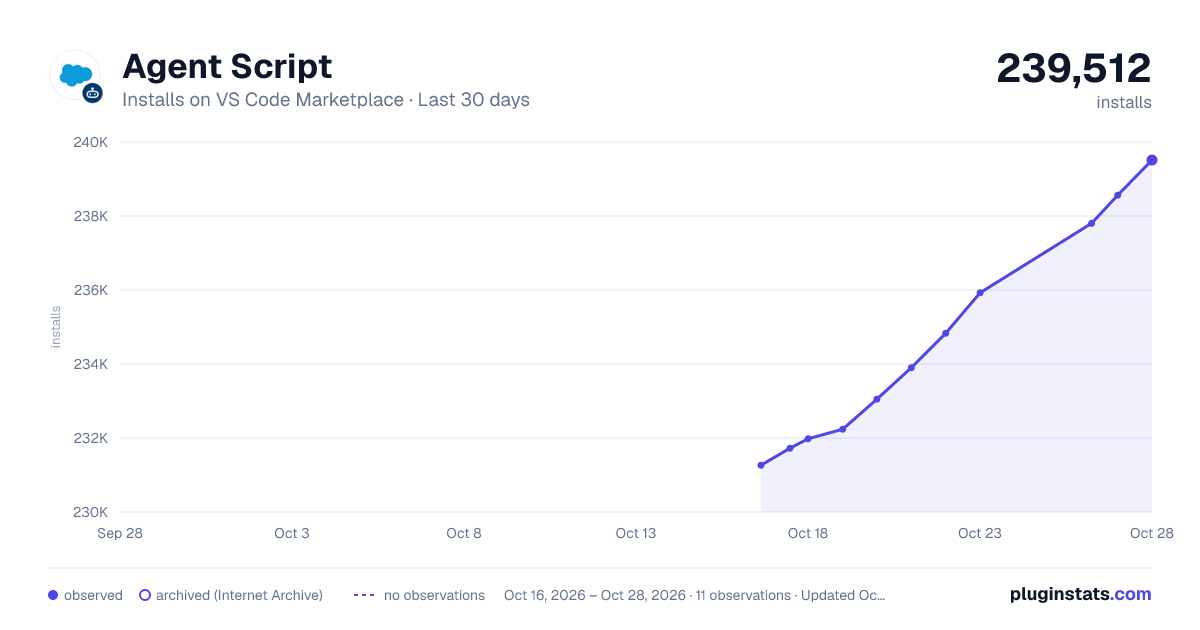
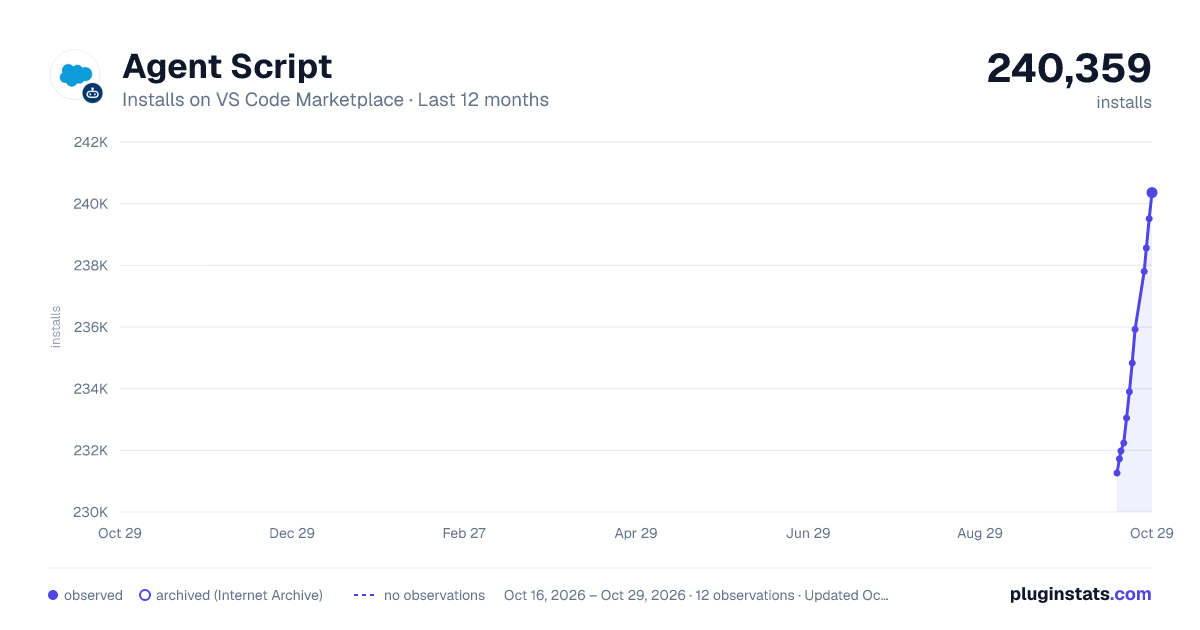
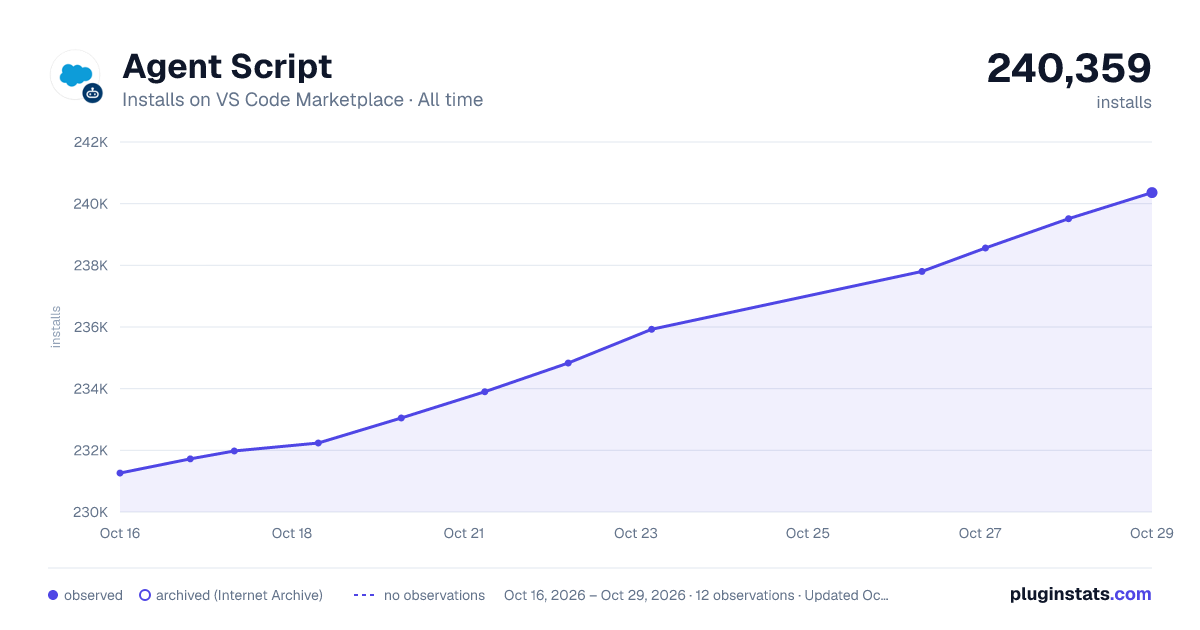

Adoption over time


7/30/90-day growth


Ranking history


Filled points are observed values; hollow points come from Internet Archive snapshots of the listing page. Dashed segments span periods with no observations — values between points are not interpolated.
Recent observations
Full history (3)Similar VS Code Marketplace Programming Languages plugins
Data source
Install counts, average rating, and rating counts come from the public Visual Studio Marketplace gallery API. Installs are cumulative and exclude updates.
Listing: https://marketplace.visualstudio.com/items?itemName=salesforce.agent-script-language-client. First seen Oct 16, 2026; last successful collection Oct 18, 2026. See the methodology.