 PluginStats
Easy C++ projects installs statistics
By Alejandro C. Luque · VS Code Marketplace · Other
Create C++ projects easily for GCC, WSL-GCC, Clang and MSVC
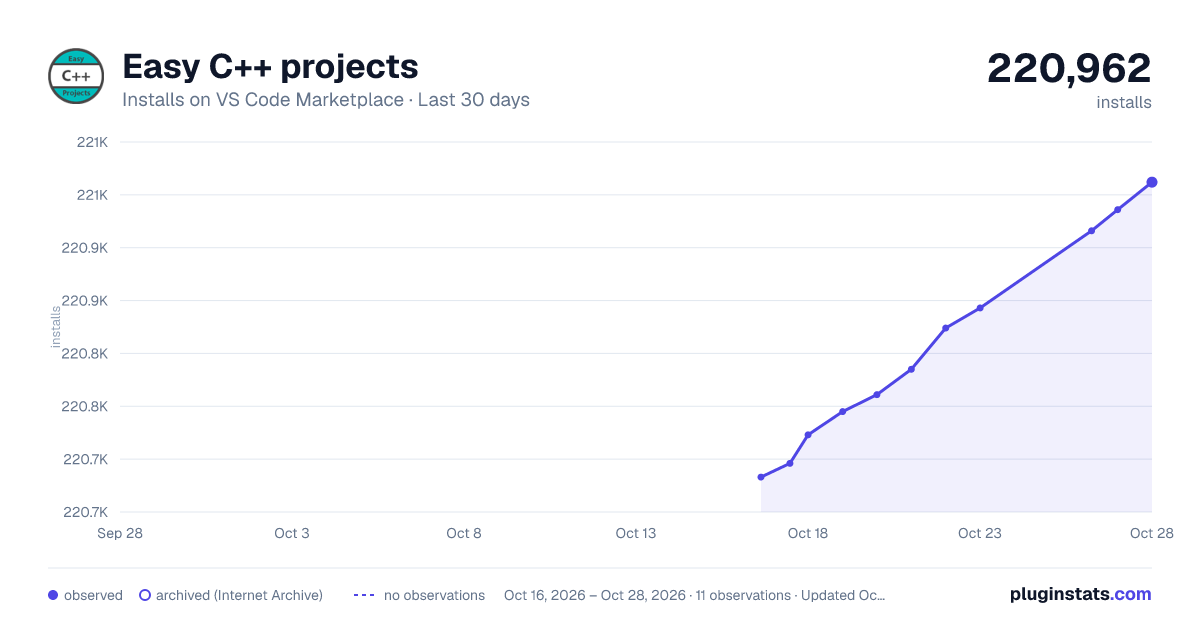
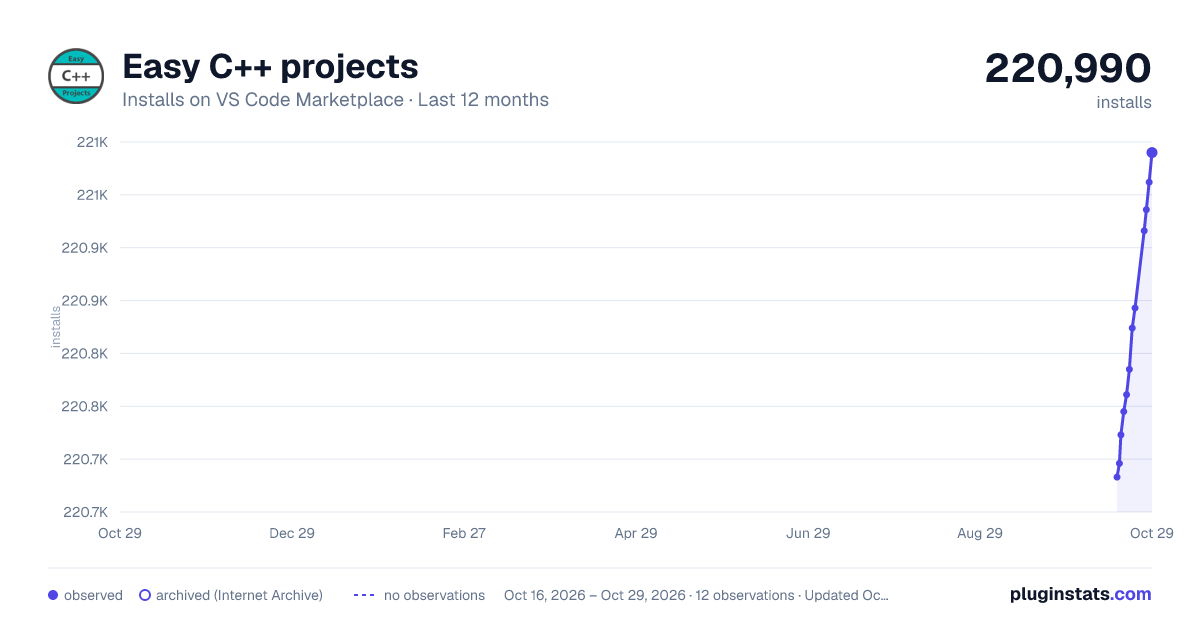
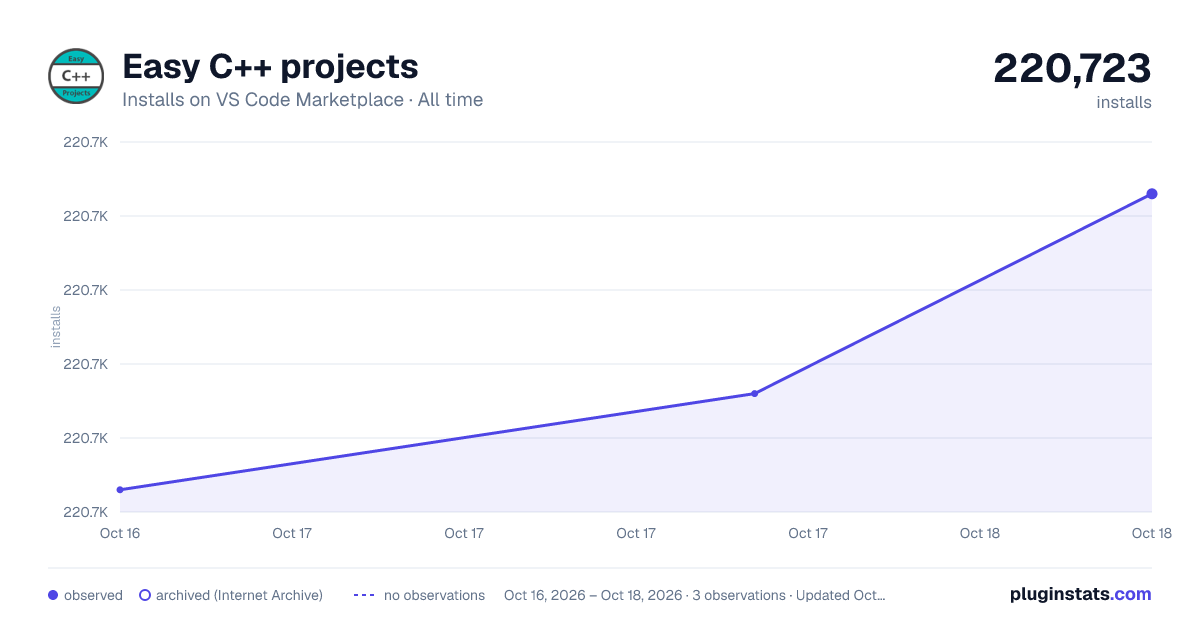
Easy C++ projects has 220,723 recorded installs on VS Code Marketplace.
It ranks #1417 of 2,500 tracked VS Code Marketplace listings by installs.
It is rated 3.5 out of 5 from 11 ratings.
PluginStats has 3 daily observations since Oct 16, 2026; the latest is from Oct 18, 2026.
Rating: 3.55 / 5 from 11 ratings
About Easy C++ projects
[![Version][version-badge]][marketplace] [![Installs][installs-badge]][marketplace]
Important note, please read!
This extension will be discontinued soon. My new extension Fenix has been published!
All Easy C++ Projects templates are available in Fenix today, please go ahead and try it! You just need to add Easy C++ Projects from the recommended tab in Fenix :)
• Fenix provides the ability to run commands, add your own custom repositories and an overall better UI. Its aim is to extend the functionality Easy C++ Projects has. • It is also language agnostic, so it is not tied to C++ projects anymore. If you want to create a repository with templates for any other language you can do it!
I will still push some updates to Easy C++ Projects, but there won't be new features added.
Finally I want to thank all of you for the support you have given Easy C++ Projects. It's been my first ever big project. I did not expect that many people installing it, so thank you from the bottom of my heart for giving it a try and enjoying using it <3
I you want to ask my anything or keep up with the development of my projects, I suggest you follow me on Twitter at @ACharLuk
Features
Create C++ projects and classes with just few clicks, for MSVC, GCC and Clang
It works with MSVC (Windows), GCC (Linux) and Clang (macOS)
Creating a new project will do the following:
• Project structure: Common folders like src, include and bin • Makefile: A makefile already set up to build and run your project • VSCode tasks: Configurations for building and running your project • VSCode debug configuration: Debugging already setup for Visual Studio Debugger, GDB and LLDB • Add new classes easily with the Create new class command
Creating class will create the appropiate files using one of the templates avaliable here
Getting started
1. Install the compiler you want to use, look the _Requirements_ section below 2. Open a new folder in VSCode 3. Open the command palette (F1) and search for easy cpp, then press the Create new C++ project option 4. Enjoy programming! Now you can compile your code using the Build & Run button in the status bar at the bottom or F7, you can also set breakpoints and use the debugger!
Requirements
Windows
• You must have MSVC or GCC installed: • MSVC can be installed using Build Tools for Visual Studio 2017 from here • GCC Windows 10: Install GCC and Make on Windows through WSL: Windows Subsystem for Linux setup • GCC Windows 8.1 or lower: Install GCC and Make using Cygwin or MinGW
GNU/Linux
• Install GCC, Make and GDB using the package manager of your distribution, these are some of them: • Debian/Ubuntu/Mint: sudo apt install g++ make gdb • Fedora: sudo dnf install gcc-c++ make gdb • Arch Linux: sudo pacman -S gcc make gdb
MacOS
• GCC: Check out Brew • Clang: • Open a Terminal • Run the command xcode-select --install • A dialog will appear telling you that it requires the command line developer tools, and asks if you would like to install them. Click on the "Install" button
Note:
• You should install C/C++ VSCode extension for the best experience, avaliable here • Alternatively you can run this command from the command palette: ext install ms-vscode.cpptools
Release Notes
2.0.0
Updated dependencies
Fixed some bugs
Introduced a few more bugs ;)
1.7.7
Changed custom templates folder location, now it is safe to save templates and they won't be removed upon extension updates
1.7.6
Added support for Visual Studio Build Tools 2019
1.7.5
Added "openFiles" property to JSON. It allows the user to set multiple files to open automatically on project creation
1.7.4
Fix Easy C++ placeholder not being created when using a custom template
1.7.3
New files.json format, now each template can have different directories and blank files created
1.7.2
Added "Convert this folder to an Easy C++ Project" command
1.7.1
Load extension when the file .vscode/.easycpp is present, avoiding loading it when there is a tasks.json but it is not an Easy C++ project
1.7.0
Added support for offline templates if there is no Internet connection avaliable
Added support for custom templates
Added "Open Custom Templates Directory" command
1.6.0
Added Create getter, Create setter and Create getter and setter commands. This is in very early stages, so bugs will happen. Please report any bugs to the issues page on GitHub :)
Description from the VS Code Marketplace listing.
- c++
- keybindings
Where Easy C++ projects sits in the listing
Each band is one page of 20. Installs on a log scale. Placement is projected from installs, so it can differ from the marketplace's own sort order. Hover a dot to see the listing.


Charts
Images: 30d · 1y · all time · 1600×900 dark

Adoption over time


7/30/90-day growth


Ranking history


Filled points are observed values; hollow points come from Internet Archive snapshots of the listing page. Dashed segments span periods with no observations — values between points are not interpolated.
Recent observations
Full history (3)Similar VS Code Marketplace Other plugins
Data source
Install counts, average rating, and rating counts come from the public Visual Studio Marketplace gallery API. Installs are cumulative and exclude updates.
Listing: https://marketplace.visualstudio.com/items?itemName=ACharLuk.easy-cpp-projects. First seen Oct 16, 2026; last successful collection Oct 18, 2026. See the methodology.