 PluginStats
Insert Date & Time installs statistics
By Jakub Synowiec · VS Code Marketplace · Snippets
Insert dates, times, ISO 8601 strings, Unix timestamps, and custom Day.js-formatted timestamps in VS Code — with shortcuts, timezone support, and configurable formats.
Insert Date & Time has 148,940 recorded installs on VS Code Marketplace, ranking #1867 of 2,501 tracked listings.
Rating: 5.00 / 5 from 20 ratings
About Insert Date & Time
Insert Date & Time extension for VS Code
[![Sponsor][sponsor-badge]][sponsor] [![Version][version-badge]][marketplace] [![Ratings][ratings-badge]][marketplace-ratings] [![Installs][installs-badge]][marketplace] [![License][license-badge]][license]
Insert the current date, time, ISO 8601 string, Unix/epoch timestamp, or any custom Day.js-formatted timestamp directly into the editor.
Perfect for Markdown notes, changelogs, front matter, logs, comments, templates, and distributed-team workflows that need consistent UTC or timezone-aware timestamps.

Why use it?
- Insert date/time with a keyboard shortcut
- Supports date, time, datetime, ISO 8601, Unix timestamp, and custom formats
- Configure a custom format template
- Allows inserting date/time in a different IANA timezone such as
UTC,Europe/Warsaw, orAmerica/New_York - Allows inserting localized month and weekday names
- Insert at the cursor or replace the current selection
- Prompt for one-off custom formats when needed
Quick examples
| Command | Example output |
|---|---|
Insert DateTime | 2026-06-30 14:05:09 |
Insert Date | 2026-06-30 |
Insert Time | 14:05:09 |
Insert Timestamp | 1782821109000 |
Insert Formatted DateTime with iso | 2026-06-30T12:05:09Z |
Custom format YYYY-MM-DDTHH:mm:ssZ | 2026-06-30T14:05:09+02:00 |
Installation
Install from the [Visual Studio Marketplace][marketplace], or open the Command Palette and run:
ext install jsynowiec.vscode-insertdatestring
Usage
Open the Command Palette and run one of these commands:
| Command | Shortcut | Description |
|---|---|---|
Insert DateTime | <kbd>⇧</kbd>+<kbd>⌘</kbd>+<kbd>I</kbd> (OS X)<br><kbd>Ctrl</kbd>+<kbd>Shift</kbd>+<kbd>I</kbd> (Windows/Linux) | Inserts current date and/or time according to configured format (format) at the cursor position. |
Insert Date | — | Inserts current date according to configured format (formatDate) at the cursor position. |
Insert Time | — | Inserts current time according to configured format (formatTime) at the cursor position. |
Insert Timestamp | — | Inserts current timestamp in milliseconds at the cursor position. |
Insert Formatted DateTime | <kbd>⇧</kbd>+<kbd>⌘</kbd>+<kbd>⌥</kbd>+<kbd>I</kbd> (OS X)<br><kbd>Ctrl</kbd>+<kbd>Alt</kbd>+<kbd>Shift</kbd>+<kbd>I</kbd> (Windows/Linux) | Prompt user for format and insert formatted date and/or time at the cursor position. The last custom format entered is remembered per workspace using VS Code's workspace context which is separate from the insertDateString.format setting and is not visible in your workspace settings file. |
Reset Workspace DateTime Format Override | — | Clears the workspace-stored format override, restoring the insertDateString.format setting as the default for Insert Formatted DateTime. |
Configuration…
Description from the VS Code Marketplace listing.
- changelog
- current date
- current time
- custom date format
- date
- date formatter
- date formatting
- date string
- datetime
- dayjs
- epoch
- epoch timestamp
- front matter
- iana timezone
- insert date
- insert time
- insert timestamp
- iso 8601
- iso8601
- javascript
README badge
Show your rank in a README or on your website. The badge updates automatically.
Charts
Images: 30d · 1y · all time · 1600×900 dark
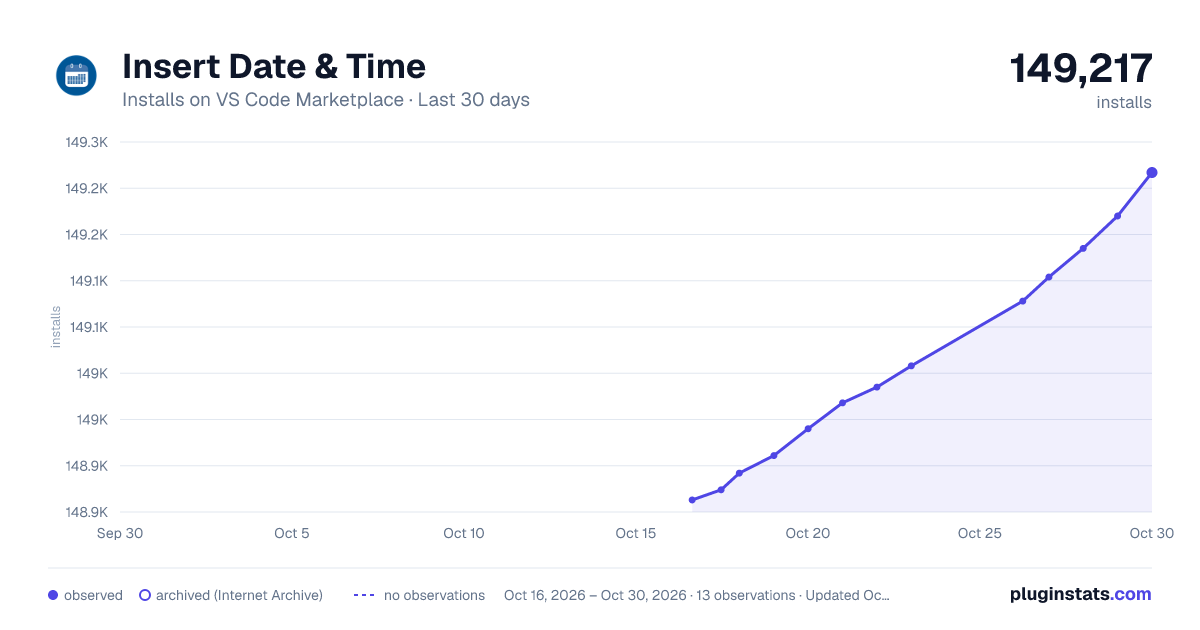
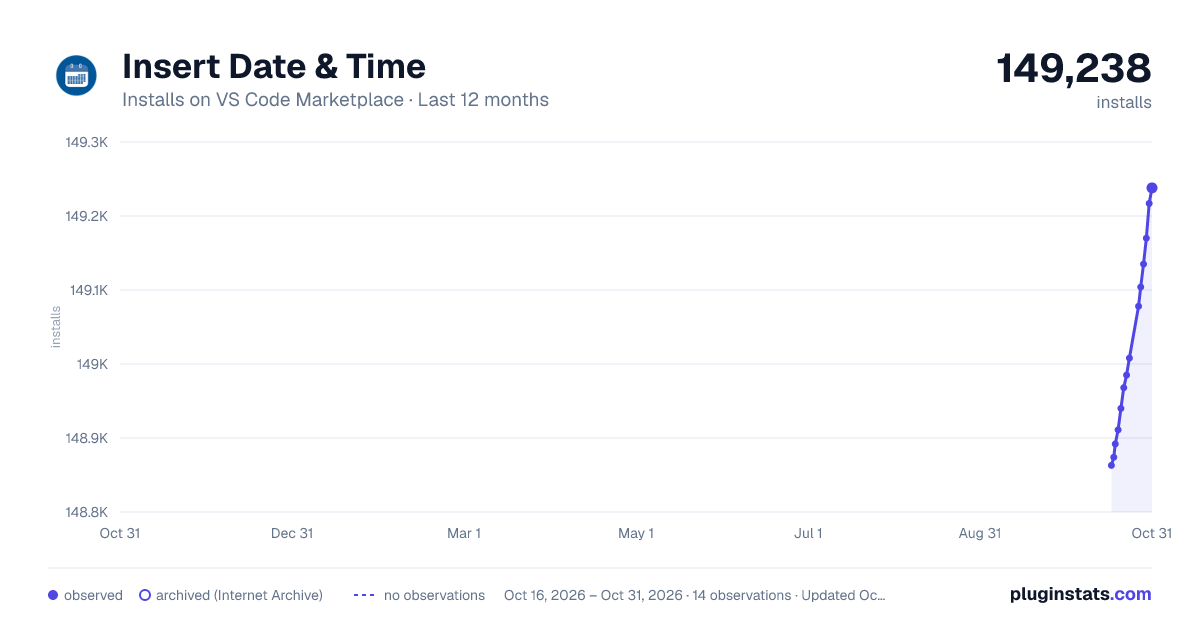
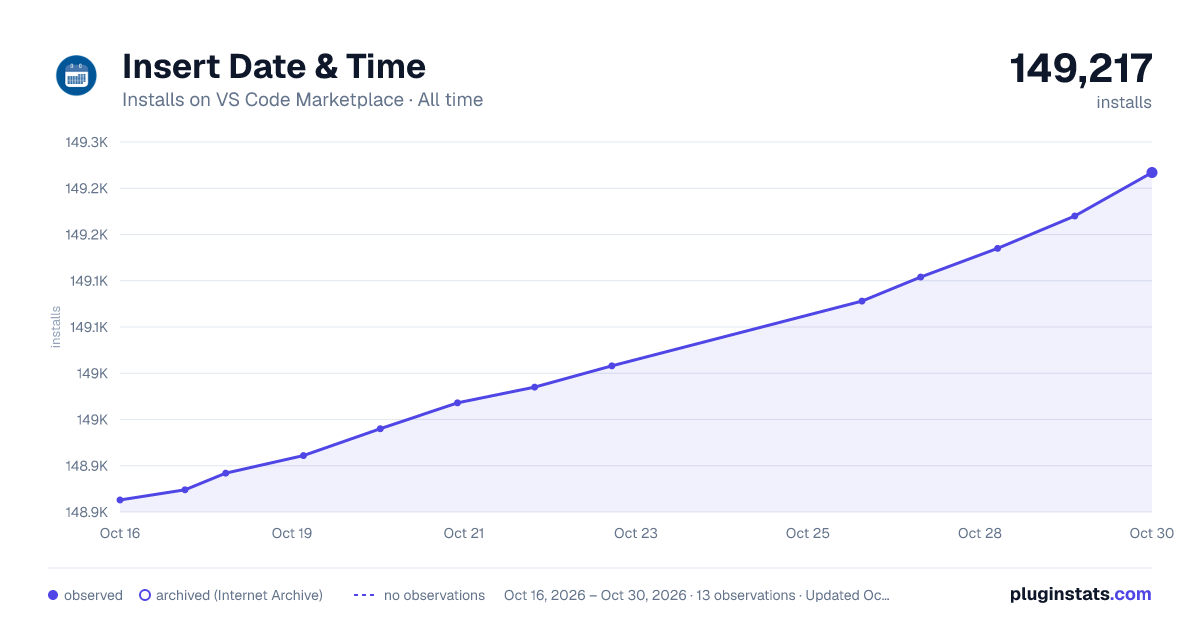

Adoption over time
7/30/90-day growth
Ranking history
Ratings over time
Listing placement
Listing placement
Filled points are observed values; hollow points come from Internet Archive snapshots of the listing page. Dashed segments span periods with no observations — values between points are not interpolated.
Each band is one page of 20. Installs on a linear scale. Placement is projected from installs, so it can differ from the marketplace's own sort order. Hover a dot to see the listing.
Recent observations
Full history (5)Similar VS Code Marketplace Snippets plugins
All 20 Insert Date & Time alternativesData source
Install counts, average rating, and rating counts come from the public Visual Studio Marketplace gallery API. Installs are cumulative and exclude updates.
Listing: https://marketplace.visualstudio.com/items?itemName=jsynowiec.vscode-insertdatestring. First seen Oct 16, 2026; last successful collection Oct 20, 2026. See the methodology.