 PluginStats
JSPrintManager installs statistics
By Neodynamic · VS Code Marketplace · Snippets
Print Commands & Files, Manage Printers & Scan Docs from Javascript. JSPrintManager is a Javascript + Client App solution for Client-side Printing & Scanning scenarios allowing you to easily send raw data, text and native printer commands and known file formats (like PDF, TXT, DOC, XLS, JPG, PNG) to
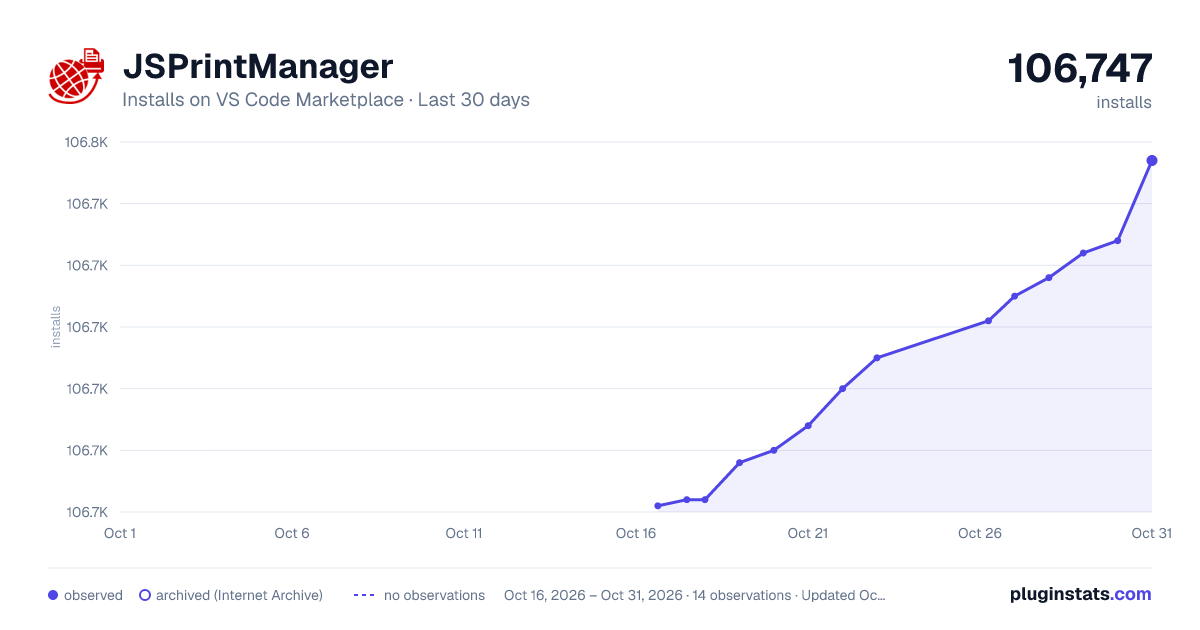
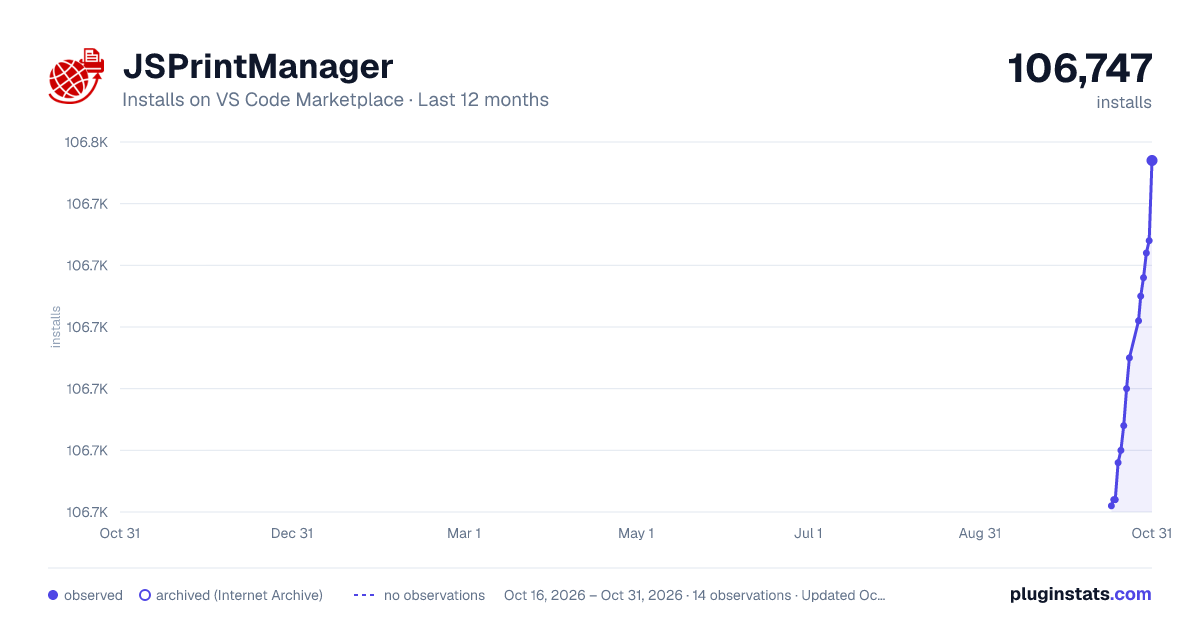
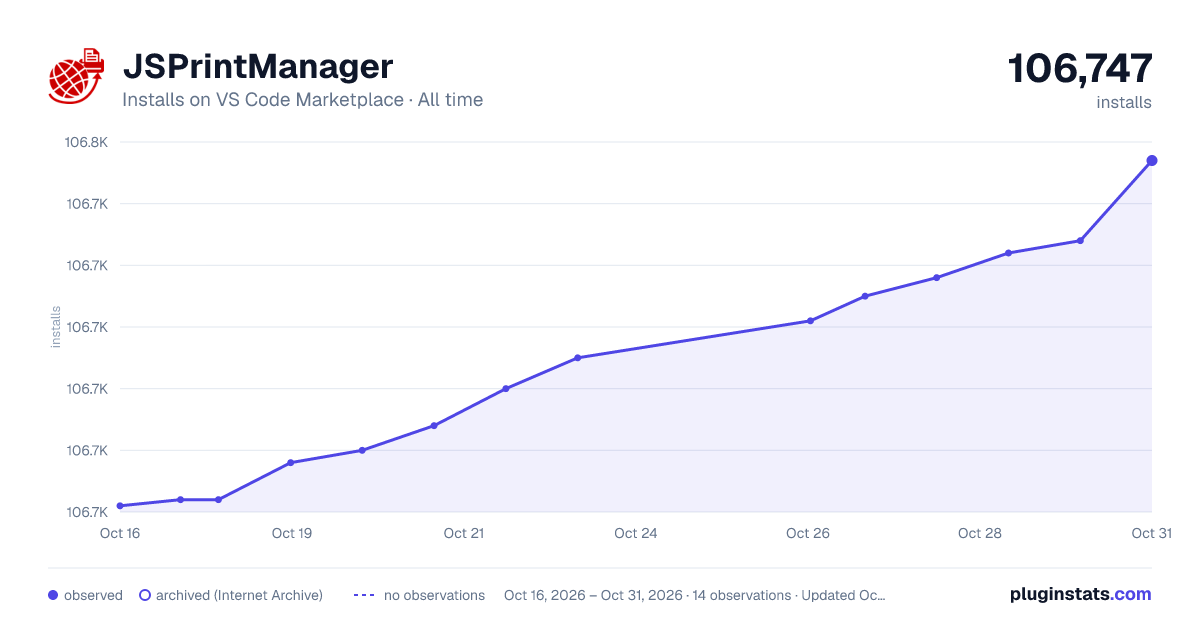
JSPrintManager has 106,692 recorded installs on VS Code Marketplace.
It ranks #2275 of 2,500 tracked VS Code Marketplace listings by installs.
PluginStats has 3 daily observations since Oct 16, 2026; the latest is from Oct 18, 2026.
About JSPrintManager
JSPrintManager - Print Commands & Files, Manage Printers & Scan Docs from Javascript
JSPrintManager is a Javascript + Client App solution for Client-side Printing scenarios designed to be used in any Website developed on top of any Web Platform like ASP.NET, PHP, Django, Ruby On Rails (RoR), Express.js and more!
By writing pure Javascript code, JSPrintManager allows you to _easily send raw data, text and native commands_ as well as _known file formats (like PDF, TXT, DOC, XLS, JPG, PNG)_ to any printer installed or available at the client machine *without showing or displaying any print dialog box!*
Scan Documents & Images is also supported!
JSPrintManager Components
• The Website component (JSPrintManager.js) is a Javascript object which is used in a website to generate _"Client Print Jobs"_. • The Client-side component is a lightweight native app (without any dependencies) that processes all the _"Client Print Jobs"_ generated by the Javascript object. JSPrintManager App can be installed on Windows, Linux, Mac & Raspberry Pi! Download JSPrintManager App...
How to use JSPrintManager Visual Studio Code Extension
Just type the prefix jspm to list the code snippets in HTML files.
Features
Raw Data Printing
Send any raw data & commands supported by the client printer like EPSON ESC/POS, HP PCL, PostScript, Zebra ZPL and Eltron EPL, and more! Shipping labels generated by postal services like UPS, FedEx, USPS, DHL as well as PRN files are also supported!
Advanced PDF Printing
Print PDF files without requiring Adobe Reader or any other external software! Advanced PDF Printing settings include Tray Name, Paper Size, Print Rotation, Pages Range, Duplex, Password-protection and more!
Print Images & Docs
In addition to print raw commands, you can also use JSPrintManager solution to send and print known file formats like PDF, TXT, DOC/x, XLS/x, JPG, PNG, and more! PDF, TXT, PNG, JPG and BMP are natively supported; others will require external software like Word, Excel, LibreOffice, etc.
Advanced DOC Printing
Print DOC files silently with Advanced Printing settings including Password-protected files, manual Duplex, Pages Range, and more! _Windows only, requires MS Word 97+_
Advanced XLS Printing
Print XLS files silently with Advanced Printing settings including Password-protected files, Pages Range, and more! _Windows only, requires MS Excel 97+_
Print Files With Password
Print Password Protected PDF, DOC & XLS files! The password protected file is set at server side and the password to unlock it is encrypted and embedded into the file as part of its metadata.
Web Scan Docs & Images
Scan docs & images through any TWAIN/WIA/SANE-compatible devices specifying settings like DPI Resolution, Pixel Mode (Grayscale, Color), and Output Image Format (JPG, PNG)!
Tray/Bin & Paper Size
If the printer is installed in the client system through a Printer Driver, then you can specify to which Tray Name to send the print job and specify a Paper Size if desired. The file formats supported by this feature are PDF, JPEG, PNG, BMP & TXT
BIDI Serial Comm
Bidirectional Serial Port Communication support! Send/Write & Receive/Read data strings to any RS-232, COM & TTY port available on the client system.
Get Printers Info & Status
Besides getting the list of installed printers available in the client machine, you can also get further details like DPI Resolution, PortName, "Is Connected", "Is Shared", "Is Local", "Is Network", "Is Virtual or Real/Physical printer?", as well as the list of supported Papers and list of trays/bins!
Printers Watcher
Detect when a new printer is added, when a printer is removed/deleted, and when any changes or modifications are done on any printers available at the client machine. _Windows only_
Get Print Jobs Status
Trace print jobs status when targeting any installed client printers. Got notified whether the print job completed, number of printed pages, and many more related information.
Print Server Mode
JSPrintManager can be installed and configured as a dedicated print service on a given Desktop, Server or Device running Windows, Linux, macOS/OSX or Raspberry Pi OSes
Print from Mobile & Sandboxed Devices
With JSPrintManager in Print Server Mode, clients such as mobile/sandboxed devices (running iOS, Android, ChromeOS...) and Terminal Services/Citrix environments will be able to print from your website! Useful for Mobile Billing, Mobile POS, Mobile Ordering, etc.
Print to Any Printer
Print to any brand and type of client printers! Thermal Label Barcode printers, POS receipt printers, Impact printers, Ticket printers, RFID printers, Dot-Matrix, 3D Printers and more!
Get Printers Info
Besides getting the list of installed printers available in the client machine, you can also get further details like DPI Resolution, PortName, "Is Connected", "Is Shared", "Is Local", "Is Network", "Is Virtual or Real/Physical printer?", as well as the list of supported Papers and list of trays/bins!
Tray & Paper Size
If the printer is installed in the client system through a Printer Driver, then you can specify to which Tray Name to send the print job and specify a Paper Size if desired. The file formats supported by this feature are PDF, JPEG, PNG, BMP & TXT
Printer Communication
Client Printers Connectivity support: installed printers through Printer Driver (for USB connection), Shared Printers, Parallel Port (LPT) or Serial Port RS-232 (COM) as well as IP/Ethernet Network printers. On Linux & Mac OS, any kind of printer installed through CUPS is supported.
Any Web Platform
Based on pure Javascript code, JSPrintManager.js can be used in any Web Platform like ASP.NET, PHP, Django, Ruby On Rails (RoR), Express.js as well as in any Web Framework like Angular or React
Cross Platform Client…
Description from the VS Code Marketplace listing.
- Android
- ASP.NET
- bins
- Card
- Card ID
- ChromeOS
- CLP
- Commands
- CPL
- DASCOM
- Data
- DHL
- DOC
- DOCX
- Dot-Matrix
- DPL
- Dymo
- EPL
- ESC codes
- ESC/P
Where JSPrintManager sits in the listing
Each band is one page of 20. Installs on a log scale. Placement is projected from installs, so it can differ from the marketplace's own sort order. Hover a dot to see the listing.


Charts
Images: 30d · 1y · all time · 1600×900 dark

Adoption over time


7/30/90-day growth


Ranking history


Filled points are observed values; hollow points come from Internet Archive snapshots of the listing page. Dashed segments span periods with no observations — values between points are not interpolated.
Recent observations
Full history (3)Similar VS Code Marketplace Snippets plugins
Data source
Install counts, average rating, and rating counts come from the public Visual Studio Marketplace gallery API. Installs are cumulative and exclude updates.
Listing: https://marketplace.visualstudio.com/items?itemName=NeodynamicSRL.jspm. First seen Oct 16, 2026; last successful collection Oct 18, 2026. See the methodology.