 PluginStats
SQLite3 Editor installs statistics
By yy0931 (3 listings) · VS Code Marketplace · Programming Languages
Edit SQLite3 files like you would in spreadsheet applications.
SQLite3 Editor has 664,226 recorded installs on VS Code Marketplace.
It ranks #719 of 2,501 tracked VS Code Marketplace listings by installs.
It is rated 4.9 out of 5 from 89 ratings.
PluginStats has 4 daily observations since Oct 16, 2026; the latest is from Oct 19, 2026.
Rating: 4.91 / 5 from 89 ratings
About SQLite3 Editor
SQLite3 Editor
This extension allows you to edit SQLite 3 files without having to write SQL queries.
Feature Overview
This extension can be used to 📊 view and edit database contents, ⚙ view and edit table schema, and ▶️ execute SQL queries.
Here are some videos of the main features:
📊 Viewing Database Contents
The key features of the table viewer in this extension are:
• This extension uses scrolling for browsing records, which should be more intuitive than pagination. • Only the data that is currently visible on the screen is retrieved from the database, so it loads quickly even on large databases. • The data is automatically reloaded when the table is modified by another process.
It also comes with various auxiliary features such as conditional formatting, 'Group by Value', image BLOB previews, foreign key hover, etc.
📊 Editing Database Contents
In addition to simple UPDATEs and INSERTs shown in the recording above, you can bulk-set a value to a selection, delete multiple rows by dragging over row numbers, set a value to a cell in a foreign key column using a dropdown, edit a table via a view, etc.
⚙ Editing Table Schema
You can edit table schemas as shown in the video. In addition to tables, you can also edit a view's name and definition.
▶️ Executing SQL Queries
You can run arbitrary queries in the query editor. The editor supports context-aware auto-completion, syntax highlighting, hover documentation, signature help, and syntax validation.
Feature Documentation
The features listed in this section are not in any particular order. Feel free to explore each one as you like.
Table of Contents • Creating a Database • Editing Table Schema - Checking Table Schema • Editing Table Schema - Changing Column Definition • Editing Table Schema - Changing Column Order • Editing Table Schema - Creating a Table • Editing Table Schema - Creating an Index • Editing Table Schema - Dropping a Table • Editing Table Schema - Renaming a Table • File Associations • Importing and Exporting Data in CSV, JSON, or SQL • In-Memory Databases • Opening the Database in a Command Line Shell • Query Editor - Overview • Query Editor - Document Formatting • Query Editor - Executing a Part of Common Table Expression (CTE) • Query Editor - Syntax Validation • Table View - Auto Reloading • Table View - Conditional Formatting • Table View - Displaying and Jumping to the Definition of Foreign Keys • Table View - Drop Multiple Tables • Table View - Editing GENERATED Columns • Table View - Entity-Relationship Diagram • Table View - Filtering and Sorting Data • Table View - Finding Foreign Keys Referencing a Value • Table View - Git-Diff Support • Table View - Group by Value • Table View - Inserting Data from CSV • Table View - Jumping to a Table or a Row • Table View - Multi-Selection • Table View - Pop-Out Editor • Table View - Resizing Columns • Table View - Resizing Rows • Table View - Selecting a Table • Table View - Tabs • Using Run-Time Loadable SQLite Extensions • Using User Compiled SQLite
Creating a Database
To create a database file, simply create a file with a supported file extension, such as .db, .sqlite, or .sqlite3. The extension will automatically initialize the file as a database if it is empty and has one of the supported extensions.
Editing Table Schema - Checking Table Schema
To view the schema of the active table, click on the "Schema" button located at the top of the editor. This will open a panel displaying the table schema, indexes, and triggers. This feature supports both tables and views.
The "Index" section displays an array of blue and gray boxes for each index. They represent which column the index applies to, with numbers indicating the order. For example, if you have CREATE TABLE table1(a, b, c); CREATE INDEX index1 ON table1 (c, a), then the coloring of the boxes would be blue, gray, blue, and the numbers would be 2, -, 1.
When you hover your cursor over an index, it highlights the corresponding columns. Conversely, when you hover your cursor over the dotted text in the columns, it highlights the associated indexes in the "Schema" pane.
Editing Table Schema - Changing Column Definition
You can change the type affinity and the constraints of a column with this feature.
Editing Table Schema - Changing Column Order
You can change the order of table columns by dragging the table header.
We've tested this feature extensively, but we won't take any responsibility for possible data loss. Please ensure you check the generated query and/or create a backup before using this feature, especially if you're working with a critical database.
Editing Table Schema - Creating a Table
You can access this feature by clicking on the statement at the bottom of the editor, then selecting "CREATE TABLE".
The tables that can be created by this feature are limited to simpler ones. To create a complex table, such as ones with GENERATED columns or COLLATE clauses, use the query editor.
Editing Table Schema - Creating an Index
You can access this feature by either clicking the SQL statement at the bottom of the editor, right-clicking the table name in the SELECT statement, or clicking "Schema" then "Index > + Add".
Editing Table Schema - Dropping a Table
You can access this feature by either clicking on the SQL statement at the bottom of the editor, or by right-clicking the table name in the SELECT statement, and then selecting "DROP TABLE".
Editing Table Schema - Renaming a Table
To rename a table, right-click the table name in the SELECT statement, and then select "Rename Table".
File Associations
This extension recognizes .db, .db3, .sdb, .s3db, .sqlitedb, .mddata, .sqlite, .sqlite3, .sl3, .vscdb, and .sq3 files as database files. To open other files, right-click the file in the explorer and select Open with… then SQLite3 Editor.
Importing and Exporting Data in CSV, JSON, or SQL…
Description from the VS Code Marketplace listing.
- database
- keybindings
- query-editor
- sqlite
- SQLite3 Editor Query
- sqlite3-editor-database
- table
- viewer
Where SQLite3 Editor sits in the listing
Each band is one page of 20. Installs on a log scale. Placement is projected from installs, so it can differ from the marketplace's own sort order. Hover a dot to see the listing.


Charts
Images: 30d · 1y · all time · 1600×900 dark
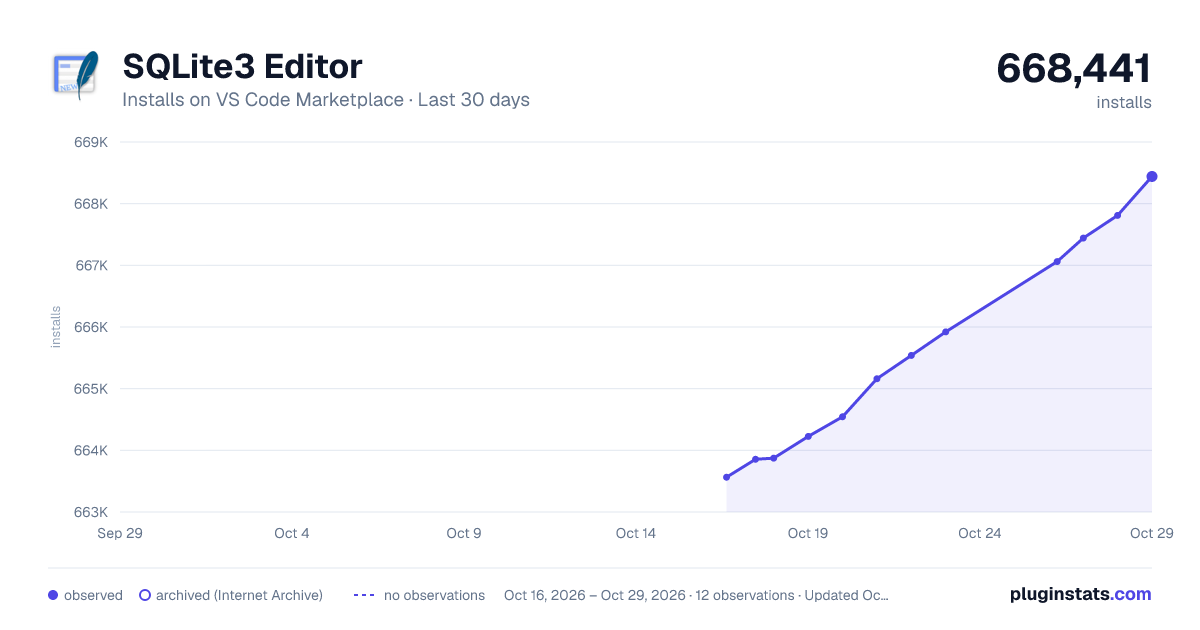
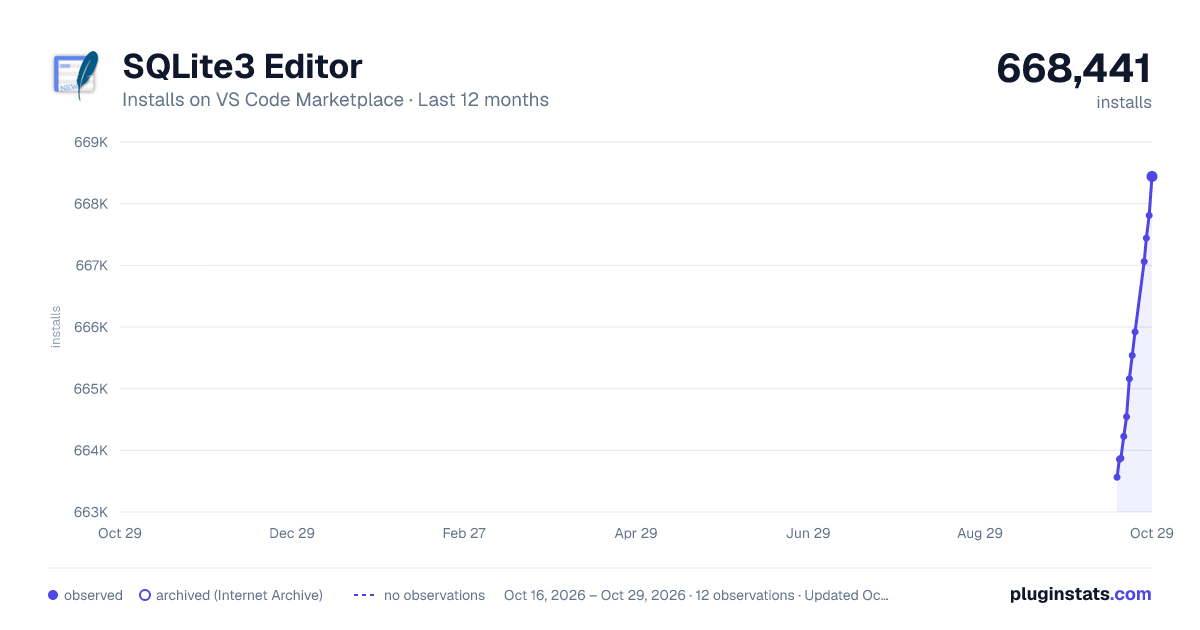
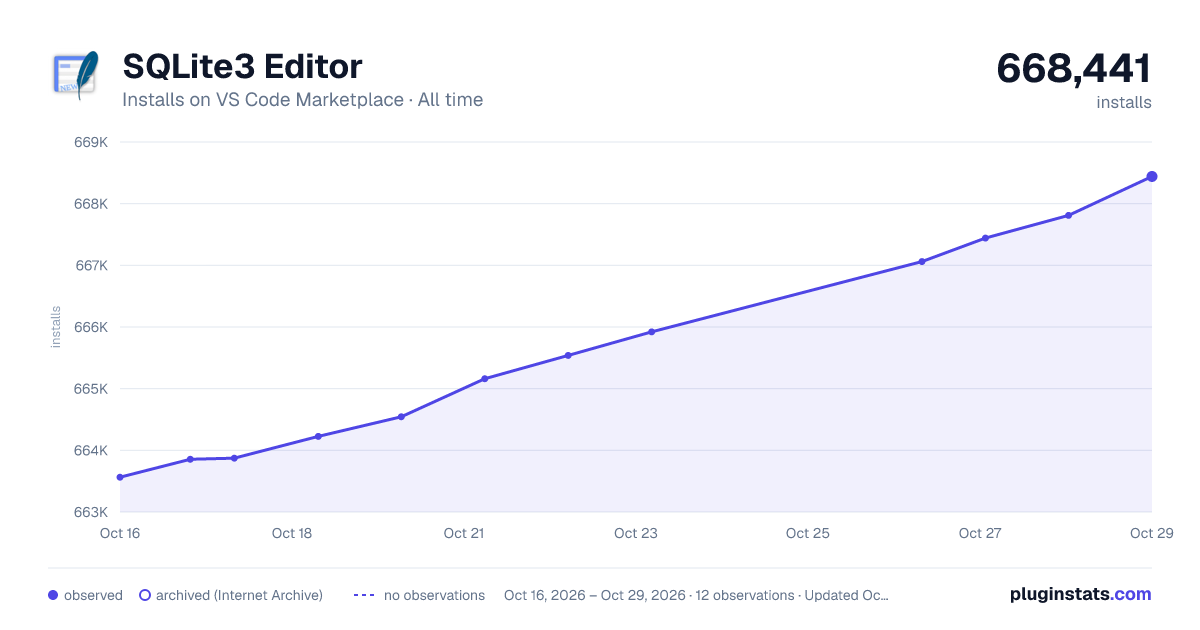

Adoption over time


7/30/90-day growth


Ranking history


Filled points are observed values; hollow points come from Internet Archive snapshots of the listing page. Dashed segments span periods with no observations — values between points are not interpolated.
Recent observations
Full history (4)Similar VS Code Marketplace Programming Languages plugins
Data source
Install counts, average rating, and rating counts come from the public Visual Studio Marketplace gallery API. Installs are cumulative and exclude updates.
Listing: https://marketplace.visualstudio.com/items?itemName=yy0931.vscode-sqlite3-editor. First seen Oct 16, 2026; last successful collection Oct 19, 2026. See the methodology.