 PluginStats
Verilog-HDL/SystemVerilog installs statistics
By Masahiro Hiramori · VS Code Marketplace · Programming Languages
Verilog-HDL/SystemVerilog support for VS Code
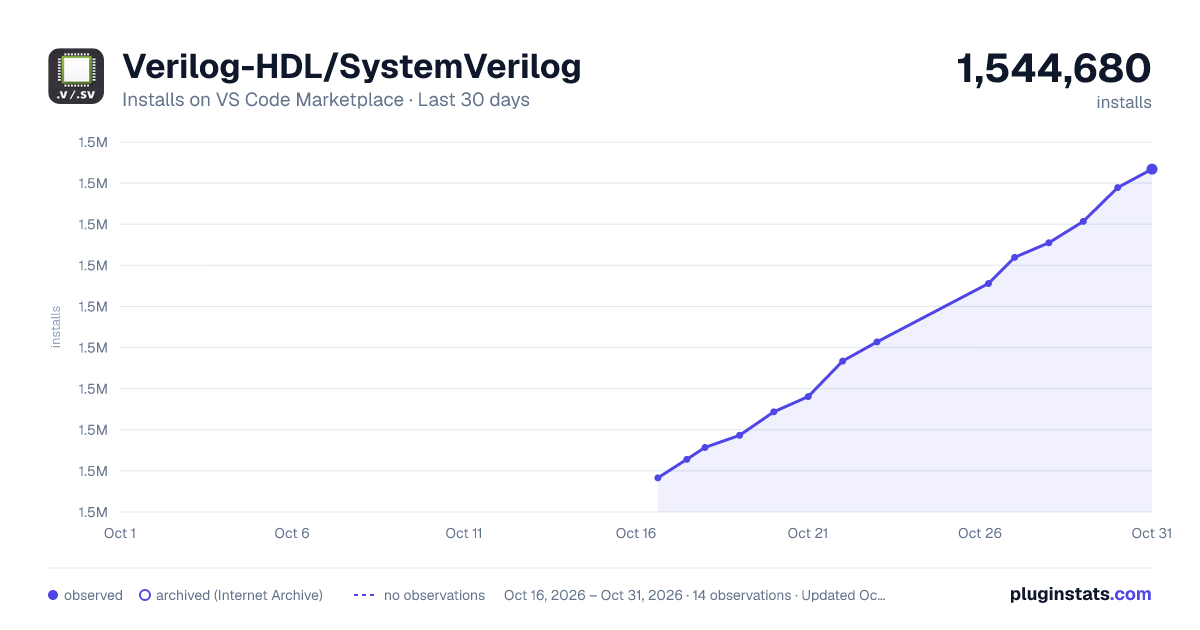
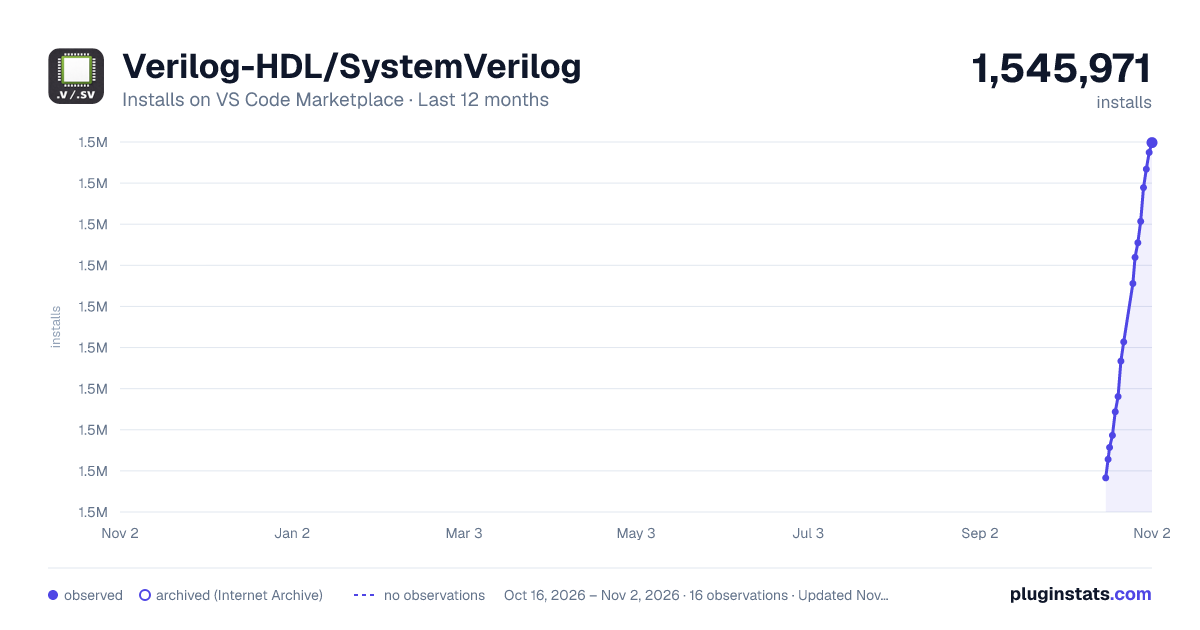
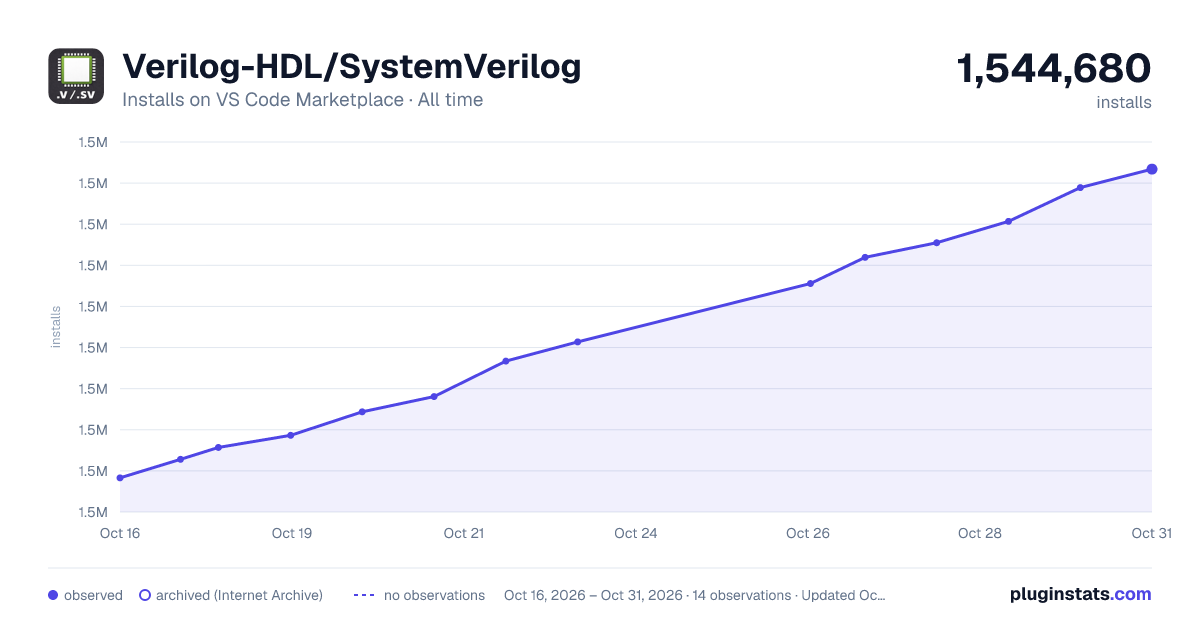
Verilog-HDL/SystemVerilog has 1,531,140 recorded installs on VS Code Marketplace.
It ranks #408 of 2,500 tracked VS Code Marketplace listings by installs.
It is rated 4.2 out of 5 from 24 ratings.
PluginStats has 3 daily observations since Oct 16, 2026; the latest is from Oct 18, 2026.
Rating: 4.21 / 5 from 24 ratings
About Verilog-HDL/SystemVerilog
HDL support for VS Code
HDL support for VS Code with syntax highlighting, snippets, classic Ctags-backed editing features, linting, formatting, waveform viewing, inactive preprocessor highlighting, and optional external language servers.
Ask DeepWiki
Installation
Install the extension from the VS Code Marketplace or Open VSX Registry.
Features
• Syntax highlighting for Verilog, SystemVerilog, VHDL, Verilog-AMS, UCF, SDC, XDC, Tcl, UPF, and Verilog filelists. • Verilog, SystemVerilog, and Verilog-AMS snippets. • Inactive Verilog/SystemVerilog preprocessor region highlighting. • Classic Ctags-backed completion, document symbols, hover, definition lookup, peek definition, and module instantiation. • File linting with Icarus Verilog, ModelSim, Verilator, Vivado xvlog, Slang, or Verible Verilog Lint. • Formatting with verilog-format, iStyle, or verible-verilog-format. • VCD viewing with the embedded Fliplot viewer or optional Vaporview. • Optional external language servers: svls, veridian, HDL Checker, verible-verilog-ls, vhdl_ls, and tclsp.
The extension does not scan or index an HDL workspace automatically. Cross-file project intelligence is available only through an external language server or another dedicated extension.
Commands
• Verilog: Instantiate Module — choose a module from the workspace and insert an instantiation using the classic Ctags flow. • Verilog: Rerun lint tool — rerun the configured linter on the active Verilog/SystemVerilog file. • Verilog: Doctor — inspect configured Ctags, linter, formatter, language-server, WSL, include-path, and configuration-file setup without modifying HDL files. • Verilog: Open Waveform — open a VCD with the configured viewer. • Verilog: Open Fliplot Waveform Viewer — open the embedded viewer directly.
Ctags Integration
The built-in editing providers use Universal Ctags, which supports SystemVerilog better than older Ctags implementations.
Configure Ctags with:
The built-in Ctags integration generates tags in memory for the currently opened file. It does not create a workspace-wide tag database or automatically index other HDL files. An independent extension such as Ctags Companion can provide broader workspace or external-library lookup.
Universal Ctags installation options:
• Windows: ctags-win32 builds • Linux: Universal Ctags build instructions • macOS: Homebrew Universal Ctags
Linting
Set verilog.linting.linter to one of:
• iverilog • modelsim • verilator • xvlog • slang • verible-verilog-lint • none
The selected executable must be on PATH, or its installation directory can be set with verilog.linting.path. Automatic linting uses the classic behavior: configured linters run when Verilog/SystemVerilog documents are opened and saved. The command Verilog: Rerun lint tool runs it manually.
Include directories configured through each linter's includePath setting can be absolute or workspace-relative. Custom arguments are split into an argument array and are not executed as a shell command.
Vivado xvlog working directory
Vivado xvlog may create xsim.dir, xvlog.pb, and related compiler files in its current working directory. Each lint run now uses its own extension-managed temporary directory as the process working directory. The source file, configured include directories, and relative -f/project-file arguments are resolved before the process starts. The directory is removed after success, failure, or cancellation.
The extension does not inject a -work option. In particular, it does not use the invalid -work work= form that prevented diagnostics on some Windows/Vivado versions. Custom xvlog arguments remain supported.
On Windows, the shared tool runner resolves xvlog.exe, xvlog.cmd, or xvlog.bat and passes arguments without building an unsafe shell command string.
Formatting
Use VS Code's Format Document command after choosing a formatter under verilog.formatting.
• Verilog: verilog-format, iStyle, or verible-verilog-format • SystemVerilog: verible-verilog-format
Range formatting is not supported. Formatter paths and arguments are configured separately. The verilog-format settings path supports ~ and ${env:VAR} expansion.
Waveform Viewing
Set verilog.waveform.viewer to:
• auto — use Vaporview when installed, otherwise Fliplot • vaporview • fliplot
Use Verilog: Open Waveform for the configured behavior or Verilog: Open Fliplot Waveform Viewer to open the bundled viewer directly.
Inactive Preprocessor Highlighting
The lightweight editor scanner highlights inactive branches controlled by ` ifdef`, ifndef`, elsif`, else`, and endif``.
This scanner uses macros defined in the current document plus verilog.preprocessor.defines. It does not resolve include files, filelists, or simulator arguments.
Optional Language Servers
External language servers are disabled by default and configured under verilog.languageServer. Multiple servers can be enabled, although overlapping providers may produce duplicate results.
| Language server | Verilog | SystemVerilog | VHDL / Tcl-family |
| svls | — | yes | — | | veridian | — | yes | — | | HDL Checker | yes | yes | VHDL | | verible-verilog-ls | yes | yes | — | | vhdl_ls | — | — | VHDL | | tclsp | — | — | Tcl, SDC, XDC, UPF |
Use Verilog: Doctor to check enabled server executables, arguments, and configuration paths.
Migration from v1.26–v1.28
Stable v1.29 returns to the classic v1.25 architecture. The extension-owned project model, semantic index, hierarchy, project diagnostics, compile-unit linting, HDL Explorer, and managed slang-server runtime are no longer part of the stable extension.
Existing .slang/server.json files are not read, created, modified, or deleted. Obsolete settings may remain in user or workspace settings, but the extension no longer consumes them. Review VS Code settings and remove keys under the former project, semantic-diagnostics, hierarchy, HDL Explorer, and managed slang-server namespaces when convenient.…
Description from the VS Code Marketplace listing.
- sdc
- snippet
- SynopsysDesignConstraints
- systemverilog
- tcl
- ucf
- ucfconstraints
- upf
- vams
- verilog
- verilogams
- Verilog-AMS
- VerilogFilelist
- verilog-filelist
- vhdl
- vivadoucf
- wavedump
- WaveformDump
- xdc
- XilinxDesignConstraints
Where Verilog-HDL/SystemVerilog sits in the listing
Each band is one page of 20. Installs on a log scale. Placement is projected from installs, so it can differ from the marketplace's own sort order. Hover a dot to see the listing.


Charts
Images: 30d · 1y · all time · 1600×900 dark

Adoption over time


7/30/90-day growth


Ranking history


Filled points are observed values; hollow points come from Internet Archive snapshots of the listing page. Dashed segments span periods with no observations — values between points are not interpolated.
Recent observations
Full history (3)Similar VS Code Marketplace Programming Languages plugins
Data source
Install counts, average rating, and rating counts come from the public Visual Studio Marketplace gallery API. Installs are cumulative and exclude updates.
Listing: https://marketplace.visualstudio.com/items?itemName=mshr-h.VerilogHDL. First seen Oct 16, 2026; last successful collection Oct 18, 2026. See the methodology.