 PluginStats
Composer installs statistics
By DEVSENSE (4 listings) · VS Code Marketplace · Programming Languages
All-in-One composer integration, quick actions, commands, automatic installation, tasks, code lenses, diagnostics, and composer.json IntelliSense.
Composer has 6,776,739 recorded installs on VS Code Marketplace.
It ranks #138 of 2,500 tracked VS Code Marketplace listings by installs.
It is rated 4.6 out of 5 from 10 ratings.
PluginStats has 3 daily observations since Oct 16, 2026; the latest is from Oct 18, 2026.
Rating: 4.60 / 5 from 10 ratings
About Composer
Composer for Visual Studio Code
Composer _"All-in-One"_ provides complete integration of composer and packagist into Visual Studio Code. The extension provides quick composer commands, IntelliSense for composer.json, code lenses, code actions, schema validation, browsing and searching packages, checking abandoned packages, running user scripts, and it extends VS Code with composer tasks.
To run commands and tasks, you only need php installed. The composer itself is downloaded automatically.
Composer.json Editor & IntelliSense
The composer.json editor is extended with smart actions, code lenses, tooltips, and IntelliSense to autocomplete packages and versions from _packagist.org_.
Completion of Package Names
Code completion searches packages and lists their names with detailed information including downloads, favorites, abandoned information, and description. There are also quick links to the package _home page_, package _source_ code, and _packagist page_.
Completion of Package Versions
Available minor versions are fetched from packagist listed in code completion after the required package name:
Tool-Tips
Installed package details are displayed in the tooltips.
Code Actions
Quickly update or remove package right from the editor, using the code actions:
Installed Version Inlay
Actual installed version is displayed conveniently next to the package required version:
Run-Script CodeLens
The "scripts" section of composer.json gets a small code-lens allowing to quickly run the corresponding script, right from the editor:
Diagnostics & Abandoned Packages
The extension watches for installed packages and checks if any of them isn't abandoned. Abandoned packages are listed in VS Code's problems view, strikethrough, and the tooltip shows the corresponding abandoned message:
Commands
Integrated commands work with the composer.json in the workspace root directory. If necessary, commands ask which workspace folder you're referring to. It allows quickly require, remove, or *search* for packages from packagist.org, and more.
The following commands are usually executed as a VSCode task, using php executable as configured in the Settings, and composer.phar downloaded automatically when necessary (so it is not necessary to install it by yourself).
composer: install
Runs the install command.
composer: update
Runs the update command.
composer: require
The composer: require command shows quick-pick with online search, and installs the selected package. The search displayed all the important information including packages description, downloads, and favorites.
composer: require-dev
Requires a dev package; this works the same as composer: require but the packageis installed as a development dependency.
composer: remove
Removes installed package or more packages from the project. The command shows quick pick with multi-selection allowing to choose the packages to be removed:
composer: create-project ...
Open an empty folder in VS Code, and create a new project from a composer package. The command shows quick-pick that searches online for available packages and invokes the create-project command for you:
composer: search ...
Search packages on _packagist.org_. Quickly browse through packages, read descriptions, open details on packagist.org or require the package right from the quick pick menu.
composer: run-script ...
Quickly run your composer script from command palette:
composer: check-platform-reqs
composer: update the internal composer.phar
The extension automatically downloads the latest composer installation, and uses it for all the tasks and commands. Run composer: update the internal composer to manually re-download the latest snapshot.
composer: about
Shows the about information.
composer: archive ...
Runs the archive command, and asks for arguments.
composer: clear-cache
Clear the internal composer cache.
composer: fund
Shows your required packages funding options.
composer: licenses
Shows summary of your required packages licenses.
composer: outdated
Shows list of outdated packages.
composer: reinstall
Runs the reinstall command.
Tasks
VS Code task that executes a composer command is a useful way of configuring and running composer. The composer.phar itself is automatically installed, and php executable is determined from Settings.
_Example:_
Schema Validation
The extension provides schema validation for composer.json files, maintained by @composer. This helps with the following:
• Correctness validation. • Tooltips and code completion for composer.json JSON elements.
Configuration
The extension automatically downloads composer.phar latest snapshot, and uses it. The location respects the Composer default installation path which can be changed by setting the COMPOSER_HOME environment variable.
| Setting | Description |
| php.executablePath | The value is used to determine php executable path for running composer commands. If not set, "php" is used by default.
In case, there is PHP Tools extension installed, composer commands are executed using php set with PHP Version Picker. |
Acknowledgments
• Referring to work by https://github.com/composer/composer, namely the JSON schema, and the part of the extension icon.
Description from the VS Code Marketplace listing.
- codelens
- commands
- composer
- json
- packagist
- php
- php tools
- schema
- tools
- validation
Where Composer sits in the listing
Each band is one page of 20. Installs on a log scale. Placement is projected from installs, so it can differ from the marketplace's own sort order. Hover a dot to see the listing.


Charts
Images: 30d · 1y · all time · 1600×900 dark
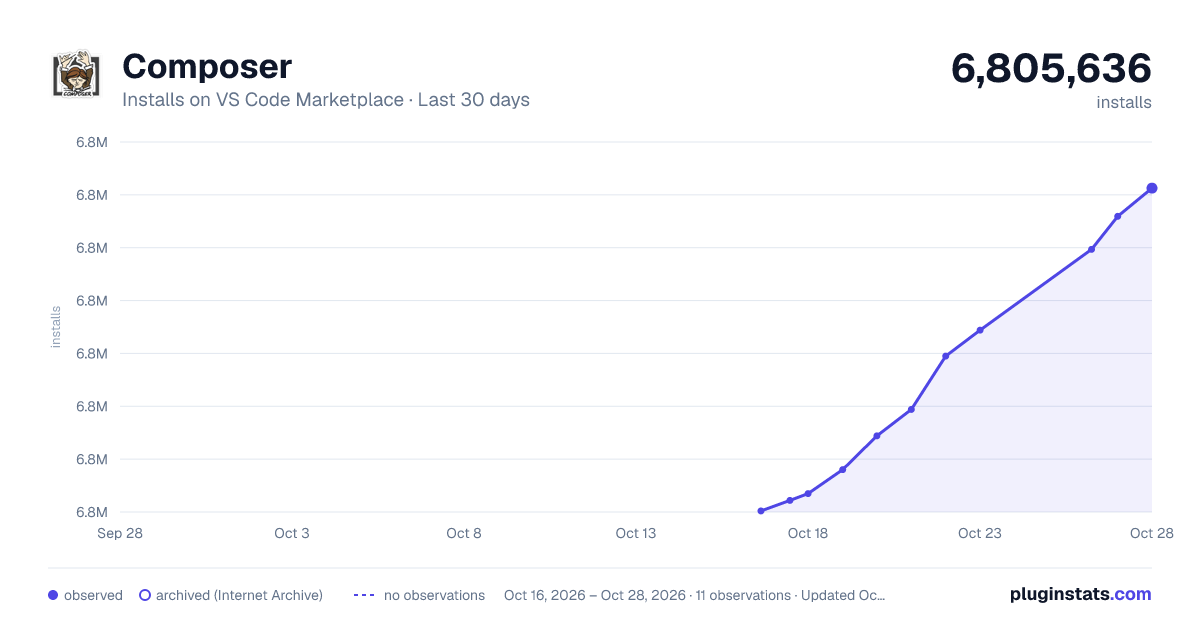
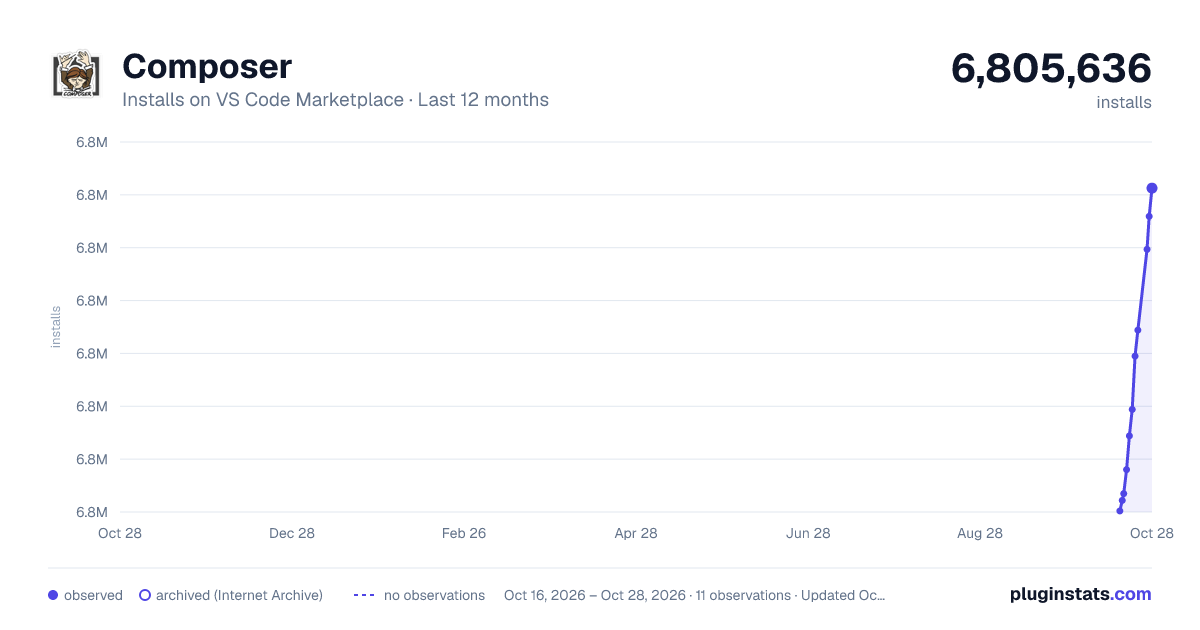
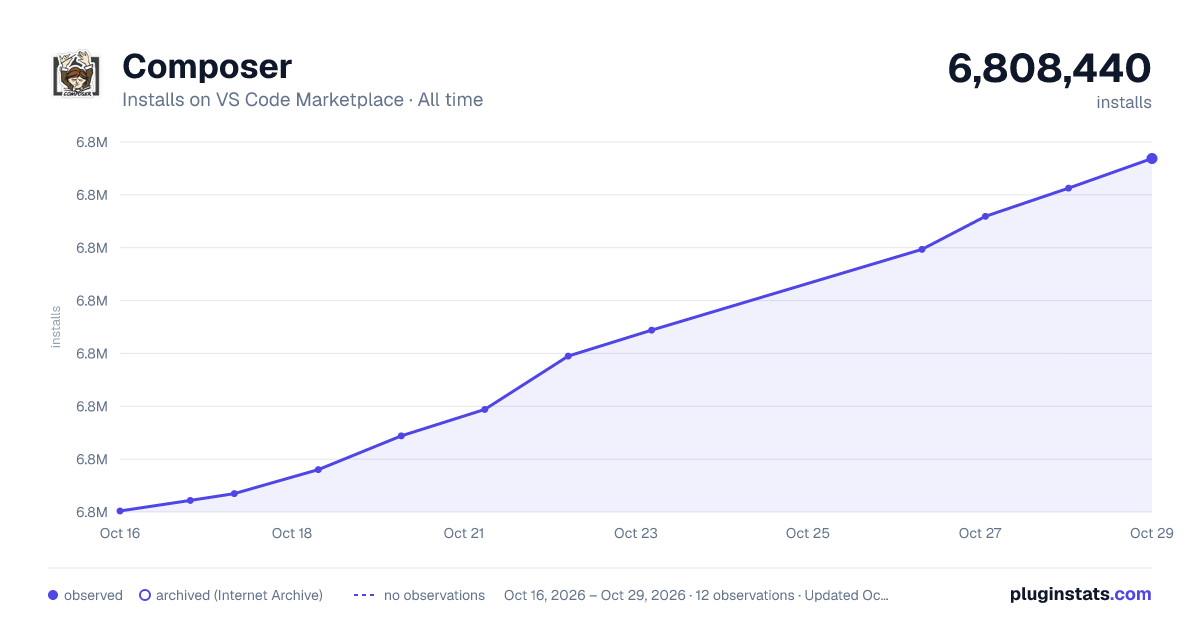

Adoption over time


7/30/90-day growth


Filled points are observed values; hollow points come from Internet Archive snapshots of the listing page. Dashed segments span periods with no observations — values between points are not interpolated.
Recent observations
Full history (3)Similar VS Code Marketplace Programming Languages plugins
Data source
Install counts, average rating, and rating counts come from the public Visual Studio Marketplace gallery API. Installs are cumulative and exclude updates.
Listing: https://marketplace.visualstudio.com/items?itemName=DEVSENSE.composer-php-vscode. First seen Oct 16, 2026; last successful collection Oct 18, 2026. See the methodology.