 PluginStats
Blockman - Highlight Nested Code Blocks installs statistics
By leodevbro · VS Code Marketplace · Visualization
Mark/Highlight code blocks
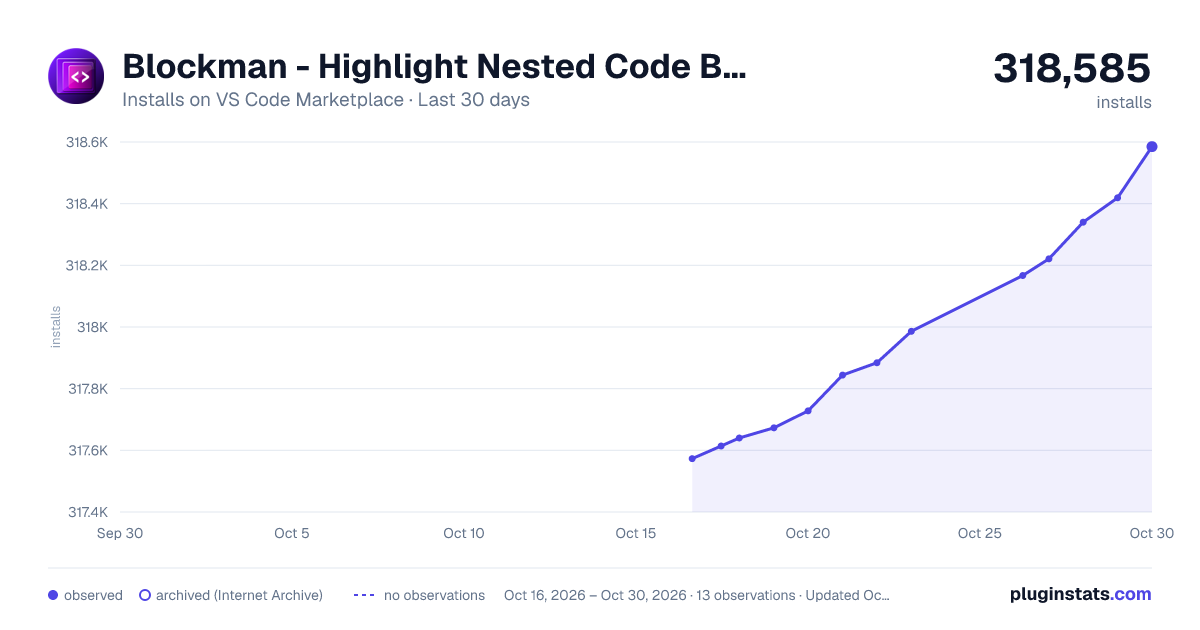
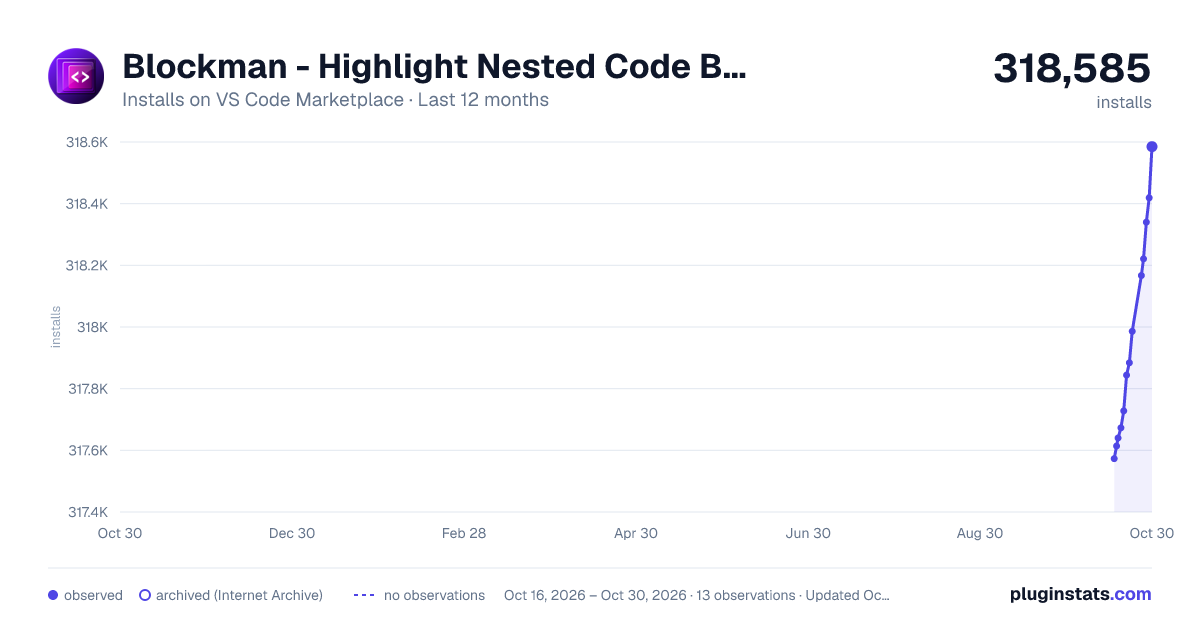
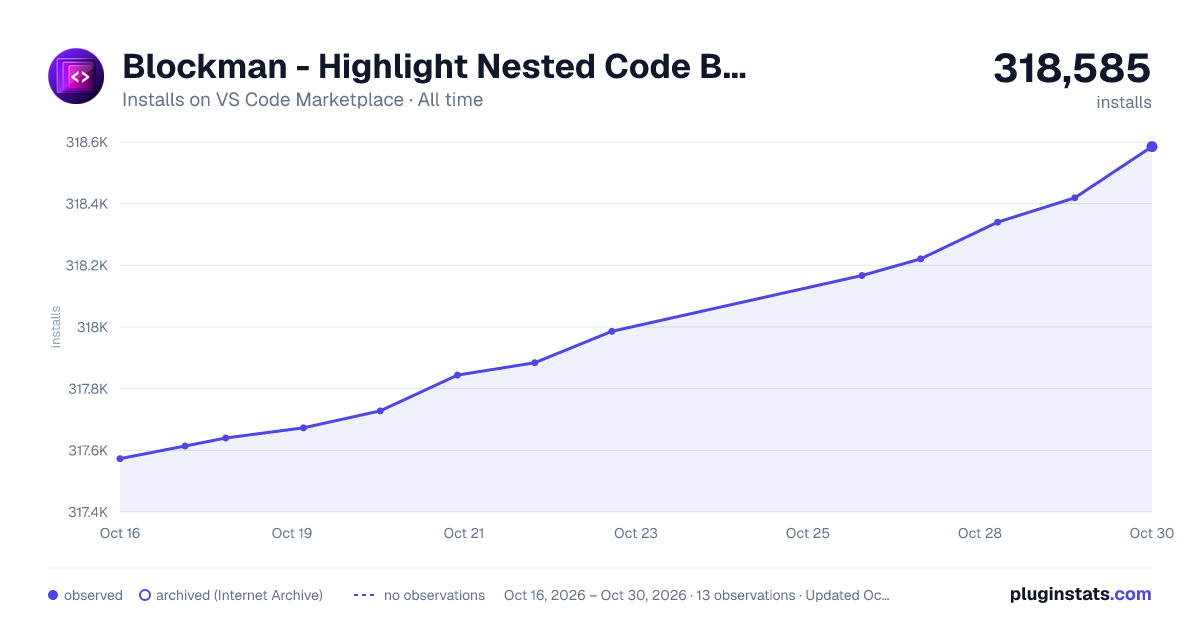
Blockman - Highlight Nested Code Blocks has 317,640 recorded installs on VS Code Marketplace.
It ranks #1108 of 2,500 tracked VS Code Marketplace listings by installs.
It is rated 4.7 out of 5 from 128 ratings.
PluginStats has 3 daily observations since Oct 16, 2026; the latest is from Oct 18, 2026.
Rating: 4.69 / 5 from 128 ratings
About Blockman - Highlight Nested Code Blocks
Donation is really appreciated. Blockman is a hard work of many months. My name is Levan Katsadze (ლევან კაცაძე), 1995-03-03, from Tbilisi, Georgia (Not USA).
For better experience: Blockman will ask you to change these 7 items in VS Code settings (only one-time at the installation event). These 7 settings are very non-vital, so maybe you don't even need to backup them first.
Blockman
VS Code Extension For Nested Block Highlighting
Watch Video Intro
You can toggle enable/disable: Press F1 and then type "blockman toggle".
Also You can go to Blockman settings and set Black List Of File Formats to disable Blockman for certain files.
Animated PNG:
Added NEW color combos as "Super gradients".
Blockman now supports gradients for both: borders and backgrounds.
You can hide backgrounds and keep only borders.
Go to Blockman settings, find "N33 A01 B2" and type "45,0,0,2; none".
You can highlight all the parents of the focused block.
How to do it? Go to Blockman settings, find "N33 A03 B1" and delete "!".
"!" (exclamation mark) means the option is disabled.
Also you can type other colors and other propagation logic with your taste. See the instructions of advanced coloring.
Supported programming languages:
Non-indentation based languages: JavaScript, JSX, TypeScript, TSX, C, C#, C++, Java, Ruby, PHP, R, Go (Golang), Dart, Rust, Swift, PowerShell, SQL, HTML, CSS, LESS, SCSS and more...
Indentation based languages: currently Python and Yaml.
Python code:
If you use double width characters, then you may want to run the experimental command to support such characters. Press F1 and type the command name: Blockman Toggle Try Support Double Width Chars.
Such as,
• Chinese characters (汉字): ex. 字符串最大字符串最 • Korean characters (한글): ex. 한글 텍스트
Blockman settings
You can change nesting depth
You can choose color combos
You can choose right side padding strategies
You can change color of each depth
Colors can be any CSS color value: red, green... rgb(), hsl(), linear-gradient()...
You can change focused block colors and general border color
You can change basis of block analysis
(Curly brackets, square brackets, round brackets, tags, indentation)
Currently only Python and Yaml are supported from indentation based languages
You can provide other tokenizer algorithms and we can add them into this extension, so Blockman will be able to highlight blocks based on different or more advanced logic, or add support for other indentation based languages.
You can disable rendering single line blocks
All Blockman quick commands
All Blockman settings
Things to consider
1) Each line of code must have less than 3000 (You can change this number) characters, otherwise blocks will not be rendered in entire file.
2) Please don't use non-monospace font. Use only monospace font like 'Oxygen Mono', 'BPG 2017 DejaVu Sans Mono' or other. Block-rendering is based on equal character-frame-widths, because pixel locations of characters is not accessible through VS Code API.
3) If you want to use mix of multiple fonts (like in the image above), Please don't use any non-monospace font. Use monospace fonts which have at least almost same width of character. For example: 'Oxygen Mono' and 'BPG 2017 DejaVu Sans Mono' have not only equal char frame width by themselves alone, but also almost equal char frame width to each other.
For Georgian (ქართული) language oriented developers: without multiple font mixing, just BPG 2017 DejaVu Sans Mono as a single font seems fine for me, and maybe you can use it too. For now, 2022, I think it is the one and only monospace font which has English (both lowercase and UPPERCASE) and Georgian lowercase letters, as well as Georgian UPPERCASE (known as Mtavruli/მთავრული) letters. You can also see the Unicode chart of Georgian lowercase and UPPERCASE letters.
For English language oriented developers: the same statement above goes here.
4) If you want to use ligatured monospace font like "Fira Code" (Typographic ligatures are when multiple characters appear to combine into a single character), please make sure that the font maintains the text width on every line with ligatures like there were no ligatures. "Fira Code" seems fine, and maybe most of ligatured monospace fonts are fine.
5) Recommended to turn off word wrap. Blocks will not render properly if there is any word wrapping.
6) Recommended to turn off "Editor: Guides: Indentation" (new) / "Editor: Render Indent Guides" (old).
7) Recommended to set pale color (e.g. pale blue) to lineHighlightBorder and lineHighlightBackground like this:
Optimization Notes
Optimization is taken very seriously, half of the work is dedicated just for the optimization.
If a file is already analyzed, rendering blocks takes about 0.02 seconds with default Blockman settings. So, rendering is not a big issue, but analyzing is quite heavy work. Here are some test cases of some programming languages:
So, currently I'm trying to find more optimized ways to analyze files, especially for Python langauge.
Big thanks to these source codes
Bracket Pair Colorizer 2 (by CoenraadS)
Highlight Matching Tag (by vincaslt)
dt-python-parser (by DTStack)
Also Big thanks
From 1.1.0 version, manual setup of line height and char width is not needed anymore, thanks to alexdima (Alexandru Dima).
From 1.2.0 version, the problem of block-rendering widths at the locations of Color Decorators have been fixed for most of monospace fonts. Thanks to rioV8 from stackoverflow.
Published In:
Github repository: https://github.com/leodevbro/vscode-blockman
Marketplace: https://marketplace.visualstudio.com/items?itemName=leodevbro.blockman
Open VSX: https://open-vsx.org/extension/leodevbro/blockman
Donation
Buy Me A Coffee: https://www.buymeacoffee.com/leodevbro
Ko-fi: https://ko-fi.com/leodevbro
Bank account (USD): GE08TB7774936615100013 (TBCBGE22)
Bank account (GEL/Lari): GE18TB7774936515100011 (TBCBGE22)
Description from the VS Code Marketplace listing.
- block
- blocks
- bracket
- brackets
- color
- colour
- highlight
- highlighter
- man
- mark
- marker
- multi-root ready
- nest
- nested
- nesting
- pair
- scope
- vscode
Where Blockman - Highlight Nested Code Blocks sits in the listing
Each band is one page of 20. Installs on a log scale. Placement is projected from installs, so it can differ from the marketplace's own sort order. Hover a dot to see the listing.


Charts
Images: 30d · 1y · all time · 1600×900 dark

Adoption over time


7/30/90-day growth


Ranking history


Filled points are observed values; hollow points come from Internet Archive snapshots of the listing page. Dashed segments span periods with no observations — values between points are not interpolated.
Recent observations
Full history (3)Similar VS Code Marketplace Visualization plugins
Data source
Install counts, average rating, and rating counts come from the public Visual Studio Marketplace gallery API. Installs are cumulative and exclude updates.
Listing: https://marketplace.visualstudio.com/items?itemName=leodevbro.blockman. First seen Oct 16, 2026; last successful collection Oct 18, 2026. See the methodology.