 PluginStats
Radical installs statistics
By dhedgecock · VS Code Marketplace · Themes
A dark theme for radical hacking inspired by retro futuristic design
Radical has 151,835 recorded installs on VS Code Marketplace, ranking #1838 of 2,502 tracked listings.
Rating: 4.64 / 5 from 11 ratings
About Radical
- Search and find code anywhere with optimized highlighting backgrounds and opacities.
- Diff code changes smartly with readable diff background colors.
- Peek view code like a pro with dark accents backgrounds and pink border highlights.
- Looks pretty rad ヘ( ^o^)ノ\(^_^ )
The peek view background provides a dark accent to the editor background, highlighted with pink borders. This makes peeking symbol references (⇧F12) or peeking symbol definitions (⌥F12) stand out against the editor contents.
<div align="center"> <img src="https://raw.githubusercontent.com/DHedgecock/radical-vscode/main/assets/peek-view.jpg" role="presentation" /> </div> <div align="center"> <br /> <br /> <img src="https://raw.githubusercontent.com/DHedgecock/radical-vscode/main/assets/blue-hr.png" role="presentation" /> <h3> <strong> Terminal Colors </strong> </h3> </div>Screenshots are using Powerlevel10k theme with Oh My Zsh with Meslo for the font. (Terminal colors are also available for iTerm in the Github repo)
<div align="center"> <img src="https://raw.githubusercontent.com/DHedgecock/radical-vscode/main/assets/terminal-colors.jpg" role="presentation" /> </div> <!-- <h3 align="center"> <strong> Diff backgrounds </strong> </h3> Diff background color use a very low opacity for readability when using the diff editor. <div align="center"> <img src="./assets/diff-colors.png" alt="Red and green backgrounds are readable" /> </div> <h3 align="center"> <strong> Highlighting </strong> </h3> <div align="center"> <img src="./assets/blue-hr.png" role="presentation" /> </div> Highlighting theming is intended to provide useful highlighting colors while maintaining readability. Many of the highlights can occur at the same time, so colors were chosen that could be overlain using opacities. <div align="center"> <img src="./assets/selection-colors.png" alt="current selection highlight is a light visible" /> <img src="./assets/highlight-colors.png" alt="current find match highlight is visible" /> </div> --> <div align="center"> <br /> <br /> <img src="https://raw.githubusercontent.com/DHedgecock/radical-vscode/main/assets/blue-hr.png" role="presentation" /> <h3> <strong> Extension Theming </strong> </h3> </div>If you'd like to theme some popular extensions to match Radical, these are the colors used in the screenshots.
Git Graph
<div align="center"> <img src="https://raw.githubusercontent.com/DHedgecock/radical-vscode/main/assets/git-graph.jpg" role="presentation" /> </div>{
"git-graph.graphColours": [
"#FF428E",
"#A8FFEF",
"#DFF959",
"#F7A409",
"#F834BB",
"#2BF5E9",
"#D831D7",
"#FF594C"
]
}
Bracket Pair Colorizer 2
<div align="center"> <img src="https://raw.githubusercontent.com/DHedgecock/radical-vscode/main/assets/bracket-pair-colorizer.png" role="presentation" /> </div>If you'd like to add some flair into the editor the Bracket Pair Colorizer extension is a nice way to mix in some neon pops.
{
  "bracket-pair-colorizer-2.colors": ["#DFF959", "#F834BB", "#2BF5E9", "#D831D7"]
}
Import Cost
<div align="center"> <img src="https://raw.githubusercontent.com/DHedgecock/radical-vscode/main/assets/import-cost.png" role="presentation" /> </div>Highlight large packages using neon and translucent colors with the Import Cost extension.
{
  "importCost.smallPackageColor": "#d043cf4d",
  "importCost.mediumPackageColor": "#d043cf80",
  "importCost.largePackageColor": "#F834BB"
}
Feedback on the theme is very much appreicated 🙌 There are three Github issues in the theme repo for providing comments and suggestions directly:…
Description from the VS Code Marketplace listing.
- color-theme
- theme
README badge
Show your rank in a README or on your website. The badge updates automatically.
Charts
Images: 30d · 1y · all time · 1600×900 dark
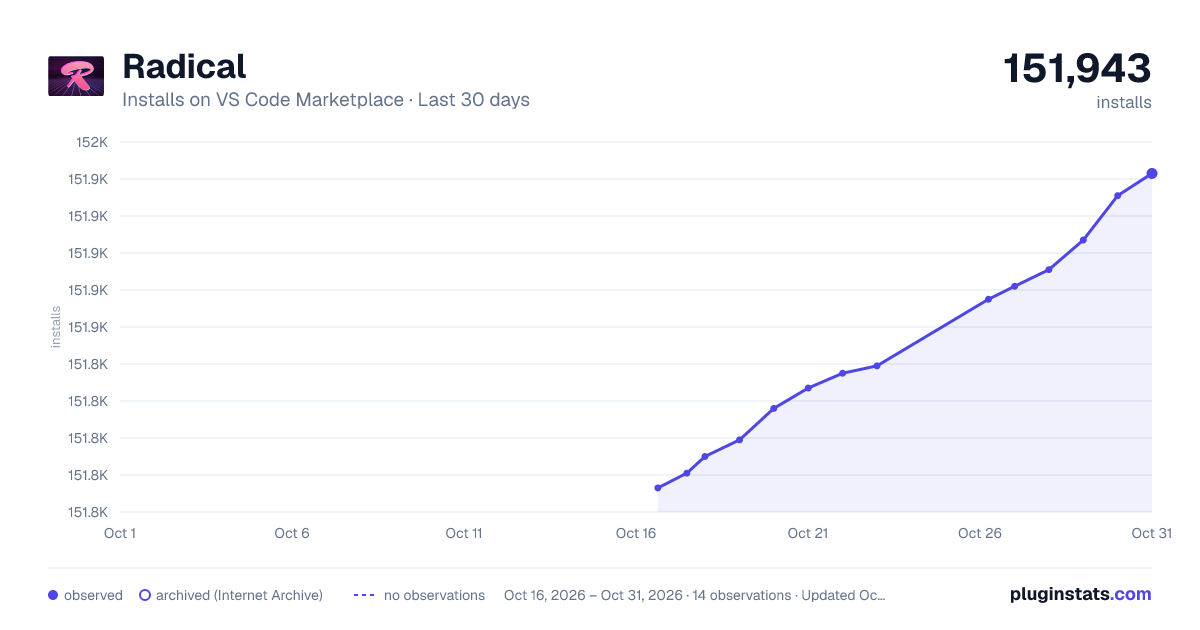
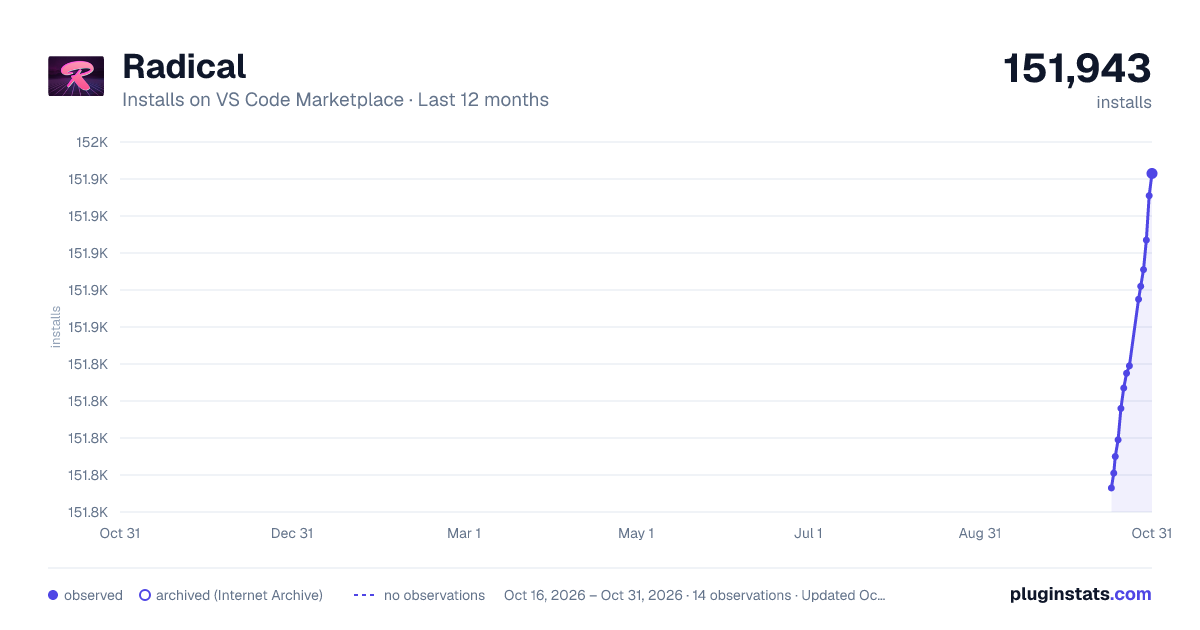
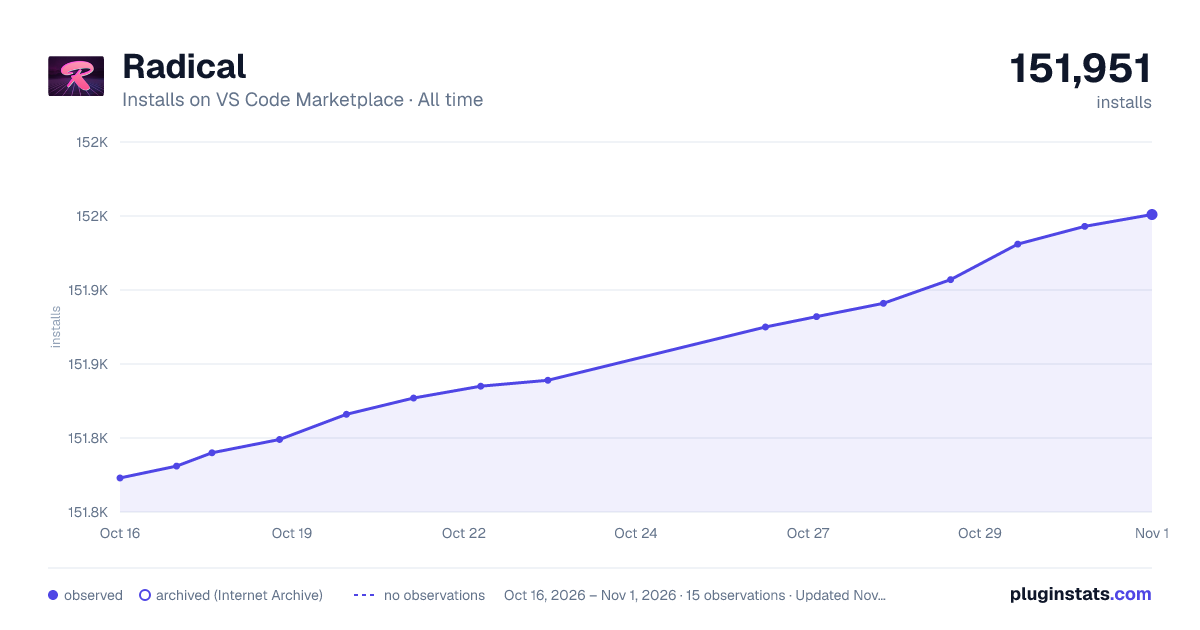

Adoption over time
7/30/90-day growth
Ranking history
Ratings over time
Listing placement
Listing placement
Filled points are observed values; hollow points come from Internet Archive snapshots of the listing page. Dashed segments span periods with no observations — values between points are not interpolated.
Each band is one page of 20. Installs on a linear scale. Placement is projected from installs, so it can differ from the marketplace's own sort order. Hover a dot to see the listing.
Recent observations
Full history (7)Similar VS Code Marketplace Themes plugins
All 20 Radical alternativesData source
Install counts, average rating, and rating counts come from the public Visual Studio Marketplace gallery API. Installs are cumulative and exclude updates.
Listing: https://marketplace.visualstudio.com/items?itemName=dhedgecock.radical-vscode. First seen Oct 16, 2026; last successful collection Oct 22, 2026. See the methodology.