 PluginStats
Customize UI installs statistics
By iocave (2 listings) · VS Code Marketplace · Themes
Advanced VSCode user interface customizations. Very experimental.
Customize UI has 229,039 recorded installs on VS Code Marketplace.
It ranks #1374 of 2,501 tracked VS Code Marketplace listings by installs.
It is rated 4.0 out of 5 from 63 ratings.
PluginStats has 4 daily observations since Oct 16, 2026; the latest is from Oct 19, 2026.
Rating: 3.97 / 5 from 63 ratings
About Customize UI
Customize UI README
This experimental extension allows customizing VSCode user interface beyond what's normally possible, such as
• Changing interface fonts • Inline titlebar on macOS • Activity bar below sidebar • Custom stylesheet rules conveniently specified in settings.json
Supported configuration options
customizeUI.activityBar
When set to top, activity bar will be positioned over the sidebar.
When set to bottom, activity bar will be positioned below the sidebar.
When set to wide, activity bar will match the width of traffic lights (for macOS inline menu bar).
customizeUI.moveStatusbar
When enabled move the statusbar below the panel (Terminal, Output, Problems). Useful to gain some space for the sidebar.
WARNING: don't works well if panel is set to left or right, this setting was added to be able to disable the default behavior.
customizeUI.activityBarHideSettings
When enabled hides the Settings (and Accounts) icon in horizontal (bottom) activity bar. Useful when the activity bar gets too crowded.
customizeUI.titleBar
macOS only. Setting this hides the titlebar, and the tab bar becomes draggable.
• inline: places window controls in the sidebar or tab bar. • frameless: hides window controls.
Note that this setting requires that "window.titleBarStyle": "native" is also set.
customizeUI.fontSizeMap
Mapping from hardcoded VSCode font size to custom font size. For example the following will change 13px and 12px UI fonts to 11px, which fixes huge sidebar font on OS X.
customizeUI.listRowHeight
Changes row height in various list and trees in user inteface. 22 by default
customizeUI.font.regular and customizeUI.font.monospace
Allows changing font face for regular and monospace user interface fonts
customizeUI.stylesheet
Allow adding custom stylesheet rules. It is in form of a map where selectors are keys.
How does it work
Customize UI relies on the Monkey Patch Extension to inject custom javascript in VSCode. After installation you should be prompted to enable Monkey Patch. You can always trigger this manually by invoking the "Enable Monkey Patch" command.
Credits
Inline titlebar inspired by Jürg Lehni's Titlebar-less VSCode extension.
Coffee
If you like this this extension, consider buying me a coffee. Thank you!
Description from the VS Code Marketplace listing.
- activity bar
- activitybar
- font
- fonts
- interface
- title bar
- titlebar
Where Customize UI sits in the listing
Each band is one page of 20. Installs on a log scale. Placement is projected from installs, so it can differ from the marketplace's own sort order. Hover a dot to see the listing.


Charts
Images: 30d · 1y · all time · 1600×900 dark
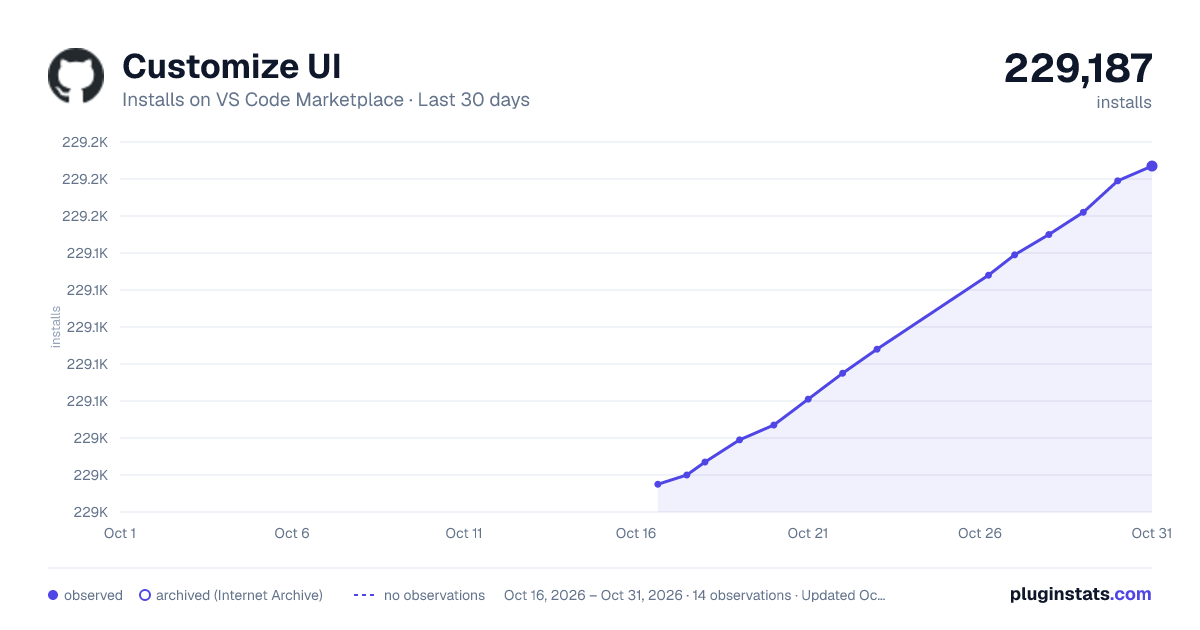
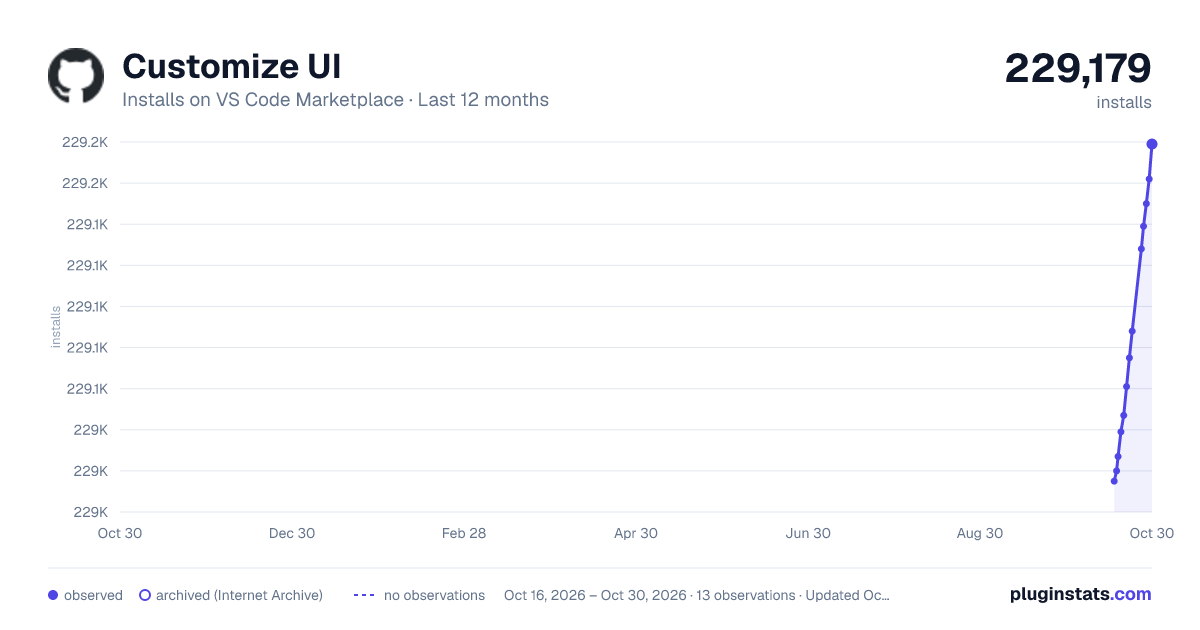
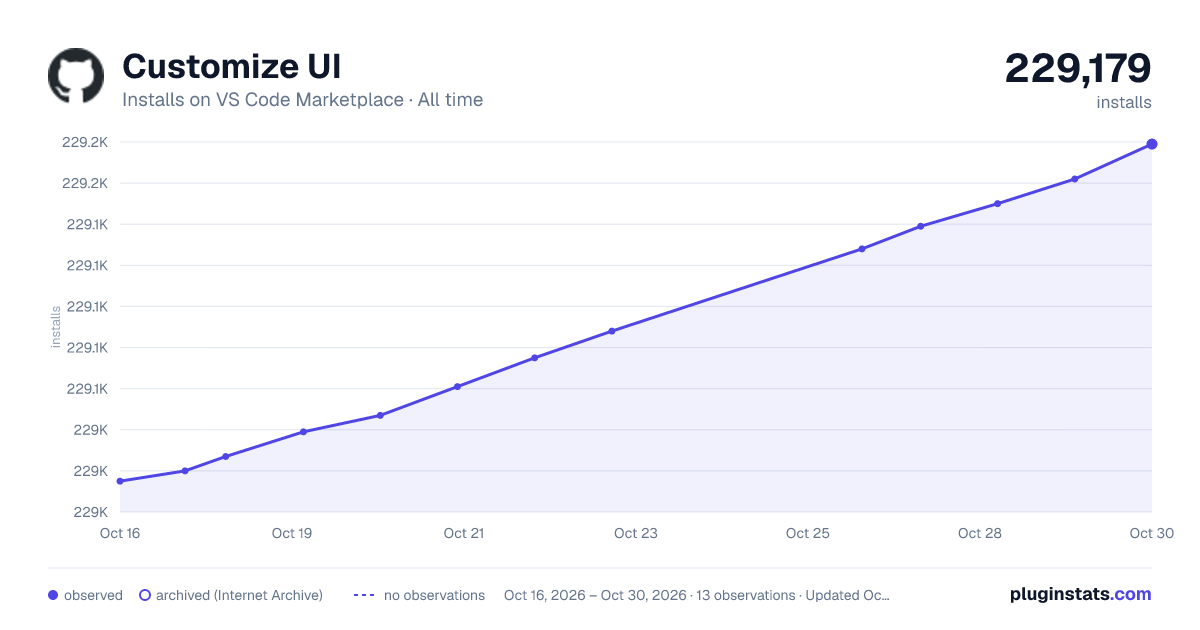

Adoption over time


7/30/90-day growth


Ranking history


Filled points are observed values; hollow points come from Internet Archive snapshots of the listing page. Dashed segments span periods with no observations — values between points are not interpolated.
Recent observations
Full history (4)Similar VS Code Marketplace Themes plugins
Data source
Install counts, average rating, and rating counts come from the public Visual Studio Marketplace gallery API. Installs are cumulative and exclude updates.
Listing: https://marketplace.visualstudio.com/items?itemName=iocave.customize-ui. First seen Oct 16, 2026; last successful collection Oct 19, 2026. See the methodology.