 PluginStats
vscode-solution-explorer installs statistics
By Fernando Escolar · VS Code Marketplace · Other
Visual Studio .sln file explorer for Visual Studio Code
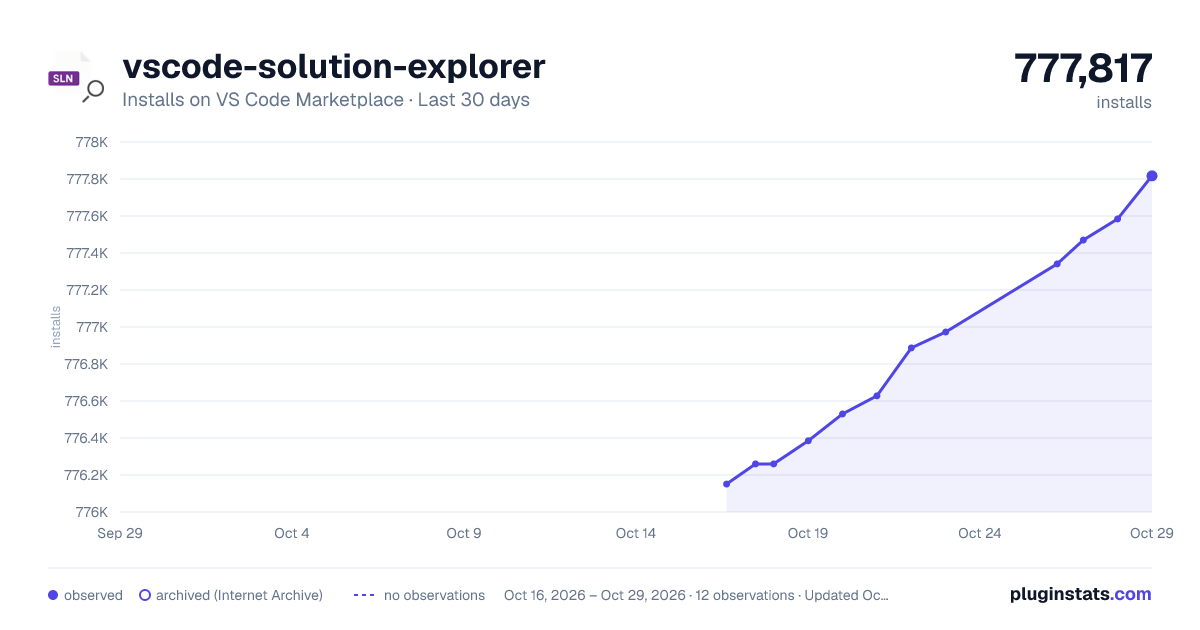
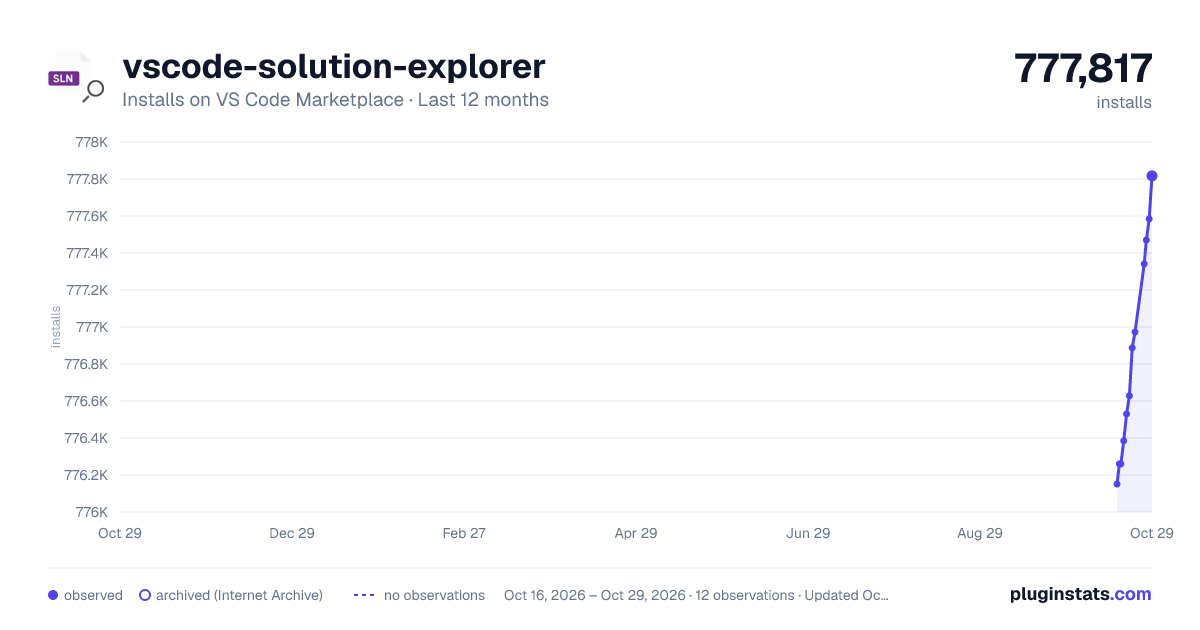
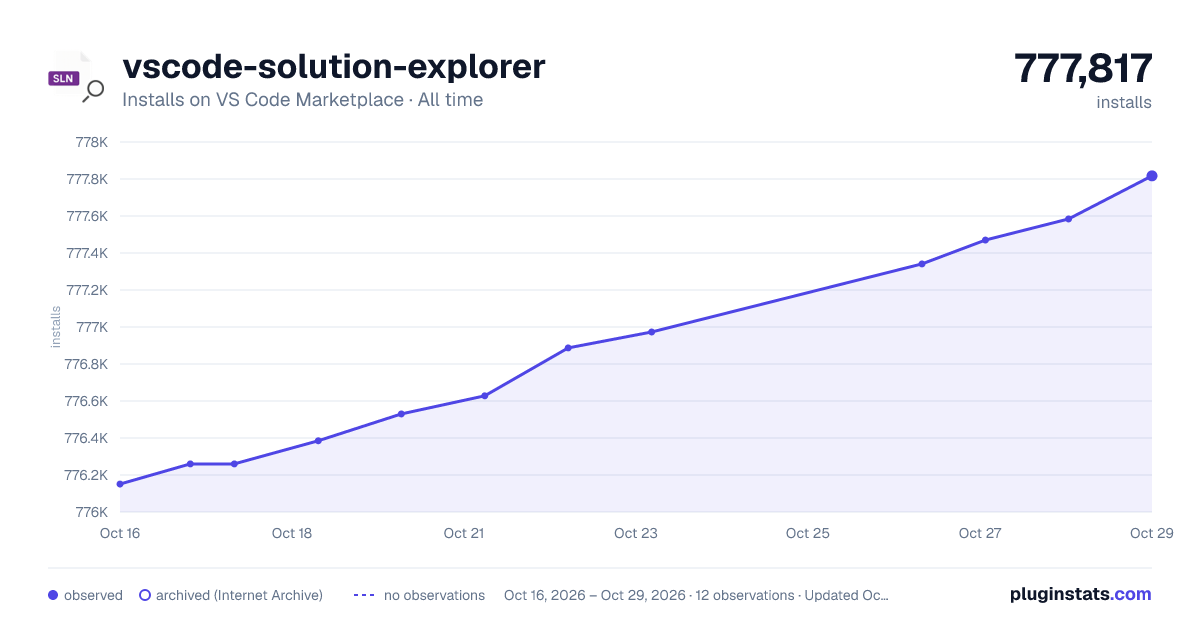
vscode-solution-explorer has 776,260 recorded installs on VS Code Marketplace.
It ranks #637 of 2,500 tracked VS Code Marketplace listings by installs.
It is rated 4.7 out of 5 from 74 ratings.
PluginStats has 3 daily observations since Oct 16, 2026; the latest is from Oct 18, 2026.
Rating: 4.68 / 5 from 74 ratings
About vscode-solution-explorer
⚠️ Please note, while there is another extension offering a solution explorer for Visual Studio Code, it's important to clarify that this is not the official Microsoft extension. For the official extension, you can visit this link.
vscode-solution-explorer
This extension adds a Visual Studio Solution File explorer panel in Visual Studio Code. Now you can navigate into your solution following the original Visual Studio structure.
*It was originally intended to work with .Net Core solutions and projects. For this reason, the compatibility with other types of projects (such as .Net Framework or C++) is not guaranteed.*
If you want to enjoy the full experience, you should install: • .Net SDK (dotnet command line is required) • Microsoft C# extension (aka Omnisharp)
Table of Content: • vscode-solution-explorer • Getting Started • Open Solutions • Open Solution command • Omnisharp integration • Find Solution files • Features • Run dotnet commands in solutions and projects • Drag and drop files, folders and projects • Create, delete, rename or project folders and files • Create, delete, rename or move solution, solution folders and projects • Add new project (panel) • Add or remove nuget packages • Update all nuget packages versions • Inline nuget package version management (csproj) • Add or remove project references • Create file templates • Solution syntax highlighting • Create Directory.Packages.props • MSBuild property and condition evaluation • Edit MSBuild Properties • Multilanguage support • Extension Settings • Example • Known Issues • License • Thanks to contributors
If you like my work you can 🍺 buy me a beer and show that love 😁
Getting Started
To activate vscode-solution-explorer you have to first open a folder or workspace.
Then, you can find this extension displayed as:
• a tab in the "Explorer" activity • an activity with the Visual Studio icon
You can configure it in the Visual Studio Code settings panel, looking for "VsSolution: Show Mode" section:
Open Solutions
vscode-solution-explorer has several ways to open the solution files and you can configure them in the Visual Studio Code configuration panel.
Open Solution command
You can execute the "Open solution" command from the command palette or from the welcome view (if no solution has been found).
Omnisharp integration
You can enable omnisharp integration and vscode-solution-explorer will open the same .sln or .slnx file you open with Microsoft`s extension.
It will ignore .csproj files because vscode-solution-explorer cannot open a project file without a Solution.
You have to install Microsoft C# extension to enable omnisharp integration.
Find Solution files
You can use the automatic solution file finder activating some options in the Visual Studio Code settings panel.
The vssolution.openSolutions.inRootFolder setting will look for the solution files in the root folder.
The vssolution.openSolutions.inFoldersAndSubfolders setting will search for the solution files in the root folder and its subfolders.
And if you want to specify the subfolders where you want to look for the solution files you have to activate the vssolution.openSolutions.inAltFolders setting and specify the folders in the vssolution.altSolutionFolders setting:
*You can combine all of these options to find the best configuration for you.*
Features
Adds a Solution Explorer panel where you can find a Visual Studio Solution File Explorer:
Run dotnet commands in solutions and projects
Only available when the project is of kind CPS (dotnet core).
• Build: dotnet build • Clean: dotnet clean • New: dotnet new • Pack: dotnet pack • Publish: dotnet publish • Restore: dotnet restore • Run: dotnet run • Watch: dotnet watch run
If you want to customize the terminal commands you can change them in the settings json file. These are the default commands configuration:
It will replace keywords like $solutionPath or $projectPath with the actual values.
As an example, if you want to compile in Release mode every time you publish a project you can create something like:
Drag and drop files, folders and projects
Create, delete, rename or project folders and files
Create, delete, rename or move solution, solution folders and projects
Add new project (panel)
Besides the classic step-by-step "Add new project" wizard, solutions have an "Add new project (panel)" command that opens a Visual Studio-style, two-pane dialog: a searchable list of the dotnet new templates installed on your machine on the left (filterable by name or tag), and on the right a form to set the Project Name, Project Language, Location (with a folder picker) and .NET Framework once you pick a template.
The template's description and the frameworks it actually supports are fetched on selection, so the Framework field is populated per-template rather than a generic list; fields that don't apply to a given template (e.g. one that only supports a single language, or doesn't expose a --framework option) are disabled instead of shown as free-form input.
Add or remove nuget packages
Only available when the project is of kind CPS (dotnet core).
If you want to use custom nuget feeds it will look for a file called nuget.config in the root folder of the project and its parent folders. If it finds this file, it will read the configuration and use it. If it does not find it, it will use the default nuget feed.
As an Example:
If you are working with /drive/path/to/project.csproj, it will look for: • /drive/path/to/nuget.config • /drive/path/nuget.config • /drive/nuget.config • /nuget.config
Note vscode-solution-explorer only supports ClearTextPassword credencials in nuget.config
Update all nuget packages versions
Only available when the project is of kind CPS (dotnet core).
Inline nuget package version management (csproj)
Only available when the project is of kind CPS (dotnet core) c# projects.…
Description from the VS Code Marketplace listing.
- keybindings
- sln
- slnx
- Solution File
- Solution XML File
Where vscode-solution-explorer sits in the listing
Each band is one page of 20. Installs on a log scale. Placement is projected from installs, so it can differ from the marketplace's own sort order. Hover a dot to see the listing.


Charts
Images: 30d · 1y · all time · 1600×900 dark

Adoption over time


7/30/90-day growth


Ranking history


Filled points are observed values; hollow points come from Internet Archive snapshots of the listing page. Dashed segments span periods with no observations — values between points are not interpolated.
Recent observations
Full history (3)Similar VS Code Marketplace Other plugins
Data source
Install counts, average rating, and rating counts come from the public Visual Studio Marketplace gallery API. Installs are cumulative and exclude updates.
Listing: https://marketplace.visualstudio.com/items?itemName=fernandoescolar.vscode-solution-explorer. First seen Oct 16, 2026; last successful collection Oct 18, 2026. See the methodology.