 PluginStats
Parallels Desktop installs statistics
By Parallels Desktop · VS Code Marketplace · Testing
Manage Parallels Desktop virtual machines, their snapshots and containers
Parallels Desktop has 198,484 recorded installs on VS Code Marketplace.
It ranks #1521 of 2,500 tracked VS Code Marketplace listings by installs.
It is rated 5.0 out of 5 from 1 ratings.
PluginStats has 3 daily observations since Oct 16, 2026; the latest is from Oct 18, 2026.
Rating: 5.00 / 5 from 1 ratings
About Parallels Desktop
Visual Studio Code extension for Parallels Desktop
This extension allows you to manage a wide range of operations for your Parallels Desktop virtual machines, creating, grouping, operating their snapshots and containers. It is integrated with HashiCorp Vagrant and Packer to automate your workflows.
Attention For some of the functionalities to work, you need to have Parallels Desktop Pro or Business Edition installed on your Mac.
Install
You can install the extension from the Visual Studio Code Marketplace, directly from Visual Studio Code or by pressing here.
Community
Join our Discord server to ask questions, share your experience, and get help from the community.
Features
Grouping Virtual Machines
Groups allow a better management of your virtual machines list, you can create groups, rename them, start/stop all machines in a group and create group snapshots.
Main features:
• Create groups of your virtual machines • Create group snapshots • Start, stop, pause, suspend all virtual machines in the group • Visual Cue for machines state in groups
Managing Virtual Machine Lifecycle
Know instantly what is the state of your virtual machines, start, stop, pause, and suspend.
Main features:
• Start, stop, pause, suspend your virtual machines • Visual Cue for machine state • Show IP Address of the machine if it is available
Managing Virtual Machine Snapshots
Create, restore and delete virtual machine snapshots in a compact design.
Main features:
• Create a snapshot • Restore machine to a snapshot • Delete a snapshot • Visual Cue of snapshot tree
Creating Virtual Machines
Quickly create a new virtual machine. You can choose from a wide range of operating systems that you can install and customize the virtual machine to your needs.
Main features:
• Adding new custom virtual machines • Select from the list of installation images, open sourced for future expansion by Parallels and community • Use you own ISO and IPSW files to create a new virtual machine • Use "Addons" to preinstalled applications into your new virtual machines
Managing Docker Containers inside Virtual Machines
Manage and create Docker containers inside your virtual machines, without the need to open another window.
Main features:
• Create Docker containers from a wide range of images or your own • Start/Stop Docker containers • Remove Docker containers • Visual Cue for container state • List all Docker images • Remove Docker images
Note: a virtual machine should be in the running state for this functionality to work.
Hiding Virtual Machines or Groups
Hide/show virtual machines or groups. Sometimes we don't want to manage and see certain virtual machines in the Visual Studio Code. You can quickly show all hidden items with a click of a button.
Vagrant Boxes Management
Manage your Vagrant boxes, see all the boxes you have installed, delete them or init a new one.
Main features:
• List all available Vagrant boxes • Init Vagrant box • Delete Vagrant box
Requirements
You will need to be on Apple Mac and own a license of Parallels Desktop Pro or Business Edition, find more information here
Extension Settings
This extension contributes the following settings:
• parallels-desktop.output_path: Output path for the packer machines. • parallels-desktop.prlctl.path: Path for your Parallels Desktop Command Line installation. • parallels-desktop.extension.path: Path for the extension. • parallels-desktop.extension.download.path: Path for the extension cached downloads. • parallels-desktop.hashicorp.vagrant.boxes.path: Path for the vagrant boxes. • parallels-desktop.vagrant.path: Path for the vagrant tool. • parallels-desktop.hashicorp.packer.path: Path for the packer tool. • parallels-desktop.git.path: Path for the git tool. • parallels-desktop.brew.path: Path for the brew tool. • parallels-desktop.extension.refresh.auto: Auto refresh the virtual machine extension. • parallels-desktop.extension.refresh.interval: Interval for the auto refresh. • parallels-desktop.tree.show-hidden-items: Always show hidden items in the tree view. • parallels-desktop.extension.order-items-alphabetically: Order items alphabetically. • parallels-desktop.extension.show-flat-snapshot-tree: Show flat snapshot tree. • parallels-desktop.extension.start-machines-headless-by-default: Start machines headless by default.
Tip: The extension will use default values that will work on most cases and it will try to install all of the dependencies
Support and Community
This extension is in active development, so please refer to our issue tracker for known issues, and please contribute with additional information if you encounter an issue yourself.
We welcome you to the channel on Discord server to discuss improvements you like to see or simply hangout with other developers using Parallels.
Contribute
If you're interested in contributing, or want to explore the source code of this extension yourself, see our contributing guide, which includes:
• Prerequisites for running and testing code • Submitting a pull request • Dev loop & Testing changes • Npm Commands • Build • Run Tests
Trademarks Notice
Parallels and the Parallels logo are trademarks or registered trademarks of Parallels International GmbH in Canada, the U.S., and/or elsewhere. Apple, Mac, and macOS are trademarks of Apple Inc. Microsoft and Windows are registered trademarks of Microsoft Corporation. All other company, product and service names, logos, brands and any registered or unregistered trademarks mentioned are used for identification purposes only and remain the exclusive property of their respective owners. Use of any brands, names, logos or any other information, imagery or materials pertaining to a third party does not imply endorsement. We disclaim any proprietary interest in such third-party information, imagery, materials, marks and names of others.
FAQ…
Description from the VS Code Marketplace listing.
- chat-participant
- docker
- packer
- parallels
- prlctl
- vagrant
- virtualization
Where Parallels Desktop sits in the listing
Each band is one page of 20. Installs on a log scale. Placement is projected from installs, so it can differ from the marketplace's own sort order. Hover a dot to see the listing.


Charts
Images: 30d · 1y · all time · 1600×900 dark
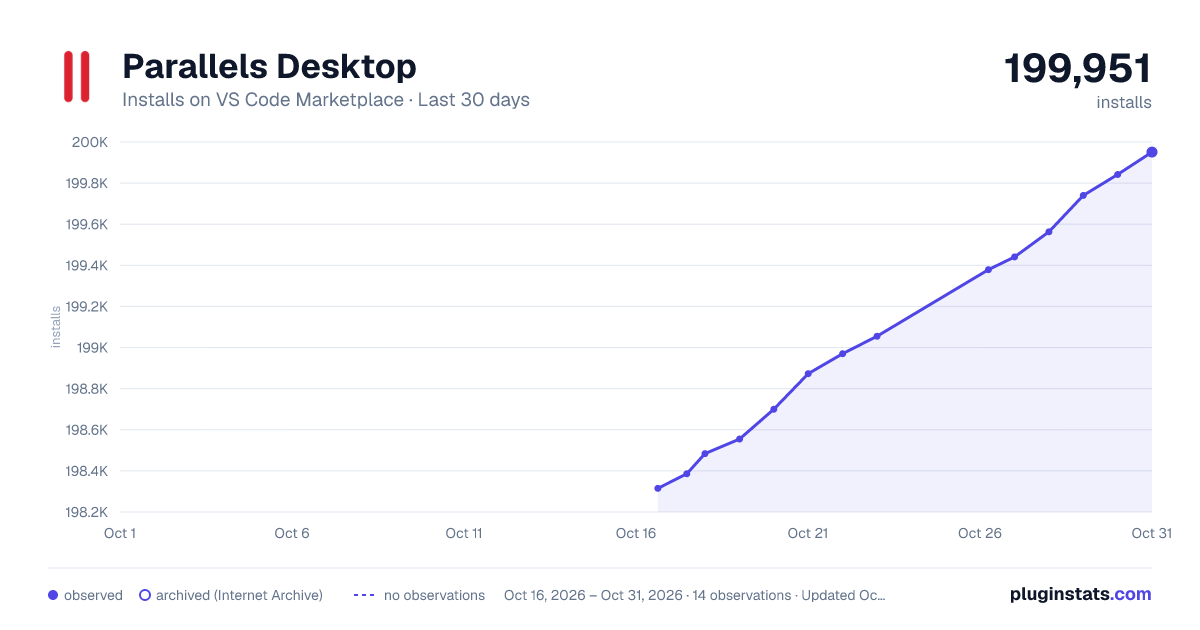
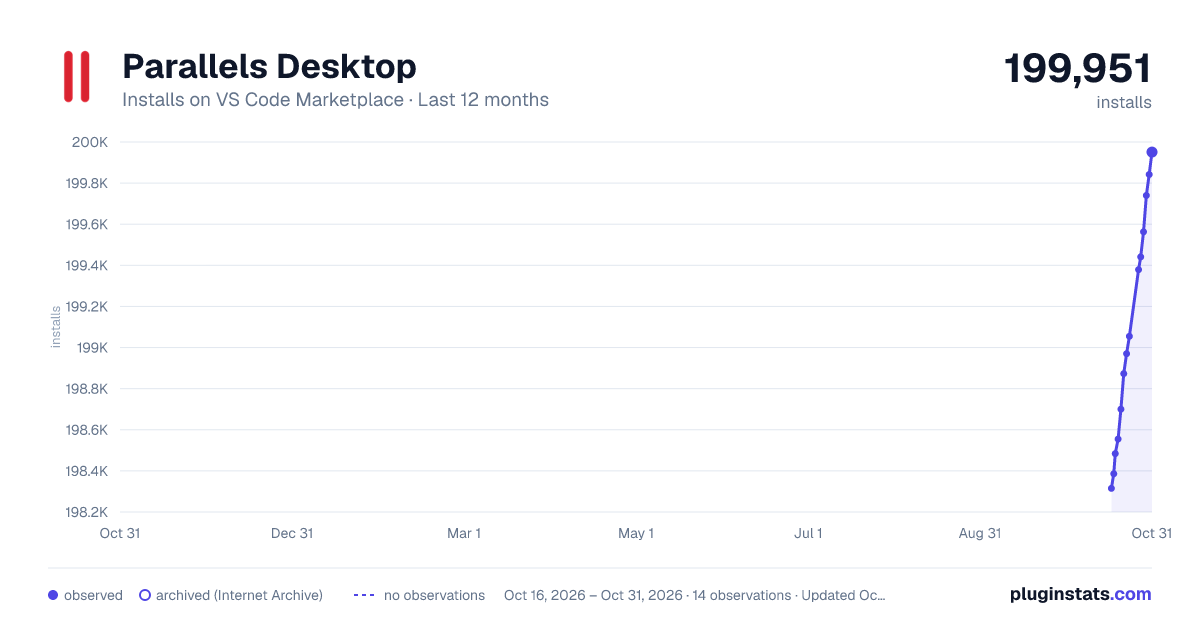
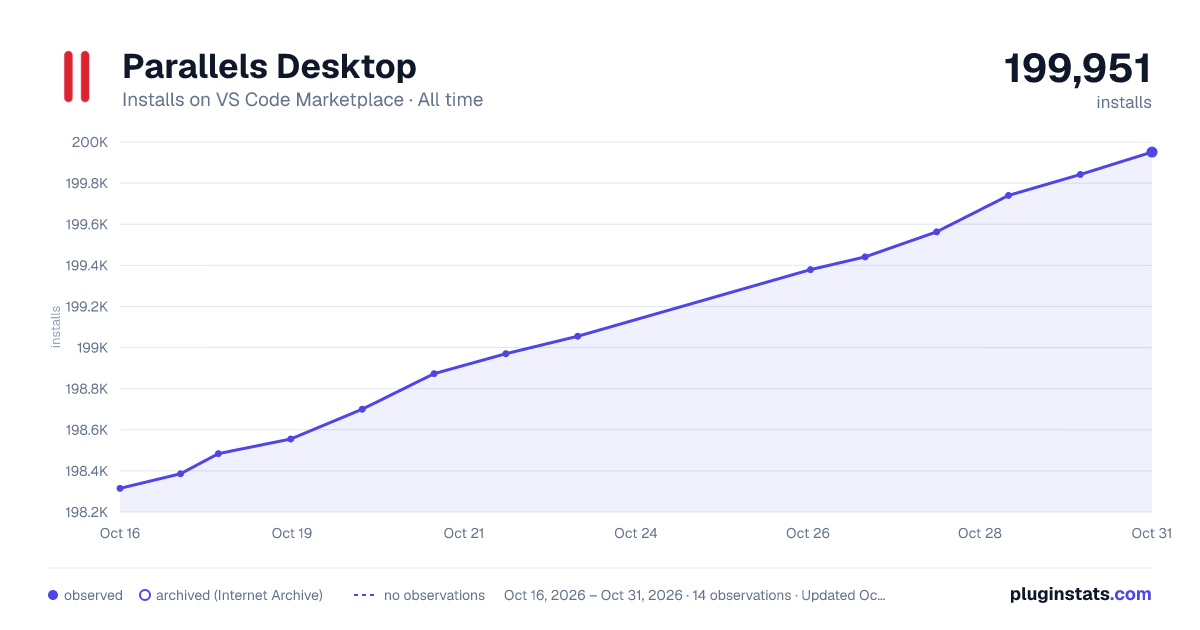

Adoption over time


7/30/90-day growth


Ranking history


Filled points are observed values; hollow points come from Internet Archive snapshots of the listing page. Dashed segments span periods with no observations — values between points are not interpolated.
Recent observations
Full history (3)Similar VS Code Marketplace Testing plugins
Data source
Install counts, average rating, and rating counts come from the public Visual Studio Marketplace gallery API. Installs are cumulative and exclude updates.
Listing: https://marketplace.visualstudio.com/items?itemName=ParallelsDesktop.parallels-desktop. First seen Oct 16, 2026; last successful collection Oct 18, 2026. See the methodology.