 PluginStats
Calva: Clojure & ClojureScript Interactive Programming installs statistics
By Better Than Tomorrow (2 listings) · VS Code Marketplace · Programming Languages
Integrated REPL, formatter, Paredit, and more. Powered by cider-nrepl and clojure-lsp.
Calva: Clojure & ClojureScript Interactive Programming has 229,256 recorded installs on VS Code Marketplace.
It ranks #1373 of 2,500 tracked VS Code Marketplace listings by installs.
It is rated 5.0 out of 5 from 94 ratings.
PluginStats has 3 daily observations since Oct 16, 2026; the latest is from Oct 18, 2026.
Rating: 5.00 / 5 from 94 ratings
About Calva: Clojure & ClojureScript Interactive Programming
Calva: A Clojure & ClojureScript IDE in Visual Studio Code
_Distilled from CIDER*._
Welcome to Calva, an integrated, REPL powered, development environment for enjoyable and productive Clojure and ClojureScript programming in Visual Studio Code. It includes:
• inline code evaluation • structural editing • code formatting • code navigation • a debugger • linting • syntax highlighting • Clojure aware rainbow brackets • a test runner • refactoring support • and much more.
A lot of effort has been put into making Calva a good choice to start if you are new to Clojure. Calva is open source and free to use.
(*) Calva is short for Calvados, a liquid gifted to humanity from God. Calvas's REPL power is harvested from the produce of The Orchard.
Users Like it 😍
Crispin Bennett's review: This is great, and makes VS Code a truly viable IDE/editor for clojure development. It has great REPL support (including inline evaluation), an extensive Paredit implementation, and excellent linting (care of the bundled clj-kondo). Calva is being improved on at an impressive clip by maintainers who appear solidly committed to its ongoing development. It's well-documented, and manages to be both approachable and capable. A no-brainer if you're already a VS Code user, and well worth a look if you're not.
It's Easy to Get Started
Get Started with Clojure in VS Code in 20 seconds
There is Documentation
Head over to calva.io to learn more about how to use Calva. The most important stuff would be:
• Connect Calva to Your Project (TL;DR; Use Jack in.) • Quirks (Yes, there are quirks.) • Paredit – a Visual Guide (Clojure editing is for civilized people.)
Why Calva?
From The Tao of Calva:
Calva's _raison d´être_ is to provide Visual Studio Code users with an easy to use and productive environment for Clojure and ClojureScript development.
From the same page you can also learn that we want Calva to be a good choice for VS Code users asking:
_How do I use my favorite code editor for Clojure development?_
We also hope that Calva will contribute to making it easier to pick up Clojure as a new language.
Getting Started with Calva
Go to the documentation to find info on how to connect Calva to your project and start evaluating code and such. The documentation is built from this repository, and the source files are located in docs/site. So if you know about workarounds or gotchas or anything that is good to know about when using Calva, please edit the appropriate page (or create a new page) by PR.
Features
• Syntax highlighting, plus: • Rainbow parens • Rainbow indent guides • Highlight active indent guide • Highlights misplaced brackets • LISP friendly bracket matching • Ignore form (#_) dimming and (comment) form highlighting • Code formatting and autoindent according to The Clojure Style Guide • Structural Editing (via Paredit) • Linting • Intellisense • Go to / peek at definition • Find all references • Rename symbol • Change all occurrences • References code lens (enable in settings) • Outline view • View doc strings on hover • View function signatures on hover, including help with knowing which argument you are typing • Debugger • Support for Clojure tools/deps, Leiningen, shadow-cljs, Figwheel Main, lein-figwheel, Clojurephant (Gradle) and the built-in ClojureScript browser/node repls. (For Boot, only Connect scenarios work, there is no Jack-in there.) • Your Custom Connect Sequences, including fully customized ClojureScript REPLs. • Switch the ClojureScript REPL connection between your different builds at will. • When editing cljc files, easily choose if REPL commands should go to the clj or cljs REPL by clicking the cljc/clj[s] indicator in the status bar. • And more
Powered in Part by Clojure-lsp
Calva uses a mix of static and dynamic analysis to power the experience. A lot of the static abilities come from clojure-lsp, and you can read more about Calva's integration of clojure-lsp in the documentation.
Demo: Evaluate top level forms inside (comment...)
The gif demos several more features, apart from the in-comment evaluation, like:
• Signature help while typing function calls • Evaluation result display is a bit sticky (so you can examine several evaluations at once) • There is a richer display of results in the hover of the evaluated expression. (From where you can also copy the results to the clipboard) • Edit: This feature has been removed in favor of using peek definition. See here. This decision was made due to high memory usage from storing results, but may be added back at some point if it's desired by many users over the peek definition feature. Please let us know here if you'd like this added back. • Some structural editing
Demo: Signature Help, while Typing
It is pretty educational using the signature help hover to see which argument you are typing when the argument list is using destructuring, or when an argument is threaded in first before the arguments you provide inside the form.
Demo: Syntax highlighting, rainbow parens and guides
Demo: Syntax highlighting, dimming ignored forms
Demo: Peek at definitions, etcetera
Demo: switch between clj and cljs repl sessions for cljc files
Demo: References code lens (enable in settings)
Demo: Outline
How to contribute
I'm glad you are reading this section! There are many ways and you are welcome to combine them at will. Be creative 😄:
• Give us feedback. • Via #calva at the Clojurians Slack. • Via filing issues. • Fix issues. PRs welcome! Calva is built using a combination of TypeScript and ClojureScript. The ClojureScript part uses the shadow-cljs tool chain. See the How to Contribute page on the wiki for instructions on how to hack on Calva. TL;DR _It is super easy to get started!_ • Fix typos in the UI and in the docs. It might seem like a small enough thing to not bother about it, but really, typos get in the way of comprehension. Typos are bad, uhm? • Become a GitHub sponsor. Read on.
Calva Sponsors ❤️…
Description from the VS Code Marketplace listing.
- Cider
- Clojure
- CLojureScript
- debuggers
- EDN
- Interactive Programming
- keybindings
- REPL
- snippet
- Structural Editing
Where Calva: Clojure & ClojureScript Interactive Programming sits in the listing
Each band is one page of 20. Installs on a log scale. Placement is projected from installs, so it can differ from the marketplace's own sort order. Hover a dot to see the listing.


Charts
Images: 30d · 1y · all time · 1600×900 dark
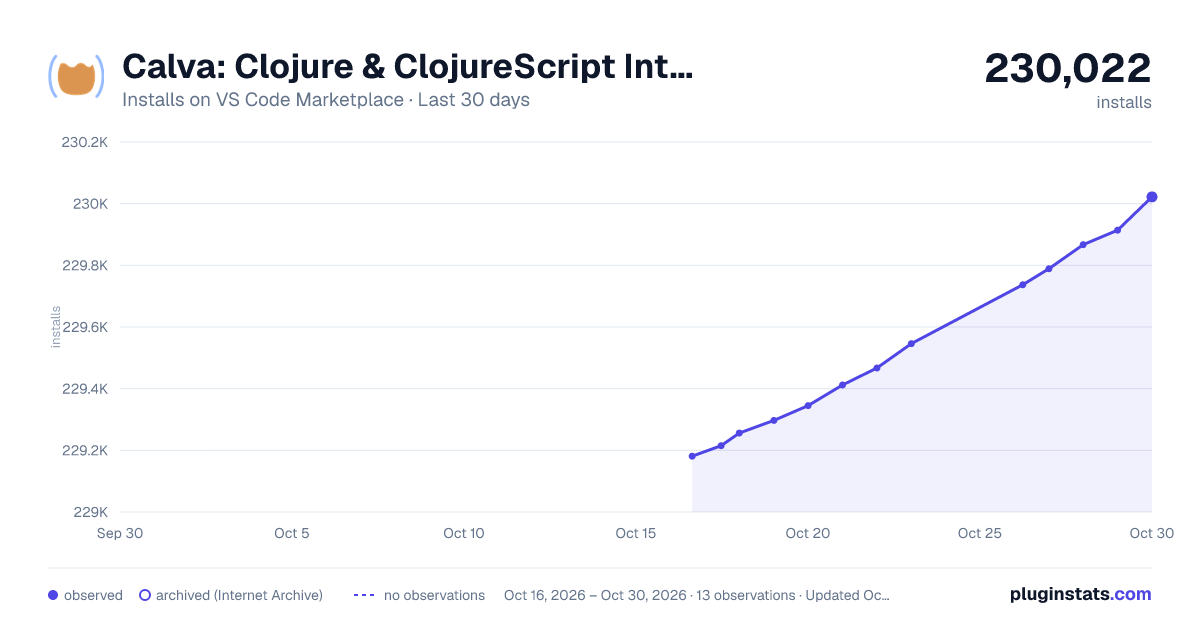
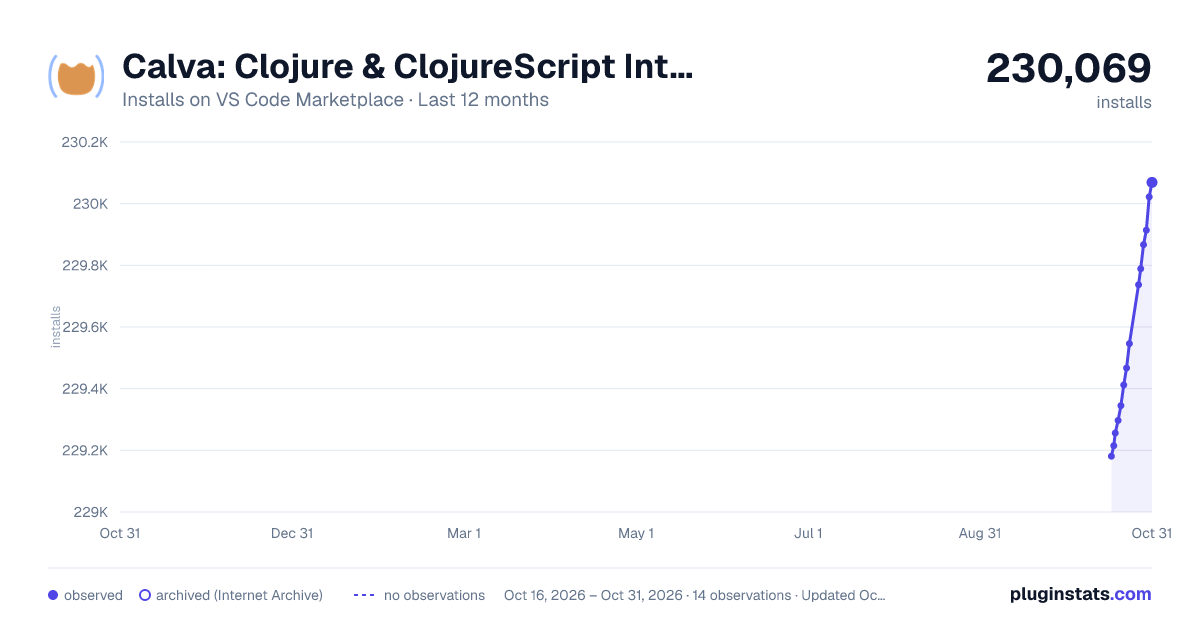
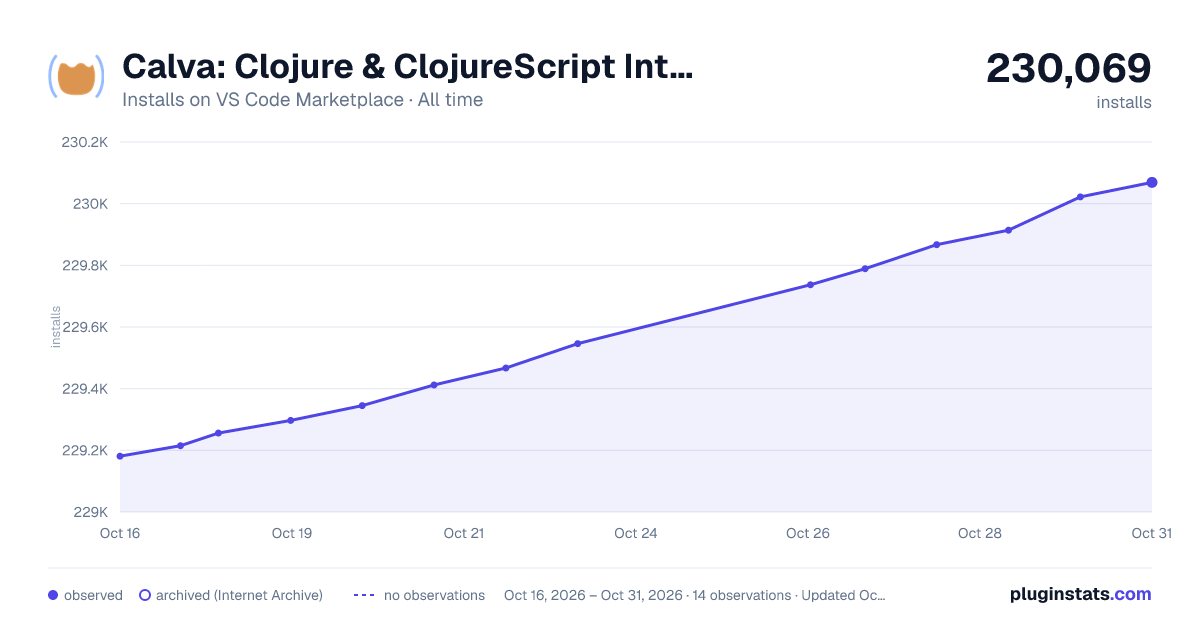

Adoption over time


7/30/90-day growth


Ranking history


Filled points are observed values; hollow points come from Internet Archive snapshots of the listing page. Dashed segments span periods with no observations — values between points are not interpolated.
Recent observations
Full history (3)Similar VS Code Marketplace Programming Languages plugins
Data source
Install counts, average rating, and rating counts come from the public Visual Studio Marketplace gallery API. Installs are cumulative and exclude updates.
Listing: https://marketplace.visualstudio.com/items?itemName=betterthantomorrow.calva. First seen Oct 16, 2026; last successful collection Oct 18, 2026. See the methodology.