 PluginStats
Graphviz Preview installs statistics
By EFanZh · VS Code Marketplace · Programming Languages
Preview Graphviz (DOT) files.
Graphviz Preview has 187,943 recorded installs on VS Code Marketplace.
It ranks #1594 of 2,500 tracked VS Code Marketplace listings by installs.
It is rated 5.0 out of 5 from 4 ratings.
PluginStats has 3 daily observations since Oct 16, 2026; the latest is from Oct 18, 2026.
Rating: 5.00 / 5 from 4 ratings
About Graphviz Preview
Graphviz Preview
An extension for Visual Studio Code to preview Graphviz (DOT) files.
Installation
You can install this extension from the Visual Studio Marketplace.
This extension requires Graphviz to be installed. Also, make sure that the extension can find the dot executable provided by Graphviz. Either make sure the directory containing the dot executable exists in the PATH or Path environment variable, or specify the path of the dot executable with graphvizPreview.dotPath configuration.
Usage
Open preview
Open the Command Palette (usually by pressing Ctrl + Shift + P), then select “Graphviz: Open Preview to the Side”.
Manipulate preview
| Action | Gesture |
| Previous graph | P | | Next graph | N | | Zoom in | Mouse wheel up / + | | Zoom out | Mouse wheel down / - | | Toggle center position | X | | Toggle 100% scale | Mouse double click / Space / 0 | | Scroll | Mouse drag / Left / Right / Up / Down / A / D / W / S |
There are three scale modes: Fixed, Fit and Auto Fit.
• Fixed: The scale ratio does not change when the source changes or the window size changes. • Fit: The graph is scaled to align to the border of the visible view area. • Auto Fit: When the view area is big enough to contain a 100% sized graph, the graph will be set a scale ratio of 100%, otherwise the graph is scaled to fit into the view area.
Export graph
To export the generated graph, click the “Export” button on the top right corner.
Configuration
| Configuration | Type | Description |
| graphvizPreview.dotPath | string | Path to the dot executable. | | graphvizPreview.dotExtraArgs | string[] | Extra arguments passed to the dot executable. | | graphvizPreview.engine | string | The layout engine to use. Currently, only the dot engine is supported. |
Make sure the extension can find the dot program. You can set graphvizPreview.dotPath option to the path of the dot executable, or make sure the directory containing the dot program is in your PATH environment variable.
To set the graphvizPreview.dotPath option, go to File → Preference → Settings.
Known issues
• After saving an untitled file, the preview becomes invalid. • When the scale ratio is too large, the graph may be at a wrong position. • Exporting only works for documents that contains a single graph.
FAQ
• Q: How do I change the layout engine? • A: Set graphvizPreview.dotExtraArgs configuration to ["-Glayout="], where is the desired layout engine.
Description from the VS Code Marketplace listing.
- dot
- graphviz
- keybindings
- preview
Where Graphviz Preview sits in the listing
Each band is one page of 20. Installs on a log scale. Placement is projected from installs, so it can differ from the marketplace's own sort order. Hover a dot to see the listing.


Charts
Images: 30d · 1y · all time · 1600×900 dark

Adoption over time


7/30/90-day growth


Ranking history


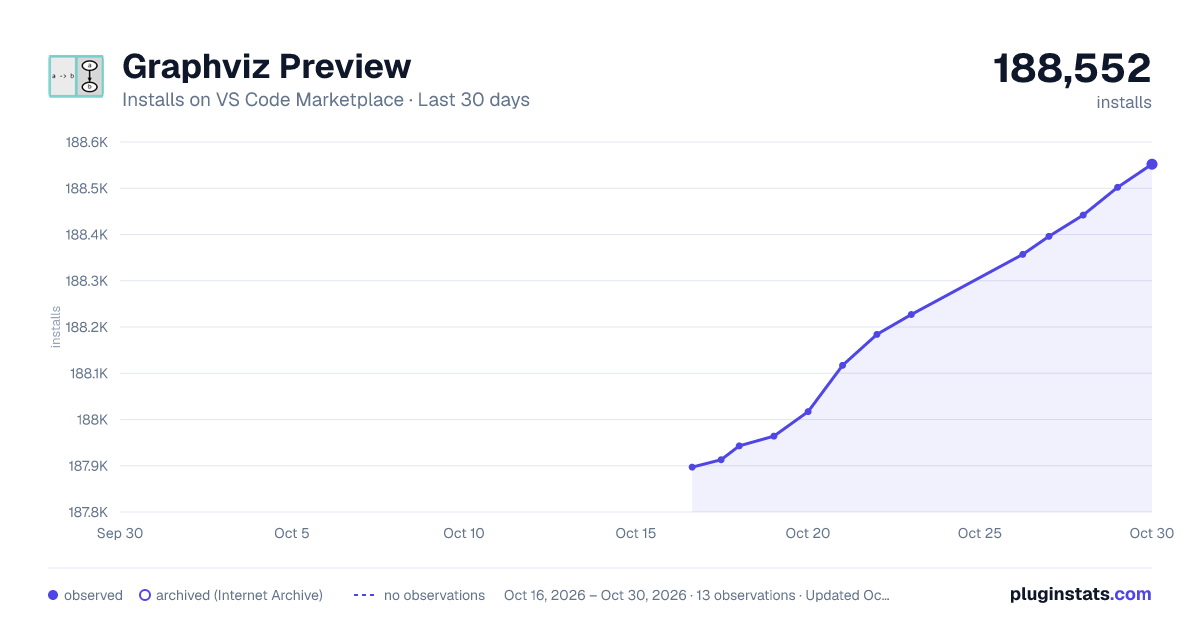
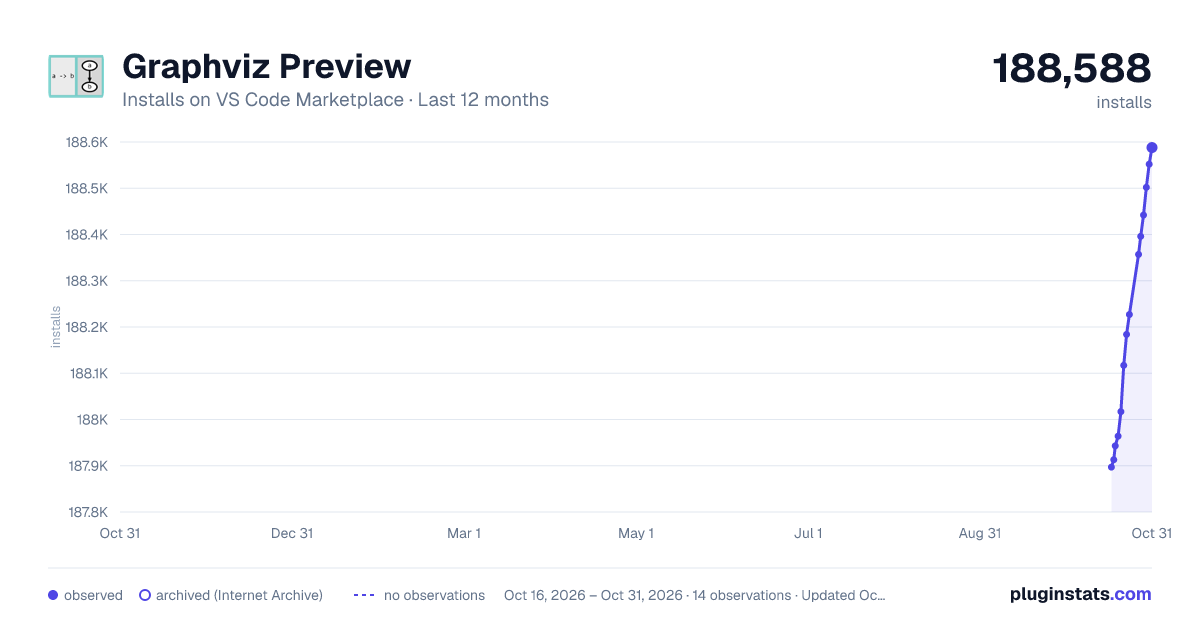
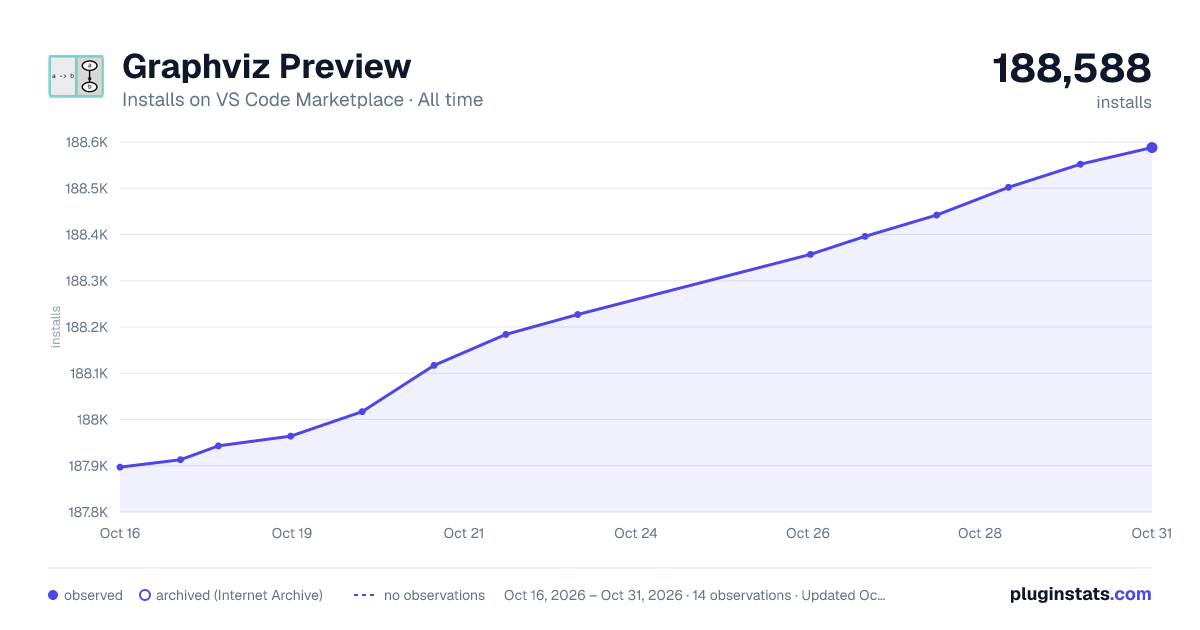
Filled points are observed values; hollow points come from Internet Archive snapshots of the listing page. Dashed segments span periods with no observations — values between points are not interpolated.
Recent observations
Full history (3)Similar VS Code Marketplace Programming Languages plugins
Data source
Install counts, average rating, and rating counts come from the public Visual Studio Marketplace gallery API. Installs are cumulative and exclude updates.
Listing: https://marketplace.visualstudio.com/items?itemName=EFanZh.graphviz-preview. First seen Oct 16, 2026; last successful collection Oct 18, 2026. See the methodology.