 PluginStats
Syntax Highlighter installs statistics
By Evgeniy Peshkov · VS Code Marketplace · Programming Languages
Syntax highlighting based on Tree-sitter
Syntax Highlighter has 259,905 recorded installs on VS Code Marketplace, ranking #1276 of 2,501 tracked listings.
Rating: 5.00 / 5 from 7 ratings
About Syntax Highlighter
Syntax Highlighter for VSCode
Syntax highlighter based on Tree-Sitter.
Languages:
C++, C, Python, TypeScript, TypeScriptReact, JavaScript,
Go, Rust, Php, Ruby, ShellScript, Bash, OCaml, Lua

Languages:
- C++
- C
- Python
- TypeScript
- TypeScriptReact
- JavaScript
- Go
- Rust
- Php
- Ruby
- ShellScript
- Bash
- OCaml
- Lua
- More to come...
Description
Provides universal syntax coloring engine for almost any programming language. See list of currently supported languages above. Under the hood the extension utilizes VSCode Semantic Token API to override syntax coloring provided by standard TextMate regex matching. Constructing entire syntax tree, Tree-sitter efficiently overcomes all limitations of built-in TextMate grammars. Being context-aware, it's able to parse complex language structures providing complete coverage of source code. Incremental parsing system ensures high performance. All these advantages enable accurate and consistent syntax highlighting.
Customization
{Syntax Highlighter} is a
semantic token provider.
It follows the current color theme out-of-the-box, as soon as the theme
enables semantic colorization through its semanticHighlighting setting.
You can forcefully enable semantic highlighting in settings.json:
"editor.semanticTokenColorCustomizations": {
    "enabled": true, // enable for all themes
    "[Default Dark+]": {
        "enabled": true // enable for a particular theme
    }
}
To customize token colors follow this guide. For example:
"editor.semanticTokenColorCustomizations": {
    "[Default Dark+]": {
        "enabled": true,
        "rules": {
            "type":  "#26A69A",
            "namespace": "#00897B",
            "function": "#00BCD4",
            "variable": "#42A5F5",
            "number": "#90A4AE",
            "string": {
                "foreground": "#90A4AE",
                "italic": true
            },
            "comment": {
                "foreground": "#546E7A",
                "fontStyle": "italic"
            },
            "variable.readonly.defaultLibrary": "#A89F9B",
            "macro": "#7E57C2",
            "keyword": "#7986CB",
            "operator": "#9575CD",
            "type.modification": "#00897B",
            "punctuation": "#A1887F"
        }
    }
}
If no color is assigned to a semantic token by a theme, the VSCode uses the Semantic Token Scope Map.
{Syntax Highlighter} provides the next tokens:
- type - types (class, struct, enum)
- namespace - scopes (namespace, module, outer class)
- function - functions (function, method, interface)
- variable - variables (variable, property, member)
- number - number literals (10, 10.0f, 0x10)
- string - string literals (string, regex, char)
- comment - comments
- variable.readonly.defaultLibrary - language constants (true, nullptr, nil)
- macro - directives (#include, import, use)
- keyword - control keywords (if, continue, return)
- operator - operators (&&, +=, ->)
- type.modification - modifiers (const, public, override)
- punctuation - punctuation symbols (., :, {)
punctuation is a custom (non-standard) token introduced by {Syntax Highlighter}. Its fallback TextMate scope is "punctuation". The default fallback for type.modification is "storage.modifier". Note that if you override type color you should also override type.modification. Otherwise, type.modification color will first fallback to a more general type instead of mapped TextMate scope. The same goes for variable and variable.readonly.defaultLibrary.
Settings
syntax.highlightComment
Enable/disable highlighting of comments.
This setting is useful, when you have other extensions, providing colorization within
comments. For example, highlighting of ToDo-like tags or documentation syntax, like
Doxygen or Sphinx. To not overwrite their colorization you can disable highlighting of
comments, putting "syntax.highlightComment": false, in your settings.json.
syntax.highlightTerms
List of enabled terms.
If you want to disable {Syntax Highlighter} for certain terms and use standard
coloring instead, just remove them from syntax.highlightTerms list in your
settings.json. By default all supported terms are enabled.
syntax.highlightLanguages
List of enabled languages.
If you want to disable {Syntax Highlighter} for certain languages and use standard
coloring instead, just remove them from syntax.highlightLanguages list in your
settings.json. By default all supported languages are enabled.
Build
{Syntax Highlighter} utilizes WebAssembly bindings to the Tree-sitter parsing library. All language parsers are compiled to binary .wasm modules. To build .wasm you'll need Emscripten SDK. Refer to BUILD.md for instructions.
Contribute…
Description from the VS Code Marketplace listing.
- Bash
- C
- C++
- Coloring
- CPP
- Go
- Highlight
- Highlighter
- Highlighting
- JavaScript
- JS
- Lua
- OCaml
- Parser
- Php
- Python
- Ruby
- Rust
- ShellScript
- Syntax
README badge
Show your rank in a README or on your website. The badge updates automatically.
Charts
Images: 30d · 1y · all time · 1600×900 dark
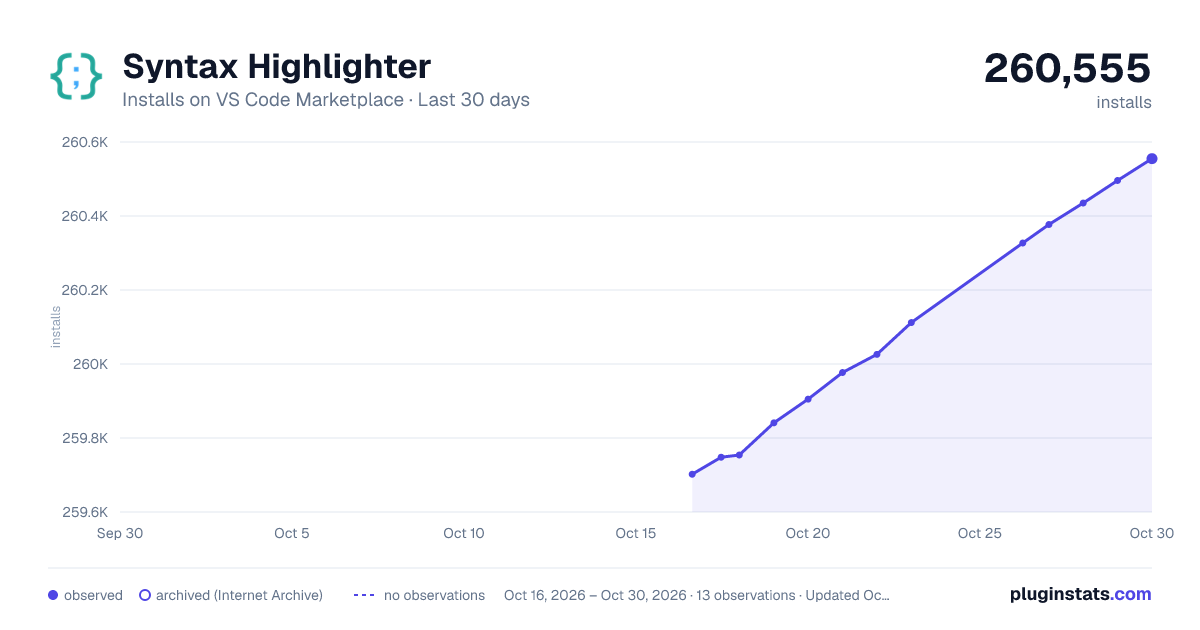
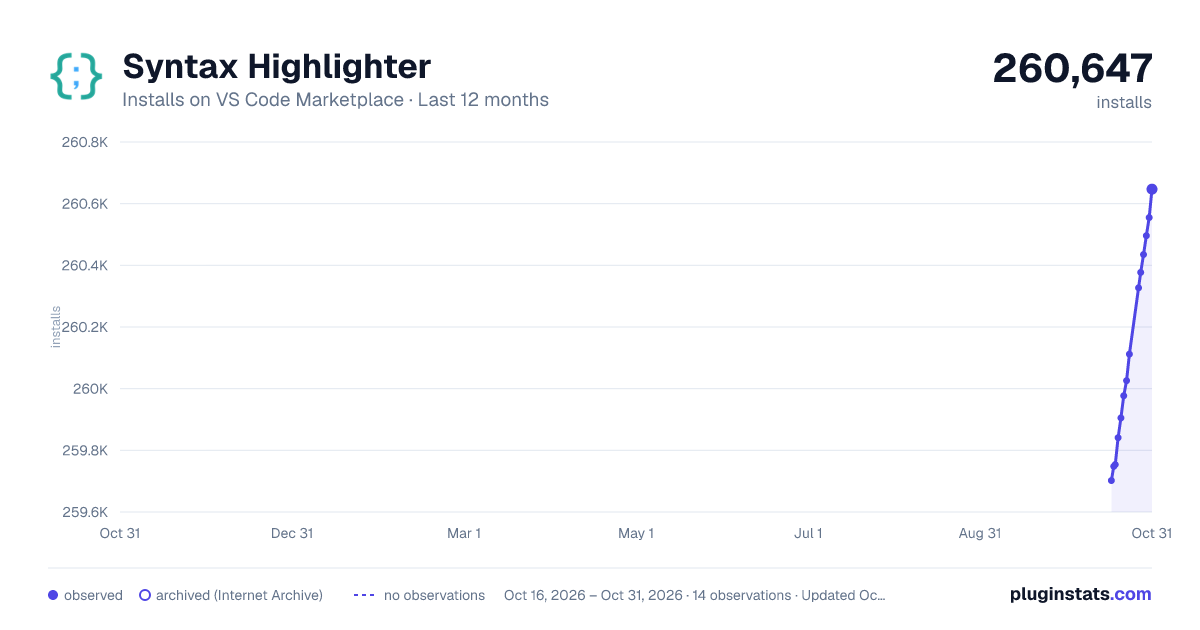
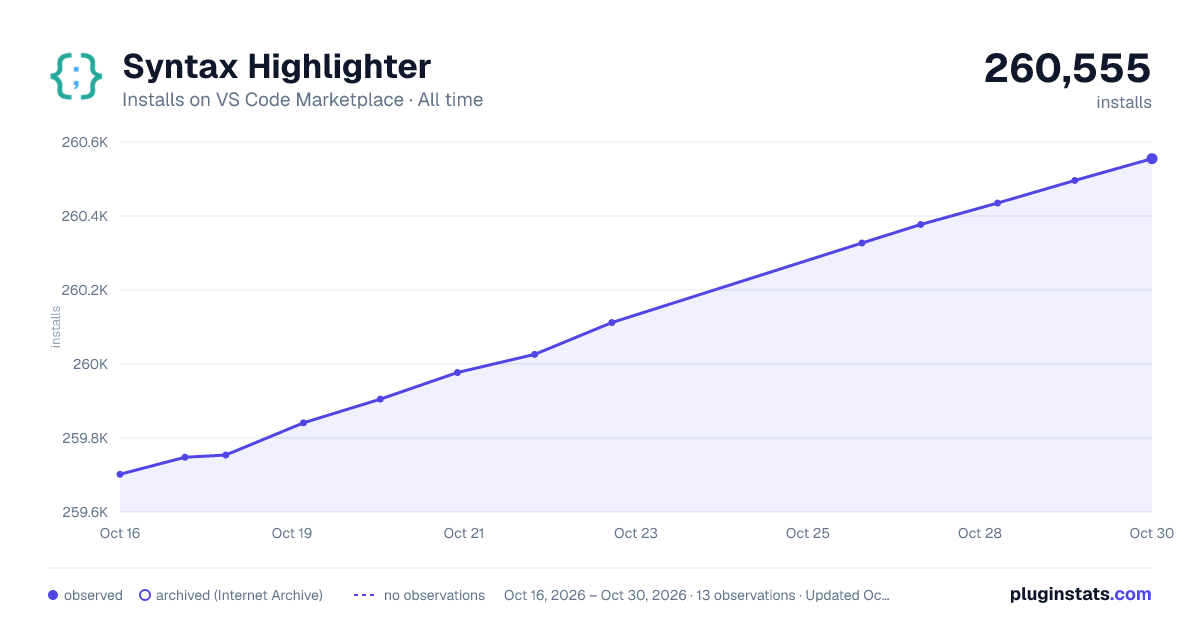

Adoption over time
7/30/90-day growth
Ranking history
Ratings over time
Listing placement
Listing placement
Listing placement
Filled points are observed values; hollow points come from Internet Archive snapshots of the listing page. Dashed segments span periods with no observations — values between points are not interpolated.
Each band is one page of 20. Installs on a linear scale. Placement is projected from installs, so it can differ from the marketplace's own sort order. Hover a dot to see the listing.
Recent observations
Full history (5)Similar VS Code Marketplace Programming Languages plugins
All 20 Syntax Highlighter alternativesData source
Install counts, average rating, and rating counts come from the public Visual Studio Marketplace gallery API. Installs are cumulative and exclude updates.
Listing: https://marketplace.visualstudio.com/items?itemName=evgeniypeshkov.syntax-highlighter. First seen Oct 16, 2026; last successful collection Oct 20, 2026. See the methodology.