 PluginStats
Markdown Table Prettifier installs statistics
By Krisztian Daroczi · VS Code Marketplace · Formatters
Transforms markdown tables to be more readable.
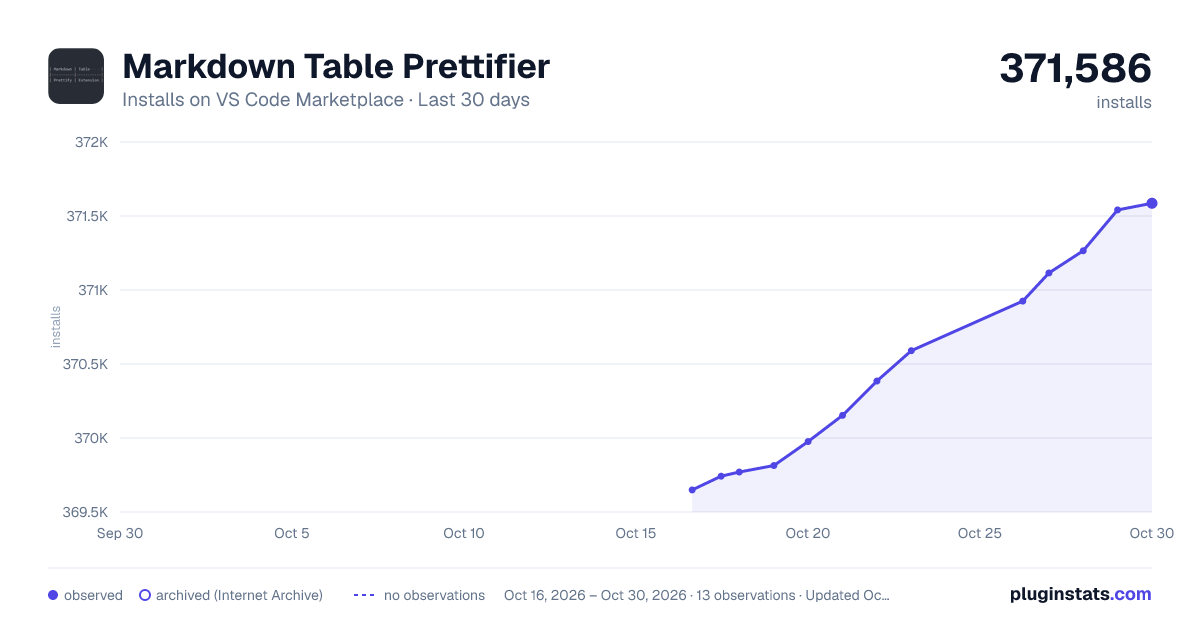
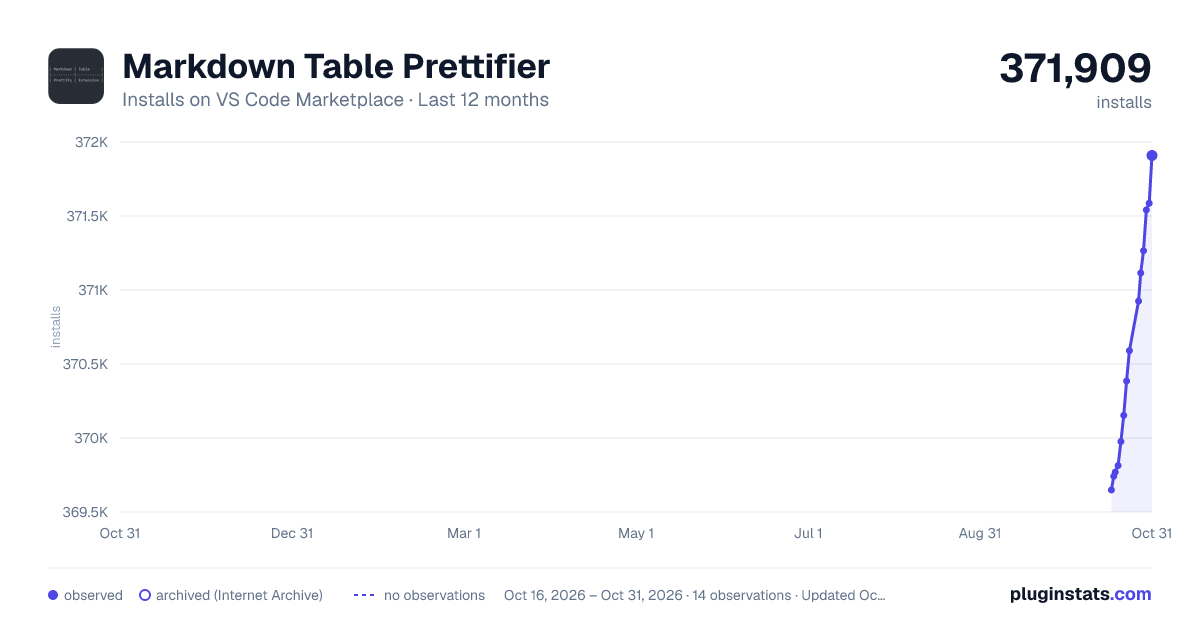
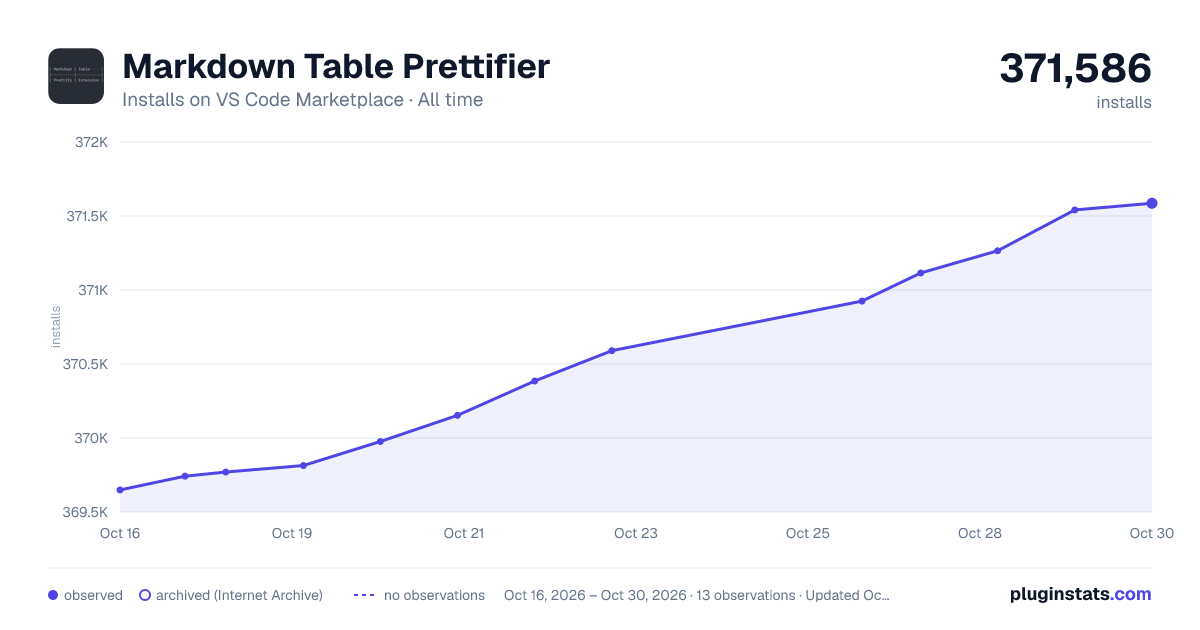
Markdown Table Prettifier has 369,770 recorded installs on VS Code Marketplace.
It ranks #1012 of 2,500 tracked VS Code Marketplace listings by installs.
It is rated 5.0 out of 5 from 15 ratings.
PluginStats has 3 daily observations since Oct 16, 2026; the latest is from Oct 18, 2026.
Rating: 5.00 / 5 from 15 ratings
About Markdown Table Prettifier
Markdown table prettifier
Makes tables more readable for humans. Compatible with the Markdown writer plugin's table formatter feature in Atom.
Feature highlights
• Remove redundant ending table border if the beginning has no border, so the table _will not end_ with "|". • Create missing ending table border if the beginning already has a border, so the table _will end_ with "|". • Save space by not right-padding the last column if the table has no border. • Support empty columns inside tables. • Support column alignment options with ":". • Find and format multiple tables. • Support \`code blocks\ and ignore blocks with and `. • Support indented tables (tables with borders or tab indented).
Visual Studio Code
The extension is available for markdown language mode. It can either prettify a selection (Format Selection) or the entire document (Format Document). A VSCode command called Prettify markdown tables is also available to format the currently opened document. Right-click on a table to access the context menu option Prettify markdown table at cursor for formatting individual tables without selection.
Configurable settings:
• The maximum texth length of a selection/entire document to consider for formatting. Default: 1M chars (limit does not apply from CLI or NPM). • Additional languages to support formatting for besides markdown. See possible configurable values here. Default: [ ]. • Column padding to make the columns more spaced out from each other. Default: 0 (no extra spacing/padding). • Keyboard shortcut to prettify the currently opened markdown document. Default: CTRL+ALT+M (CMD+ALT+M on Mac).
NPM
The core formatting logic is available as an NPM package: npm install --save markdown-table-prettify. The Typescript code is compiled to ES2022 and shipped inside the package. Requires Node.js 16.11+.
It currently exposes the entry point also used by the _CLI_. It can be used from regular NodeJS or web apps:
Docker & CLI
The core formatting logic is available as a node docker image: docker pull darkriszty/prettify-md or as a stand alone CLI tool.
Formatting files or checking if they're already formatted is also possible from the command line without docker. This requires node and npm (optionally also npx).
| Feature | Docker | CLI |
| Prettify a file | docker container run -i darkriszty/prettify-md output.md | npm run --silent prettify-md output.md | | Check whether a file is pretty or not | docker container run -i darkriszty/prettify-md --check < input.md | npm run --silent check-md < input.md | | Use 1 as column padding | docker container run -i darkriszty/prettify-md --columnPadding=1 < input.md | npm run --silent prettify-md -- --columnPadding=1 < input.md |
Notes: * The prettify check (--check or check-md) will fail with an exception and return code 1 if the file is not prettyfied. * The --silent switch sets the NPM log level to silent, which is useful to hide the executed file name and concentrate on the actual output. * The -- after the npm run script part is needed for npm to forward the arguments (for instance --columnPadding=1) to the actual prettyfier script. * Optionally, use npx to prettify files: npx markdown-table-prettify < input.md instead of npm run --silent prettify-md < input.md.
Installation
To access the CLI, the extension can either be used from the Github sources, from the already installed VSCode extension or from NPM.
Compiling from the source code
• Clone or download the source code. • Run npm install. • Run npm run compile.
Using the already installed VSCode extension
Locate the installed extension path. The typical location of the installed extension: • Windows: %USERPROFILE%\.vscode\extensions\darkriszty.markdown-table-prettify-{version} • macOS: ~/.vscode/extensions/darkriszty.markdown-table-prettify-{version} • Linux: ~/.vscode/extensions/darkriszty.markdown-table-prettify-{version}
Getting it from NPM
Install the NPM package npm install -g markdown-table-prettify.
Known Issues
• Tables with mixed character widths (eg: CJK) are not always properly formatted (issue #4).
Description from the VS Code Marketplace listing.
- formatter
- keybindings
- markdown
- table
Where Markdown Table Prettifier sits in the listing
Each band is one page of 20. Installs on a log scale. Placement is projected from installs, so it can differ from the marketplace's own sort order. Hover a dot to see the listing.


Charts
Images: 30d · 1y · all time · 1600×900 dark

Adoption over time


7/30/90-day growth


Ranking history


Filled points are observed values; hollow points come from Internet Archive snapshots of the listing page. Dashed segments span periods with no observations — values between points are not interpolated.
Recent observations
Full history (3)Similar VS Code Marketplace Formatters plugins
Data source
Install counts, average rating, and rating counts come from the public Visual Studio Marketplace gallery API. Installs are cumulative and exclude updates.
Listing: https://marketplace.visualstudio.com/items?itemName=darkriszty.markdown-table-prettify. First seen Oct 16, 2026; last successful collection Oct 18, 2026. See the methodology.