 PluginStats
Markdown All in One installs statistics
By Yu Zhang (2 listings) · VS Code Marketplace · Programming Languages
All you need to write Markdown (keyboard shortcuts, table of contents, auto preview and more)
Markdown All in One has 14,808,918 recorded installs on VS Code Marketplace, a change of +0.3% over the past 7 days, ranking #75 of 2,502 tracked listings.
Rating: 4.69 / 5 from 172 ratings
About Markdown All in One
Markdown Support for Visual Studio Code <!-- omit in toc -->





All you need for Markdown (keyboard shortcuts, table of contents, auto preview and more).
Note: VS Code has basic Markdown support out-of-the-box (e.g, Markdown preview), please see the official documentation for more information.
Table of Contents
- Features
- Available Commands
- Keyboard Shortcuts
- Supported Settings
- FAQ
- Changelog
- Latest Development Build
- Contributing
- Related
Features
Keyboard shortcuts
<p><img src="https://github.com/yzhang-gh/vscode-markdown/raw/master/images/gifs/toggle-bold.gif" alt="toggle bold gif" width="282px"> <br>(Typo: multiple words)</p> <p><img src="https://github.com/yzhang-gh/vscode-markdown/raw/master/images/gifs/check-task-list.gif" alt="check task list" width="240px"></p>See full key binding list in the keyboard shortcuts section
Table of contents
<p><img src="https://github.com/yzhang-gh/vscode-markdown/raw/master/images/toc.png" alt="toc" width="305px"></p>-
Run command "Create Table of Contents" (in the VS Code Command Palette) to insert a new table of contents.
-
The TOC is automatically updated on file save by default. To disable, please change the
toc.updateOnSaveoption. -
The indentation type (tab or spaces) of TOC can be configured per file. Find the setting in the right bottom corner of VS Code's status bar.
Note: Be sure to also check the
list.indentationSizeoption. -
To make TOC compatible with GitHub or GitLab, set option
slugifyModeaccordingly -
Three ways to control which headings are present in the TOC:
<details> <summary>Click to expand</summary>-
Add
<!-- omit from toc -->at the end of a heading to ignore it in TOC
(It can also be placed above a heading) -
Use
toc.levelssetting. -
You can also use the
toc.omittedFromTocsetting to omit some headings (and their subheadings) from TOC:// In your settings.json "markdown.extension.toc.omittedFromToc": { // Use a path relative to your workspace. "README.md": [ "# Introduction", "## Also omitted", ], // Or an absolute path for standalone files. "/home/foo/Documents/todo-list.md": [ "## Shame list (I'll never do these)", ] }Note:
- Setext headings (underlined with
===or---) can also be omitted, just put their#and##versions in the setting, respectively. - When omitting heading, make sure headings within a document are unique. Duplicate headings may lead to unpredictable behavior.
- Setext headings (underlined with
-
-
Easily add/update/remove section numbering
<img src="https://github.com/yzhang-gh/vscode-markdown/raw/master/images/gifs/section-numbers.gif" alt="section numbers" width="768px"> -
In case you are seeing unexpected TOC recognition, you can add a
<!-- no toc -->comment above the list.
List editing
<p><img src="https://github.com/yzhang-gh/vscode-markdown/raw/master/images/gifs/on-enter-key.gif" alt="on enter key" width="214px"></p> <p><img src="https://github.com/yzhang-gh/vscode-markdown/raw/master/images/gifs/tab-backspace.gif" alt="on tab/backspace key" width="214px"></p> <p><img src="https://github.com/yzhang-gh/vscode-markdown/raw/master/images/gifs/fix-marker.gif" alt="fix ordered list markers" width="214px"></p>Note: By default, this extension tries to determine indentation size for different lists according to CommonMark Spec. If you prefer to use a fixed tab size, please change the list.indentationSize setting.
Print Markdown to HTML
- Commands
Markdown: Print current document to HTMLandMarkdown: Print documents to HTML(batch mode)…
Description from the VS Code Marketplace listing.
- keybindings
- markdown
- quarto
- rmd
README badge
Show your rank in a README or on your website. The badge updates automatically.
Charts
Images: 30d · 1y · all time · 1600×900 dark
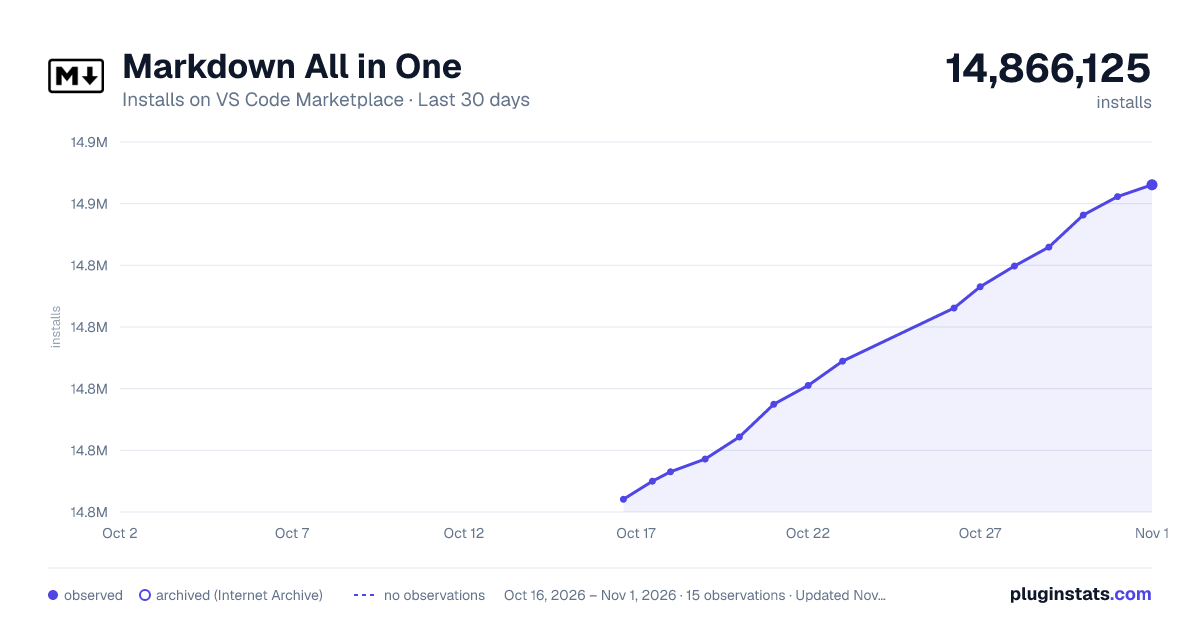
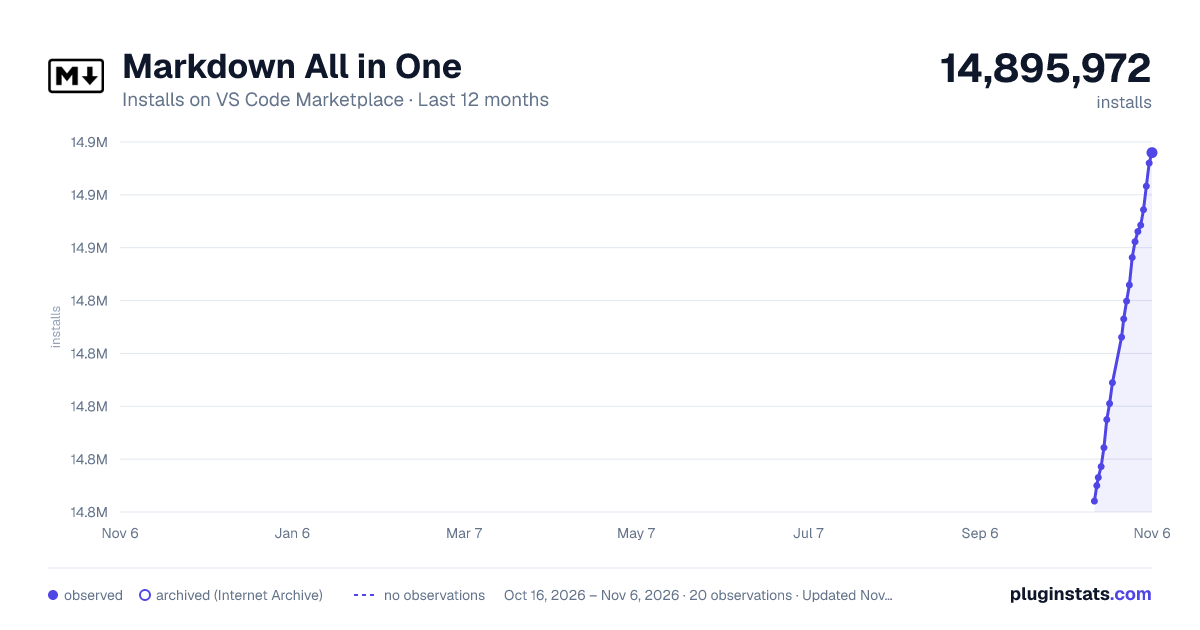
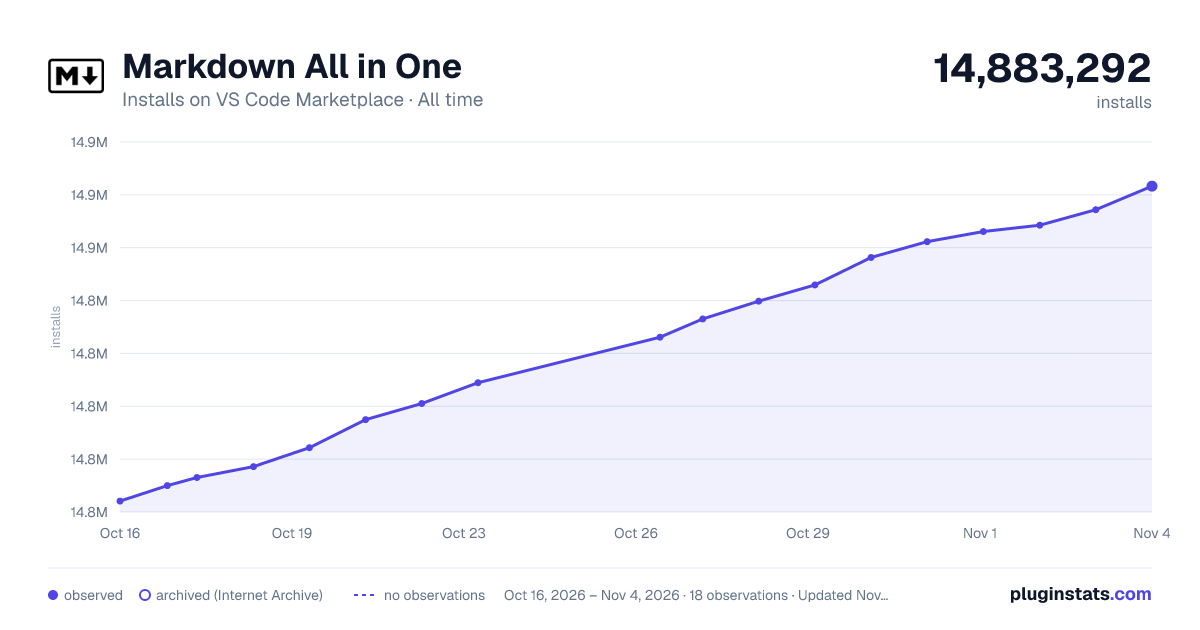

Adoption over time
7/30/90-day growth
Ranking history
Ratings over time
Listing placement
Listing placement
Listing placement
Filled points are observed values; hollow points come from Internet Archive snapshots of the listing page. Dashed segments span periods with no observations — values between points are not interpolated.
Each band is one page of 20. Installs on a linear scale. Placement is projected from installs, so it can differ from the marketplace's own sort order. Hover a dot to see the listing.
Recent observations
Full history (8)Similar VS Code Marketplace Programming Languages plugins
All 20 Markdown All in One alternativesData source
Install counts, average rating, and rating counts come from the public Visual Studio Marketplace gallery API. Installs are cumulative and exclude updates.
Listing: https://marketplace.visualstudio.com/items?itemName=yzhang.markdown-all-in-one. First seen Oct 16, 2026; last successful collection Oct 23, 2026. See the methodology.