 PluginStats
Comark - Components in Markdown (previously MDC) installs statistics
By Comark · VS Code Marketplace · Programming Languages
Provides syntax highlighting and colon matching for Comark (Components in Markdown, previously MDC) files.
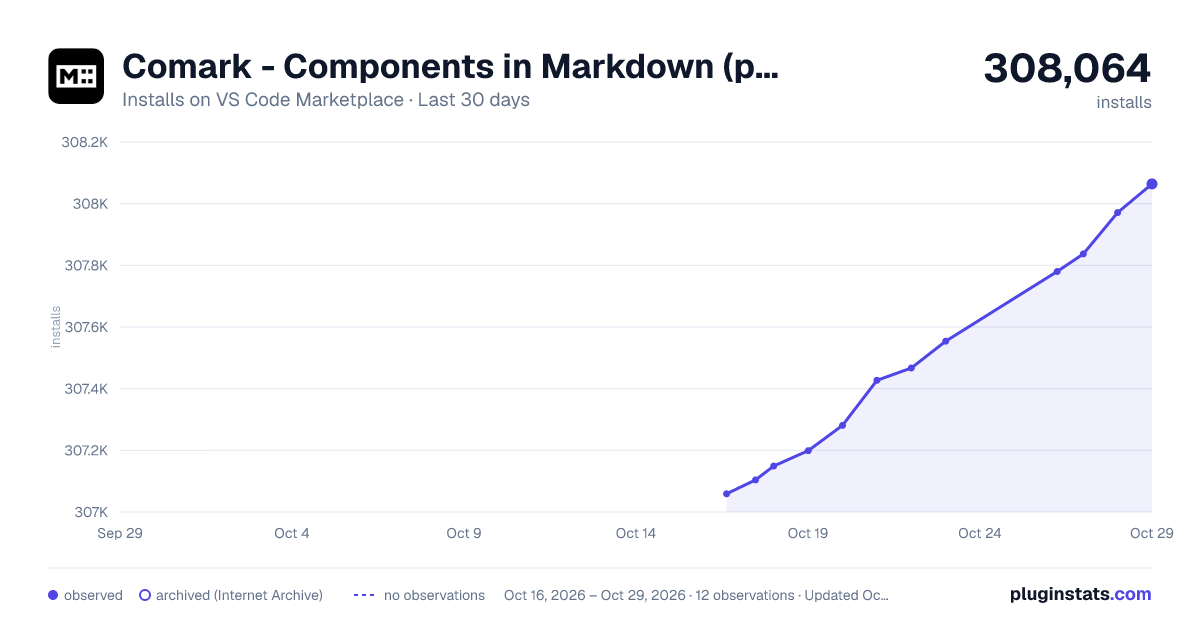
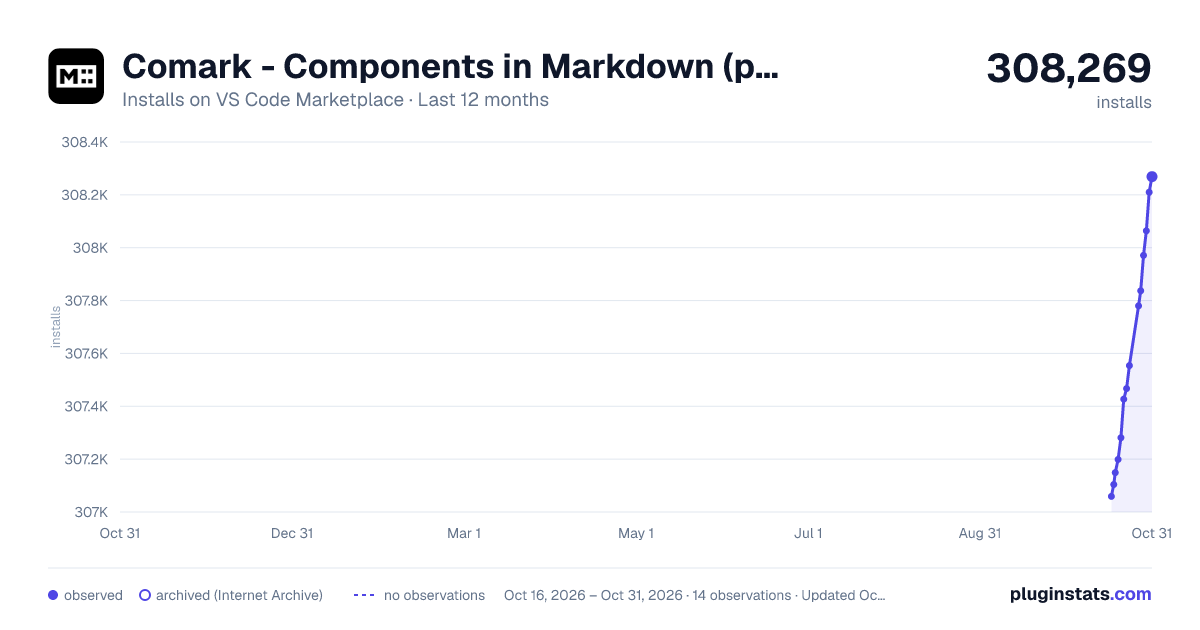
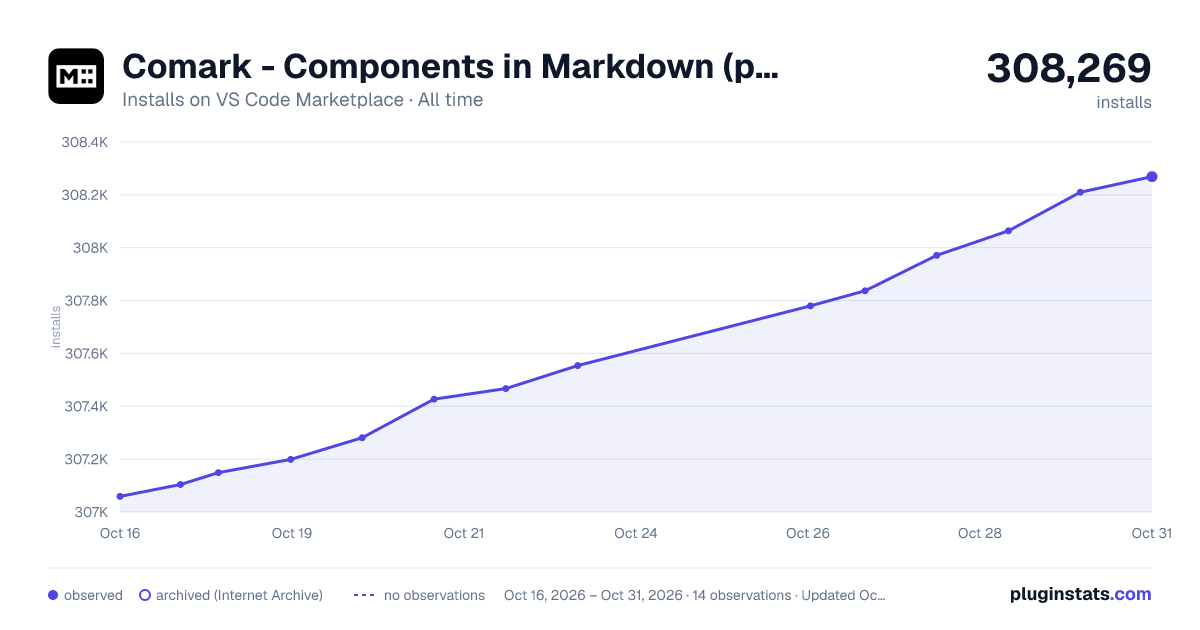
Comark - Components in Markdown (previously MDC) has 307,199 recorded installs on VS Code Marketplace.
It ranks #1137 of 2,501 tracked VS Code Marketplace listings by installs.
It is rated 5.0 out of 5 from 4 ratings.
PluginStats has 4 daily observations since Oct 16, 2026; the latest is from Oct 19, 2026.
Rating: 5.00 / 5 from 4 ratings
About Comark - Components in Markdown (previously MDC)
Comark & MDC syntax highlight for Visual Studio Code
[![MDC Extension for VS Code][extension-version-src]][extension-href] [![MDC Extension for VS Code][extension-installs-src]][extension-href] [![MDC Extension for VS Code][extension-ratings-src]][extension-href]
Provides syntax highlighting and colon (:) matching for MDC (Markdown Components) files, as well as document folding and format providers, along with component name and prop suggestions.
• Download VS Code extension
Best used with: • Comark • Markdown It Comark • Remark MDC
Or with Nuxt modules: • Nuxt Content • Comark • Nuxt MDC
Features
• Block Components • Inline Components • Span Text • Attributes • Document folding • Bracket matching • Formatting • Component name and prop suggestions
Block Components
Inline Components
Span Text
Attributes
Document folding
The extension enables document code folding for MDC block components (and nested components). Simply hover over the gutter of the line you'd like to fold and click on the icon to expand or collapse the range.
Bracket matching
The extension automatically highlights matching opening and closing MDC block component tags. When your cursor is positioned on or adjacent to either an opening tag (e.g., ::component-name) or a closing tag (e.g., ::), both brackets will be highlighted to help you identify matching pairs in nested components.
This feature is always enabled and works automatically with no configuration required.
Formatting
The plugin also enables a document format provider, disabled by default.
To globally configure document formatting in VS Code, search for mdc.enableFormatting in Settings.
Alternatively, to configure per-project, create or edit .vscode/settings.json in your project's root directory:
[!Note] Since the format provider utilizes spaces for indention, you may also need to configure your project to insert spaces for tabs within .mdc or .md files as recommended above.
Component name and prop suggestions
The extension can provide intelligent auto-completion for MDC block components and their props by scanning your local project files or by fetching remote data when provided with an API URL in your VS Code settings.
When typing a colon (:) in your MDC document, the extension will suggest available component names. Within MDC component YAML front matter sections (between ---), the extension provides contextual prop suggestions (including nested props) with types and documentation where provided.
To enable component name and prop suggestions, enable the mdc.enableComponentMetadataCompletions setting in in VS Code, and configure the other settings as described below depending on your preferred component metadata source.
The extension supports two methods for providing component metadata:
• Local component metadata provided by the nuxt-component-meta module, or a static JSON file in your project. • Remote component metadata provided by an API endpoint that returns JSON data.
Regardless of the method you choose, the data source must match one of the following formats:
1. The default format used by nuxt-component-meta
• If your data source matches this format, it will automatically be transformed into the interface documented below.
2. A custom format that matches the following TypeScript interface:
Local component metadata
To enable local component metadata suggestions, you must first configure your project to provide component metadata in the format expected by the extension. You can do this by using the nuxt-component-meta module in your Nuxt project, or by providing a static JSON file that matches the interface described above.
To enable automatic discovery via nuxt-component-meta, follow these steps:
1. Follow the instructions to install nuxt-component-meta in your Nuxt project.
• Add nuxt-component-meta dependency to your project: • Add nuxt-component-meta to the modules section of your nuxt.config.ts and optionally configure the module:
2. Once your project has been built or running on the dev server, the extension will automatically scan your project for component metadata and provide suggestions based on the components discovered with zero additional configuration.
Local component metadata options
mdc.componentMetadataLocalFilePattern
A glob pattern to the local MDC component metadata file. Defaults to: **/.nuxt/component-meta.mjs
mdc.componentMetadataLocalExcludePattern
A glob pattern to exclude directories from the local MDC component metadata search. Defaults to: {/node_modules/,/dist/,/.output/,/.cache/,/.playground/}
You may customize the local component metadata options per project by creating or editing .vscode/settings.json in your project's root directory with the desired setting. It utilize glob patterns to match the file or directories containing your component metadata from the root of the workspace:
Remote component metadata
You can also choose to provide a URL to an API endpoint that returns component metadata in JSON format. The extension will fetch this data and provide suggestions based on the components found.
[!Note] A configured remote component metadata URL will take precedence over local metadata when both are available.
The endpoint provided to mdc.componentMetadataURL should return JSON data in one of the valid formats described above.
• To globally configure the metadata URL for your project, search for mdc.componentMetadataURL in VS Code Settings. • To configure the metadata URL just for the scope of your active project, create or edit .vscode/settings.json in your project's root directory with the full URL to your API endpoint:
The extension caches component metadata based on the the configurable TTL and provides a command MDC: Refresh component metadata to manually update the cache. To customize the cache TTL you may customize the value for mdc.componentMetadataCacheTTL in settings. Defaults to 30 minutes.
For more information
• MDC Syntax Reference
Running Extension Tests…
Description from the VS Code Marketplace listing.
- Comark
- keybindings
- Markdown Components
- mdc
- Nuxt Content
- Nuxt Markdown Components
- Nuxt MDC
- snippet
Charts
Images: 30d · 1y · all time · 1600×900 dark

Adoption over time


7/30/90-day growth


Ranking history


Ratings over time


Listing placement


Listing placement


Listing placement


Filled points are observed values; hollow points come from Internet Archive snapshots of the listing page. Dashed segments span periods with no observations — values between points are not interpolated.
Each band is one page of 20. Installs on a log scale. Placement is projected from installs, so it can differ from the marketplace's own sort order. Hover a dot to see the listing.
Recent observations
Full history (4)Similar VS Code Marketplace Programming Languages plugins
All 20 Comark - Components in Markdown (previously MDC) alternativesData source
Install counts, average rating, and rating counts come from the public Visual Studio Marketplace gallery API. Installs are cumulative and exclude updates.
Listing: https://marketplace.visualstudio.com/items?itemName=Nuxt.mdc. First seen Oct 16, 2026; last successful collection Oct 19, 2026. See the methodology.