 PluginStats
XLSX, CSV, TSV & Markdown Editor installs statistics
By Muhammad Ahmad · VS Code Marketplace · Other
View and edit xlsx files with colors, fonts and styles (supporting in-table editing), and view and edit CSV, TSV & Markdown files in VS Code. This is an open-source project.
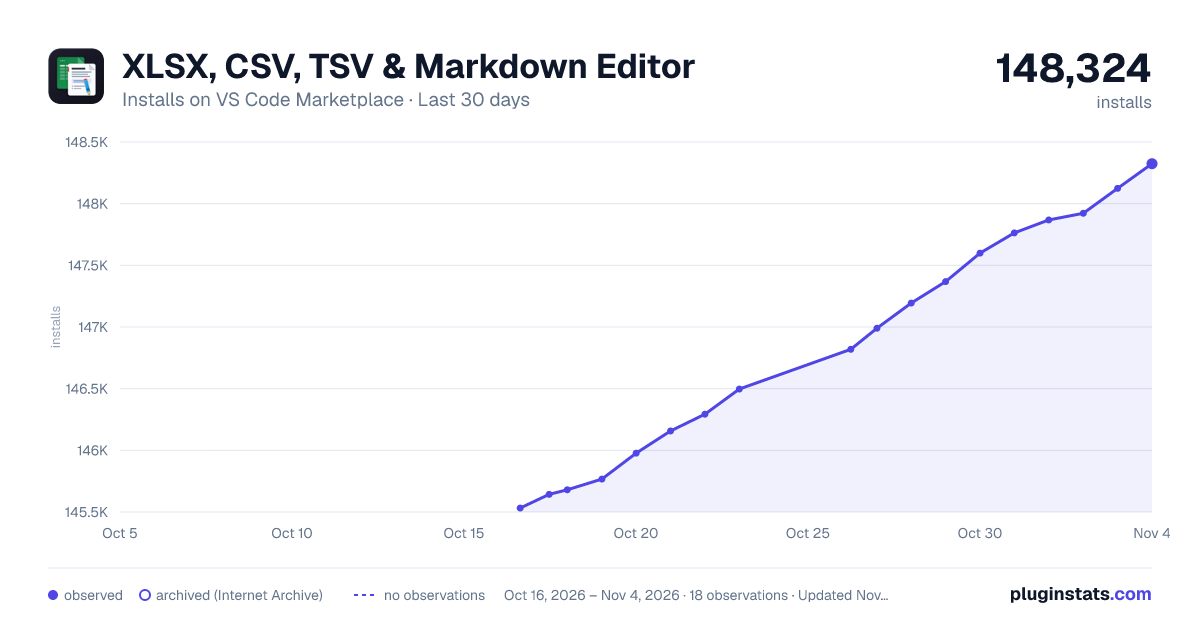
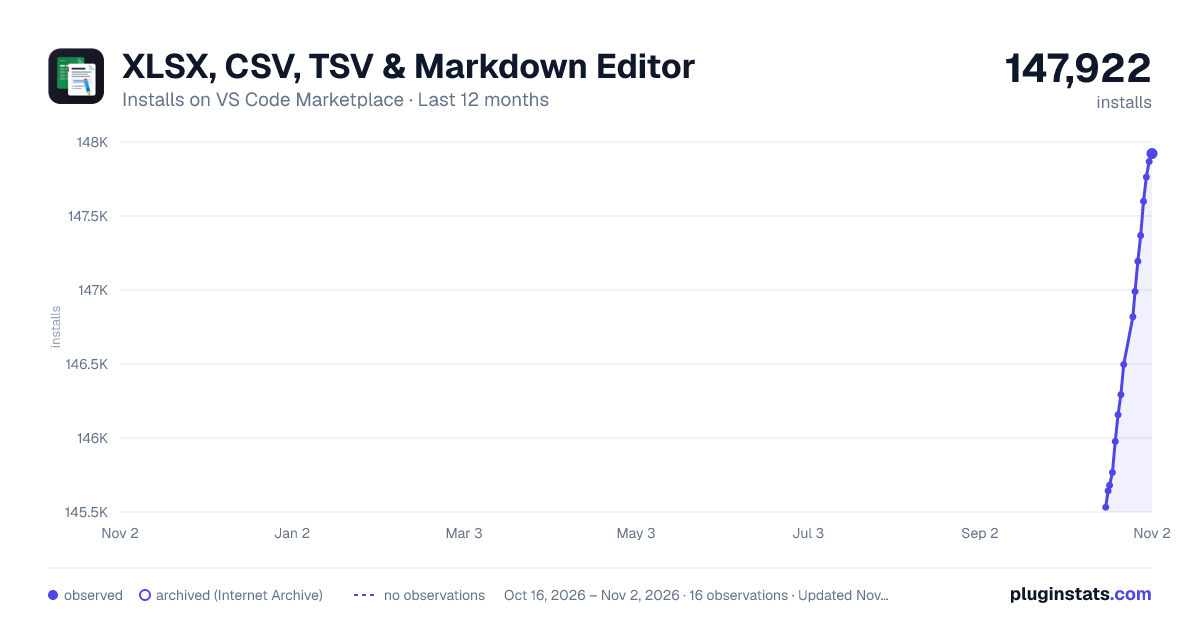
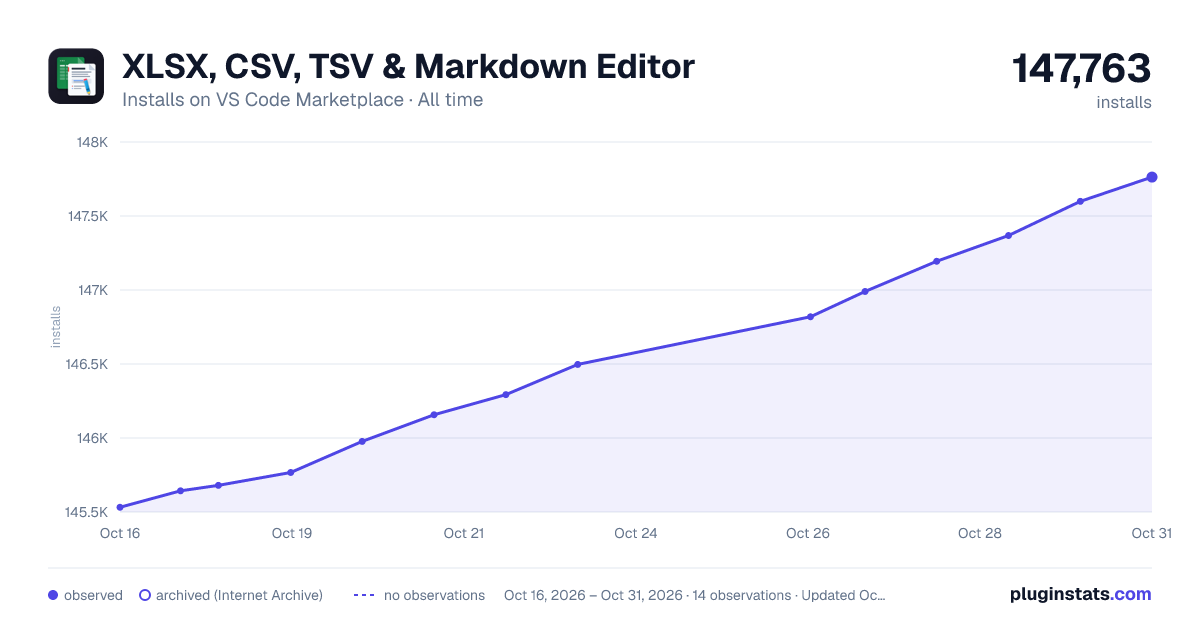
XLSX, CSV, TSV & Markdown Editor has 145,680 recorded installs on VS Code Marketplace.
It ranks #1888 of 2,500 tracked VS Code Marketplace listings by installs.
It is rated 5.0 out of 5 from 6 ratings.
PluginStats has 3 daily observations since Oct 16, 2026; the latest is from Oct 18, 2026.
Rating: 5.00 / 5 from 6 ratings
About XLSX, CSV, TSV & Markdown Editor
XLSX, CSV, TSV & Markdown Editor - VS Code Extension
This open-source extension lets you view and edit XLSX, CSV, TSV, and GitHub Flavored Markdown files directly in VS Code. XLSX, CSV, and TSV now share one unified spreadsheet editor, one webview, and one editing pipeline, so selection, virtualization, sorting, filtering, conversion, settings, and save behavior stay consistent across tabular formats.
Overview
The extension turns VS Code into a practical spreadsheet and Markdown workspace. You can inspect large datasets, edit tabular files, format spreadsheet content, convert between CSV/TSV/XLSX, and author Markdown with a synchronized preview without leaving the editor.
Notice: This extension has evolved from separate XLSX, CSV, and TSV editors into a unified spreadsheet webview backed by a single custom editor provider.
Key Features
Full-Featured Spreadsheet Editor (XLSX, CSV, TSV)
• Unified spreadsheet webview: XLSX, CSV, and TSV are handled by one shared grid implementation. • Google Sheets-style editing: Rich text formatting, text/background colors, strikethrough, alignment, borders, font size, font family, wrapping, clear formatting, and format painter in styled mode. • CSV/TSV styled mode: CSV and TSV can use temporary local style persistence for formatting that delimited files cannot store directly. • Advanced cell controls: Checkboxes, dropdowns, ratings, dates, and images are supported in the spreadsheet grid where the underlying format supports them. • Find, sort, and filter: Built-in find plus column header sorting and filters for contains, equals, starts-with, non-empty, and case-sensitive matching. • Cross-format conversion: Convert files between CSV, TSV, and XLSX from the editor toolbar. • Version history and rollback: Recent states are archived so you can preview and restore prior file versions. • Autosave and persistence: Configurable autosave for text, controls, formatting, and structure changes. • Large file virtualization: Windowed rendering keeps CSV, TSV, and XLSX responsive on large datasets. • Excel-like selection and navigation: Multi-cell selection, row/column selection, resizing, auto-fit, and keyboard navigation. • Plain view mode: Hide styling for a simpler data-first view.
Advanced Markdown Viewer & Editor
• Split view with sync scroll: Edit Markdown on one side and preview it on the other. • Preview edit mode: Edit Markdown directly from the rendered preview with a rich formatting toolbar. • GitHub-Flavored Markdown: Tables, task lists, code blocks, and footnotes are supported. • Interactive outline panel: Navigate long documents with an auto-scrolling table of contents. • Local asset support: Render relative links and local images. • Code block enhancements: Copy buttons and line numbers are built into fenced code blocks.
Native VS Code Experience
• Theme integration: The UI follows the active VS Code light, dark, or high-contrast theme. • Configurable layout: Toggle headers, sticky toolbars, sticky headers, spacious cells, and hyperlink previews. • In-editor feedback: Use Help & Feedback from the toolbar to report issues or suggestions.
Usage Guide
Working with Spreadsheets
1. Open any .xlsx, .csv, or .tsv file from the VS Code explorer. 2. Click a cell to select or edit it. CSV/TSV plain mode supports direct table editing. 3. Toggle styled mode when you need formatting for CSV/TSV, or work directly in styled mode for XLSX. 4. Select cells and use the toolbar to apply colors, borders, alignment, wrapping, fonts, or clear formatting. 5. Right-click a column header to sort or filter. Multiple column filters are combined. 6. Click Convert to convert between CSV, TSV, and XLSX. 7. Click the history icon to preview or restore previous file versions.
Unified Spreadsheet Architecture
The tabular editor is now merged into a single implementation:
• SpreadsheetEditorProvider handles XLSX/CSV/TSV file IO, virtual row requests, saves, style persistence, conversion, settings, and version history. • spreadsheetWebview.ts handles the shared grid UI, selection, edit modes, toolbar actions, sorting, filtering, and virtualization. • CSV/TSV plain mode writes directly to the delimited file. • CSV/TSV styled mode stores formatting in local extension state and can carry that formatting into XLSX conversion.
Working with Markdown
1. Open a .md file and use Open in Preview from the editor title bar or command palette. 2. Edit Markdown in split view with synchronized scrolling. 3. Use Edit Preview to modify the document from the rendered view.
Settings & Configuration
Key settings include:
• Autosave (xlsxViewer.*.autoSave): Enable or disable automatic saving for supported file types. • Sticky elements (xlsxViewer.*.stickyToolbar, xlsxViewer.*.stickyHeader): Keep toolbars and headers visible while scrolling. • Spacious cells (xlsxViewer.*.spaciousCells): Increase cell padding for a more readable grid. • Spreadsheet controls (xlsxViewer.xlsx.allowInteractiveControlsOutsideEditMode): Allow interactive controls outside table edit mode. • Markdown layout (xlsxViewer.md.previewPosition, xlsxViewer.md.syncScroll): Control preview placement and synchronized scrolling.
Open VS Code Settings and search for xlsxViewer to see all options.
Installation
1. Open VS Code. 2. Go to the Extensions Marketplace with Ctrl+Shift+X. 3. Search for XLSX, CSV, TSV & Markdown Editor. 4. Click Install.
You can also install it from the command line:
Feedback & Support
• In-app feedback: Use the Help & Feedback button in the extension toolbar. • Marketplace review: Rate the extension on the VS Code Marketplace if it is useful for your workflow. • GitHub: Submit issues, feature requests, or pull requests at Mahmadabid/XLSX-CSV-TSV-MARKDOWN-Editor-Vscode-Extension.
License
This project is licensed under the MIT License.
Links
• GitHub: Mahmadabid/XLSX-CSV-TSV-MARKDOWN-Editor-Vscode-Extension • VS Code Marketplace: Download Extension • Open VSX: Open VSX Link
Description from the VS Code Marketplace listing.
- csv
- editor
- excel
- fonts
- markdown
- multiple sheets
- office
- settings
- spreadsheet
- style
- table-edit
- theme
- toolbar
- tsv
- viewer
- xlsx
- xlsx-editor
Where XLSX, CSV, TSV & Markdown Editor sits in the listing
Each band is one page of 20. Installs on a log scale. Placement is projected from installs, so it can differ from the marketplace's own sort order. Hover a dot to see the listing.


Charts
Images: 30d · 1y · all time · 1600×900 dark

Adoption over time


7/30/90-day growth


Ranking history


Filled points are observed values; hollow points come from Internet Archive snapshots of the listing page. Dashed segments span periods with no observations — values between points are not interpolated.
Recent observations
Full history (3)Similar VS Code Marketplace Other plugins
Data source
Install counts, average rating, and rating counts come from the public Visual Studio Marketplace gallery API. Installs are cumulative and exclude updates.
Listing: https://marketplace.visualstudio.com/items?itemName=Muhammad-Ahmad.xlsx-viewer. First seen Oct 16, 2026; last successful collection Oct 18, 2026. See the methodology.