 PluginStats
Apc Customize UI++ installs statistics
By drcika · VS Code Marketplace · Themes
Advanced VSCode user interface customizations. Very experimental.
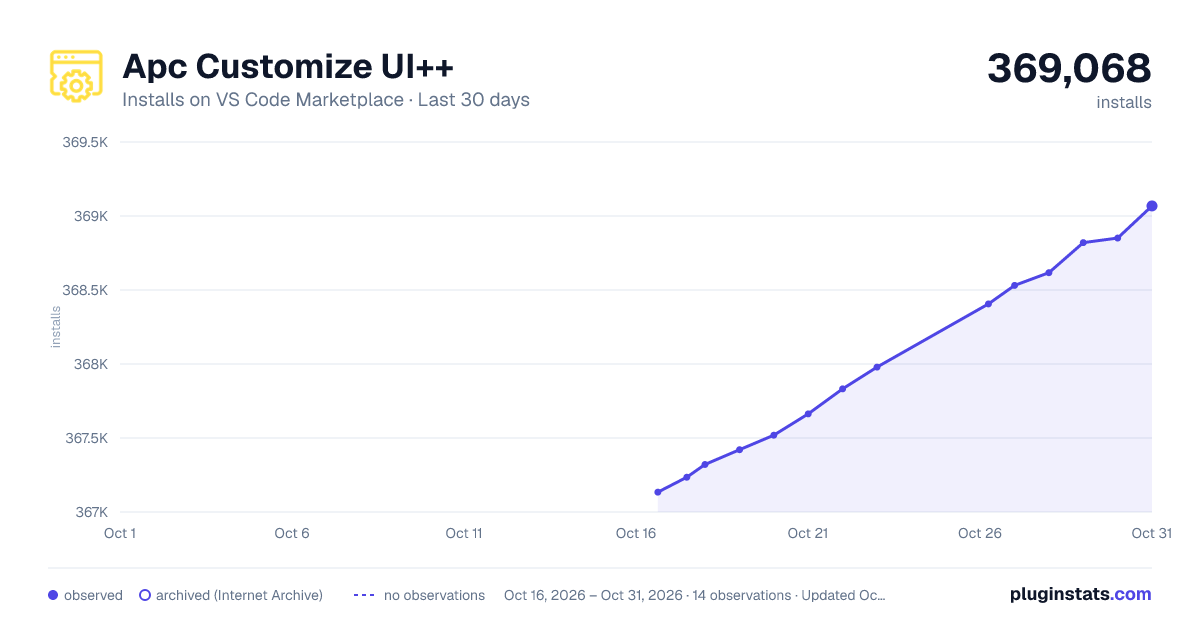
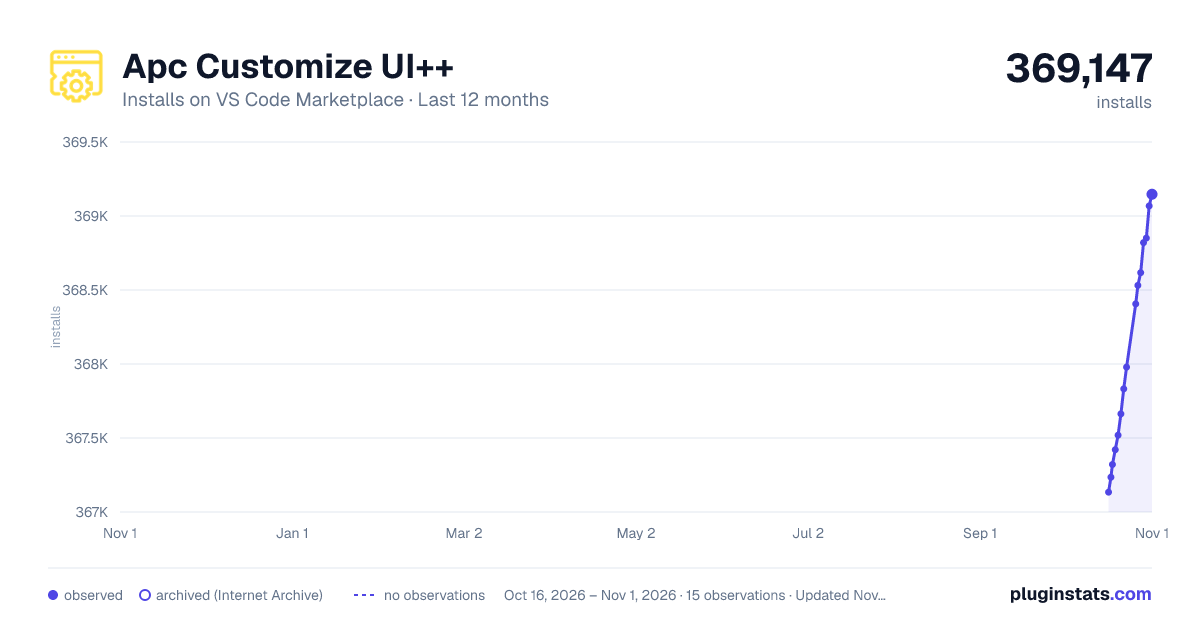
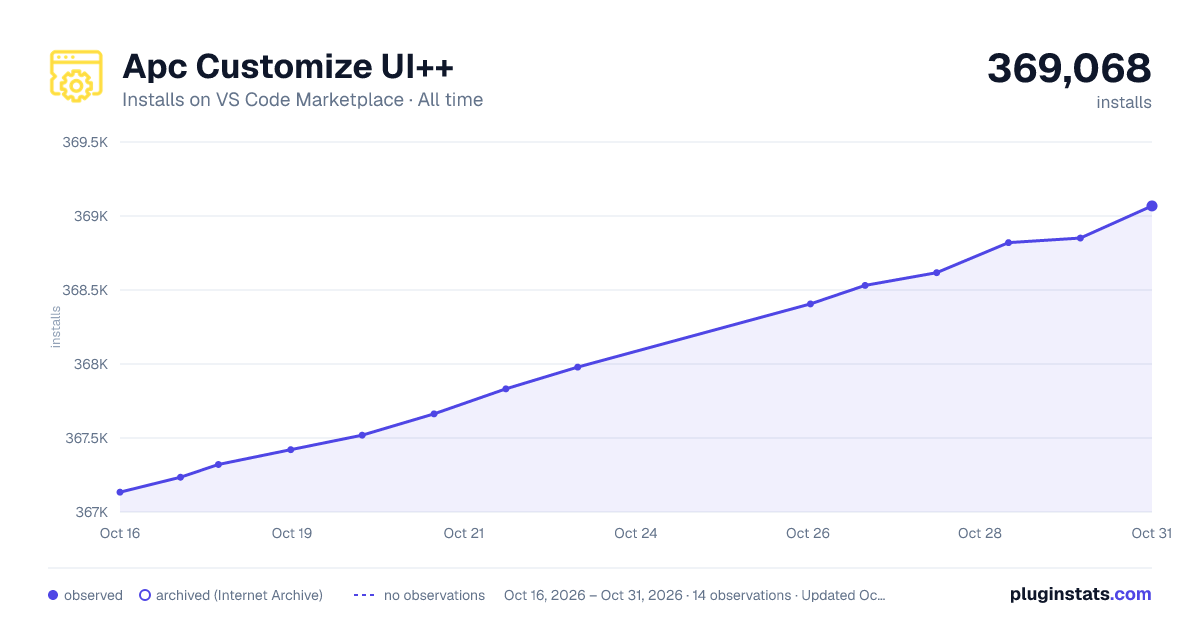
Apc Customize UI++ has 367,321 recorded installs on VS Code Marketplace.
It ranks #1020 of 2,500 tracked VS Code Marketplace listings by installs.
It is rated 4.9 out of 5 from 32 ratings.
PluginStats has 3 daily observations since Oct 16, 2026; the latest is from Oct 18, 2026.
Rating: 4.88 / 5 from 32 ratings
About Apc Customize UI++
Apc Customize UI++ Extension README
The Successor to iocave/Customize UI
Overview
This extension allows customization outside vscode scoop.
Unlike its predecessor, it ships with no default settings, granting you full customization control.
Explore my setup for inspiration: View Settings
Getting Started
• Open Visual Studio Code • Disable similar extensions • Install this extension (auto-enabled on first install) • Customize by adding configurations to your user settings.json
Enabling and Disabling
• Open the Command Palette (Mac: ⌘+Shift+P, Windows: Ctrl+Shift+P) • Type Enable Apc extension to enable or Disable Apc extension to disable
Troubleshooting Extension Issues!
Extension stopped functioning after an update
• To re-enable, go to the Command Palette and type Enable Apc extension
Windows Users
• Single-user installs: No admin rights required. • All-user installs: Run VSCode or VSCodium in Administrator mode.
Mac and Linux Users
To ensure the extension works, allow VSCode or VSCodium to modify itself by fixing read-only code files and permission issues.
important If you use a package manager, confirm the custom installation path before executing these commands.
macOS
Linux
Common Software Installation Paths
| Operating System | Software | Installation Path |
| 🍎 macOS | VSCode | /Applications/Visual Studio Code.app/Contents/Resources/app/out | | | VSCode Insiders | /Applications/Visual Studio Code - Insiders.app/Contents/Resources/app/out | | | VSCodium | /Applications/VSCodium.app/Contents/Resources/app/out | | 🐧 Linux (most distros) | VSCode | /usr/share/code | | 🐧 Arch Linux (alternate) | VSCode | /opt/visual-studio-code |
Disclaimer
This extension is experimental and tweaks certain VSCode / VSCodium files.
Proceed at your own risk
🚀 Disable to back up original files in case of issues. 🔄 Auto-reapplies patches after each VSCode / VSCodium update. If not, re-enable it. 🐞 Report bugs on our GitHub repository
Supported Configuration Options
apc.electron
Configures the Electron window. For detailed info, see the Electron BrowserWindow documentation
Warning Incorrect "apc.electron" configuration can disrupt VSCode or VSCodium startup.
Note Here's what we covered. Choose a style you like, or create your own!
frameless title bar
inline title bar
inline title bar with traffic light position
custom title bar
vibrancy setting
background color, transparency
Note Multiple declarations of apc.electron will apply only the last declaration, ignoring previous ones.
font.family
Customize font family for any part of VS Code
Defaults in vscode
To adjust font family for extension-editor, install the font on your computer and restart vscode.
Change default font family for individual sections
apc.stylesheet
Override the default CSS of VS Code
apc.imports
Customize VS Code's Look and Feel with Real-time CSS & JS Imports
apc.menubar.compact
Move Menu bar to Activity bar for a compact design
apc.header
Adjust the height and font size of the header bar
apc.activityBar
Set the position and dimensions of the activity bar
Removed
Alternative
apc.sidebar.titlebar
Define the height and font size of the sidebar title bar
apc.statusBar
Set the position and height of the status bar
apc.listRow
Specify the height and font size of list rows
apc.iframe.style
Apply custom CSS to iframes (Notebook, Extension view, etc)
important When you start VSCode and have a tab open with an iframe, you must reopen that tab for the styles to take effect.
Demo
⚠️ Important Notice
This extension is your go-to tool for customizing Electron and Visual Studio Code.
I haven't developed anything nor provided support for potential bugs, but consider me your bridge to tailor Electron and VS Code just the way you like.
Inspirations
• iocave/customize-ui • iocave/monkey-patch
Description from the VS Code Marketplace listing.
- activity bar
- activitybar
- custom
- customise
- interface
- titlebar
- UI
Where Apc Customize UI++ sits in the listing
Each band is one page of 20. Installs on a log scale. Placement is projected from installs, so it can differ from the marketplace's own sort order. Hover a dot to see the listing.


Charts
Images: 30d · 1y · all time · 1600×900 dark

Adoption over time


7/30/90-day growth


Ranking history


Filled points are observed values; hollow points come from Internet Archive snapshots of the listing page. Dashed segments span periods with no observations — values between points are not interpolated.
Recent observations
Full history (3)Similar VS Code Marketplace Themes plugins
Data source
Install counts, average rating, and rating counts come from the public Visual Studio Marketplace gallery API. Installs are cumulative and exclude updates.
Listing: https://marketplace.visualstudio.com/items?itemName=drcika.apc-extension. First seen Oct 16, 2026; last successful collection Oct 18, 2026. See the methodology.