 PluginStats
Laravel Intelephense installs statistics
By Porifa · VS Code Marketplace · Programming Languages
Laraphense for Visual Studio Code is all in one (laravel blade snippets, laravel goto view, laravel goto components, laravel goto controller, laravel blade spacer)
Laravel Intelephense has 184,668 recorded installs on VS Code Marketplace.
It ranks #1617 of 2,500 tracked VS Code Marketplace listings by installs.
It is rated 5.0 out of 5 from 6 ratings.
PluginStats has 3 daily observations since Oct 16, 2026; the latest is from Oct 18, 2026.
Rating: 5.00 / 5 from 6 ratings
About Laravel Intelephense
Laraphense
Lararvel Intelephense is code intelligence for productive Laravel development.
Features
• Show Suggestions based on the Laravel version • Auto-Completion • Namespace Import, Expand and Sorting • Files Creation • Go to View (Blade File) • Go to Component (PHP File) • Env File Syntax Highlighting • Curly Braces Spacer
Requirements
You Must have a workspace open having Laravel Installed.
Show Suggestions based on the Laravel version
• Version History of Blade Directives • Version History of Validation Rules
Auto-Completion
• Suggests Blade Directives • Suggests Livewire Component • Suggests Route names and route parameters • Suggests Views and variables • Suggests Configs keys • Suggests Translations and translation parameters • Suggests Laravel mix function • Suggests Validation rules • Suggests View sections and stacks • Suggests Env Variables • Suggests Route Middlewares • Suggests Asset in the public directory
Namespace Import, Expand and Sorting
• Import a namespace by selecting a valid class name (from Command Platte, Context Menu or by pressing _ctrl+alt+i_) • Import all namespaces in the active file (from Command Platte, Context Menu or by pressing _ctrl+alt+a_) • Expand a namespace by selecting a valid class name (from Command Platte, Context Menu or by pressing _ctrl+alt+e_) • Sort imported namespaces in the active file (from Command Platte, Context Menu or by pressing _ctrl+alt+s_) • Generate namespace in the active file (from Command Platte, Context Menu or by pressing _ctrl+alt+g_)
Files Creation
• Create View (Blade) Files by selecting a valid string • Auto Suggest creating a view file if already doesn't exist
Go To View
• Go to view a blade file from blade and PHP files
Go To Class
• Go to view a PHP class file from blade and PHP files
Env File Syntax Highlighting
• Syntax Highlighting for environment files like (.env, .env.example)
Curly Braces Spacer
• Add Spaces between curly braces
Extension Settings
These are the setting you can use.
Customize the Maximum number of scanning rows
default is 1000.
Add Custom Validation Rules as an object
for validation rule auto-completion.
Add Models path as an array
these 2 paths are included by default
Customize view file extensions
these 2 extensions are included by default
Customize view folders paths
these 3 extensions are included by default,
Add View Directory Separator
default is ".", you can use "/".
Enable/Disable creating a view file from any valid string
to enable or disable creating a view file from EveryWhere.
Enable/Disable Go To View
If you want to disable the go-to view feature, set this to true.
Enable/Disable Go To Config
If you want to disable the go-to config feature, set this to true.
Enable/Disable Assets Auto-Completion
If you want to disable assets autocomplete set this to true.
Enable/Disable Livewire Auto-Completion
If you want to disable Livewire autocomplete set this to true.
Enable/Disable Auth Auto-Completion
If you want to disable auth autocomplete set this to true.
Enable/Disable Blade Auto-Completion
If you want to disable blade directives autocomplete set this to true.
Enable/Disable Controller Auto-Completion
If you want to disable Controller autocomplete set this to true.
Enable/Disable Config Auto-Completion
If you want to disable config autocomplete set this to true.
Enable/Disable Curly Braces Spacer
to enable or disable Curly Braces Spacer. By default, it is enabled
Enable/Disable Eloquent Auto-Completion
If you want to disable Eloquent autocomplete set this to true.
Enable/Disable Env Auto-Completion
If you want to disable Env autocomplete set this to true.
Enable/Disable Middleware Auto-Completion
If you want to disable Middleware autocomplete set this to true.
Enable/Disable Mix Auto-Completion
If you want to disable Mix autocomplete set this to true.
Enable/Disable Route Auto-Completion
If you want to disable Route autocomplete set this to true.
Enable/Disable Translation Auto-Completion
If you want to disable Translation autocomplete set this to true.
Enable/Disable Validation Auto-Completion
If you want to disable Validation autocomplete set this to true.
Enable/Disable View Auto-Completion
If you want to disable View autocomplete set this to true.
Enable/Disable Leading Namespace Separator for Expanding Namespace
If you want to disable Expand class with a leading namespace separator then set this to false.
Enable/Disable showing Message On Status Bar
If you want to disable showing Message On Status Bar then set this to false.
Enable/Disable auto Sort After Importing Namespace
If you want to disable auto Sort After Import then set this to false.
Enable/Disable Auto sort when a file is saved
If you want to enable Auto sort when a file is saved then set this to true.
Advance Configurations
Configure Regex for Matching view files
this regex is used to match the view files for quick jumping.
Configure Regex for Creating view files
this regex is used to match the view files for auto-suggestion.
Configure the PHP command like this
this command is used to run PHP for indexing Laravel files.
Exclude Namespaces
Exclude glob pattern while finding files for namespaces.
Configure the Base path like this
this Base path is used to read files.
Configure the Code Base path like this
This base path is used for require_once inside the PHP code.
Credits
• PHP parser • mkdirp
Recommended extensions
• PHP Intelephense
Enjoy!
Description from the VS Code Marketplace listing.
- aravel goto components
- blade
- code completion
- dotenv
- env
- Environment Variables
- keybindings
- Laraphense
- laravel
- laravel autocomplete
- laravel goto controller
- laravel goto view
- laravel intellisense
- php
- php intelephense laravel
Where Laravel Intelephense sits in the listing
Each band is one page of 20. Installs on a log scale. Placement is projected from installs, so it can differ from the marketplace's own sort order. Hover a dot to see the listing.


Charts
Images: 30d · 1y · all time · 1600×900 dark
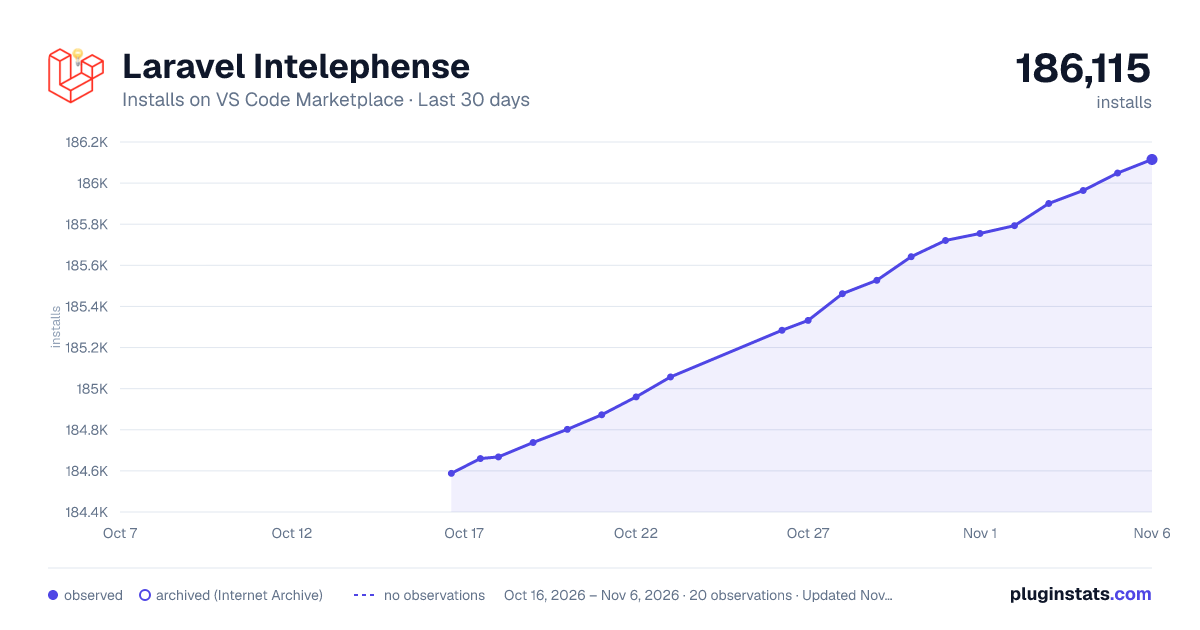
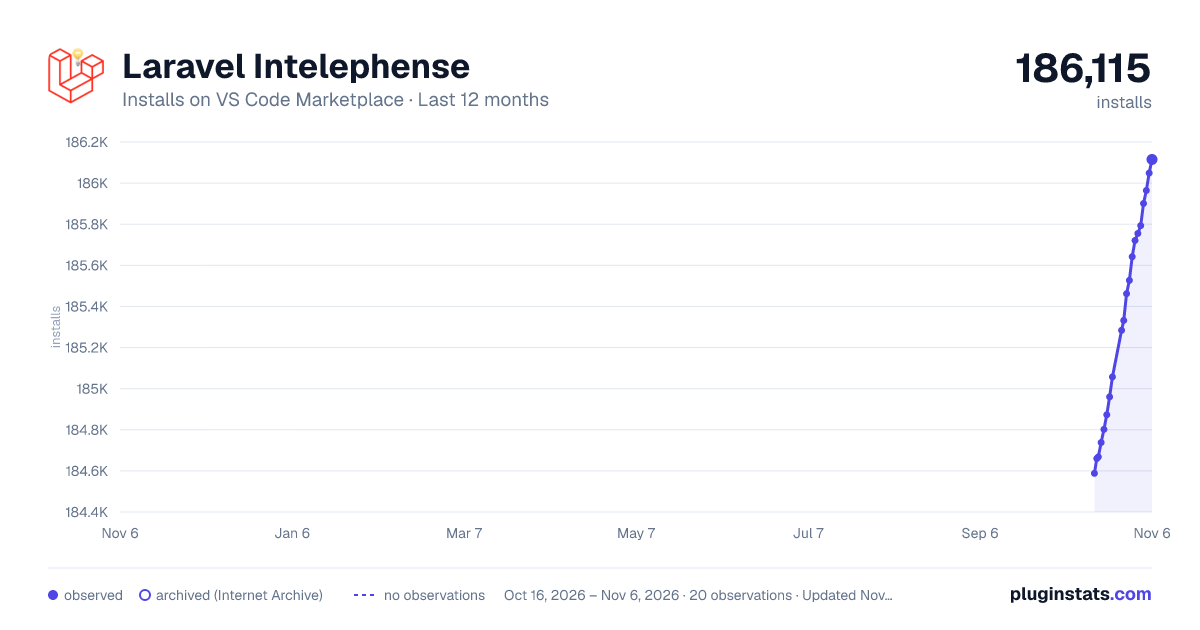
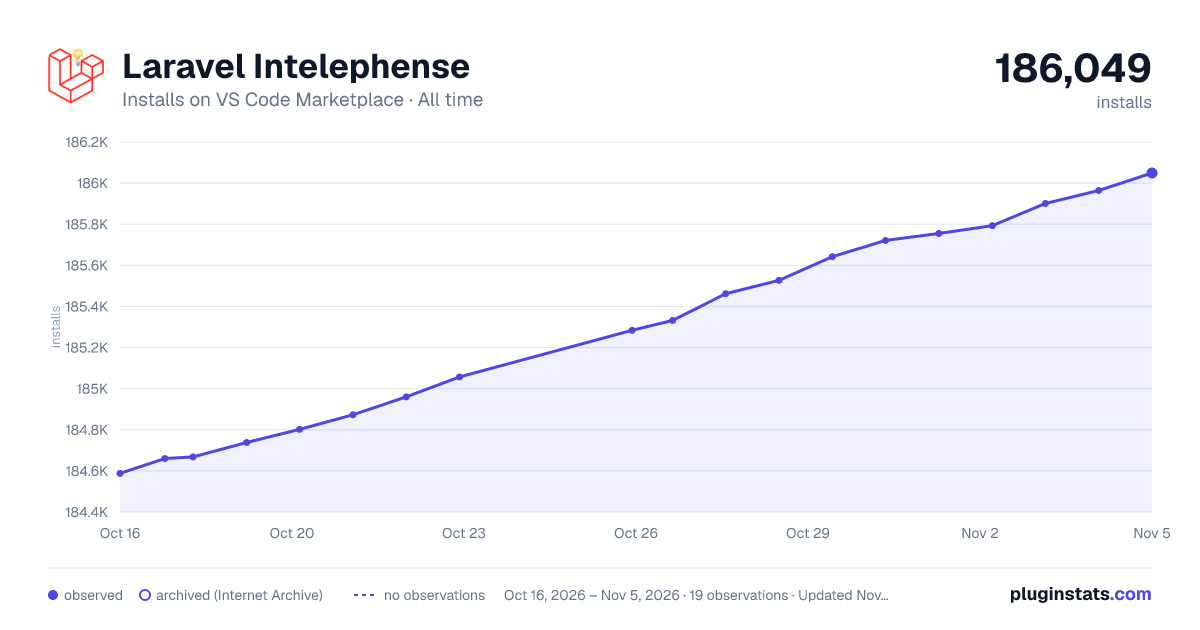

Adoption over time


7/30/90-day growth


Ranking history


Filled points are observed values; hollow points come from Internet Archive snapshots of the listing page. Dashed segments span periods with no observations — values between points are not interpolated.
Recent observations
Full history (3)Similar VS Code Marketplace Programming Languages plugins
Data source
Install counts, average rating, and rating counts come from the public Visual Studio Marketplace gallery API. Installs are cumulative and exclude updates.
Listing: https://marketplace.visualstudio.com/items?itemName=Porifa.laravel-intelephense. First seen Oct 16, 2026; last successful collection Oct 18, 2026. See the methodology.