 PluginStats
JS CodeFormer: Javascript Refactoring & Code Automation installs statistics
By Chris Stead (2 listings) · VS Code Marketplace · Snippets
A JavaScript/TypeScript refactoring and code automation tool for building better source
JS CodeFormer: Javascript Refactoring & Code Automation has 565,853 recorded installs on VS Code Marketplace.
It ranks #793 of 2,501 tracked VS Code Marketplace listings by installs.
It is rated 3.4 out of 5 from 5 ratings.
PluginStats has 4 daily observations since Oct 16, 2026; the latest is from Oct 19, 2026.
Rating: 3.40 / 5 from 5 ratings
About JS CodeFormer: Javascript Refactoring & Code Automation
JS CodeFormer: Javascript Refactoring & Code Automation
What and Why
JS CodeFormer is a JS refactoring and code automation extension for VS Code. Born from the ashes of JS Refactor, JS CodeFormer answers a new question. Instead of asking "can a JS refactoring tool be made for VS Code", this project aims to answer "how can better tools help to create better software?"
JS CodeFormer is a suite of tools purpose built to simplify the process of creating and editing software in a JavaScript environment.
Getting Started
1 - Install it
JS CodeFormer is an extension for Visual Studio Code. Install it from the Visual Studio Marketplace:
• JS CodeFormer on the Visual Studio Marketplace
2 - Use it
Make a selection or place your cursor on the code you are working with, then either:
• Choose from suggested actions: • ctrl+alt+. -- Windows • shift+cmd+alt+. -- Mac • Choose from a menu: • right click to open the context menu
Core Principles
JS CodeFormer is not just a code refactoring and automation extension, it is an extension which is built upon these core principles:
• Robustness -- JS CodeFormer must work reliably and predictably in a broad range of code environments and styles • Communication -- If JS CodeFormer fails, it should provide immediate feedback to the user; the feedback should be as clear as possible • Usability -- It should be easy to find your way around the tool, even at the start • Accessibility -- Clear, direct access to the tooling must be supported for all users regardless of disability
None of these principles can be treated as "set it and forget it". Every new behavior, and every improvement receives serious thought as to how it will serve, and impact the developer using this tool.
Goals
A goal in this project is to have it "just work". In other words, in any situation where it seems it should work, it does work. Since nobody is able to see the future, this is something which will need to be addressed as new situations arise.
What it Looks Like
Currently, JS CodeFormer quietly works in files which reach beyond what is generally considered "standard JavaScript/TypeScript environments". Many extensions do not work in a LiveShare session, but JS CodeFormer is built to support a rich editing experience in an environment where many extensions are disabled.
In Brief
JS CodeFormer does the following so support "it just works":
• Full functionality in HTML files • Support for HTML-like environments like: • Vue single-file components • Svelte files • Support for working in a Live Share session
Language Support
The core languages in this list have been tested through active production use of the extension. Frameworks have been, at the least, smoke-tested on example production code.
Languages:
• JavaScript • TypeScript • HTML (Embedded Javascript)
Frameworks:
• Angular • React • Vue
Framework-specific formats:
• JSX • TSX • Vue Single-file components • Full Vue support requires the Vetur extension: https://marketplace.visualstudio.com/items?itemName=octref.vetur
Experimental framework support:
• Svelte -- requires the Svelte extension to work • https://marketplace.visualstudio.com/items?itemName=svelte.svelte-vscode
Extension Settings
Currently settings are limited to just one: "Use Semicolons"
There are folks who use them and folks who don't. In order to better serve people, semicolons in generated code can be turned on or off. They are on by default -- this is the TC39 recommendation.
Refactorings, Conversions, and Actions
JS CodeFormer has a number of automated code actions you can take. They are separated into the following categories:
• Refactorings: actions which meet Martin Fowler's definition of a refactoring • Conversions: Conversion of common structures from one common form to another • Actions: A variety of other automated behaviors useful for making common changes
Suggested Actions
JS CodeFormer can suggest refactorings, conversions, and actions based on your current selection -- which is how I prefer to work. This reduces hotkey overload by giving you access to actions you can take without memorizing a bunch of key combinations.
• Suggested Actions Hotkey • Windows: ctrl+alt+. • Mac: cmd+shift+alt+.
Important note: this is not wired into the refactoring menu in order to ensure JS CodeFormer is available to you even if you are in a Live Share session.
Refactorings
JS CodeFormer automated refactorings are built upon years of experience to be stable and reliable. Though the project is new, and issues will inevitably arise, the tools in this project are used to support the project itself. In essence, JS CodeFormer is a self-dogfooding project.
Current refactorings:
• Extract Method/Function • Extract Variable to Parameter • Extract Variable • Inline Variable • Invert If Statement • Invert Ternary Expression • Rename (important for non js/ts files) [See known issues]
Conversions
Conversions may or may not introduce a different behavior. This means they are in a class of their own. The following conversions are currently available:
• Change Variable Type • Convert Expression to Template Literal (multi-select supported) • Convert Function to Arrow Function • Convert Function to Function Expression • Convert Function Property to Method • Convert Function Variable to Function Declaration • Convert Import Declaration to CommonJS Require (multi-select supported) • Convert to Multiple Declarations • Convert Selected Functions to Class [See expected behaviors] (multi-select supported) • Convert Ternary to If/Else [See expected behaviors]
Actions
Not everything we want to do with our code is a refactoring. That doesn't mean we can't automate it. Actions aim to pair with the supported refactorings in order to provide a smooth development experience.
Current Actions:…
Description from the VS Code Marketplace listing.
- automation
- html
- javascript
- javascriptreact
- keybindings
- react
- refactor
- refactoring
- snippet
- typescript
- typescriptreact
- vue
Charts
Images: 30d · 1y · all time · 1600×900 dark
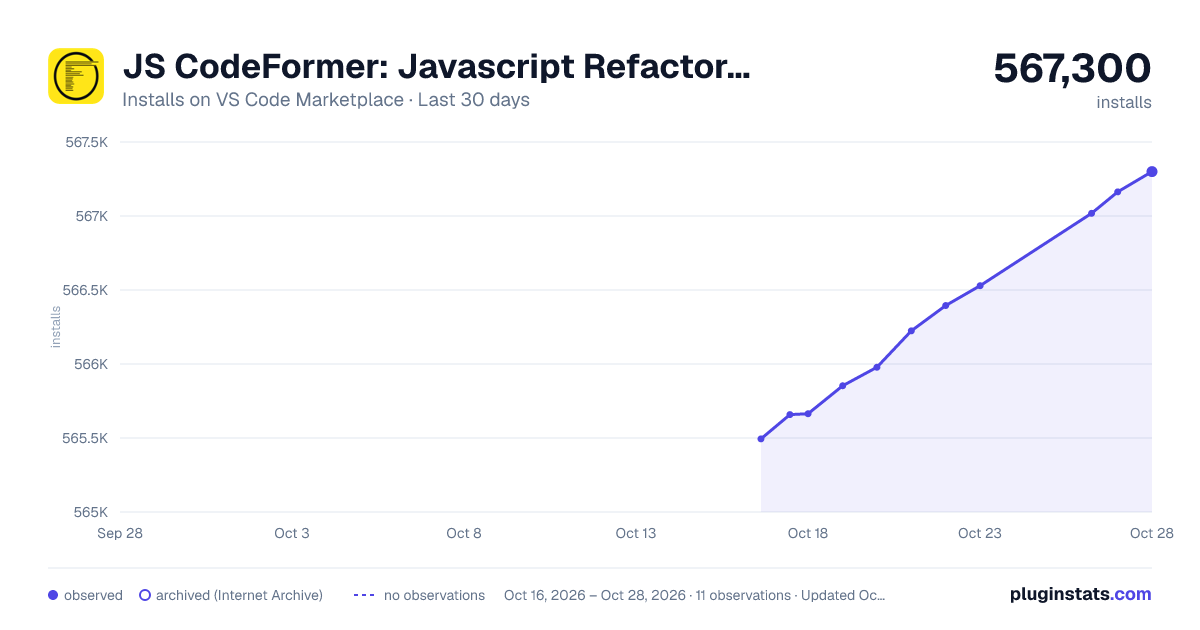
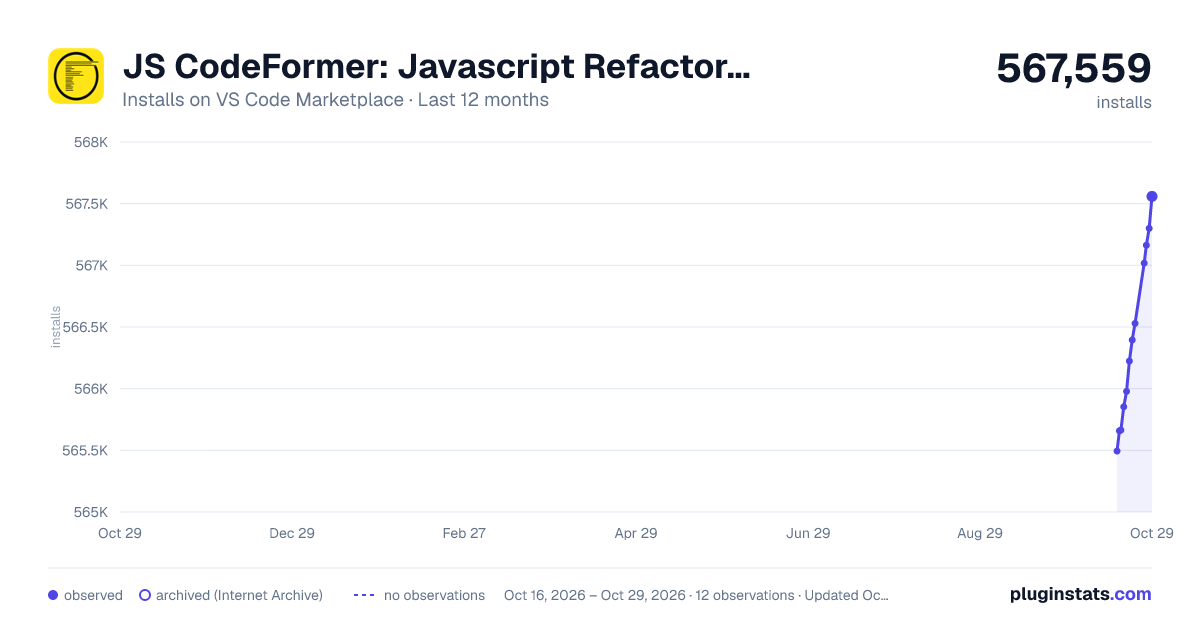
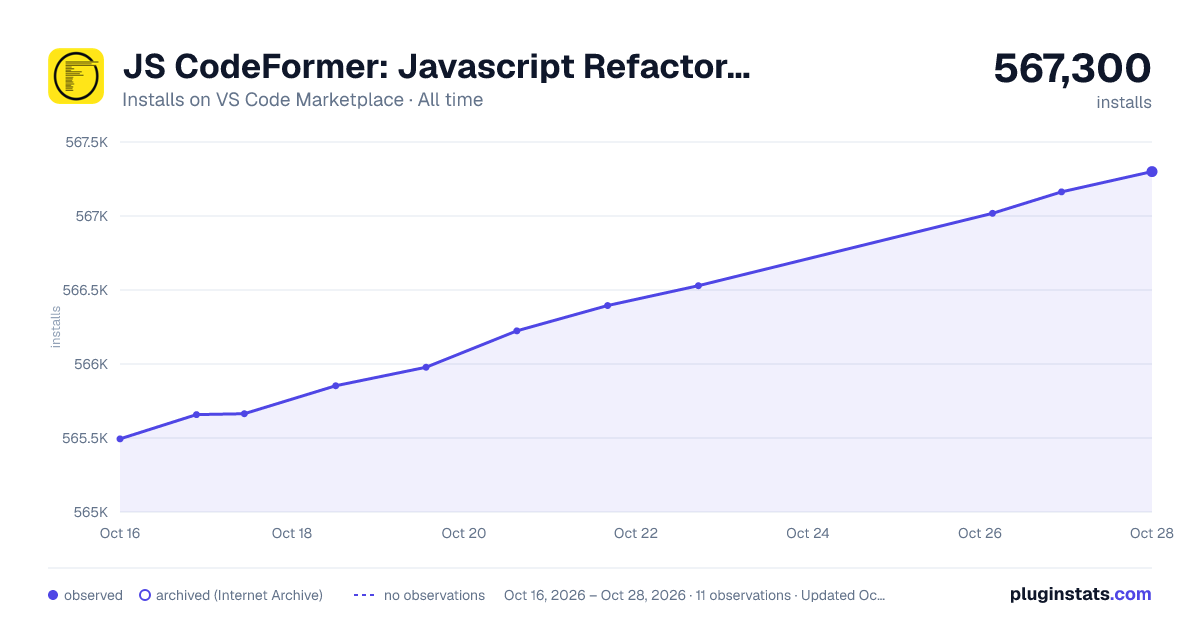

Adoption over time


7/30/90-day growth


Ranking history


Ratings over time


Listing placement


Listing placement


Filled points are observed values; hollow points come from Internet Archive snapshots of the listing page. Dashed segments span periods with no observations — values between points are not interpolated.
Each band is one page of 20. Installs on a log scale. Placement is projected from installs, so it can differ from the marketplace's own sort order. Hover a dot to see the listing.
Recent observations
Full history (4)Similar VS Code Marketplace Snippets plugins
All 20 JS CodeFormer: Javascript Refactoring & Code Automation alternativesData source
Install counts, average rating, and rating counts come from the public Visual Studio Marketplace gallery API. Installs are cumulative and exclude updates.
Listing: https://marketplace.visualstudio.com/items?itemName=cmstead.js-codeformer. First seen Oct 16, 2026; last successful collection Oct 19, 2026. See the methodology.