 PluginStats
Tkinter Snippets installs statistics
By Nikola Paunović · VS Code Marketplace · Snippets
Snippet pack for Tkinter module of Python.
Tkinter Snippets has 307,504 recorded installs on VS Code Marketplace.
It ranks #1135 of 2,500 tracked VS Code Marketplace listings by installs.
It is rated 5.0 out of 5 from 2 ratings.
PluginStats has 3 daily observations since Oct 16, 2026; the latest is from Oct 18, 2026.
Rating: 5.00 / 5 from 2 ratings
About Tkinter Snippets
Features
For list of snippets look at the bottom of the page. Also please read the "Note on snippet variety" for more details on how to use the snippets if you use different methods of importing tkinter.
Donations
If you like the extension, you can help me with my college expenses.
Usage
To use these snippets simply type a snippet into your editor and press tab. There will be fields you have to fill out, such as position, text etc. To fill this info out simply start typing. Once you fill in a field press tab to move on to the next field.
Snippet types
Regular snippets
Regular snippets create elements with their most used parameters.
Example:
No variable snippets
prefix: nv
Putting nv before the regular snippet creates an element without assigning it to a variable. These are not always recommended, however they are useful sometimes.
Example:
Basic snippets
prefix: b
Putting b before the regular snippet creates an element with only the prompt for a variable name and window selection.
Example:
X snippets
prefix: x
Putting x before the regular snippet or the nv snippet creates an element with only the prompt for setting the window and the grid positioning. X snippets are not available for all elements.
Example:
No command snippets
prefix: nc
Putting nc befoe a regular or a nv snippet creates an element without a command parameter. This prefix can only be used for some elements (example: buttons).
Example:
List of snippets
Note on snippet variety
As of update 2.0.0, all snippets have another form where you add the at- prefix. This pefix assumes you have used "import tkinter as tk" rather than "from tkinter import *" and adds tk. before every call to the tkinter module.
Regular snippets
ftc - creates a new tkinter window
flc - creates a new label
fec - creates a new entry
fbc - creates a new button
fcbc - creates a new checkbutton
frbc - creates a new radiobutton
ffc - creates a new frame
fomc - creates a new optionmenu
ftlc - creates a new toplevel
nv snippets *(no variable)*
nvflc - creates a new label without using a variable
nvfec - creates a new entry without using a variable
nvfbc - creates a new button without using a variable
nvfcbc - creates a new checkbutton without a variable (variable atribute is still in the definition of the checkbutton)
nvfrbc - creates a new radiobutton without a variable (variable atribute is still in the definition of the radiobutton)
nvfomc - creates a new optionmenu without a variable (variable atribute is still in the definition of the optionmenu)
b snippets *(basic)*
bftc - creates a new basic tkinter window
bflc - creates a new basic label
bfec - creates a new basic entry
bfbc - creates a new basic button
bfcbc - creates a new basic checkbutton
bfrbc - creates a new basic radiobutton
bffc - creates a new basic frame
bfomc - creates a new basic optionmenu
bftlc - creates a new basic toplevel
x snippets
xflc - creates a new x label
xfbc - creates a new x button
xnvflc - creates a new no variable x label
xnvfbc - creates a new no variable x button
xfcbc - creates a new x checkbutton
xnvfcbc - creates a new no variable x checkbutton
xfrbc - creates a new x radiobutton
xnvfrbc - creates a new no variable x radiobutton
xffc - creates a new x frame
xfomc - creates a new x optionmenu
xnvfomc - creates a new no variable x optionmenu
nc snippets
ncfbc - creates a button without a command attribute
ncnvfbc - creates a button without a command attribute and without a variable
Other snippets
tki - from tkinter import *
mbi - imports the messagebox module from tkinter
Note
I am planning on doing another big update for the extension, however, the date is uncertain for now. I hope I can release it soon enough.
Thank you once again for using this extension!
Description from the VS Code Marketplace listing.
- python
- snippet
Where Tkinter Snippets sits in the listing
Each band is one page of 20. Installs on a log scale. Placement is projected from installs, so it can differ from the marketplace's own sort order. Hover a dot to see the listing.


Charts
Images: 30d · 1y · all time · 1600×900 dark
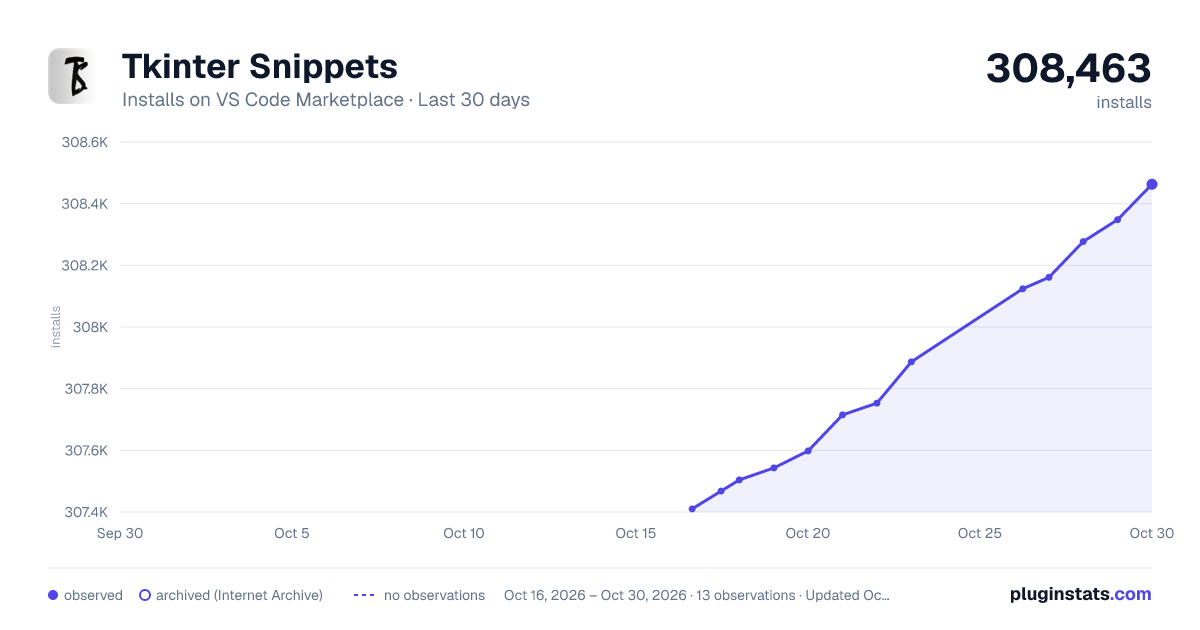
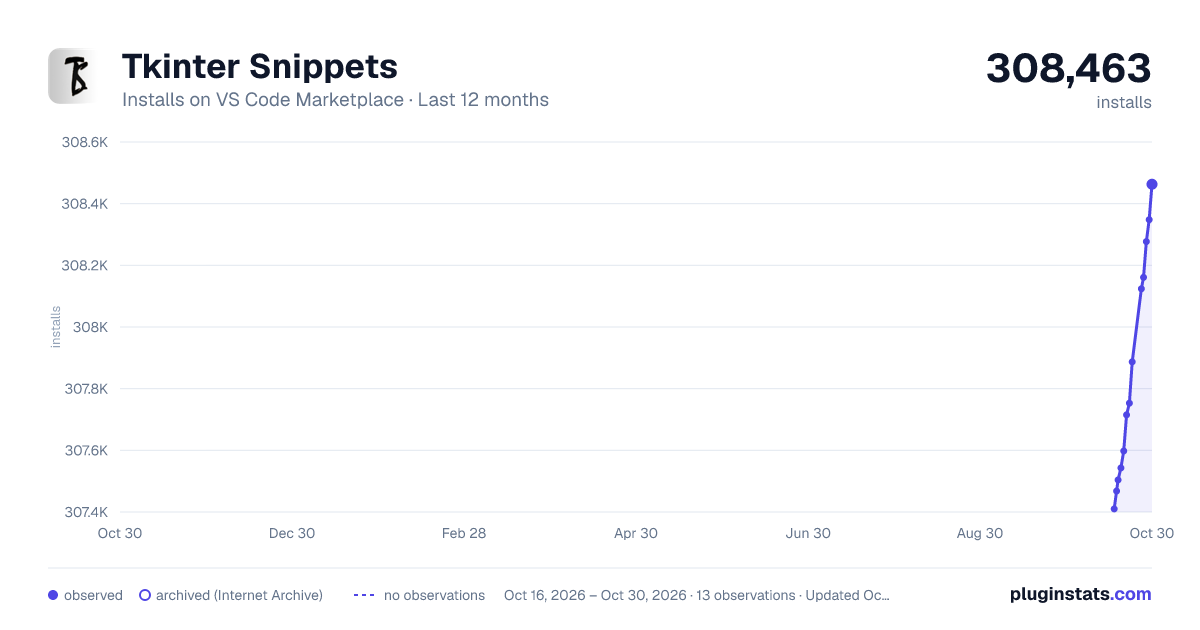
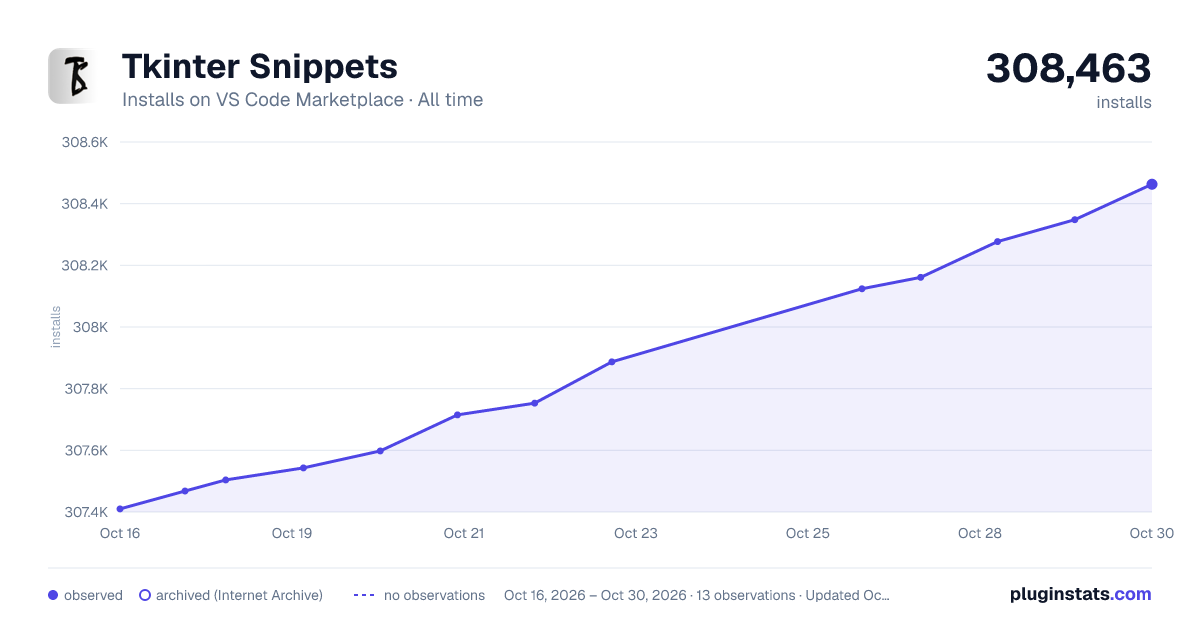

Adoption over time


7/30/90-day growth


Ranking history


Filled points are observed values; hollow points come from Internet Archive snapshots of the listing page. Dashed segments span periods with no observations — values between points are not interpolated.
Recent observations
Full history (3)Similar VS Code Marketplace Snippets plugins
Data source
Install counts, average rating, and rating counts come from the public Visual Studio Marketplace gallery API. Installs are cumulative and exclude updates.
Listing: https://marketplace.visualstudio.com/items?itemName=NikolaPaunovic.tkinter-snippets. First seen Oct 16, 2026; last successful collection Oct 18, 2026. See the methodology.