 PluginStats
MetaWord installs statistics
By metaseed (3 listings) · VS Code Marketplace · Other
word based cursor movement, selection and deletion
MetaWord has 178,311 recorded installs on VS Code Marketplace, ranking #1652 of 2,502 tracked listings.
Rating: 5.00 / 5 from 1 ratings
About MetaWord
the Goal of MetaWord is providing different kinds of words based cursorMove/Select/Delete commands.
MetaWord is part of MetaGo extension
MetaWord as a free tool, currently is maintained and developed by me in my spare time🌙⏳, if you think has ever saved you time, boosted your efficiency, or even indispensable like some of our users, please support me 😊 Give me a github⭐, or even sponsor me at github🍻
MetaWord
| word type | description | examples |
|---|---|---|
| SpaceWord(BigWord) | characters separated by 'space'('Space' or 'Tab') | "abc $1024 (apple,pineapple...)" are three SpaceWords |
| Word | a group of alphanumeric character with underscore:(A-Za-z0-9_) or a group of other symbol characters:~!@#$%^&*()-+:;"',.<>/?[]{} note: include 'space' | "abc $1024 (apple,pineapple...)" are words seperated by '/' as "abc/ $/1024/ (/apple/,/pineapple/...)" |
| WordPart(SmallWord) | a part in a group of CamelCase (A-Za-z0-9) characters, a part of '_' connected (A-Za-z0-9) characters, or a group of other symbol characters | a group of spaces; WordPart: Word/Part; word-part: word/-part/ |
- <kbd>shift</kbd>+<kbd>backspace</kbd>: delete all from the cursor to the line start.
- <kbd>shift</kbd>+<kbd>del</kbd>: delete all from the cursor to the line end.
Word commands to moveCursor/select/delete by word
we use the default vscode 'Word' commands
note: default vscode cursorWordEndRight command would do this:
console.log(err): '|console|.log|(err|)|'
a+= 3 +5-3 + 7:'|a|+=| 3| +5|-3| +| 7|'(from left) or 'a|+= |3 |+|5|-|3 |+ |7|'(from right)
(if there is only one symbol character before the next word, the cursor would not stop after the symbol)default vscode cursorWordStartLeft command would do this: 'this|.|is|.|a|.|test' and ' text| a|+=| 3| +|5|-|3| +| 7|' (work as expected)
default deleteWordLeft command would do this: '|this.|is.|a.|test'(<=star from here, if there is only one symbol character after the previous word, the cursor would not stop and delete it with the previous word together) default deleteWordRight command would do this: '|this|.|is|.|a|.|test|' (work as expected)
- <kbd>ctrl</kbd>+<kbd>left/right</kbd>: left/right move cursor to word start/end.
- <kbd>ctrl</kbd>+<kbd>shift</kbd>+<kbd>left/right</kbd>: left/right select from cursor to word start/end.
- <kbd>ctrl</kbd>+<kbd>backspace/delete</kbd>: left/right delete from cursor to word start/end.
Note: one Mac, the cursorWord* commands are not mapped, you may need to map them by your self.
WordPart commands to moveCursor/select/delete by wordPart
Examples: ABCdef__ghIJKL
- when forward:
- '|AB|Cdef|__gh|IJKL|'
- '|AB|Cdef|__ghijkl|'
- when backward:
- '|AB|Cdef__|gh|IJKL|' (<-start from end) character note: the difference at the word connector('_') dd dd
- <kbd>ctrl</kbd>+<kbd>alt</kbd>+<kbd>left/right</kbd>: move cursor left/right to the wordPart start/end.
- <kbd>ctrl</kbd>+<kbd>alt</kbd>+<kbd>shift</kbd>+<kbd>left/right</kbd>: left/right select from cursor to the wordPart start/end.
- <kbd>ctrl</kbd>+<kbd>alt</kbd>+<kbd>backspace</kbd>: left delete to the wordPart start.
- on windows <kbd>ctrl</kbd>+<kbd>alt</kbd>+<kbd>shift</kbd>+<kbd>backspace</kbd>: right delete to the wordPart end.(note:
ctrl+alt+delon windows is a system shortcut, we could not use it)on Mac use <kbd>ctrl</kbd>+<kbd>alt</kbd>+<kbd>delete</kbd>
SpaceWord commands to moveCursor/select/delete word separated by space:
<kbd>alt+;</kbd> enter space mode, then:
- move: <kbd>arrow: left/right/up/down</kbd> to move between spaces;
note: up/down also work: they skip empty/whitespace-only lines and jump to the nearest non-empty line — up lands like
leftfrom the end of that line, down lands likerightfrom its start. - select: <kbd>shift + arrow keys</kbd> to select; up/down same as move's logic.
- delete: <kbd>backspace</kbd> to delete backward; <kbd>delete</kbd> to delete to another direction.
- <kbd>escape</kbd> exits the mode.
- any other key(except: arrow, delete/backspace) escape the mode, and the key also take effect in editor.
⚠️ If some keys don't work in space mode (e.g.
up/downorbackspacedo nothing or behave normally whileleft/right/deleteare fine), the key is being captured by something with higher priority than this extension — check these in order:
- Your own keybindings (
Preferences: Open Keyboard Shortcuts (JSON)): a user keybinding for that key (e.g.up→cursorUpwith awhenliketextInputFocus) always overrides extension keybindings. Remove it, or scope it with&& !metaGoSpaceMode.- Other extensions: another extension may bind the same key (e.g. Markdown All in One claims
backspacein.mdfiles). One extension can't reliably out-prioritize another, so disable/uninstall the conflicting one, or add a user keybinding for that key → the matchingmetaGo.spaceMode.*command gated bymetaGoSpaceMode(user keybindings win over everything).These space-mode bindings ship in this extension's
package.jsonand work out of the box on a clean setup; the above only matters when a higher-priority binding shadows them.
Additional commands (manual keybinding)
These are the original non-modal SpaceWord commands (same logic as SpaceMode), but no default shortcuts are assigned (because some historical shortcuts are taken by OS / other features, e.g. Win11).
Commands
metaGo.cursorSpaceWordLeft: move left by one space-word (cursor stops at the word boundary)metaGo.cursorSpaceWordLeftSelect: select left by one space-wordmetaGo.cursorSpaceWordLeftDelete: delete left by one space-word…
Description from the VS Code Marketplace listing.
- big word
- cursor
- delete
- goto
- jump
- jumpy
- keybindings
- keyboard
- metaWord
- select
- small word
- space jumper
- space word
- word selection
README badge
Show your rank in a README or on your website. The badge updates automatically.
Charts
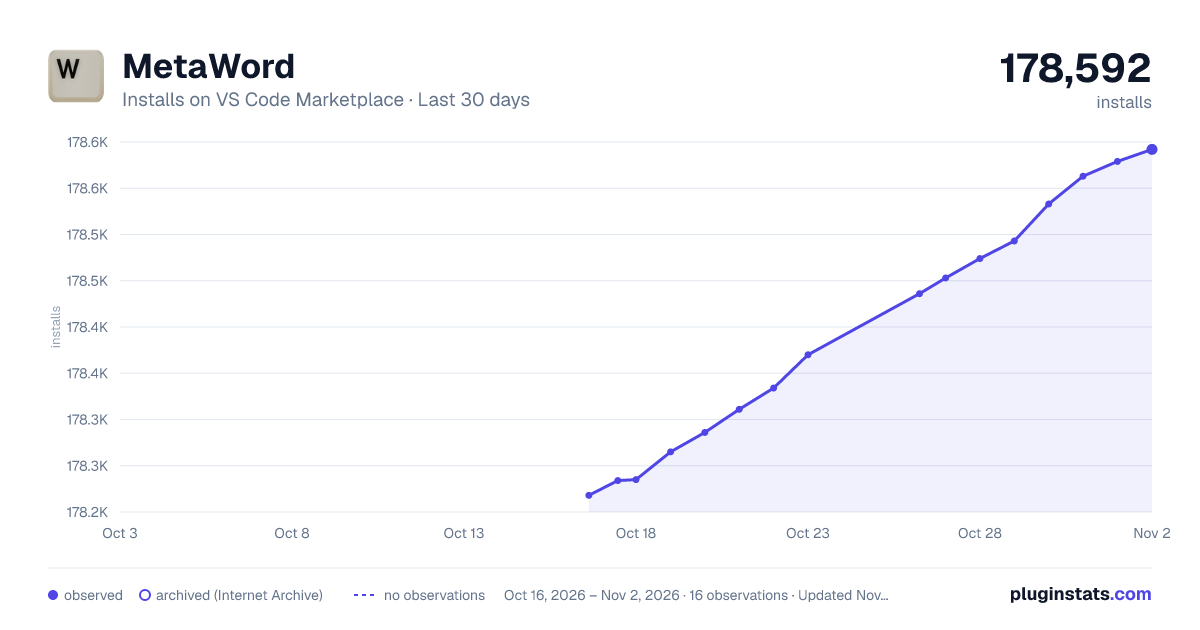
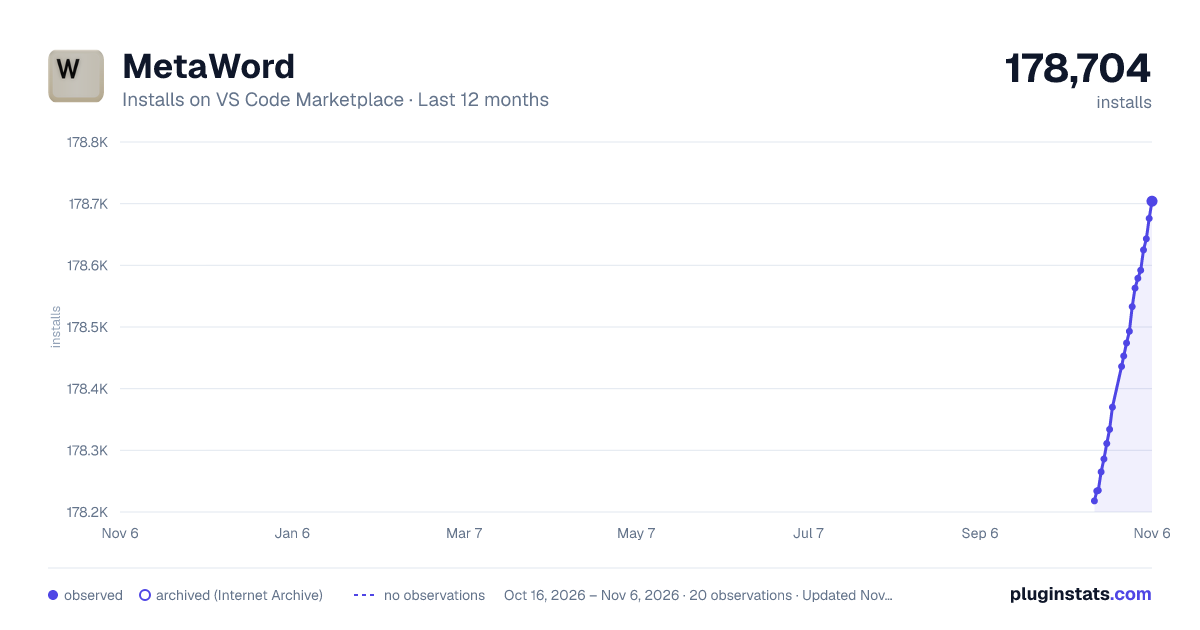
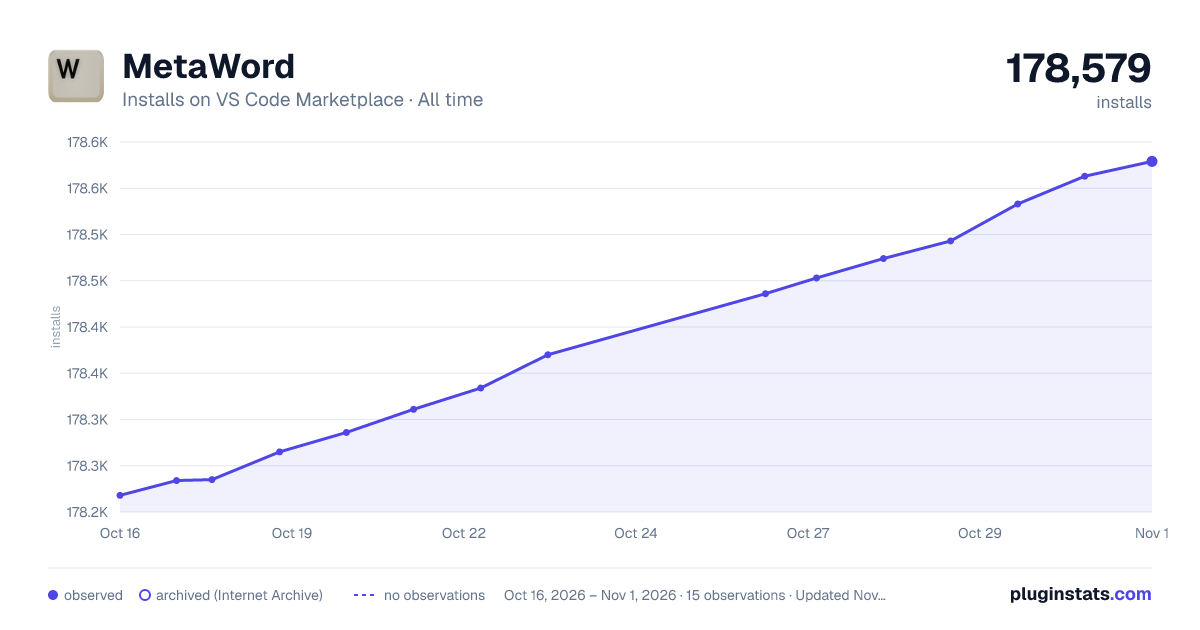
Images: 30d · 1y · all time · 1600×900 dark

Adoption over time
7/30/90-day growth
Ranking history
Ratings over time
Listing placement
Listing placement
Filled points are observed values; hollow points come from Internet Archive snapshots of the listing page. Dashed segments span periods with no observations — values between points are not interpolated.
Each band is one page of 20. Installs on a linear scale. Placement is projected from installs, so it can differ from the marketplace's own sort order. Hover a dot to see the listing.
Recent observations
Full history (6)Similar VS Code Marketplace Other plugins
All 20 MetaWord alternativesData source
Install counts, average rating, and rating counts come from the public Visual Studio Marketplace gallery API. Installs are cumulative and exclude updates.
Listing: https://marketplace.visualstudio.com/items?itemName=metaseed.MetaWord. First seen Oct 16, 2026; last successful collection Oct 21, 2026. See the methodology.