 PluginStats
Python Indent installs statistics
By Kevin Rose · VS Code Marketplace · Programming Languages
Correct Python indentation
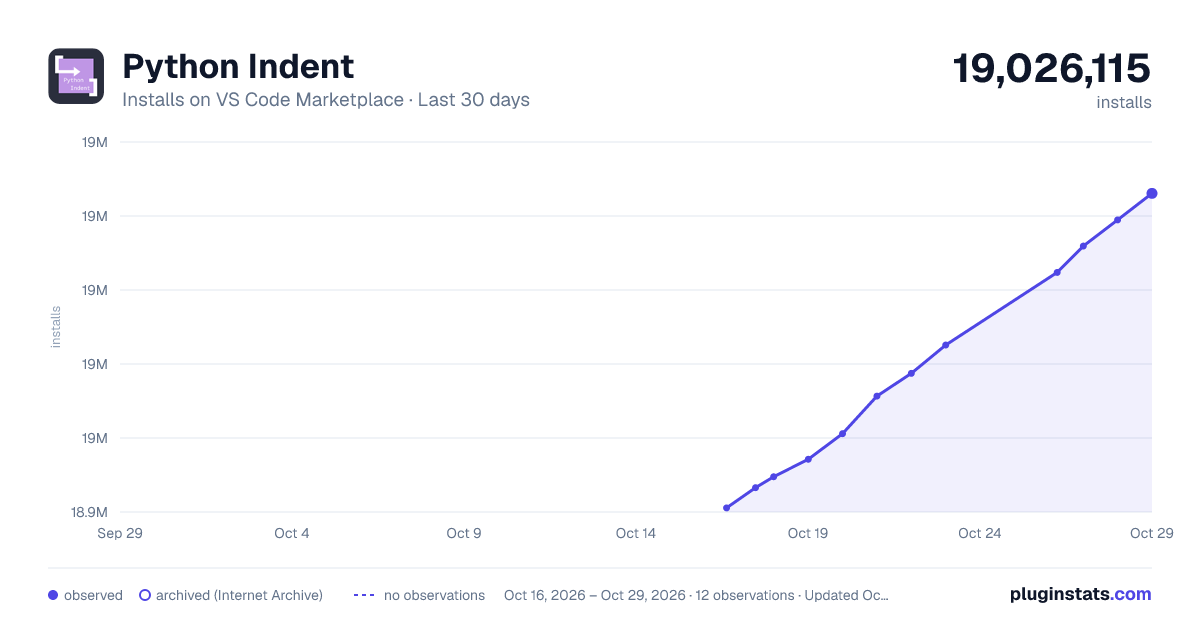
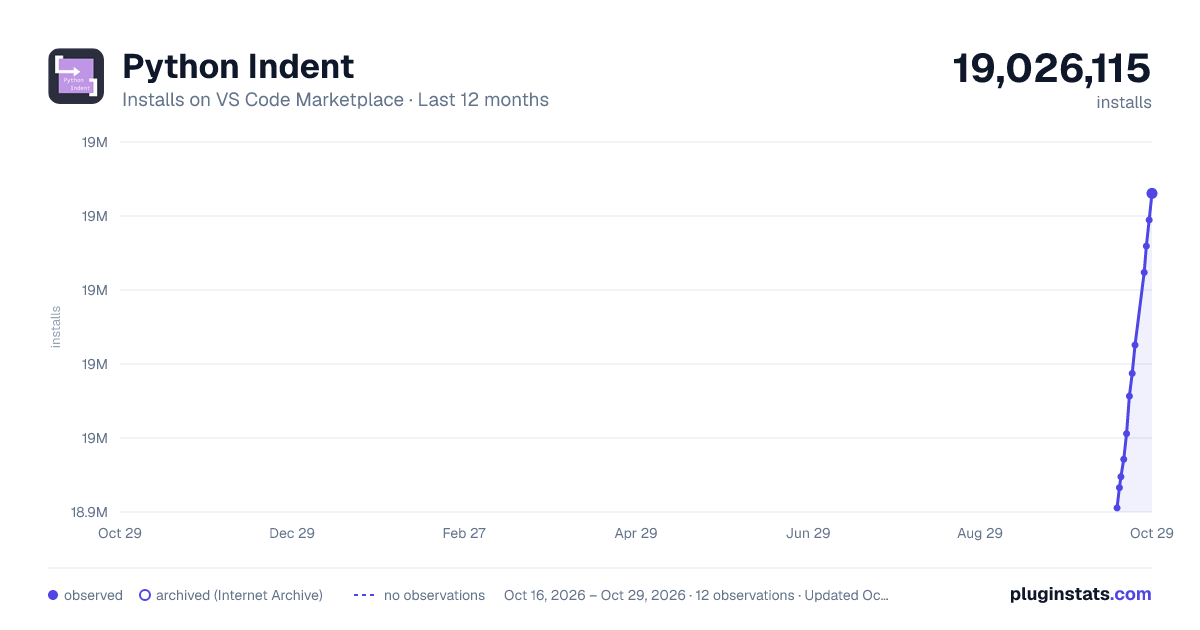
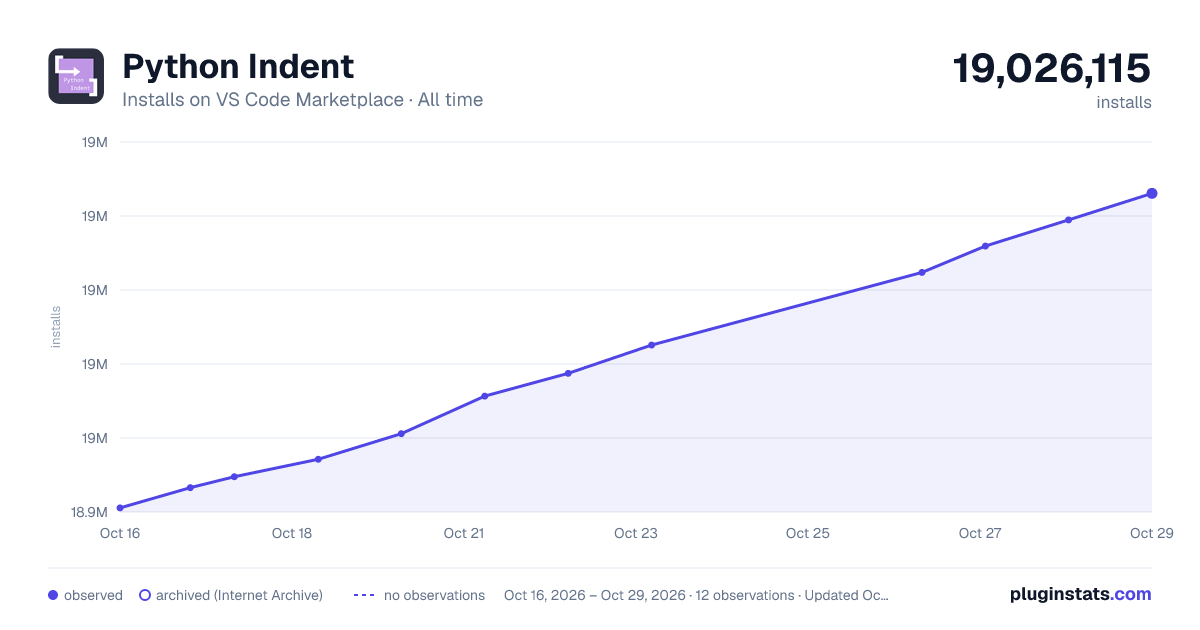
Python Indent has 18,949,530 recorded installs on VS Code Marketplace.
It ranks #56 of 2,500 tracked VS Code Marketplace listings by installs.
It is rated 4.1 out of 5 from 65 ratings.
PluginStats has 3 daily observations since Oct 16, 2026; the latest is from Oct 18, 2026.
Rating: 4.14 / 5 from 65 ratings
About Python Indent
Python Indent
Correct Python indentation in Visual Studio Code. See the extension on the VSCode Marketplace and its source code on GitHub.
How it works
When you press Enter, your Python code is parsed up to the cursor in order to find the correct indentation level of nearby lines. Because the "correct" indentation level can be an arbitrary number of spaces, the use of tabs (\t) is not supported.
For more detailed explanation of the behavior, see the section "Detailed Behavior" below.
Settings
There are three exposed settings.
• pythonIndent.useTabOnHangingIndent • pythonIndent.useTabOnHangingIndent • boolean, the default is false • If true, after creating a hanging indent (see footnote 1 of PEP8 for a definition of a hanging indent), you can use the tab key to leave the indented section and go to the ending bracket. • pythonIndent.trimLinesWithOnlyWhitespace • boolean, the default is false • If true, trims lines that contain only whitespace after pressing Enter on them. This behavior is similar to VS Code's default. • pythonIndent.keepHangingBracketOnLine • boolean, the default is false • If true, when creating a hanging indent, do not put the closing bracket on its own line.
Release notes
See the change log.
Detailed behavior
There are three main cases when determining the correct indentation, described below.
Between bracket pairs
In cases when you have your cursor between an open bracket (one of [({) and its closing bracket pair (the corresponding one of })]), this extension will keep subsequent lines indented just to the right of where it was opened:
Even heavily nested brackets are handled:
In the full example below, default VS Code required nine extra key presses (three tabs, two spaces, and four backspaces) to match the *automatic* indentation of this extension.
Hanging indents
When you have opened a bracket, but not yet inserted any content, pressing Enter will create a hanging indent, matching the base behavior of VS Code.
You can use the setting useTabOnHangingIndent to make it so that when you are done typing you can simply press Tab to be taken to the closing bracket.
If there is content to the right of your cursor when you press Enter, then this extension falls back on just indenting by your set tab size.
If you never want to have the closing bracket end up on its own line (i.e. you always want to just indent by the set tab size), use the keepHangingBracketOnLine configuration setting. *Warning:* This may cause confusing indentation with function definitions as the argument list and the function code may end up at the same indentation level.
It's not often used, but a backslash to continue a line will also result in the next line being indented.
Keywords
Some keywords in Python imply certain indentation behaviors. For example, if there is a return statement, then we know the next line can be un-indented (or *de*dented) since no statements can follow a return in the same code block. Other keywords that follow the same pattern are pass, break, continue, and raise.
Similarly, if there is an else: on the current line, then the current line needs to be dedented, and the next line needs to be indented *relative to* the new position of the else:. Other keywords that follow the same pattern are elif ...:, except ...:, and finally:. Some examples are shown below.
But if you have manually changed the indentation, the extension should not change it for you:
Extending comments
If (and only if) you press Enter while your cursor is in the middle of a comment, then the next line will automatically be made into a comment.
Trimming whitespace lines
You can trim whitespace from lines that contain *only* whitespace by using the trimLinesWithOnlyWhitespace configuration setting (the default is to not trim whitespace in this way). This setting brings the behavior closer to native VSCode behavior.
Developing
See the developer docs for pointers on how to develop this extension.
Why is it needed?
This style of indentation has not been prioritized for support by the vscode-python team, and it's unclear if it ever will be.
See some related issues: [[1]](https://github.com/Microsoft/vscode-python/issues/481), [[2]](https://github.com/Microsoft/python-language-server/issues/671), [[3]](https://github.com/Microsoft/vscode/issues/66235), [[4]](https://github.com/Microsoft/vscode-python/issues/684), [[5]](https://github.com/Microsoft/vscode-python/issues/539)
Caveats
Known caveats are listed below.
• Using tabs (\t) for your indentation will not work. • If your Python code is not correctly formatted, you may not get correct indentation. • The extension works by registering the Enter key as a keyboard shortcut. The conditions when the shortcut is triggered have been heavily restricted, but there may still be times this extension is unexpectedly overriding Enter behavior. Specifically, vim related plugins seem to require special attention. See the when clause in package.json.
If you experience any problems, please submit an issue, or a pull request.
Description from the VS Code Marketplace listing.
- dedent
- indent
- indentation
- jupyter
- keybindings
- python
- whitespace
Where Python Indent sits in the listing
Each band is one page of 20. Installs on a log scale. Placement is projected from installs, so it can differ from the marketplace's own sort order. Hover a dot to see the listing.


Charts
Images: 30d · 1y · all time · 1600×900 dark

Adoption over time


7/30/90-day growth


Ranking history


Filled points are observed values; hollow points come from Internet Archive snapshots of the listing page. Dashed segments span periods with no observations — values between points are not interpolated.
Recent observations
Full history (3)Similar VS Code Marketplace Programming Languages plugins
Data source
Install counts, average rating, and rating counts come from the public Visual Studio Marketplace gallery API. Installs are cumulative and exclude updates.
Listing: https://marketplace.visualstudio.com/items?itemName=KevinRose.vsc-python-indent. First seen Oct 16, 2026; last successful collection Oct 18, 2026. See the methodology.