 PluginStats
IoT Utility installs statistics
By Jun Han (13 listings) · VS Code Marketplace · Programming Languages
Develop IoT project based on PlatformIO: Arduino, ESP32, ESP8266, ARM mbed, STM32, Atmel AVR, Raspberry Pi and more
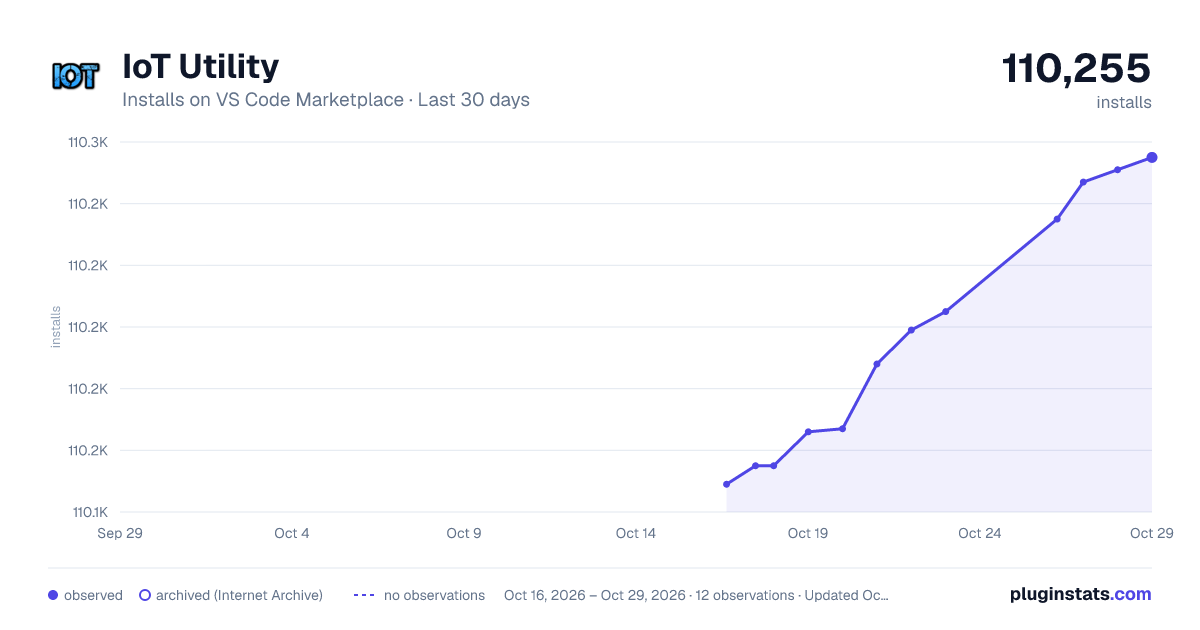
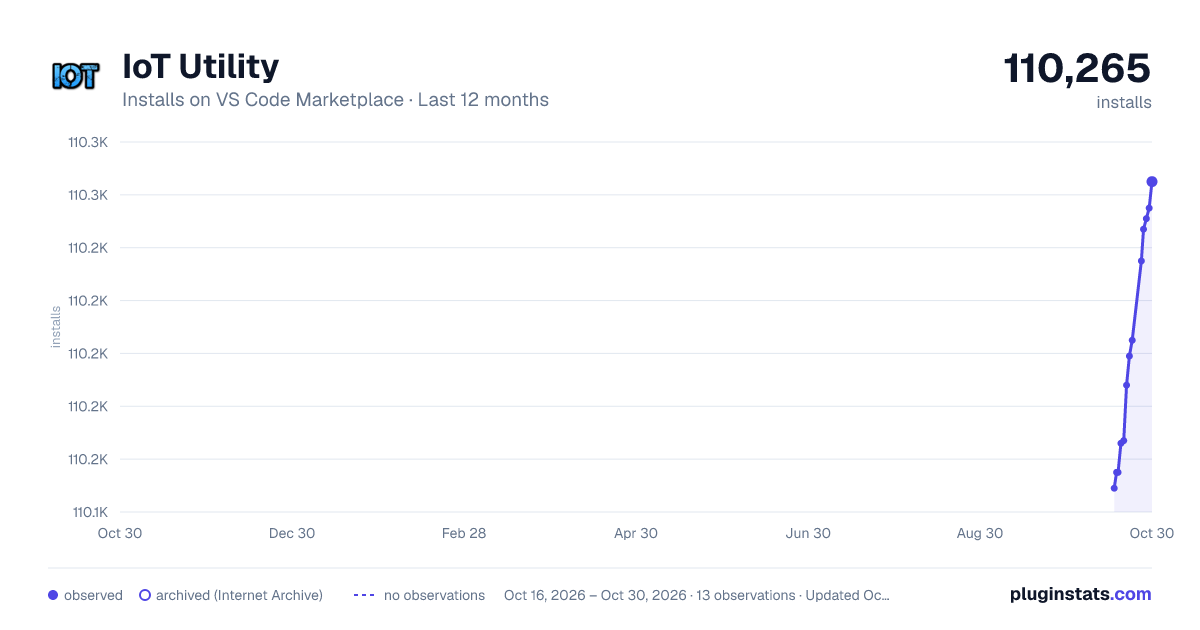
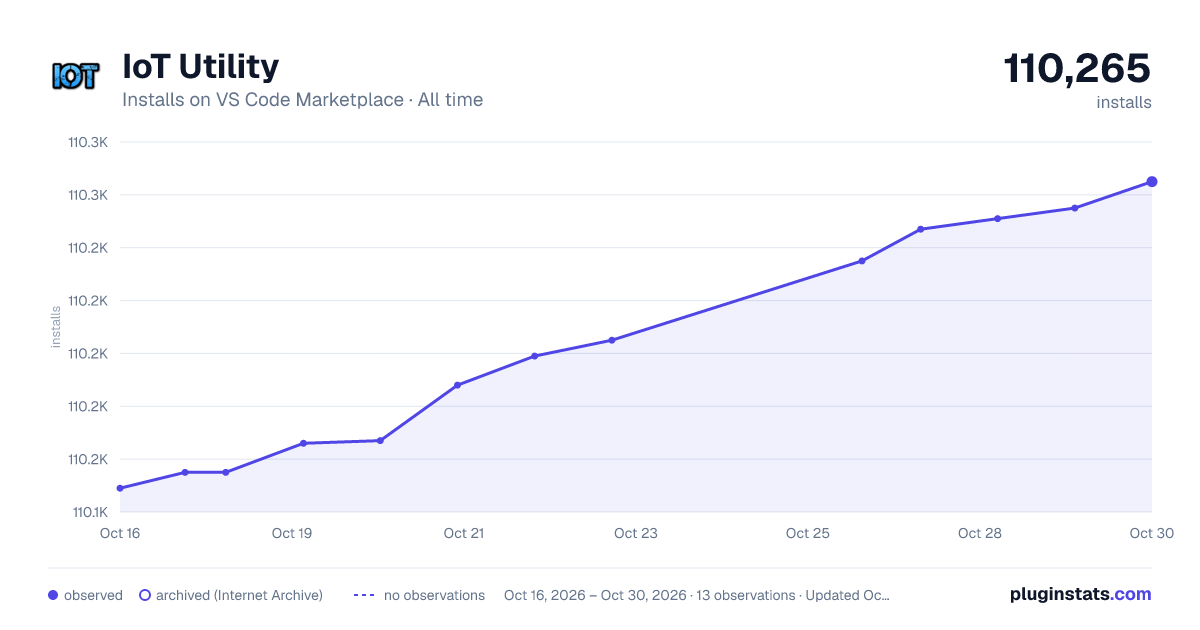
IoT Utility has 110,155 recorded installs on VS Code Marketplace.
It ranks #2239 of 2,500 tracked VS Code Marketplace listings by installs.
It is rated 4.9 out of 5 from 7 ratings.
PluginStats has 3 daily observations since Oct 16, 2026; the latest is from Oct 18, 2026.
Rating: 4.86 / 5 from 7 ratings
About IoT Utility
PlatformIO
Integrate PlatformIO into Visual Studio Code on top of PlatformIO Core. Cross-platform Build System without external dependencies to the OS software: 550+ embedded boards, 25+ development platforms, 15+ frameworks. Arduino and ARM mbed compatible.
*Atmel AVR & SAM, Espressif 8266 & 32, Freescale Kinetis, Intel ARC32, Lattice iCE40, Microchip PIC32, Nordic nRF51, NXP LPC, Silicon Labs EFM32, ST STM32, TI MSP430 & Tiva, Teensy, Arduino, ARM mbed, libOpenCM3, ESP8266, etc.*
What's New in v0.3.0
Discover devices connected via Ethernet, Wi-Fi and USB: Press F1 and then select/type IoT Utility: Discover Device. (Make sure you have installed device-discovery-cli)
Note
If you want to build IoT projects connected to an IoT cloud service. You could take a look at aka.ms/azure.iot for Microsoft Azure IoT projects and resources.
If you are already using Azure IoT services, you could use Azure IoT Toolkit extension for better development experience.
Features
• Build PlatformIO project specified in Project Configuration File platformio.ini • Upload firmware to devices specified in Project Configuration File platformio.ini • Open Serial Monitor • Set baud rate for Serial Monitor • Search for library in PlatformIO Library Registry • Install library from PlatformIO Library Registry • Quick way to open PlatformIO Terminal • Automatically or manually add Include Path to c_cpp_properties.json for C/C++ extension • Combined Build, Upload and Open Serial Monitor with one command • Discover devices connected via Ethernet, Wi-Fi and USB
Prerequisites
• Install PlatformIO Core
Setup
• Use existing project
If you have an existing PlatformIO project, open the project folder directly in VS Code
• Create new project
In terminal, run platformio init --board to initialize a new PlatformIO project, then open the project folder in VS Code. Refer to User Guide for platformio init command. For how to find Board Identifier, you could refer to this.
Usage
• Build PlatformIO project: Use shortcut Ctrl+Alt+B, or press F1 and then select/type PlatformIO: Build, or right click the Text Editor and then click PlatformIO: Build in context menu • Upload firmware to devices: Use shortcut Ctrl+Alt+U, or press F1 and then select/type PlatformIO: Upload, or right click the Text Editor and then click PlatformIO: Upload in context menu • Open Serial Monitor: Use shortcut Ctrl+Alt+S, or press F1 and then select/type PlatformIO: Open Serial Monitor, or right click the Text Editor and then click PlatformIO: Open Serial Monitor in context menu • Search for library: Click the Library item in the Status Bar at the bottom, or press F1 and then select/type PlatformIO: Search Library, then type the query to search for library. Refer to the User Guide for the query syntax. • Install library: Click the Download icon in the Status Bar at the bottom, or press F1 and then select/type PlatformIO: Install Library, then type library id or name to install. Refer to the User Guide for the detailed usage. • Quick way to open PlatformIO Terminal: Click the Terminal icon in the Status Bar at the bottom, or press F1 and then select/type PlatformIO: Open Terminal • Add Include Path to c_cpp_properties.json for C/C++ extension: Press F1 and then select/type PlatformIO: Add Include Path to Settings. Wait for some seconds, then the PlatformIO libraries will be automatically added into Include Path of c_cpp_properties.json. (Note: Do not modify c_cpp_properties.json manually since the c_cpp_properties.json will be fully regenerated and your manual changes will be lost.) • Combined Build, Upload and Open Serial Monitor with one command: Click the Right Arrow icon in the Status Bar at the bottom, or use shortcut Ctrl+Alt+A, or press F1 and then select/type PlatformIO: Build, Upload and Open Serial Monitor. Build, Upload and Open Serial Monitor will be run one by one. • Discover devices connected via Ethernet, Wi-Fi and USB: Press F1 and then select/type IoT Utility: Discover Device. (Make sure you have installed device-discovery-cli)
Settings
• platformio.baudRate: Set baud rate for Serial Monitor. (Default is 9600) • platformio.showHelpInfo: Whether to show help info when opening PlatformIO Terminal. (Default is true) • platformio.autoUpdateIncludes: Whether to add Include Path to c_cpp_properties.json automatically. (Default is true)
Telemetry data
By default, anonymous telemetry data collection is turned on to understand user behavior to improve this extension. To disable it, update the settings.json as below:
Change Log
See Change Log here
Issues
Currently, the extension is in the very initial phase. If you find any bug or have any suggestion/feature request, please join the chat on Gitter or submit the issues to the GitHub Repo.
Contributions
Contributions are warmly welcome! Please follow the Contribution Guide to setup development environment.
Description from the VS Code Marketplace listing.
- Arduino
- ESP8266
- IoT
- keybindings
- mbed
- PlatformIO
Where IoT Utility sits in the listing
Each band is one page of 20. Installs on a log scale. Placement is projected from installs, so it can differ from the marketplace's own sort order. Hover a dot to see the listing.


Charts
Images: 30d · 1y · all time · 1600×900 dark

Adoption over time


7/30/90-day growth


Ranking history


Filled points are observed values; hollow points come from Internet Archive snapshots of the listing page. Dashed segments span periods with no observations — values between points are not interpolated.
Recent observations
Full history (3)Similar VS Code Marketplace Programming Languages plugins
Data source
Install counts, average rating, and rating counts come from the public Visual Studio Marketplace gallery API. Installs are cumulative and exclude updates.
Listing: https://marketplace.visualstudio.com/items?itemName=formulahendry.platformio. First seen Oct 16, 2026; last successful collection Oct 18, 2026. See the methodology.