 PluginStats
Blue Light Theme installs statistics
By Nils Hartmann · VS Code Marketplace · Themes
Light theme with blue colors
Blue Light Theme has 100,446 recorded installs on VS Code Marketplace, ranking #2358 of 2,501 tracked listings.
Rating: 5.00 / 5 from 2 ratings
About Blue Light Theme
VS Code theme "blue-light"
Note that there are two themes: blue-light and blue-light-2022. blue-light-2022 is a new (work-in-progress) scheme with italic fonts and different colors. See screenshot below.
This is a light theme for Visual Studio Code with mostly blue colors.
I tried to keep it very simple in order to remove and avoid distractions as much as possbible:
- use only a few colors, both for UI and syntax coloring
- do not use red colors for other things than errors
Note: I only tested language support for Java, JavaScript/TypeScript, React, CSS/SASS. There might be "strange" colors in other languages (and even in the mentioned ones). If you encounter any problems please feel free to create an issue in the GitHub repository.
Example blue-theme: TypeScript Editor
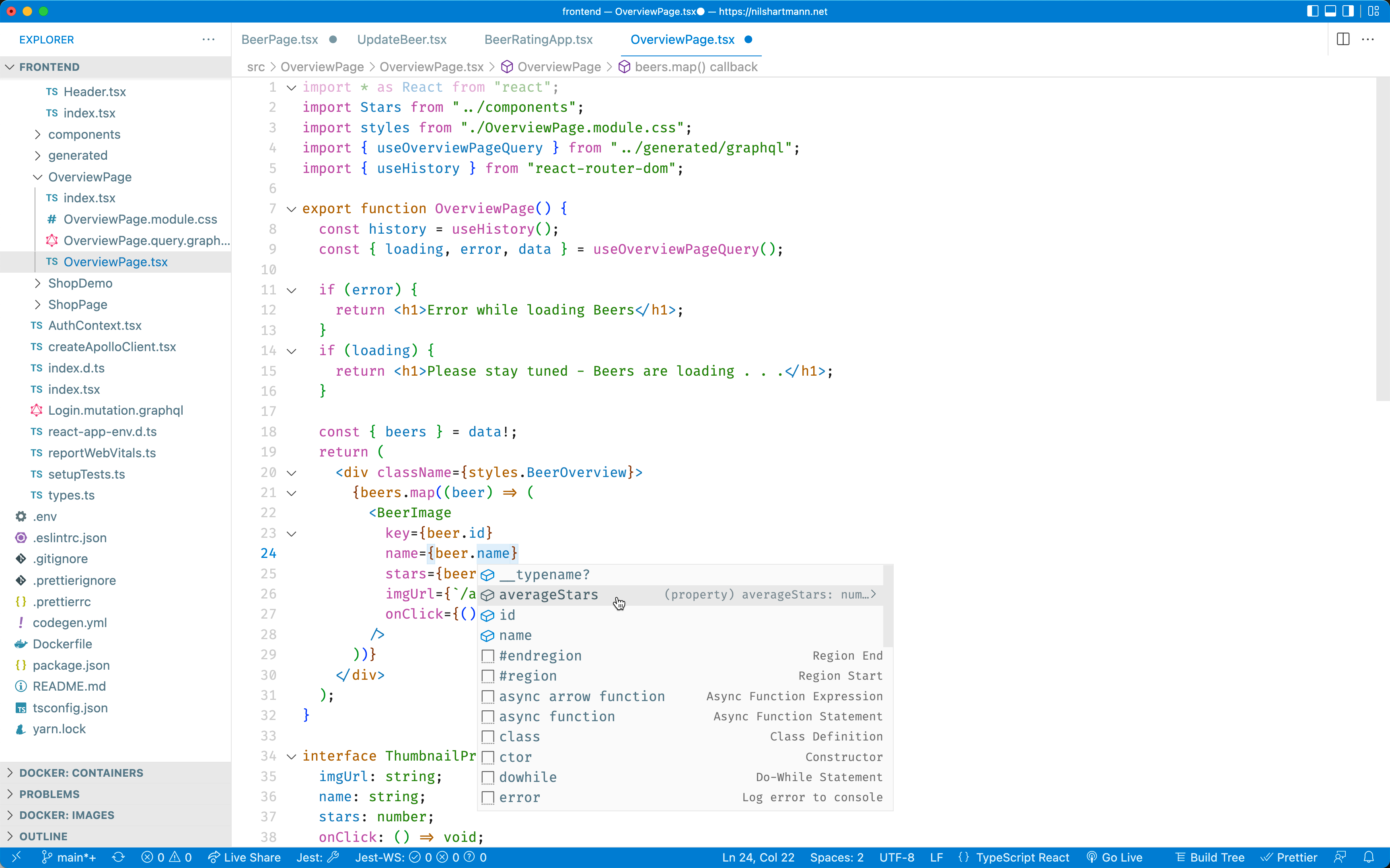
In addition to this theme, I set the following user settings in my VS Code instance:
File Icons
- Seti (Visual Studio Code)
Font
  "editor.fontFamily": "Fira Code",
  "editor.fontSize": 17,
  "editor.lineHeight": 22,
  "editor.fontWeight": "400",
  "editor.fontLigatures": true,
  "terminal.integrated.fontSize": 13,
  "terminal.integrated.lineHeight": 1.2,
  "terminal.integrated.fontWeightBold": "400",
For the 2022 theme with italic font, I'm using MonoLisa font instead of Fira Code.
Hide elements from the UI
	"editor.minimap.enabled": false,
	"explorer.openEditors.visible": 0,
	"editor.quickSuggestions": {
		"other": true,
		"comments": false,
		"strings": false
	},
  "editor.suggest.showWords": false,
	"breadcrumbs.enabled": false,
	"workbench.editor.enablePreview": false,
  "editor.bracketPairColorization.enabled": false,
  "editor.cursorStyle": "line",
  "editor.hideCursorInOverviewRuler": true,
	"editor.occurrencesHighlight": false,
	"editor.overviewRulerBorder": false,
	"editor.renderIndentGuides": false,
	"editor.renderLineHighlight": "none",
	"workbench.activityBar.visible": false,
	"workbench.editor.showIcons": false,
	"editor.suggestOnTriggerCharacters": false,
  // use shortcut Cmd+Shift+Space insteadt open parameter hints if needed
	"editor.parameterHints.enabled": false,
	"editor.parameterHints.cycle": true
Example blue-theme: Java Editor
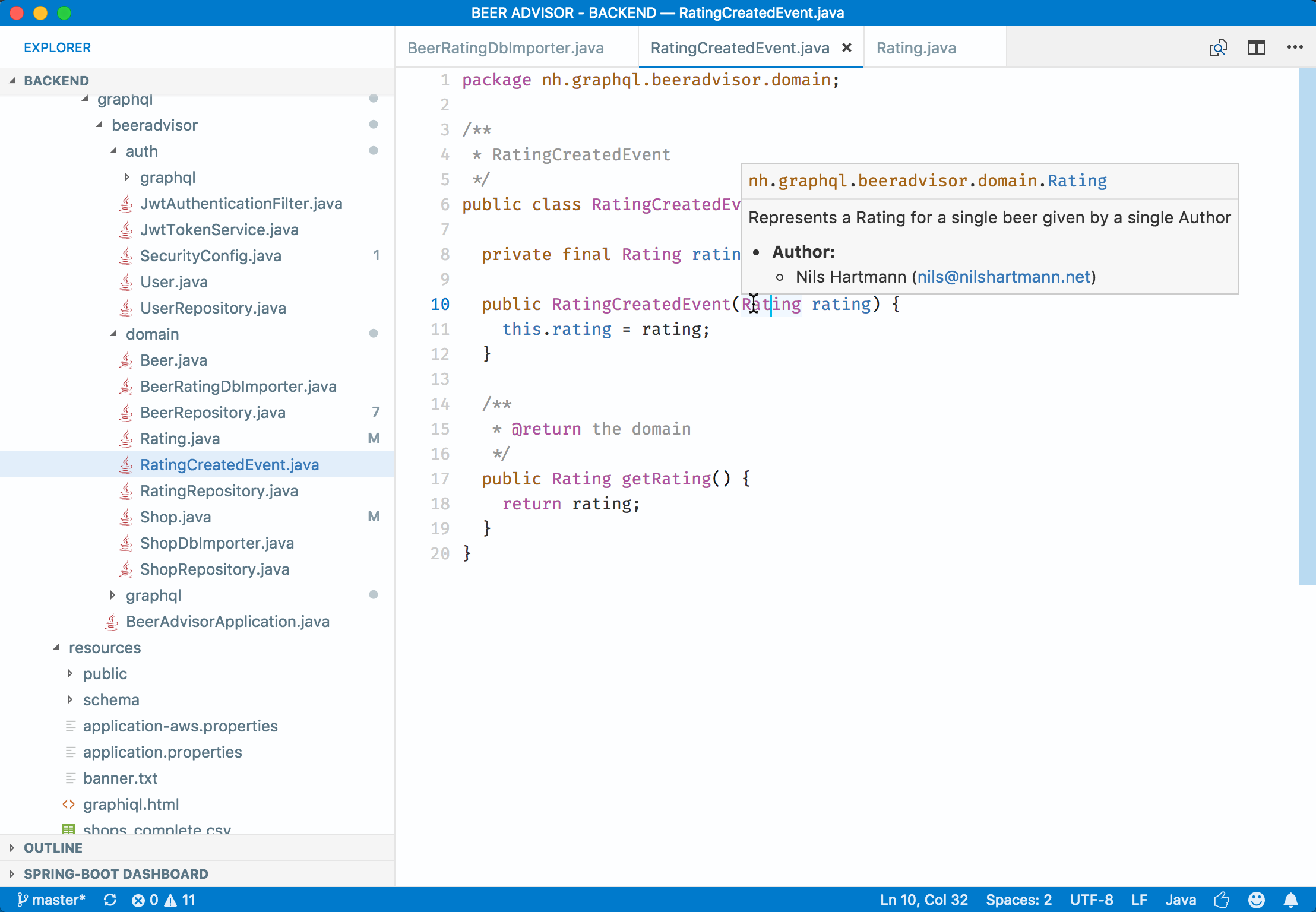
Example blue-theme 2022: JSX/TypeScript Editor
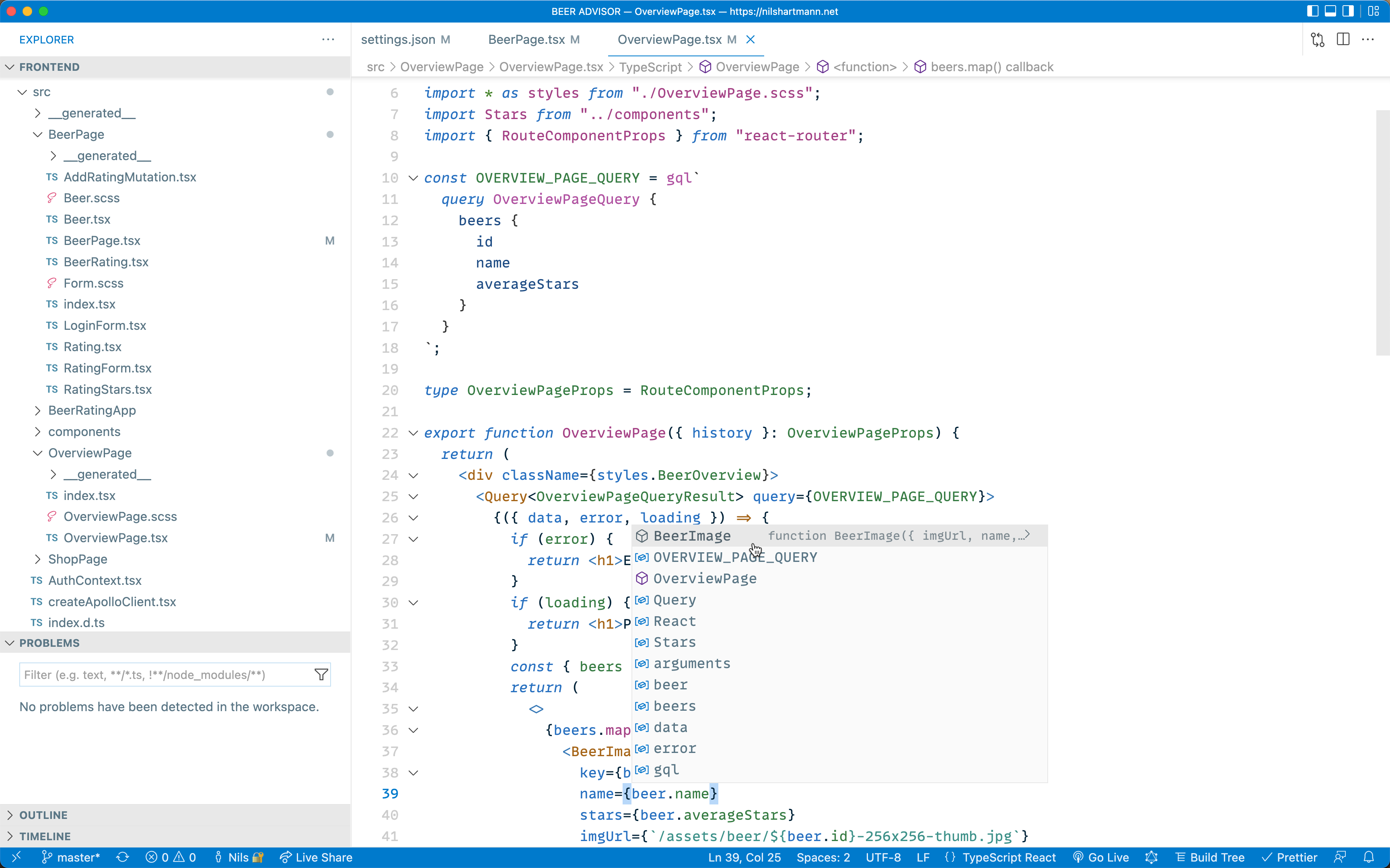
Example blue-theme 2022: Java Editor
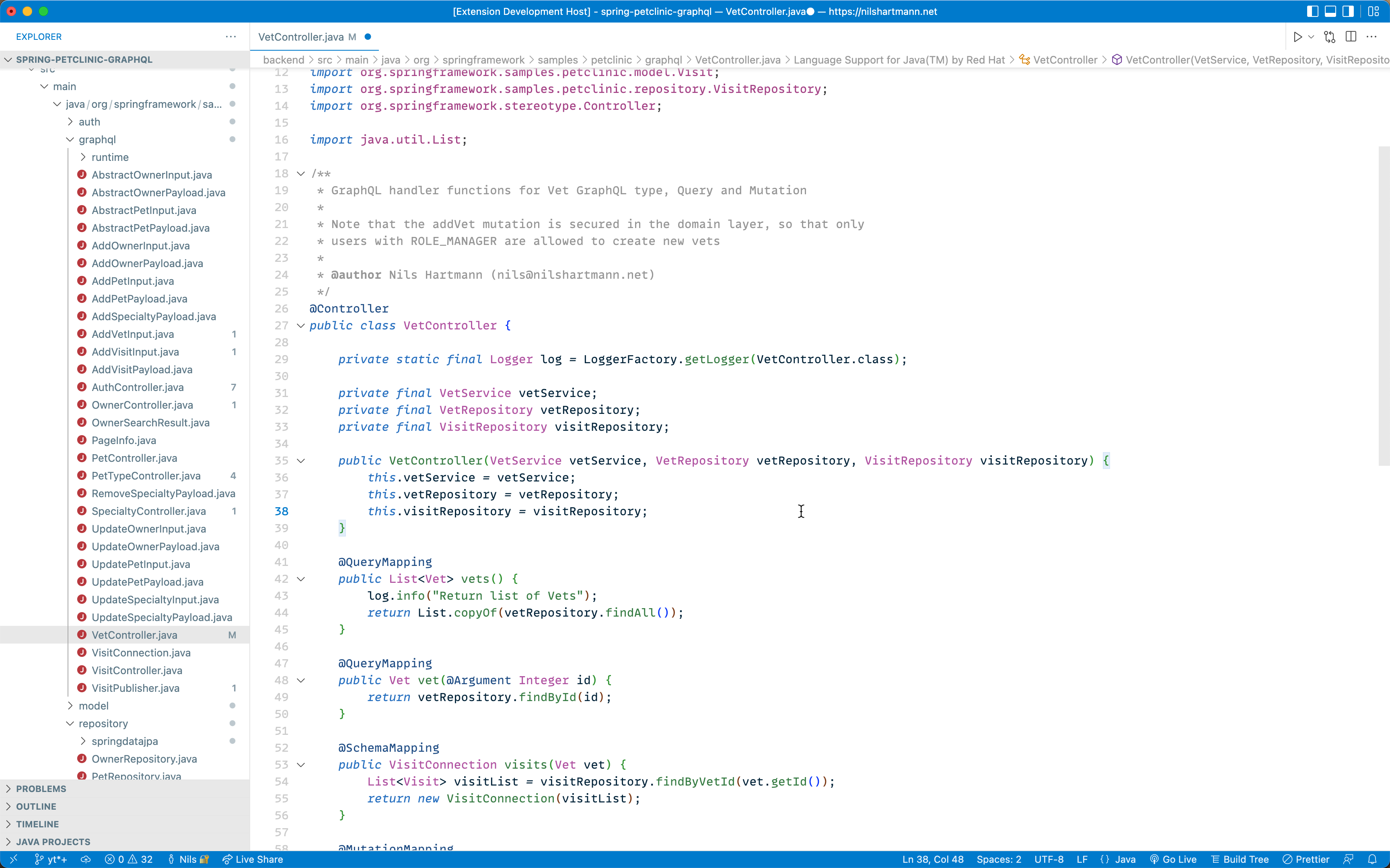
Credits
This theme is inspired by the great Kary Pro Colors (light) theme.
Contact, Feedback, Questions
-
If you have any feedback to give, questions to ask or issues to raise, please feel free to use the GitHub issue tracker.
-
You can follow me on twitter for updates and other things: @nilshartmann
Description from the VS Code Marketplace listing.
- color-theme
- theme
README badge
Show your rank in a README or on your website. The badge updates automatically.
Charts
Images: 30d · 1y · all time · 1600×900 dark
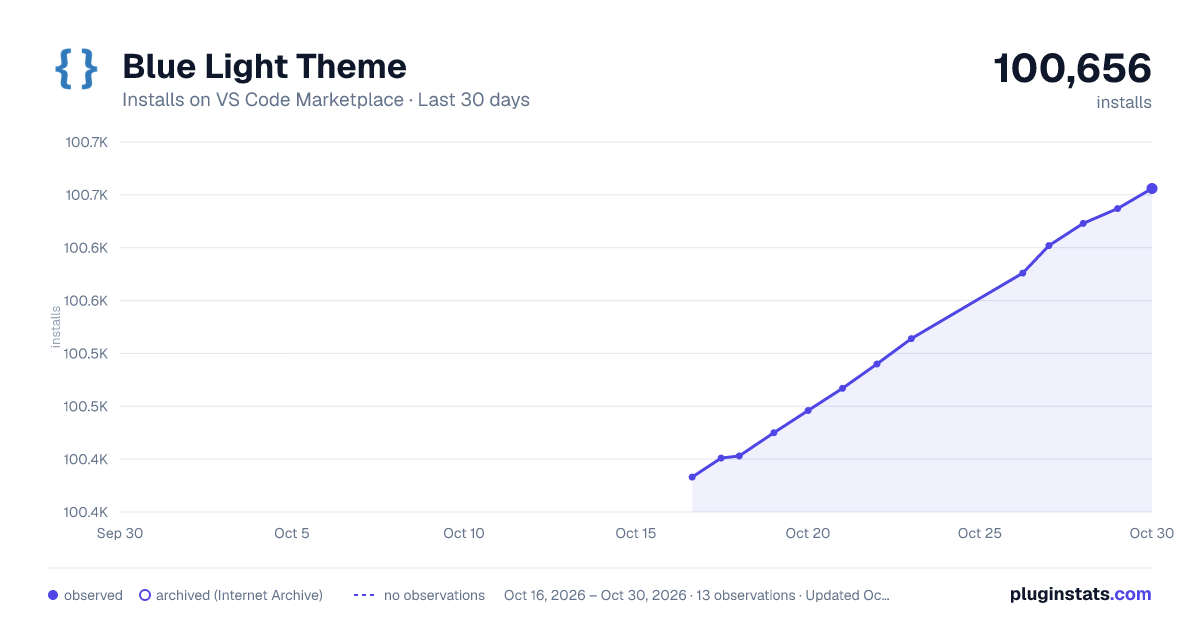
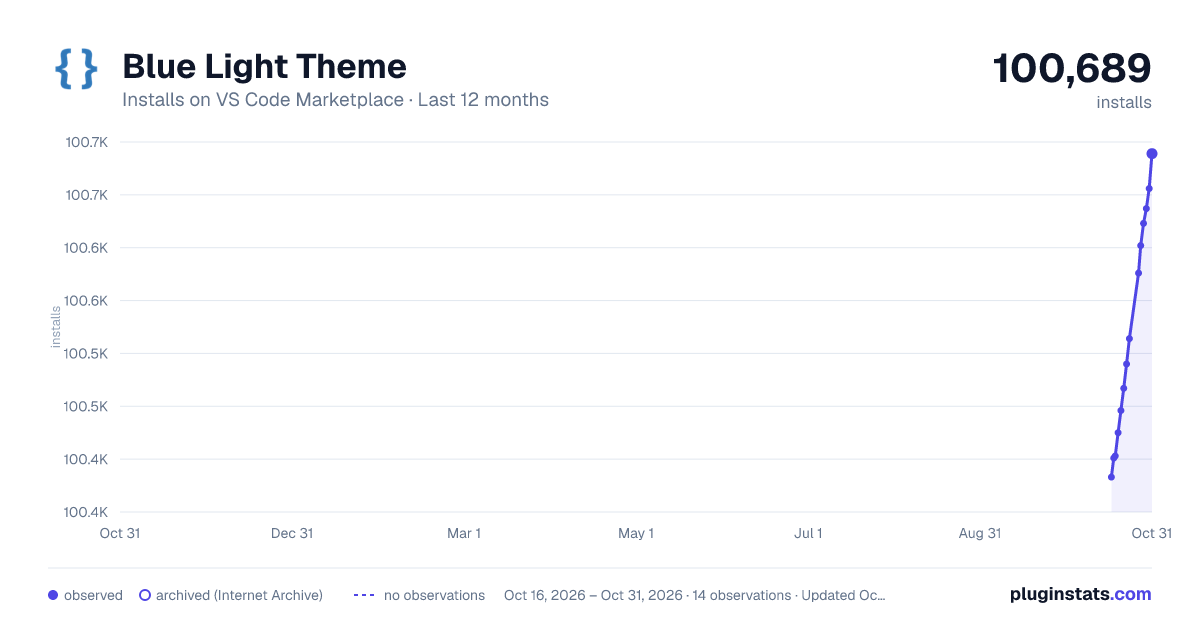
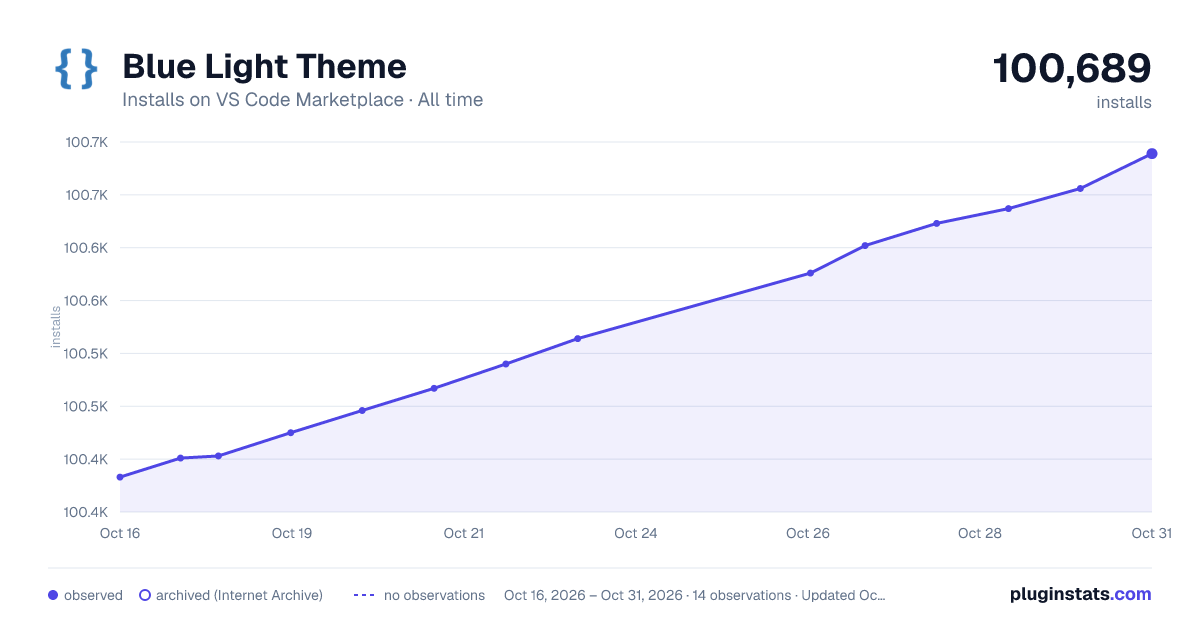

Adoption over time
7/30/90-day growth
Ranking history
Ratings over time
Listing placement
Listing placement
Filled points are observed values; hollow points come from Internet Archive snapshots of the listing page. Dashed segments span periods with no observations — values between points are not interpolated.
Each band is one page of 20. Installs on a linear scale. Placement is projected from installs, so it can differ from the marketplace's own sort order. Hover a dot to see the listing.
Recent observations
Full history (5)Similar VS Code Marketplace Themes plugins
All 20 Blue Light Theme alternativesData source
Install counts, average rating, and rating counts come from the public Visual Studio Marketplace gallery API. Installs are cumulative and exclude updates.
Listing: https://marketplace.visualstudio.com/items?itemName=msnilshartmann.blue-light. First seen Oct 16, 2026; last successful collection Oct 20, 2026. See the methodology.