 PluginStats
Arm CMSIS Solution installs statistics
By Arm (6 listings) · VS Code Marketplace · Programming Languages
Create embedded and Edge AI projects for Arm Cortex-M based devices using the Common Microcontroller Software Interface Standard (CMSIS) and csolution format
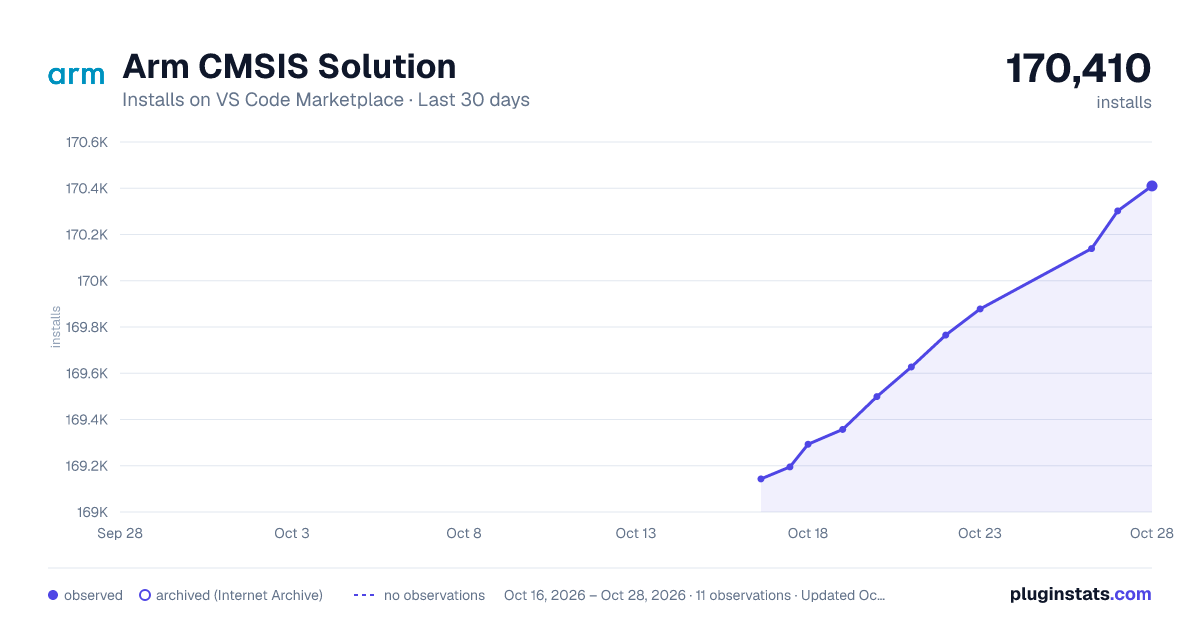
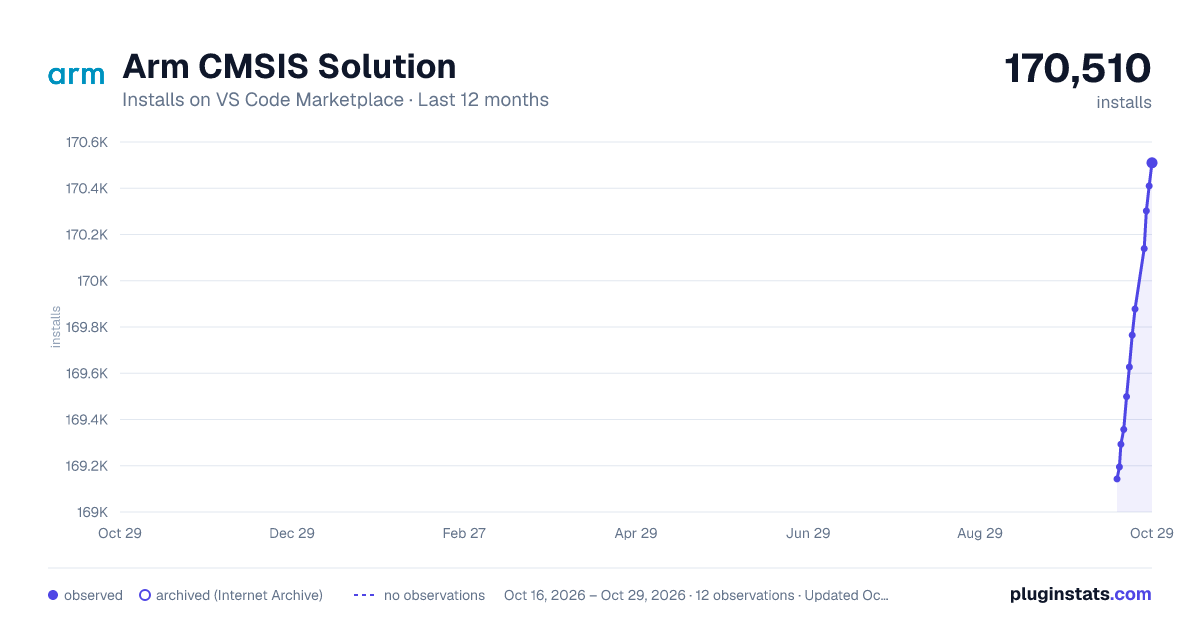
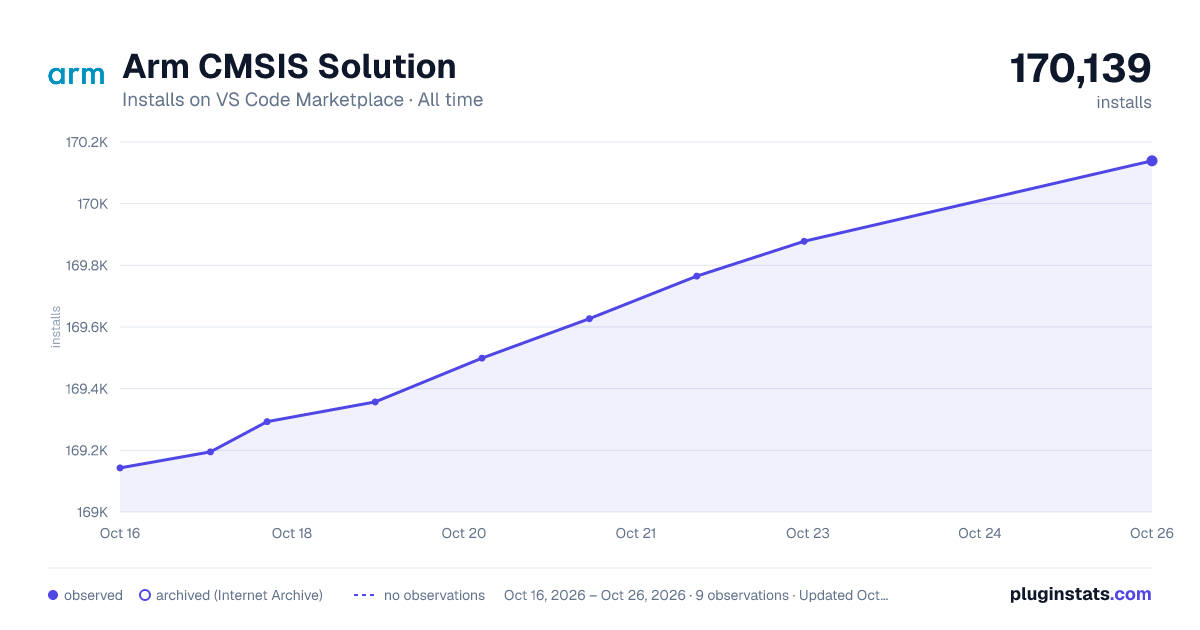
Arm CMSIS Solution has 169,293 recorded installs on VS Code Marketplace.
It ranks #1708 of 2,500 tracked VS Code Marketplace listings by installs.
PluginStats has 3 daily observations since Oct 16, 2026; the latest is from Oct 18, 2026.
About Arm CMSIS Solution
Arm CMSIS Solution
The Arm® CMSIS Solution extension is a graphical user interface for csolution projects that use the CMSIS-Toolbox. The extension supports microcontroller devices that incorporate Arm Cortex®-M processors and Arm Ethos®-U Neural Processing Units (NPUs), and works with various C/C++ compilers and debuggers.
This extension is free to use and you can install it individually or as part of the Arm Keil® Studio Pack.
Arm CMSIS Solution provides the following views:
• CMSIS view: Access your source code and actions such as build, run, and debug from the Solution outline. • Create Solution view: Create new solutions for devices or boards from template projects or example applications. • Configure Solution view: Add layers to your reference applications or select a compiler toolchain for your solutions. • Manage Solution view: Manage your solutions with multiple targets, projects, and build types to define the scope of your applications. • Software Components view: Access reusable building blocks that are provided in software packs.
Settings: Configure features like pack download, clangd, or usage of web services. When Use Web Services is enabled, Arm CMSIS Solution gets from keil.arm.com information about devices, boards, and examples that are provided in software packs.
Arm CMSIS Solution works as a standalone tool and can also interact with other VS Code extensions:
• Arm Tools Environment Manager: Installs tools (compiler, debugger, simulation models, and utilities) for software development. • Arm CMSIS Debugger: Installs a GDB-based debugger (for CMSIS-DAP, ULINK, JLink, ST-Link, an other adapters) along with pyOCD. • Red Hat YAML: Provides syntax support when editing csolution project files such as *.csolution.yml and *.cproject.yml. • clangd: Adds smart features to the VS Code editor, including code completion, compile errors, and go-to-definition.
Feature overview
For detailed information, refer to User Interface in the CMSIS Solution documentation.
CMSIS view
The CMSIS view gives you access to the source code of your application. The CMSIS view shows the multiple projects that belong to the context set. The various elements available for a project are:
• Board: The name of the target board and documentation. • Device: The name of the target device, documentation, and device-specific debug options (*.dbgconf). • File groups: Groups used to organize user source code. • Constructed-files: Files generated for the CMSIS Run-Time Environment (RTE). • Linker: Script files used in the project context and access to linker map file. • Components: Reusable software modules that you select in the Software Components view. You can also access documentation or a run configuration generator such as STM32CubeMX or MCUXpresso Config. • Layers: Sets of source files, software components, and configuration files that you can reuse in different projects.
Action buttons allow you to build, run, and debug your application, edit *csolution project files* or manage the solution configuration. The Configuration Wizard offers a graphical view to configuration file options.
Action buttons
The CMSIS view displays the name of the current *csolution project* and offers several action buttons.
| Action | Description |
| Build / Stop | Build: Translate the source code into a application image. Stop: Terminate the current build process. | | Load & Run / Stop | Load & Run: Download application image and start execution. Prepare GDB for target connection. Stop: Terminate the current run or debug process. | | Load & Run / Attach | Load & Run: Download application image and start debugging. Attach: Connect debugger to a running application. | | Open csolution.yml | Open the csolution.yml project file. | | Manage Solution | Select target and configure projects, images, and debug adapter. | | Menu | Offers more options such as create new solution, rebuild, or get info about a connected target system. | | Clang active | Activates clang information for one cproject.yml part in a multi-project application. | | Open csolution.yml | Open the cproject.yml file. | | Select components | View and modify the software components used for the application. |
Create Solution view
To start a new *csolution project*, select a board or device and choose from the following project types:
• Templates: Templates are stub projects providing a minimal setup for the selected use case. • Reference applications: Reference applications are hardware-agnostic and require additional software layers with API drivers for the target board selected. • CMSIS solution examples: These examples are created for a specific hardware or evaluation board and interface with board and device peripherals. • µVision examples: Example projects created for the µVision IDE. Arm CMSIS Solution automatically converts µVision projects to the csolution project format.
Then create the *csolution project* on the selected folder on your Host computer.
Configure Solution view
When using a reference application select compatible software layers for your solution from this view.
Software Components view
Select reusable software components for your application from this view.
CMSIS-Packs provide software components with other optional items such as configuration files, documentation, and user code templates. A software component typically interfaces with other software components or with device peripherals. The list of software components depends on the device or board selected.
Manage Solution view
Select the target and configure related projects for your application from this view. A Target Set stores settings for projects, images and debug adapter. You might need different build types or load settings, for example to reduce the debug overhead. Refer also to Run and Debug below.
Configuration Wizard…
Description from the VS Code Marketplace listing.
- arm
- CMSIS
- debuggers
- embedded
- Keil
- keybindings
- MDK6
- microcontroller
Where Arm CMSIS Solution sits in the listing
Each band is one page of 20. Installs on a log scale. Placement is projected from installs, so it can differ from the marketplace's own sort order. Hover a dot to see the listing.


Charts
Images: 30d · 1y · all time · 1600×900 dark

Adoption over time


7/30/90-day growth


Ranking history


Filled points are observed values; hollow points come from Internet Archive snapshots of the listing page. Dashed segments span periods with no observations — values between points are not interpolated.
Recent observations
Full history (3)Similar VS Code Marketplace Programming Languages plugins
Data source
Install counts, average rating, and rating counts come from the public Visual Studio Marketplace gallery API. Installs are cumulative and exclude updates.
Listing: https://marketplace.visualstudio.com/items?itemName=Arm.cmsis-csolution. First seen Oct 16, 2026; last successful collection Oct 18, 2026. See the methodology.