 PluginStats
Learn with Sumit Theme installs statistics
By Learn with Sumit · VS Code Marketplace · Themes
Official VS Code theme of Learn with Sumit developed by Sumit Saha!
Learn with Sumit Theme has 167,290 recorded installs on VS Code Marketplace.
It ranks #1731 of 2,501 tracked VS Code Marketplace listings by installs.
It is rated 5.0 out of 5 from 596 ratings.
PluginStats has 4 daily observations since Oct 16, 2026; the latest is from Oct 19, 2026.
Rating: 4.97 / 5 from 596 ratings
About Learn with Sumit Theme
Brought to you by
Learn with Sumit Official VS Code theme of Learn with Sumit developed by Sumit Saha, a Tech Entrepreneur, Software Engineer, Educator, freeCodeCamp Contributor, WordCamp Speaker & Programming Enthusiast with a strong background in Software and Web Development, Digital Marketing, Mentoring and Community Building.! Learn More
Table of contents
If you are a big fan of Learn with Sumit and you use Visual Studio Code as your code editor, this is the theme for you.
• Brought to you by • Table of contents • Theme Screenshots • Getting started • Prerequisites • Installation • Activate theme • Recommended settings for a better experience
Theme Screenshots
Learn with Sumit - Default Official Theme
Learn with Sumit - Dark Night Theme
Learn with Sumit - Official Theme
Learn with Sumit - Peace of the eye Theme
Learn with Sumit - Simple as Light Theme
Learn with Sumit Theme - Dracula version
Learn with Sumit - Peace of the eye - Dracula version
Learn with Sumit - Shades of Gray version
Learn with Sumit - Vintage version
Learn with Sumit - Traditional version
Learn with Sumit - Professional version
Learn with Sumit - Party version
Getting started
You can install this awesome theme through the Visual Studio Code Marketplace.
Prerequisites
This theme is compatible for VS Code version 1.16.0+
Installation
Launch _Quick Open_:
• Linux Ctrl+P • macOS ⌘P • Windows Ctrl+P
Paste the following command and press Enter:
And pick the one by Sumit Saha as author.
Activate theme
Launch _Quick Open_:
• Linux Ctrl + Shift + P • macOS ⌘ + Shift + P • Windows Ctrl + Shift + P
Type theme, choose Preferences: Color Theme, and select Learn with Sumit Theme from the list. After activation, the theme will be activated.
Recommended settings for a better experience
Copyright © 2022 Learn with Sumit
Description from the VS Code Marketplace listing.
- color-theme
- dark theme
- learn with sumit
- learnwithsumit
- light theme
- sumit saha
- theme
Where Learn with Sumit Theme sits in the listing
Each band is one page of 20. Installs on a log scale. Placement is projected from installs, so it can differ from the marketplace's own sort order. Hover a dot to see the listing.


Charts
Images: 30d · 1y · all time · 1600×900 dark
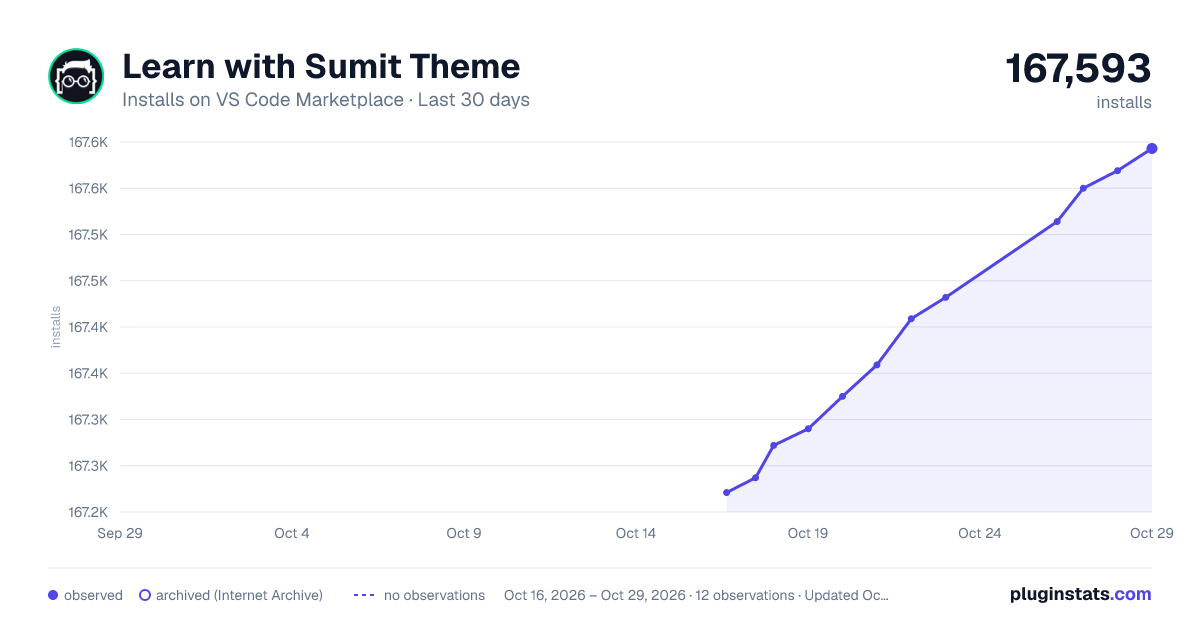

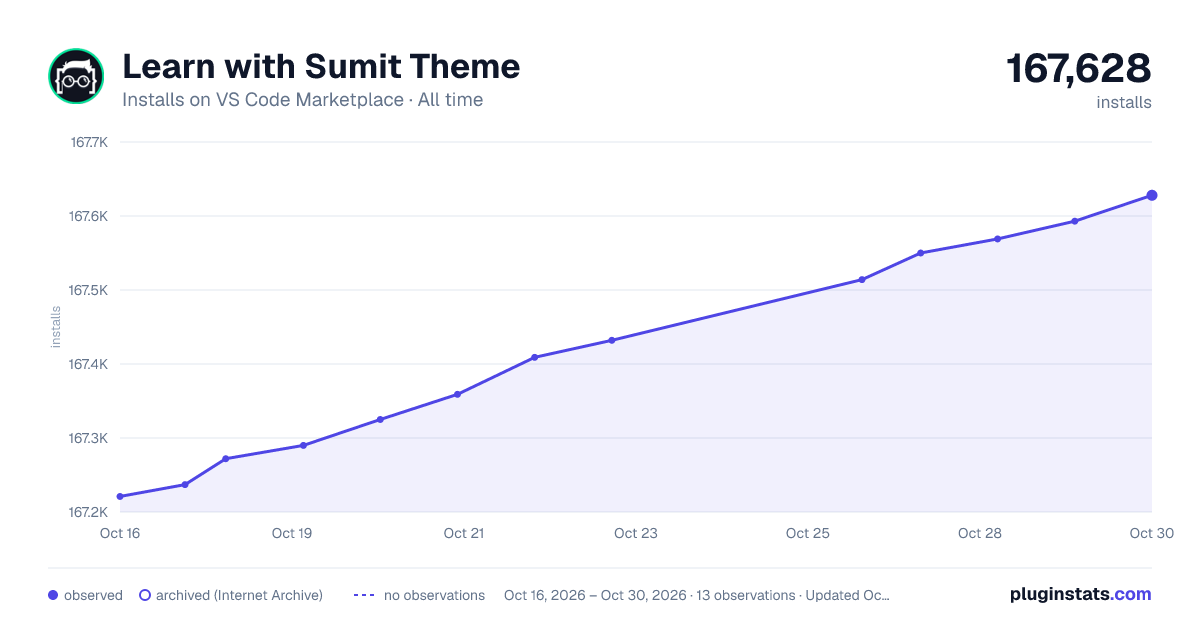

Adoption over time


7/30/90-day growth


Ranking history


Filled points are observed values; hollow points come from Internet Archive snapshots of the listing page. Dashed segments span periods with no observations — values between points are not interpolated.
Recent observations
Full history (4)Similar VS Code Marketplace Themes plugins
Data source
Install counts, average rating, and rating counts come from the public Visual Studio Marketplace gallery API. Installs are cumulative and exclude updates.
Listing: https://marketplace.visualstudio.com/items?itemName=SumitSaha.learn-with-sumit-theme. First seen Oct 16, 2026; last successful collection Oct 19, 2026. See the methodology.