 PluginStats
File Watcher installs statistics
By Appulate · VS Code Marketplace · Other
Watch file or folder changes (deletions, creations, renaming), and run matched command scripts.
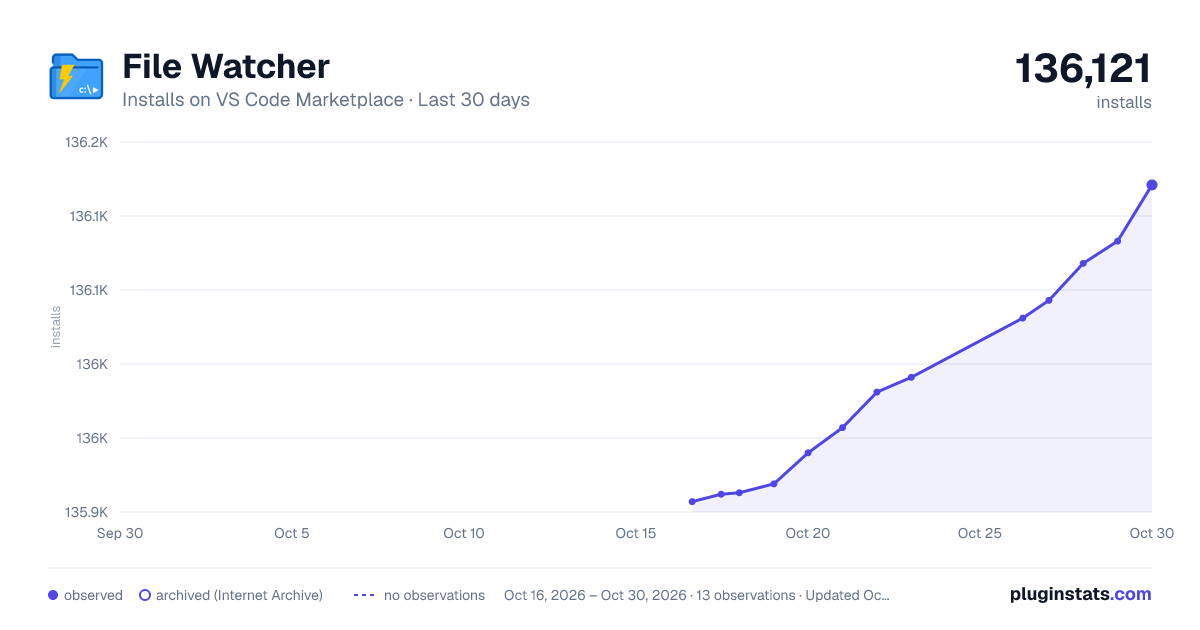
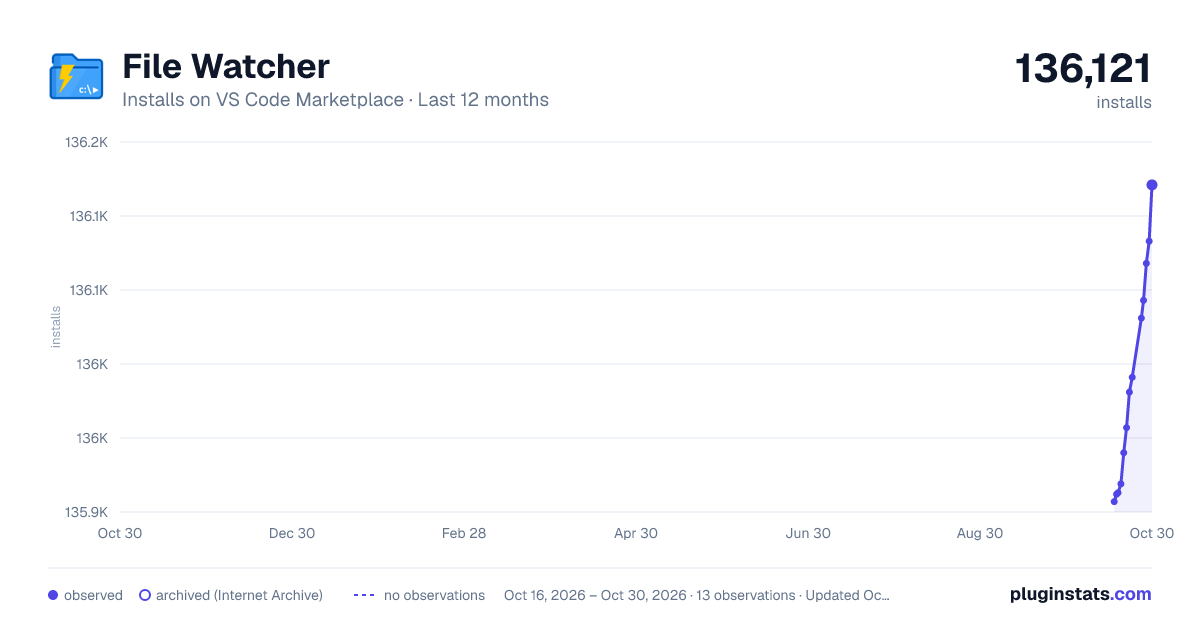
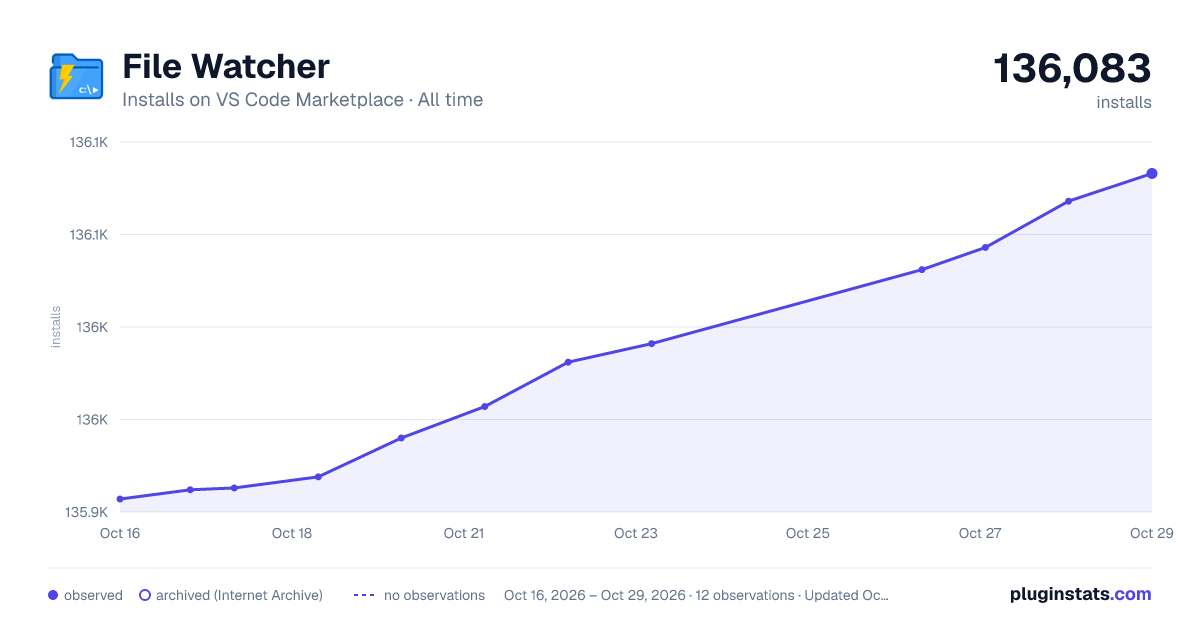
File Watcher has 135,913 recorded installs on VS Code Marketplace.
It ranks #1969 of 2,500 tracked VS Code Marketplace listings by installs.
It is rated 4.3 out of 5 from 28 ratings.
PluginStats has 3 daily observations since Oct 16, 2026; the latest is from Oct 18, 2026.
Rating: 4.25 / 5 from 28 ratings
About File Watcher
File & Folder Watcher
This extension allows configuring commands that get run whenever a file is saved (changed, deleted, renamed, created) or folder is changed (deleted, created) in vscode.
Features
• Following events: onSaveDocument, onFileDelete, onFileRename, onFileCreate, onFolderChange, onFolderDelete and onFolderCreate: • onFileChange - allows you to track changes to the contents of an existing file when you save the file • onFileChangeImmediate - allows to track changes to the contents of an existing file • onFileRename - allows to track the renaming of file(s) • onFileCreate - allows to track the creation of file(s) • onFolderChange - allows to track the modification of files • onFolderDelete - allows to track the deletion of files • onFolderCreate - allows to track the addition of files • case insensitive workspace root folder • Configure multiple commands that run when the event happened • Regex pattern matching for files that trigger commands running • Sync and async support
Configuration
Add "filewatcher" configuration to user or workspace settings. • "shell" - (optional) common shell path to be used with child_process.exec options that runs commands. • "autoClearConsole" - (optional) clear VSCode output console every time commands run. Defaults to false. • "isClearStatusBar" - (optional) returns the status bar to its normal position (after receiving a 'Success' or 'Error' status) after a some time. commands. • "statusBarDelay" - (optional) the time after which the status returns to normal. Only works if isClearStatusBar === true. Default is 5000ms • "isSyncRunEvents" - (optional) launches event handlers of the same name with the appropriate pattern 'match' or 'notMatch' (e.g. onFileChange and onFolderChange) in synchronous or asynchronous mode. • "successTextColor" - (optional) color of successful completion of the process in the status bar. • "runTextColor" - (optional) color during the execution of the process in the status bar. • "commands" - array of commands that will be run whenever a file is saved. • "shell" - (optional) unique shell to execute the command with (gets passed to child_process.exec as an options arg. e.g. child_process(cmd, { shell }). • "match" - a regex for matching which files to run commands on. • "notMatch" - a regex for matching files *not* to run commands on. NOTE Since this is a Regex, and also in a JSON string backslashes have to be double escaped such as when targetting folders. e.g. "match": "some\\\\folder\\\\.*" • "cmd" - command to run. Can include parameters that will be replaced at runtime (see Placeholder Tokens section below). • "vscodeTask" - Name of a VS Code task defined in tasks.json or commands to execute. Only works if cmd value does not exist. Must be a string (e.g. command id) or array of strings (e.g. ['workbench.action.tasks.runTask', 'some-task-name'] and etc.) NOTE Since there is no universal listener for the all execution of the vscode commands and tasks, which will wait for the end of the process execution. The logs in the output and the status bar will only show whether the command was run or not. • "isAsync" (optional) - defaults to false. If true, next command will be run before this one finishes.
Placeholder Tokens
Commands support placeholders similar to tasks.json.
• ${workspaceRoot}: case insensitive workspace root folder • ${workspaceRelativeDir}: case insensitive is the file relative path to the workspaceRoot • ${currentWorkspace}: case insensitive current working folder • ${currentRelativeWorkspace}: case insensitive file relative path to the current working folder • ${file}: path of tracking file • ${fileOld}: path of tracking file when renaming • ${fileBasename}: saved file's basename • ${fileDirname}: directory name of tracking file • ${fileExtname}: extension (including .) of tracking file • ${fileBasenameNoExt}: tracking file's basename without extension
Samples =========
File content change tracking example. Configuration in \.vscode\settings.json { "filewatcher.commands": [ { "match": "\\.ts*", "isAsync": true, "cmd": "echo '${file} file content Changed'", "event": "onFileChange" } ] }
Folder content change tracking example. Configuration in \.vscode\settings.json
{ "filewatcher.commands": [ { "match": "\\.*", "isAsync": true, "cmd": "echo '${file} folder content Changed'", "event": "onFolderChange" } ] }
Description from the VS Code Marketplace listing.
- case insensitive
- file watch
- file-watcher-output
- folder watch
- on change
- on create
- on delete
- on rename
- on save
- run script
Where File Watcher sits in the listing
Each band is one page of 20. Installs on a log scale. Placement is projected from installs, so it can differ from the marketplace's own sort order. Hover a dot to see the listing.


Charts
Images: 30d · 1y · all time · 1600×900 dark

Adoption over time


7/30/90-day growth


Ranking history


Filled points are observed values; hollow points come from Internet Archive snapshots of the listing page. Dashed segments span periods with no observations — values between points are not interpolated.
Recent observations
Full history (3)Similar VS Code Marketplace Other plugins
Data source
Install counts, average rating, and rating counts come from the public Visual Studio Marketplace gallery API. Installs are cumulative and exclude updates.
Listing: https://marketplace.visualstudio.com/items?itemName=appulate.filewatcher. First seen Oct 16, 2026; last successful collection Oct 18, 2026. See the methodology.