 PluginStats
phpstan installs statistics
By SanderRonde · VS Code Marketplace · Linters
PHPStan inline error provider
phpstan has 98,844 recorded installs on VS Code Marketplace.
It ranks #2378 of 2,501 tracked VS Code Marketplace listings by installs.
It is rated 5.0 out of 5 from 7 ratings.
PluginStats has 4 daily observations since Oct 16, 2026; the latest is from Oct 19, 2026.
Rating: 5.00 / 5 from 7 ratings
About phpstan
Features
• Automatically runs PHPStan of your code and highlights errors as you type. • Performs project-wide analysis and displays all errors in the Diagnostics tab. • Shows the values of variables according to PHPStan at the point of hovering when using phpstan.showTypeOnHover setting.
https://user-images.githubusercontent.com/5385012/188924277-c9392477-9bd6-40b1-9ed7-eb892da1fe0f.mp4
Configuration
Main Config
• phpstan.configFile - path to the config file, either relative to phpstan.rootDir or absolute. Use a comma-separated list to resolve in the listed order. For example if phpstan.neon,phpstan.neon.dist is used, the extension will first try to use phpstan.neon if it exists and fall back to phpstan.neon.dist. • phpstan.rootDir - path to the root directory of your PHP project (defaults to workspaceFolder) • phpstan.binPath - path to the PHPStan binary (defaults to ${workspaceFolder}/vendor/bin/phpstan) • phpstan.binCommand - command that runs the PHPStan binary. Use this if, for example, PHPStan is already in your global path. If this is specified, it is used instead of phpstan.binPath. For example ["lando", "phpstan"] or ["docker", "exec", "-t", "phpstan"]. Unset by default. • phpstan.pro - Enable PHPStan Pro support. Runs PHPStan Pro in the background and leaves watching to PHPStan while displaying any errors it catches in the editor. This requires a valid license. False by default. • phpstan.singleFileMode - Whether to scan only the file that is being saved, instead of the whole project. This is not recommended since it busts the cache. Only use this if your computer can't handle a full-project scan
Tuning
• phpstan.options - array of command line options to pass to PHPStan (defaults to []) • phpstan.memoryLimit - memory limit to use when running PHPStan (defaults to 1G) • phpstan.projectTimeout - timeout for checking the entire project after which the PHPStan process is killed in ms (defaults to 60000ms) • phpstan.timeout - timeout for checking single files after which the PHPStan process is killed in ms (defaults to 10000ms). Only used if the phpstan.singleFileMode setting is enabled. • phpstan.suppressTimeoutMessage - whether to disable the error message when the check times out (defaults to false) • phpstan.paths - path mapping that allows for rewriting paths. Can be useful when developing inside a docker container or over SSH. Unset by default. Example for making the extension work in a docker container: { "/path/to/hostFolder": "/path/in/dockerContainer" } • phpstan.ignoreErrors - An array of regular expressions to ignore in error messages. If you find the PHPStan process erroring often because of a warning that can be ignored, put the warning in here and it'll be ignored in the future. • phpstan.tmpDir - Path to the PHPStan TMP directory. Lets PHPStan determine the TMP directory if not set.
Customization
• phpstan.enabled - whether to enable the on-save checker (defaults to true) • phpstan.enableStatusBar - whether to show a statusbar entry while performing the check (defaults to true) • phpstan.showTypeOnHover - Whether to enable on-hover information. Disable this if you're running into caching problems (defaults to false) • phpstan.showProgress - whether to show the progress bar when performing a single-file check (defaults to false) • phpstan.checkValidity - Whether to check the validity of PHP code before checking it with PHPStan. This is recommended only if you have autoSave enabled or for some other reason save syntactically invalid code. PHPStan tends to invalidate its cache when checking an invalid file, leading to a slower experience.'. (defaults to false)
Example config for containers
Map your workspace folder into the container root dir using phpstan.paths and define a custom phpstan.binCommand to let the extension run within the container. Here is a working config for ddev:
FAQ
XDebug-related issues
If you find XDebug-related issues (such as checks failing with The Xdebug PHP extension is active, but "--xdebug" is not used in the output), see these issues: https://github.com/SanderRonde/phpstan-vscode/issues/17, https://github.com/SanderRonde/phpstan-vscode/issues/19.
Does this extension support checking multiple workspaces?
The extension currently doesn't support checking multiple workspaces. You can use the extension just fine in a multi-workspace project, but only a single PHPStan configuration can be checked. The one that will be checked is configurable using the above configuration options. If you really would like multi-workspace support, feel free to mention so in this issue and I might eventually add support for it if there's enough demand.
Development
First get your dev environment started by running bun dev. Note that this expects you to have a few programs installed:
• composer • git • bun
This command installs all JS and PHP dependencies and ensures you're ready to go for writing a PHPStan extension.
Running the extension
To run the extension, you can use the Launch Client task in VSCode. This will start a new VSCode window with the extension running. Use Client + Server to also attach the debugger to the language server.
Building the extension for production
To build for production or publish, use the VSCode Extension command (vsce). vsce package will build an installable .vsix file.
Good-to-know commands
The following command will run PHPStan on a demo file, this is handy for testing out changes to the PHPStan plugin that collects hover data.
php/vendor/bin/phpstan analyze -c php/config.neon -a php/TreeFetcher.php --debug test/demo/php/DemoClass.php
Description from the VS Code Marketplace listing.
- blade
- linter
- php
- phpstan
- static analysis
Where phpstan sits in the listing
Each band is one page of 20. Installs on a log scale. Placement is projected from installs, so it can differ from the marketplace's own sort order. Hover a dot to see the listing.


Charts
Images: 30d · 1y · all time · 1600×900 dark
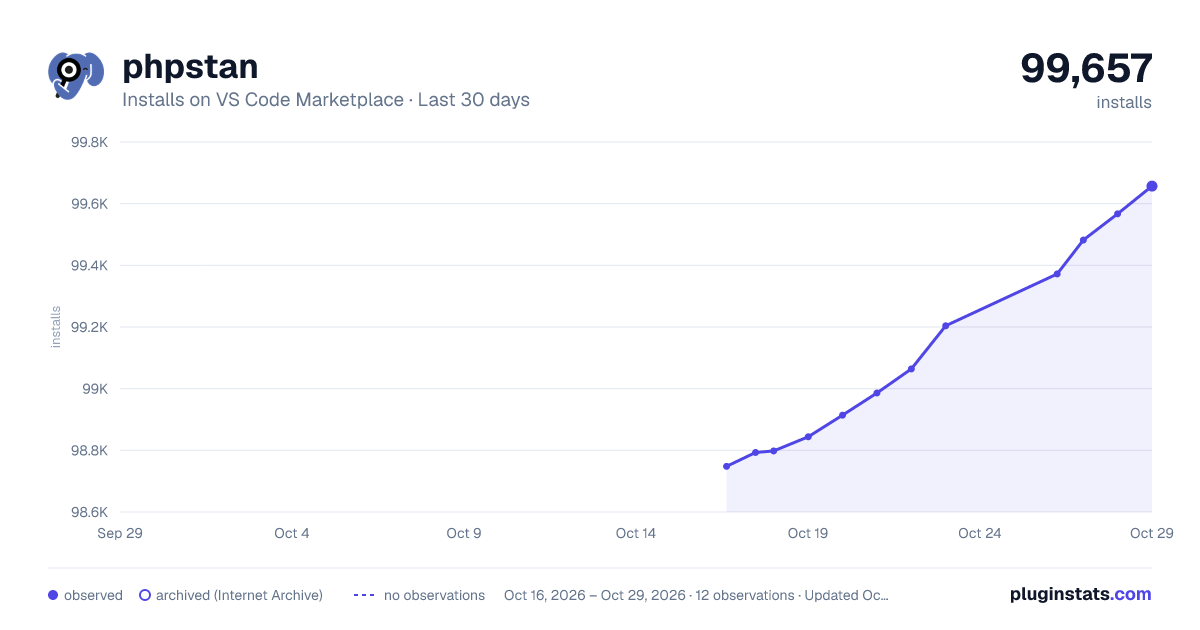
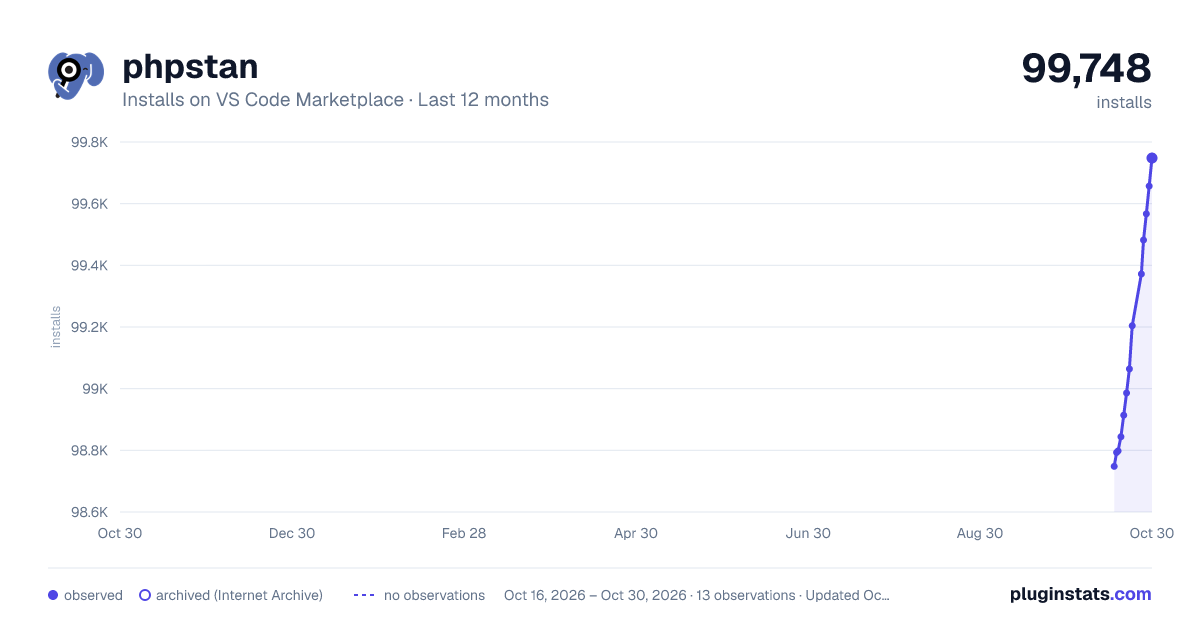
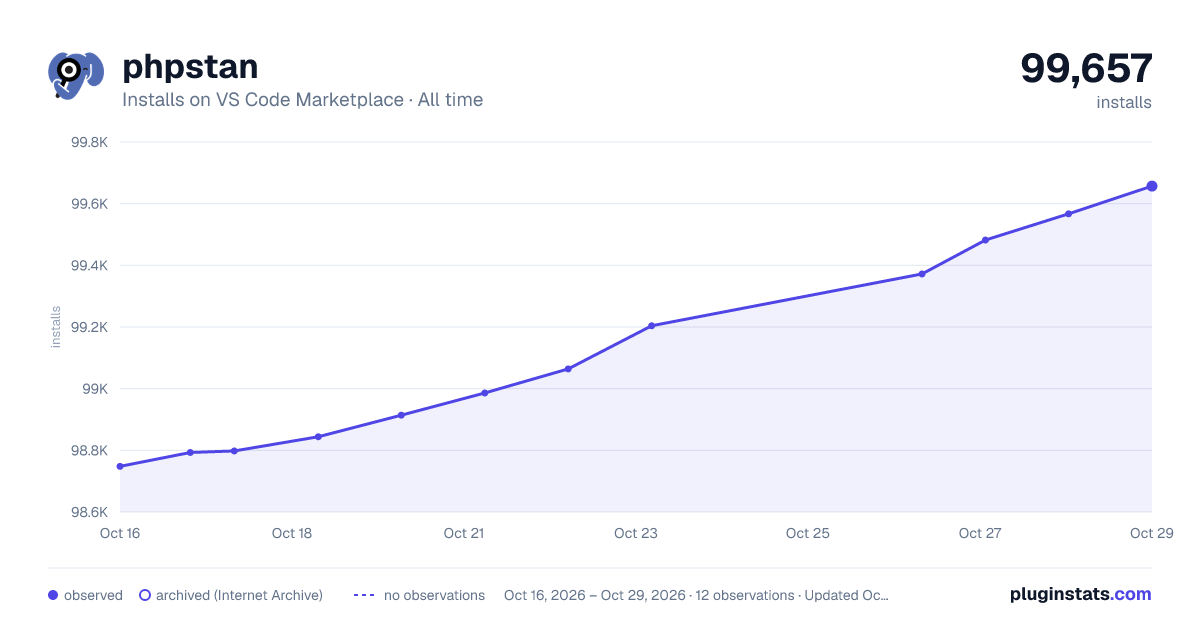

Adoption over time


7/30/90-day growth


Filled points are observed values; hollow points come from Internet Archive snapshots of the listing page. Dashed segments span periods with no observations — values between points are not interpolated.
Recent observations
Full history (4)Similar VS Code Marketplace Linters plugins
Data source
Install counts, average rating, and rating counts come from the public Visual Studio Marketplace gallery API. Installs are cumulative and exclude updates.
Listing: https://marketplace.visualstudio.com/items?itemName=SanderRonde.phpstan-vscode. First seen Oct 16, 2026; last successful collection Oct 19, 2026. See the methodology.