 PluginStats
Liquid installs statistics
By panoply · VS Code Marketplace · Programming Languages
The essential vscode extension for Liquid. Supports completions, validations, formatting and intelliSense capabilities for Shopify, Jekyll and 11ty Liquid variations.
Liquid has 399,671 recorded installs on VS Code Marketplace.
It ranks #968 of 2,500 tracked VS Code Marketplace listings by installs.
It is rated 3.9 out of 5 from 35 ratings.
PluginStats has 3 daily observations since Oct 16, 2026; the latest is from Oct 18, 2026.
Rating: 3.89 / 5 from 35 ratings
About Liquid
💧 LIQUIFY ~ INFORMATION ON THE FUTURE RELEASE For quite some time users of this extension have been waiting for the next release (Liquify). Liquify will supersede this extension to facilitate advanced features and capabilities. Liquify is a big project which I began developing in 2020. This extension will continue to be maintained and slowly transition to Liquify.
→ Track progress in the Liquify Repository → Liquify and the future of this extension → Join the Discord and collaborate on the project
Liquid (vscode)
The essential vscode extension for Liquid (template language). Supports formatting, tag, filter, object, locale, snippet and schema auto-completions, hovers, syntax highlighting and diagnostic capabilities.
• Discord
Key Features
• Syntax Highlighting for Liquid in CSS, SCSS, JavaScript, Markdown and more! • Formatting support using Æsthetic. • Completions for Liquid tags, objects, filters, sections and more! • Embedded JSON Schema Tag language completions and diagnostics in Shopify theme sections. • Snippet auto-completion for Liquid tags and filters and Shopify Schema sections. • Integrated Schema stores that provide IntelliSense capabilities within Shopify JSON files. • Preserves VSCode HTML IntelliSense capabilities in .liquid files. • Informative Hover descriptions and reference links on tags, filters, objects and more! • Liquid Template Literal syntax highlighting support for TypeScript and JavaScript. • Hover descriptions and reference links on tags, filters, objects and more!
Showcase
Table of Contents
• Command Palette • Workspace Settings • Syntax Support • Supported Languages • Object Scopes • Grammar Injections • Liquid in JSON, YAML and Markdown • Liquid in CSS, SCSS, SASS and JavaScript • Markdown Codeblock • Template Literal • Frontmatter • Completions • Files • Shopify Schema • JSON Files • Syncify • Shared Section Schema • Leveraging Shared Schema Files • Formatting • Æsthetic • Setting Default Formatter • Ignoring Files • Ignoring Code • Using Prettier • Snippets • Status Bar • Configuration • Using workspace setting • Using .liquidrc rule file • Supported .liquidrc files • Generating .liquidrc files • Config Base Directory • Extension Conflicts • Contributing • Releases • Acknowledgements • Support
Updating to v4.0.0
Users who were upgraded to version 4.0.0 will need to align their configurations.
• Release Notes • Sample Project
Command Palette
Below are the available commands exposed to the vscode command palette (cmd + shift + p)
| Command | Description |
| Liquid: Enable Formatting | _Enable Æsthetic formatting_ | | Liquid: Disable Formatting | _Disable Æsthetic formatting_ | | Liquid: Format Document | _Formats the current document_ | | Liquid: Generate .liquidrc | _Generate a .liquidrc file with default rules_ | | Liquid: Open Output | _Open the Liquid output panel_ | | Liquid: Restart Extension | _Restarts the extension_ | | Liquid: Release Notes | _Visit the Release notes (opens in browser)_ |
Workspace Settings
The extension provides various workspace/user settings. Some options can be controlled using a .liquidrc configuration file. Take a look at the configuration section for more information on different settings. Below is a _bare minimum_ sample that shows how you'd configure settings for your project.
By default, it is assumed you are using vscode workspace/user settings.
Syntax Support
Liquid syntax highlighting is applied using detailed token captures which extend upon the HTML derivative. The core grammars account for all token structures available in Liquid and have been developed with theming consideration in mind. Liquid contained within Markdown, YAML and JSON languages are supported using vscode injection grammars and applied in a non-conflicting manner. The injected grammars allow intelliSense capabilities provided by vscode in these languages to persist and work without interruption.
Supported Languages
| Language Identifier | Language Alias | Supported Extension | IntelliSense Support |
| liquid | Liquid | .liquid, or .jekyll | ✓ | | json | JSON | .json | ✓ | | yaml | YAML | .yaml | ✓ | | markdown | Markdown | .md, .md.liquid | ✓ | | liquid-css | Liquid CSS | .css.liquid | 𐄂 | | liquid-scss | Liquid SCSS | .scss.liquid, sass.liquid | 𐄂 | | liquid-javascript | Liquid JavaScript | .js.liquid | 𐄂 |
Grammar Injections
In order to preserve vscode intellisense capabilities the below languages have Liquid grammars injected into them. The grammar injection will allow Liquid code to be highlighted and treated like the syntax exists as if it were part of the language.
• JSON • Yaml • Markdown
When these languages contain Liquid syntax, vscode might complain about invalid code. You should consider disabling validations when they contain Liquid. Please be aware that in situations where you leverage linters or third party tools, Liquid syntaxes will typically be interpreted as invalid. It is up to you to take the necessary steps to disable and prevent such issues from becoming problematic to your development experience.
Liquid in JSON, YAML and Markdown
Liquid tags, comments and object grammars are injected into JSON, YAML and Markdown languages. External language code regions and anything which requires an embedded language (ie: {% schema %}) are excluded. There is no need to use a .liquid suffix on these file names as Liquid syntax highlighting will be applied automatically.
_If for any reason the injections become problematic then please report an issue._
Liquid in CSS, SCSS, SASS and JavaScript
Liquid syntax contained in JavaScript, CSS, SCSS, SASS and other supported languages require a .liquid extension suffix be applied on file names. The suffix will associate these languages to a designated grammar, for example:…
Description from the VS Code Marketplace listing.
- 11ty
- formatter
- formatting
- html
- jekyll
- json
- jsonc
- language
- liquid
- Liquid CSS
- Liquid JavaScript
- Liquid SCSS
- liquid-css
- liquid-javascript
- liquid-scss
- Log Liquid
- log-liquid
- shopify
- snippet
- snippets
Where Liquid sits in the listing
Each band is one page of 20. Installs on a log scale. Placement is projected from installs, so it can differ from the marketplace's own sort order. Hover a dot to see the listing.


Charts
Images: 30d · 1y · all time · 1600×900 dark
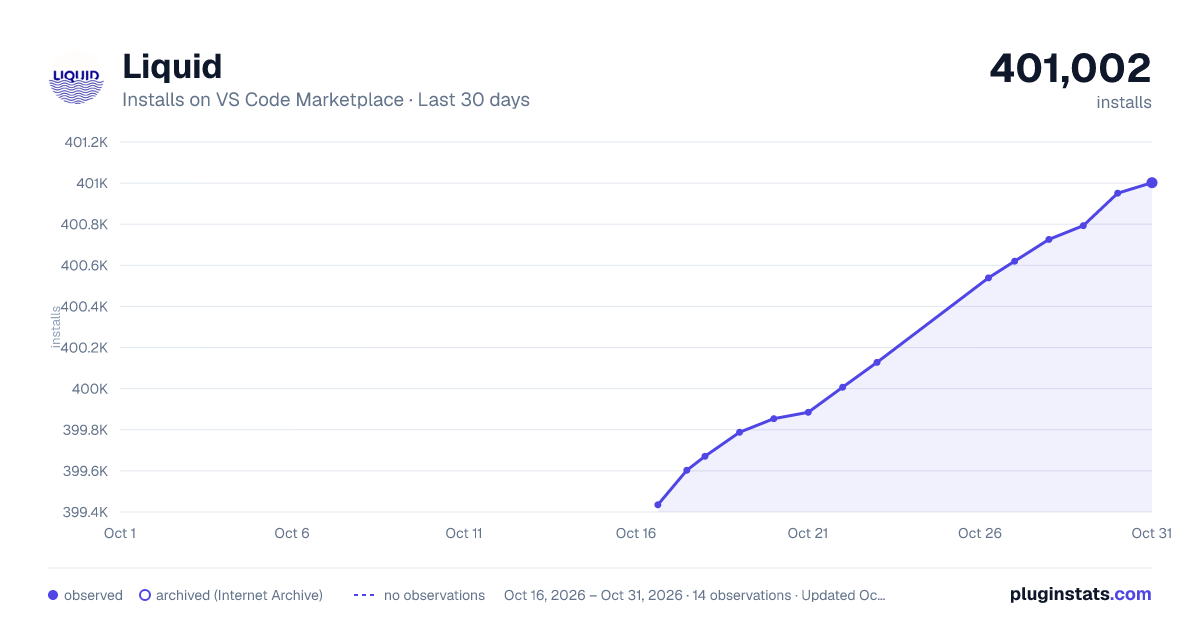
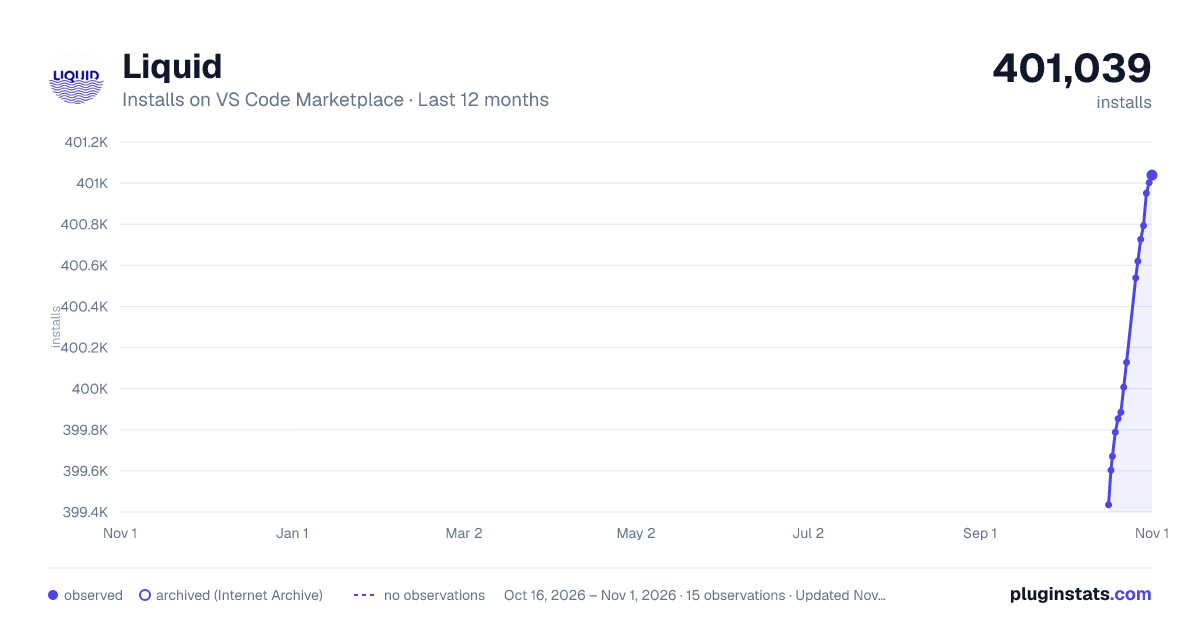
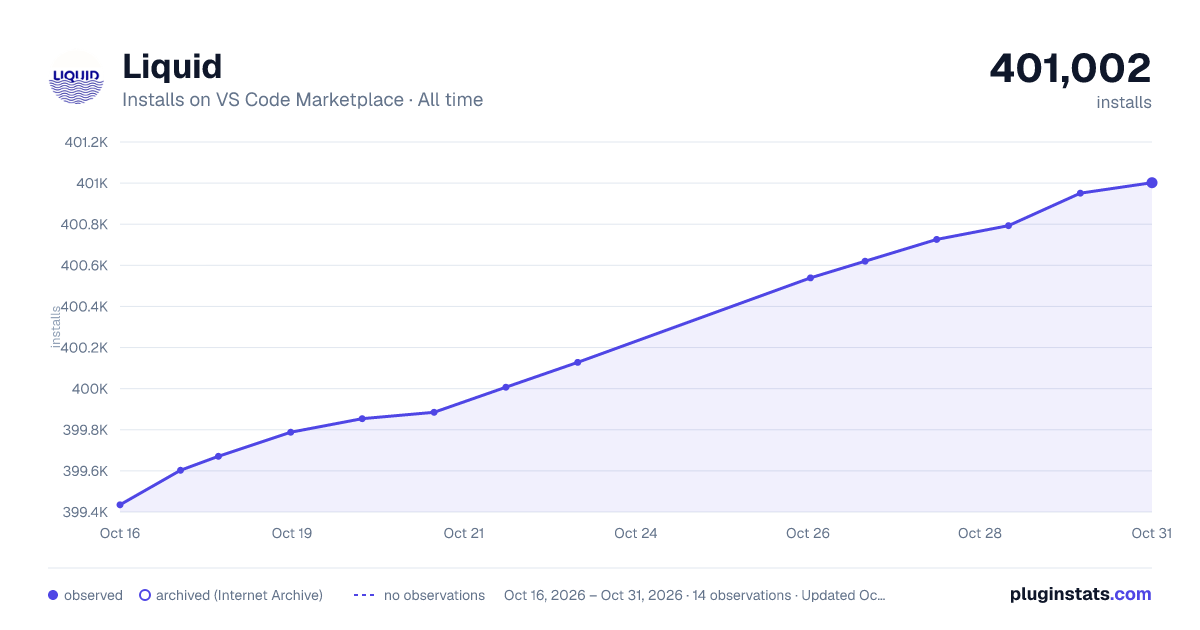

Adoption over time


7/30/90-day growth


Filled points are observed values; hollow points come from Internet Archive snapshots of the listing page. Dashed segments span periods with no observations — values between points are not interpolated.
Recent observations
Full history (3)Similar VS Code Marketplace Programming Languages plugins
Data source
Install counts, average rating, and rating counts come from the public Visual Studio Marketplace gallery API. Installs are cumulative and exclude updates.
Listing: https://marketplace.visualstudio.com/items?itemName=sissel.shopify-liquid. First seen Oct 16, 2026; last successful collection Oct 18, 2026. See the methodology.