 PluginStats
Learn Authoring Pack installs statistics
By Microsoft (224 listings) · VS Code Marketplace · Extension Packs
Collection of extensions to assist with content development for learn.microsoft.com
Learn Authoring Pack has 126,712 recorded installs on VS Code Marketplace, ranking #2066 of 2,501 tracked listings.
Rating: 2.86 / 5 from 7 ratings
About Learn Authoring Pack
Learn Authoring Pack
The Learn Authoring Pack provides a series of extensions to help learn.microsoft.com authors work better and more efficiently. You can read more about all of the Learn Authoring Pack features here in the overview guide. The Learn Authoring Pack provides the following extensions to help author content for learn.microsoft.com:
- Learn Markdown, which provides Markdown authoring assistance, including support for inserting custom Markdown syntax specific to learn.microsoft.com. The rest of this readme provides details on the Learn Markdown extension.
- Learn Images, which compresses and resizes images.
- Learn YAML, which validates Learn .yml files against the appropriate YAML schemas.
- Learn Preview, which uses the learn.microsoft.com CSS for more accurate Markdown preview, including custom Markdown.
- Learn Article Templates, which allows users to apply Markdown skeleton content to new files.
- Learn Scaffolding, which automatically generates Learn modules based on standard patterns and automates renaming, inserting, deleting, and reordering units.
- markdownlint, a popular linter by David Anson.
- Learn Training AI Assistant, which harnesses the power of Azure Open AI to help generate module introduction, knowledge check questions and summaries based on the unit/module content.
How to use the Learn Markdown extension
To access the Learn Markdown Authoring menu, type <kbd>ALT + M</kbd>. You can click or use up/down arrows to select the function you want, or type to start filtering, then hit <kbd>ENTER</kbd> when the function you want is highlighted in the menu.
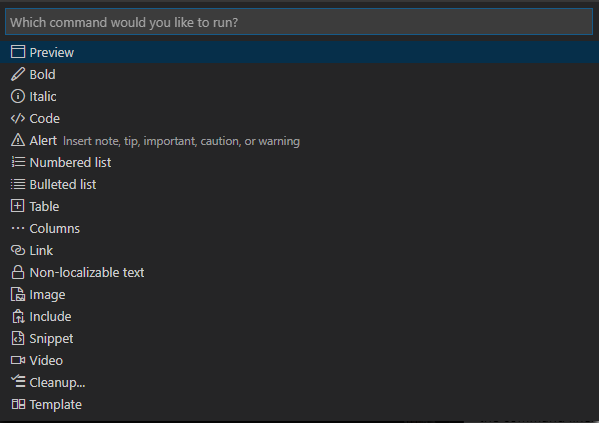
You can also access the Learn commands from the VS Code command palette by hitting <kbd>F1</kbd> and typing to filter. All the Learn commands begin with "Learn".
Prerequisites and assumptions
To accurately insert relative links, images, and other embedded content with Learn Markdown, you must have your VS Code workspace scoped to the root of your cloned OPS repo. Some syntax supported by the extension, such as alerts and snippets, are custom Markdown for Docs, and will not render correctly unless published via Learn.
For more information about the Learn Markdown commands, see the Learn Markdown readme.
How to use Learn Images extension
To access the Learn Images menu, right click on a folder or individual image file. Select Compress all images in folder or Compress image from the context menu.
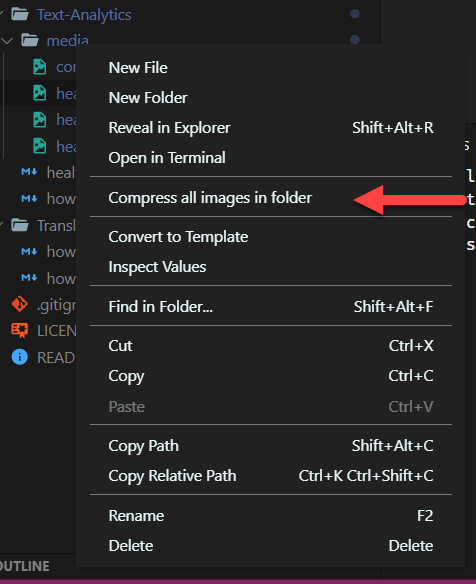
For more information about the Learn Images extension, see the Learn Images readme.
How to use Learn YAML extension
- The code intellisense is more intelligent now; the extension can provide the intellisense according to the schema structure, not just text mapping. To invoke intellisense, hit <kbd>CTRL + Space</kbd> to view the list of schema options.
- The extension can generate an input template for
object(including required properties and optional properties with default value). - You can type a
-and hit <kbd>CTRL + Space</kbd> to trigger the intellisense for generating a new array item.
Intellisense is automatically triggered by <kbd>CTRL + Space</kbd> to get what you can type.

For more information about the Learn YAML commands, see the Learn YAML readme.
How to use Learn Preview extension
You can open Learn Preview by opening a markdown document and clicking on the preview button. One opens the preview in your current window, and the other opens the markdown preview to the side. Alternatively you can hit <kbd>Alt + M</kbd> and select Preview or you can hit <kbd>F1</kbd> and select Docs: Preview to open up the markdown preview panel.

For more information about the Learn Preview commands, see the Learn Preview readme.
Learn Markdown keyboard shortcuts and toolbar
How to assign keyboard shortcuts
Default keyboard shortcuts are available for some commands, as noted in the table above. You can override them, or add shortcuts for other commands, using the VS Code keyboard shortcut mappings.…
Description from the VS Code Marketplace listing.
- markdown
- Microsoft Learn
README badge
Show your rank in a README or on your website. The badge updates automatically.
Charts
Images: 30d · 1y · all time · 1600×900 dark
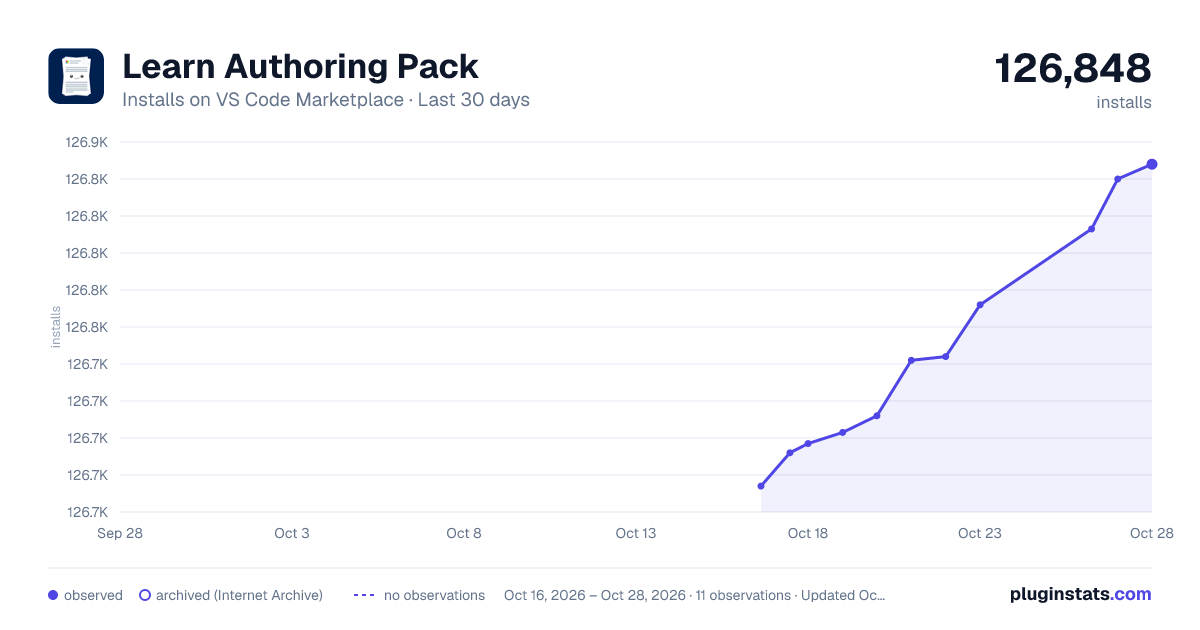
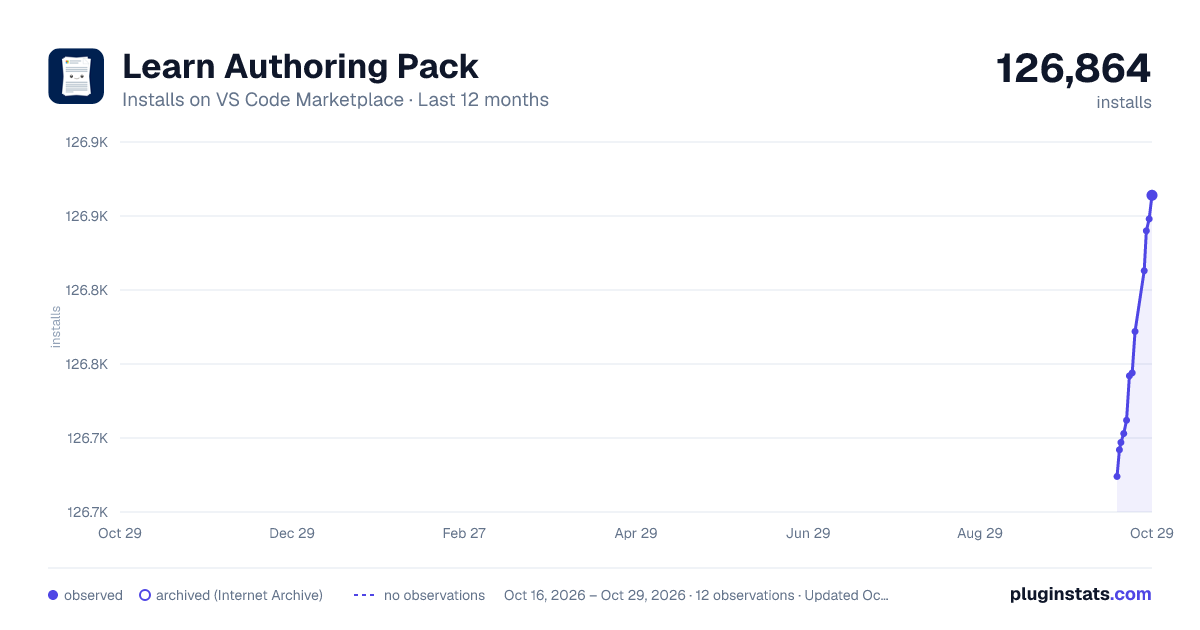
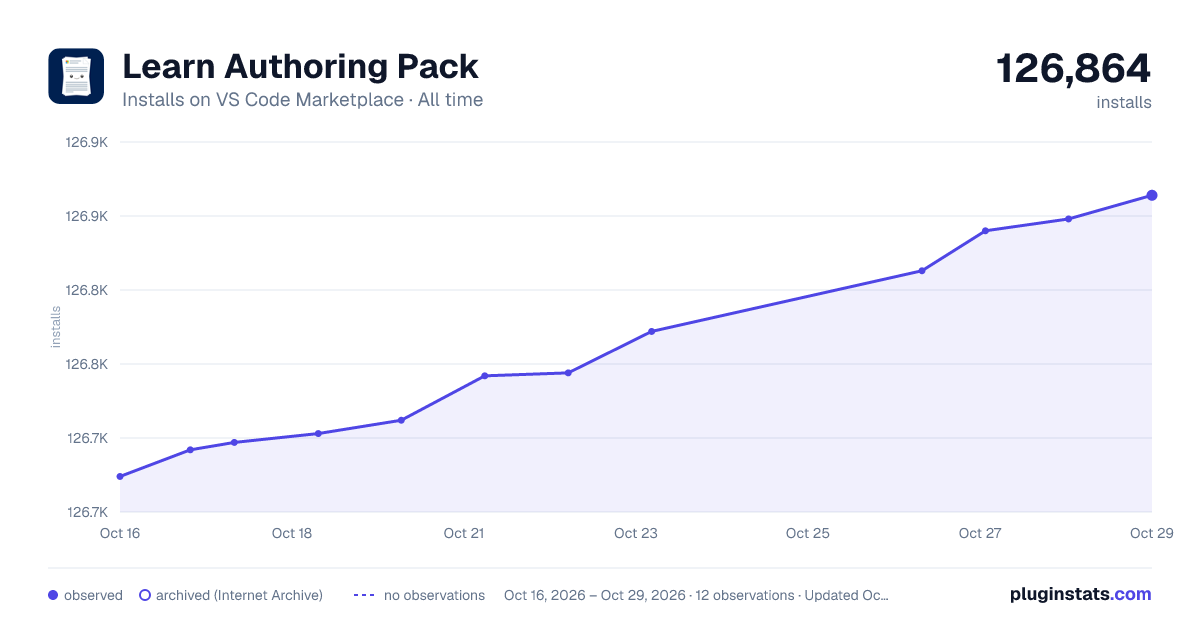

Adoption over time
7/30/90-day growth
Ranking history
Ratings over time
Listing placement
Listing placement
Filled points are observed values; hollow points come from Internet Archive snapshots of the listing page. Dashed segments span periods with no observations — values between points are not interpolated.
Each band is one page of 20. Installs on a linear scale. Placement is projected from installs, so it can differ from the marketplace's own sort order. Hover a dot to see the listing.
Recent observations
Full history (5)Similar VS Code Marketplace Extension Packs plugins
All 20 Learn Authoring Pack alternativesData source
Install counts, average rating, and rating counts come from the public Visual Studio Marketplace gallery API. Installs are cumulative and exclude updates.
Listing: https://marketplace.visualstudio.com/items?itemName=docsmsft.docs-authoring-pack. First seen Oct 16, 2026; last successful collection Oct 20, 2026. See the methodology.