 PluginStats
MetaJump installs statistics
By metaseed (3 listings) · VS Code Marketplace · Other
vscode cursor move/select/delete; jump, navigation, goto, acejump
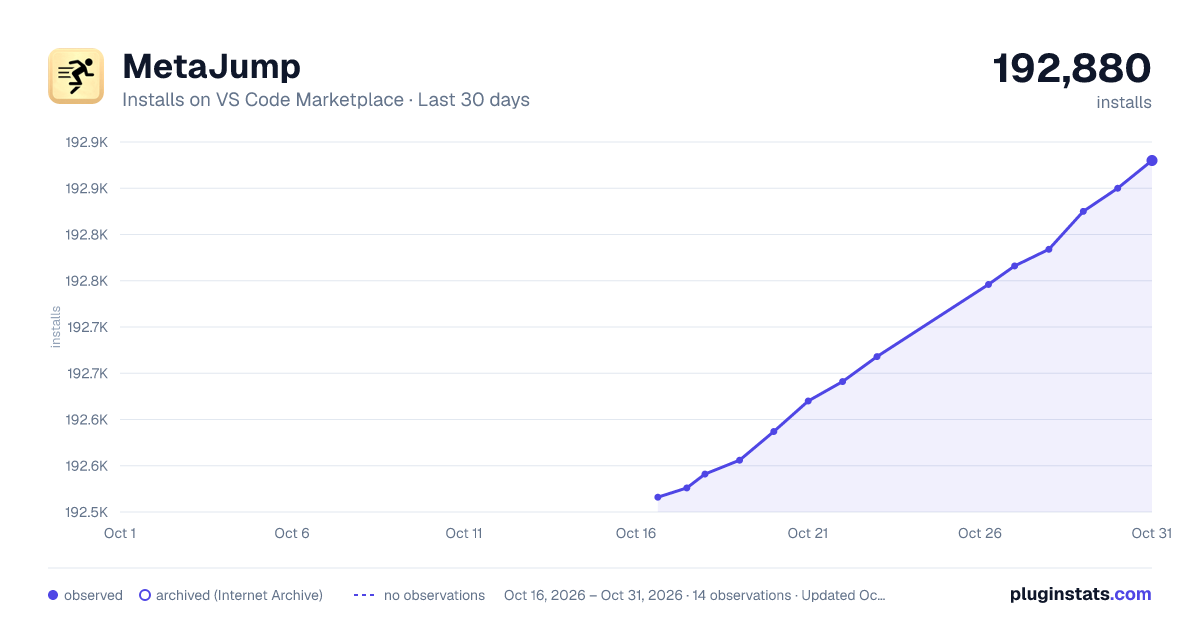
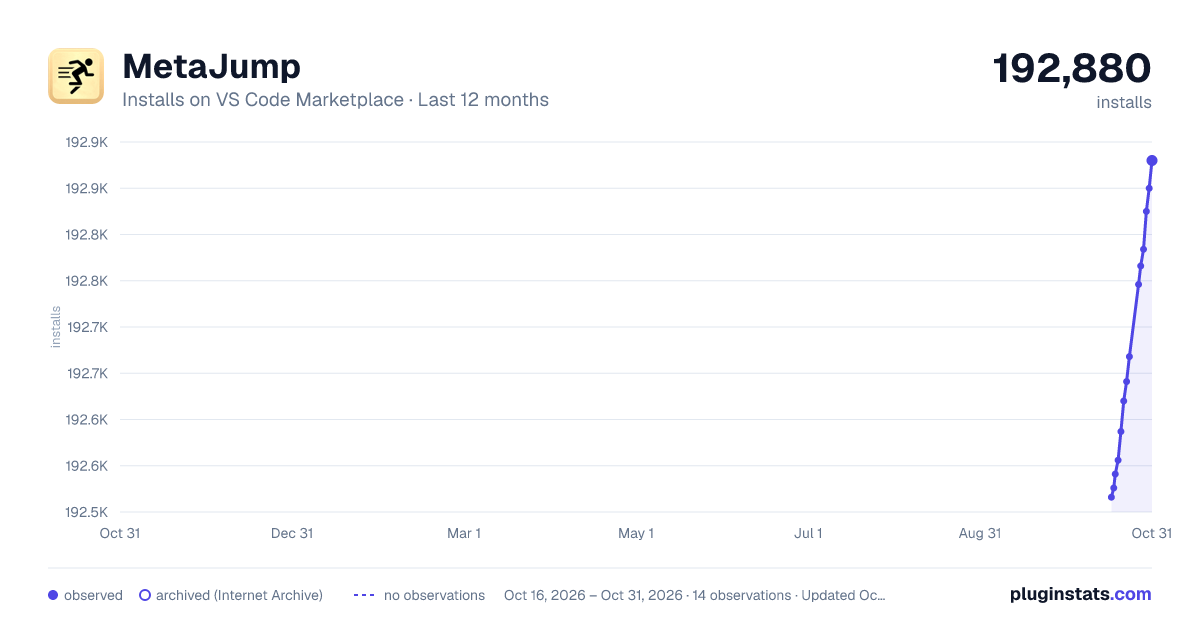
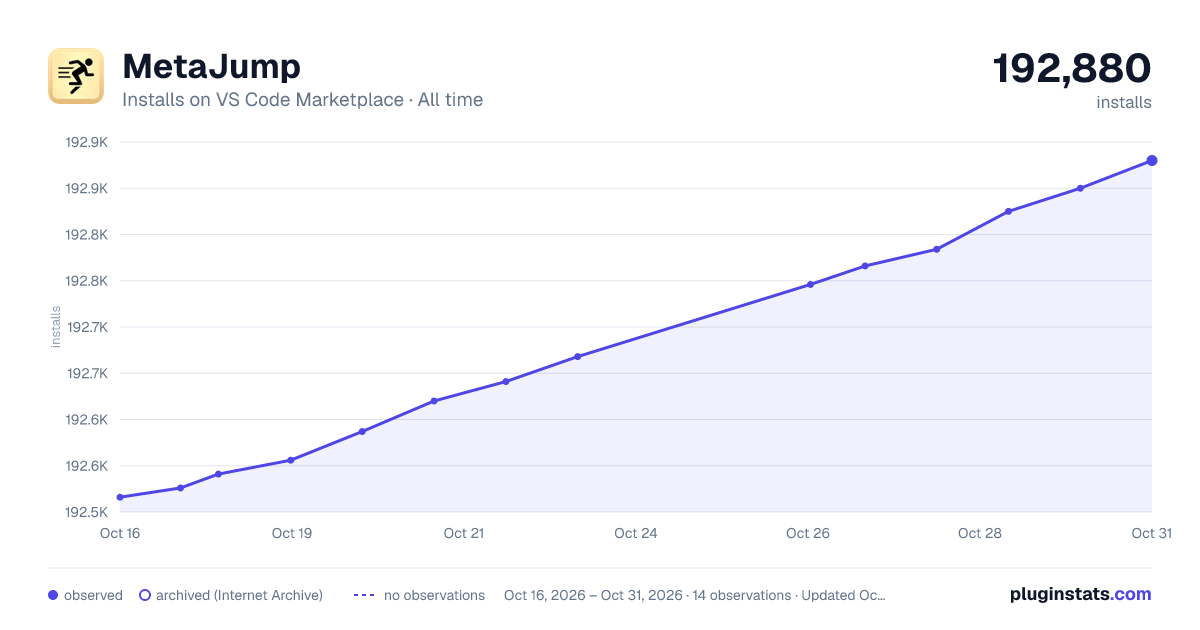
MetaJump has 192,541 recorded installs on VS Code Marketplace.
It ranks #1560 of 2,500 tracked VS Code Marketplace listings by installs.
It is rated 5.0 out of 5 from 3 ratings.
PluginStats has 3 daily observations since Oct 16, 2026; the latest is from Oct 18, 2026.
Rating: 5.00 / 5 from 3 ratings
About MetaJump
MetaJump
MetaJump as a free tool, currently is maintained and developed by me in my spare time🌙⏳, if you think has ever saved you time, boosted your efficiency, or even indispensable like some of our users, please support me 😊 Give me a github⭐, or even sponsor me at github🍻
MetaJump provides fast cursor moving/selecting/deleting commands with decoration characters on the possible target-locations.
MetaWord is part of MetaGo extension
features highlight
• code characters are based on priority, the character easier to type has higher priority. i.e. 'k','j', and code characters are configurable. • at anytime continue typing would narrow down the candidate positions range. • code character decorator is encoded with one or more characters, the code characters around cursor are easier to type. • only encode characters on viewable screen area, so metaGo is faster. • support having fold regions. • support jumping to all opened editors. • support adding multiple cursors and do multiple selections. • support change the active selection of multiple selections. • compatible with the vim plugins. • Tab, Space, Enter key could also be used as target-location character.
*➭Feature Summary⮵*
go to any character on screen
1. type Alt+/ to tell I want to *go* somewhere. (Trigger) 2. type the characters(stands for the target location) on screen, metaGo will show you some decorator codes(candidate target locations) encoded with characters. (to see the characters behind the decoration, you could press the shift+/(configurable) to hide the location decorators for a short while(default 560ms)) 3. you could continue type characters following the target location to narrow down the possible targets range, or type the code decoration characters of one location to *go* to that target location.
at any time press ESC to cancel the command; Backspace to cancel last typed char in target-char-sequence. (Backspace triggers 'step-cancel')
to show less decorators on screen, metaJump introduces 'ripple-encoding' support, : type target-location-chars to encode locations far from center(cursor location) by steps. 1. one target-char for current section(separated by empty lines); 1. two target-chars for current doc; 1. three or more target-chars for all opened editors;
Ripple support for sequential-target commands: * ripple support are used to reduce the decorations shown on screen. * it take the idea of the water ripple caused by a rock. * just show target-location candidates in current section(seperated by empty lines) if user typed one target char; * just show location candidates of current document, if there is more than one document visible and user typed 2 target chars. * one-char-decorators will pass through boundaries(section or document) if possible. (i.e. for one-target-char, one-char-decorators has encoded all possible target locations in the section, then it will continue encodes until all one-char-decorators are used up). * it is only for sequential-target commands, the default configured value is true.
tips for fast jumping of ripple enabled sequential-target commands: 1. if go to another section within the active document but not in the active section.(sections are seperated by empty lines), directly type 2 target location chars. 1. if want to go to another visible document, always typing 3 target chars.
Note: Enter, Space and Tab are also usable as location characters. Enter means the end of line. You could press Enter any times to trigger the decorator-encoding for the line-end out side of current section(2 times) or document(3 times). (like a ripple)
Note: you could also config the 'metaGo.decoration.hide.triggerKey' to a character, i.e. '/', this will hide decorations if holding '/' and show them after releasing. but this makes it impossible for the character i.e. '/' to be used as the following-target-character.
• the Alt+. shortcut will trigger the metaGo.gotoAfter command, the cursor will be placed after the target character; • the Alt+, shortcut will trigger the metaGo.gotoBefore command, the cursor will be placed before the target character; • the Alt+/ shortcut will trigger the metaGo.gotoSmart command which intelligently set cursor position after navigation: • if the target is at the begin of the word, the cursor will be set before target character, otherwise after it; • The 'word' is defined as a group of all alphanumeric or punctuation characters.
commands that only navigate in the active editor are also provided: metaGo.gotoAfterActive, metaGo.gotoBeforeActive, metaGo.gotoSmartActive, you could assign shortcuts by yourself.
for the metajump location navigation commands, user could config to use single-target-char or sequential-target-chars to navigate to location: by default all the 'smart' commands (triggered with '/') are configured as single-target-char as below
to make the these smart commands use single-target-char: show decorations of all potential locations after user type one target char.
*➭Feature Summary⮵*
select to any character in the active editor
1. type Alt+Shift+/ to tell I want to *select* to somewhere. 2. type the character(stands for location) on screen, metaGo will show you some codes encoded with character. 3. type the code characters, you will *select* to that location. 4. repeat 1-3 to adjust your current selection. at any time press ESC to cancel, or press Backspace to do step cancel to re-input last typed character
support to do multiple selections,
selection is always the range from the active cursor to the target location
add multiple cursors to the active editor or change the active selection of multiple selections
1. Ctrl+Alt+, to add another cursor before the target-character. 1. Ctrl+Alt+. to add another cursor after the target-character. 1. Ctrl+Alt+/ to add another cursor smartly to the target-character.
Ctrl+u to cancel last cursor action.…
Description from the VS Code Marketplace listing.
- acejump
- bookmark
- center
- cursor
- delete
- EasyMotion
- focus screen
- goto
- jump
- jumpy
- keybindings
- keyboard
- metaGo
- navigation
- screen
Where MetaJump sits in the listing
Each band is one page of 20. Installs on a log scale. Placement is projected from installs, so it can differ from the marketplace's own sort order. Hover a dot to see the listing.


Charts
Images: 30d · 1y · all time · 1600×900 dark

Adoption over time


7/30/90-day growth


Filled points are observed values; hollow points come from Internet Archive snapshots of the listing page. Dashed segments span periods with no observations — values between points are not interpolated.
Recent observations
Full history (3)Similar VS Code Marketplace Other plugins
Data source
Install counts, average rating, and rating counts come from the public Visual Studio Marketplace gallery API. Installs are cumulative and exclude updates.
Listing: https://marketplace.visualstudio.com/items?itemName=metaseed.MetaJump. First seen Oct 16, 2026; last successful collection Oct 18, 2026. See the methodology.