 PluginStats
Trailing Spaces installs statistics
By Shardul Mahadik · VS Code Marketplace · Other
Highlight trailing spaces and delete them in a flash!
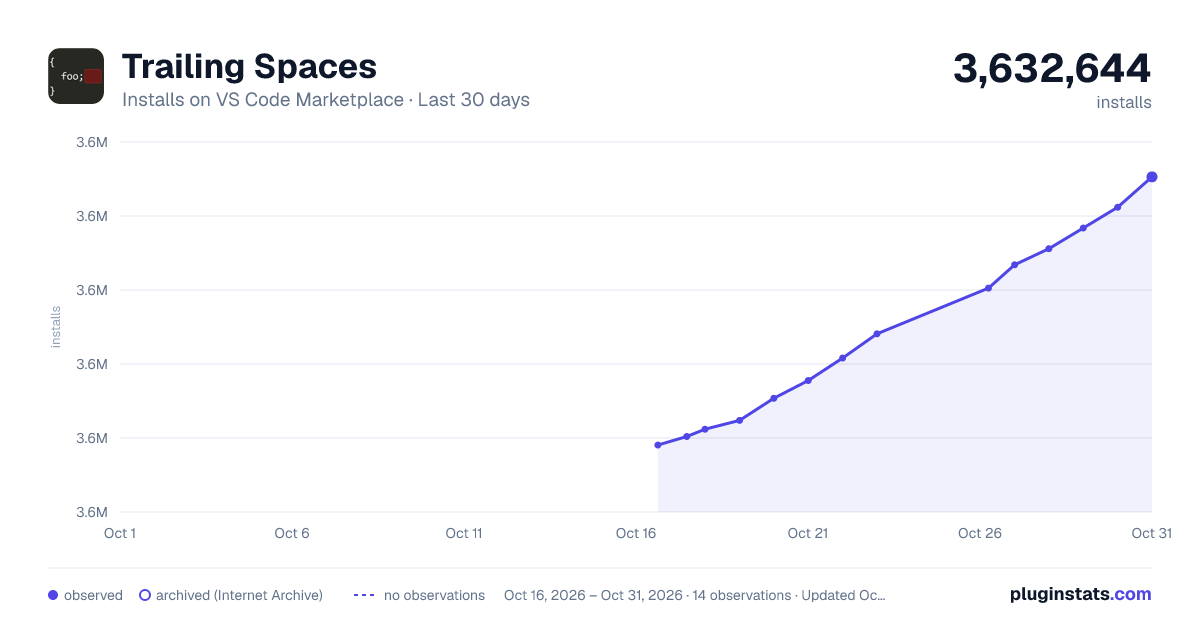
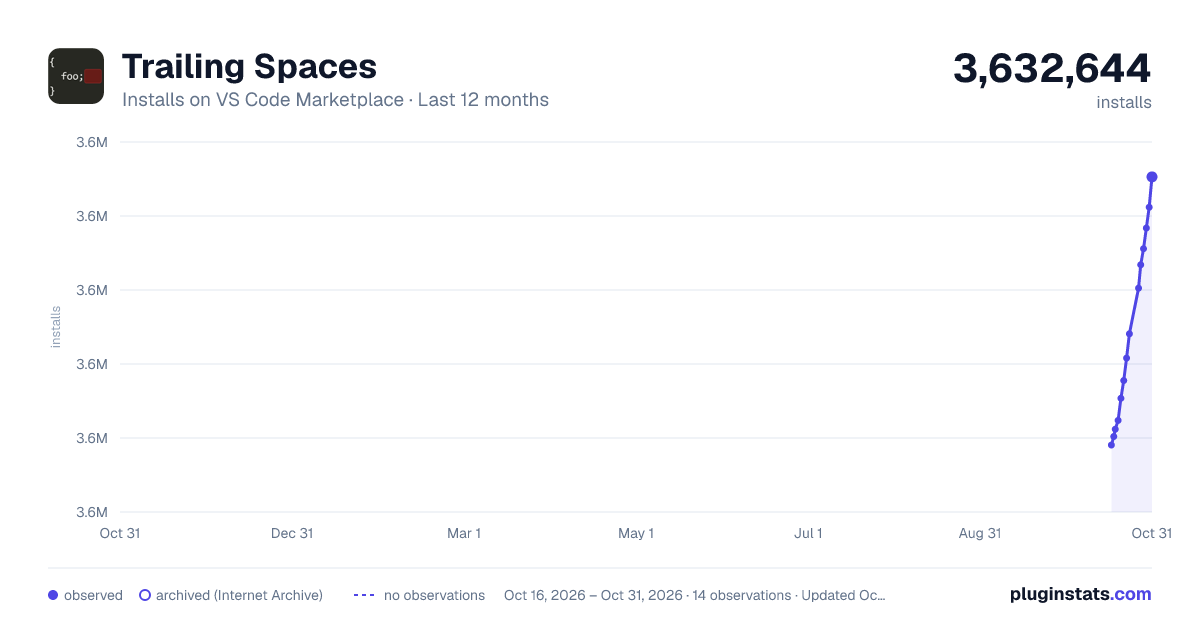
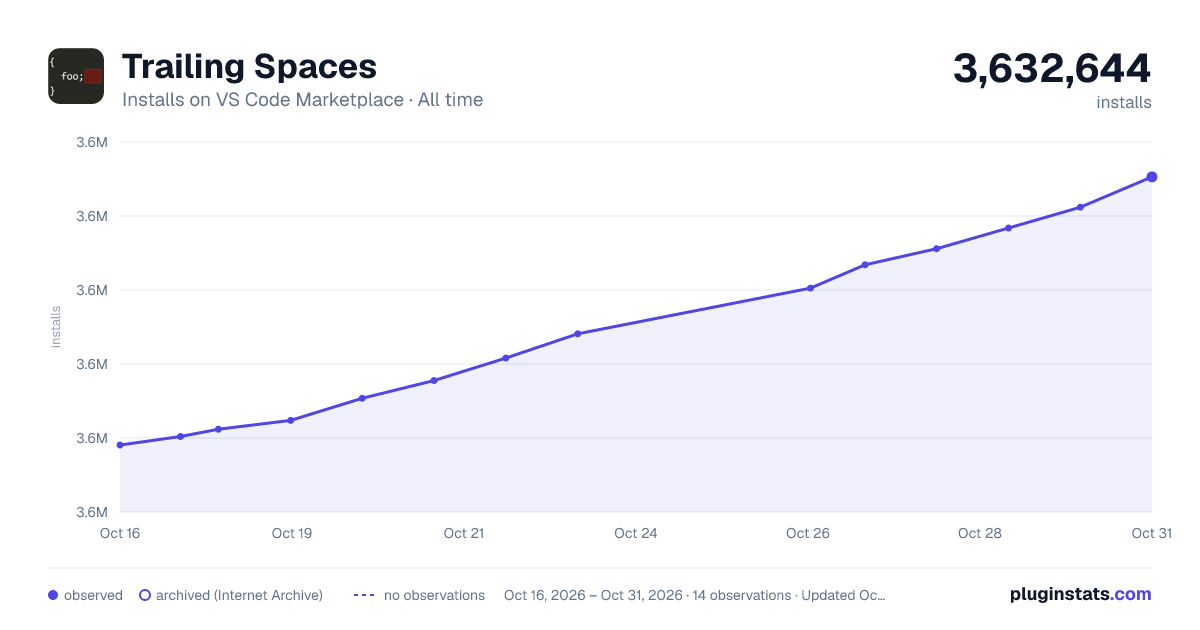
Trailing Spaces has 3,615,593 recorded installs on VS Code Marketplace.
It ranks #219 of 2,500 tracked VS Code Marketplace listings by installs.
It is rated 4.8 out of 5 from 62 ratings.
PluginStats has 3 daily observations since Oct 16, 2026; the latest is from Oct 18, 2026.
Rating: 4.77 / 5 from 62 ratings
About Trailing Spaces
Trailing Spaces ===============
A VS Code extension that allows you to…
highlight trailing spaces and delete them in a flash!
This extension is a port of the popular Sublime Text plugin Trailing Spaces.
• Synopsis • Installation • Usage • Delete • Delete - Modified Lines Only • Highlight • Options • Highlight Current Line • Include Empty Lines • Delete Modified Lines Only • Trim On Save • Live Matching vs On-demand Matching • Ignore Syntax • Ignore Scheme • Show Status Bar Message • Background Color • Border Color • For power-users only! • The matching pattern
Synopsis
VS Code provides a way to automate deletion of trailing spaces *by using the Trim Trailing Whitespace command*. Depending on your settings, it may be more handy to just highlight them and/or delete them by hand, at any time. This plugin provides just that, and a *lot* of options to fine-tune the way you want to decimate trailing spaces.
Installation
It is available through Visual Studio Marketplace and this is the recommended way of installation (brings integrated updates).
Usage
Delete
The main feature you gain from using this plugin is that of deleting all trailing spaces in the currently edited document. In order to use this deletion feature, you may either:
• press F1 and select/type "Trailing Spaces: Delete" • bind the deletion command to a keyboard shortcut:
To add a key binding, open "File / Preferences / Keyboard Shortcuts" and add:
With this setting, pressing Alt + Shift + t will delete all trailing spaces at once in the current file!
Delete - Modified Lines Only
You can also delete the trailing spaces exclusively from the modified (unsaved) lines. In order to use this deletion feature, you may either:
• press F1 and select/type "Trailing Spaces: Delete - Modified Lines Only" • bind the deletion command to a keyboard shortcut:
To add a key binding, open "File / Preferences / Keyboard Shortcuts" and add:
Highlight
At any time, you can highlight the trailing spaces. You may either:
• press F1 and select/type "Trailing Spaces: Highlight" • bind the highlighting command to a keyboard shortcut:
Options
Several options are available to customize the plugin's behavior. Those settings are stored in a configuration file, as JSON. You must use a specific file: Go to "File / Preferences / User Settings" to add your custom settings.
All settings are global (ie. applied to all opened documents).
Highlight Current Line
*Default: true*
Highlighting of trailing spaces in the currently edited line can be annoying: each time you are about to start a new word, the space you type is matched as a trailing spaces. Currently edited line can thus be ignored:
Even though the trailing spaces are not highlighted on this line, they are still internally matched and will be deleted when firing the deletion command. If you are editing multiple lines (using multiple cursors), all such lines will be ignored.
Include Empty Lines
*Default: true*
When firing the deletion command, empty lines are matched as trailing regions, and end up being deleted. You can specifically ignore them:
They will not be highlighted either.
*Note:* This option only deletes the trailing spaces in blank lines and not the whole line itself. If you want to delete the newline character as well, please consider changing the regex.
Delete Modified Lines Only
*Default: false*
When firing the deletion command, trailing regions *in the entire document* are deleted. There are some use-cases when deleting trailing spaces *only on lines you edited* is smarter; for instance when commiting changes to some third-party source code.
At any time, you can change which area is covered when deleting trailing regions by changing the setting:
Trim On Save
*Default: false*
Setting this to true will ensure trailing spaces are deleted when you save your document. It abides by the other settings, such as *Include Empty Lines*.
Live Matching vs On-demand Matching
*Default: true (reload VS Code Window to update)*
By default, trailing regions are matched every time you edit the document, and when you open it.
This feature is entirely optional and you may set it off: firing the deletion command will cause the trailing spaces to be deleted as expected even though they were not matched prior to your request. If you are afraid of the plugin to cause slowness (for instance, you already installed several *heavy* extensions), you can disable live matching:
In this case, for no trailing regions are matched until you request them to be deleted, no highlighting occurs—it is in fact disabled. If you want to check the trailing spaces regions, you can use the Highlight Trailing Spaces command. In this case, it may come in handy to define a binding for the highlighting command. When "On-demand Matching" is on and some trailing spaces are highlighted, added ones will obviously not be. Running the highlight command again will refresh them.
Ignore Syntax
*Default: []*
With this option you can ignore specific files based on the language used. An item has to match the case-sensitive string of the language used in the file:
Here is a list of all languages that VS Code supports (as of 19 June 2026):
For the most recent list of langauges, please use the known language identifiers page or the languages.getLanguages() function (details here).
Ignore Scheme
*Default: ["output"]*
With this option you can ignore documents with a specific scheme. An item has to match the case-sensitive string of the scheme of the document. For instance, if you want to ignore VSCode output windows:
Show Status Bar Message
*Default: true*
By default, trailing space deletions will be communicated through a status bar message. Set this to false as below to disable these messages:
Background Color
*Default: rgba(255,0,0,0.3)*
You can control the background color of the highlighting performed by Trailing Spaces using this option. To set up another color change the setting:…
Description from the VS Code Marketplace listing.
- delete
- highlight
- spaces
- trailing
Where Trailing Spaces sits in the listing
Each band is one page of 20. Installs on a log scale. Placement is projected from installs, so it can differ from the marketplace's own sort order. Hover a dot to see the listing.


Charts
Images: 30d · 1y · all time · 1600×900 dark

Adoption over time


7/30/90-day growth


Ranking history


Filled points are observed values; hollow points come from Internet Archive snapshots of the listing page. Dashed segments span periods with no observations — values between points are not interpolated.
Recent observations
Full history (3)Similar VS Code Marketplace Other plugins
Data source
Install counts, average rating, and rating counts come from the public Visual Studio Marketplace gallery API. Installs are cumulative and exclude updates.
Listing: https://marketplace.visualstudio.com/items?itemName=shardulm94.trailing-spaces. First seen Oct 16, 2026; last successful collection Oct 18, 2026. See the methodology.