 PluginStats
Debugger for Firefox installs statistics
By Firefox DevTools · VS Code Marketplace · Debuggers
Debug your web application or browser extension in Firefox
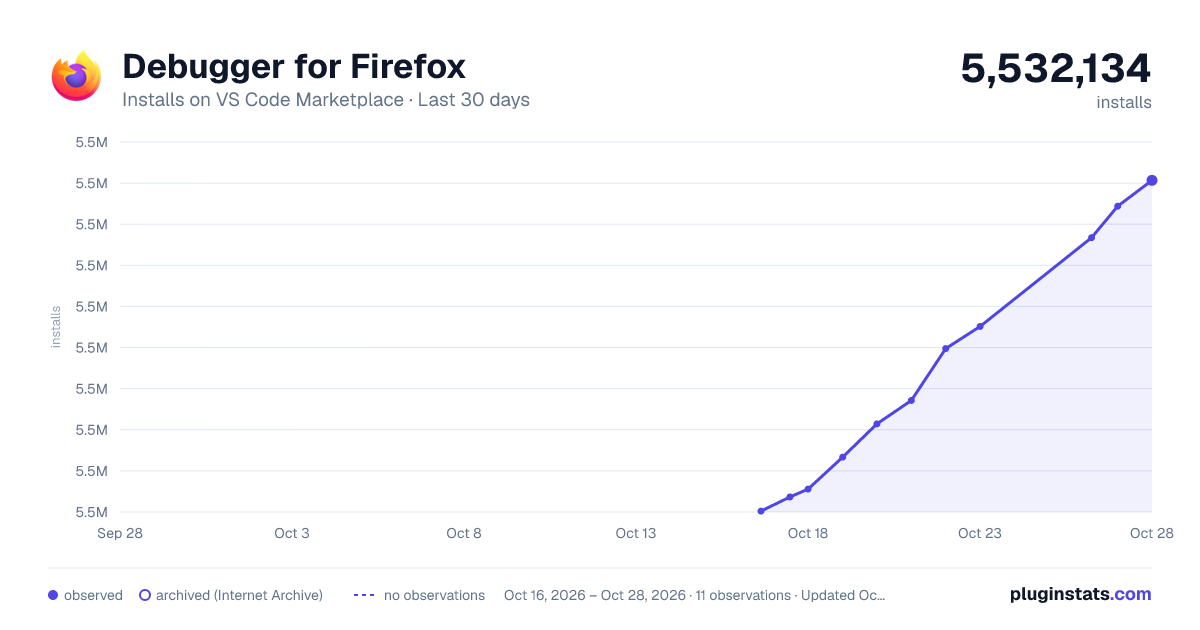
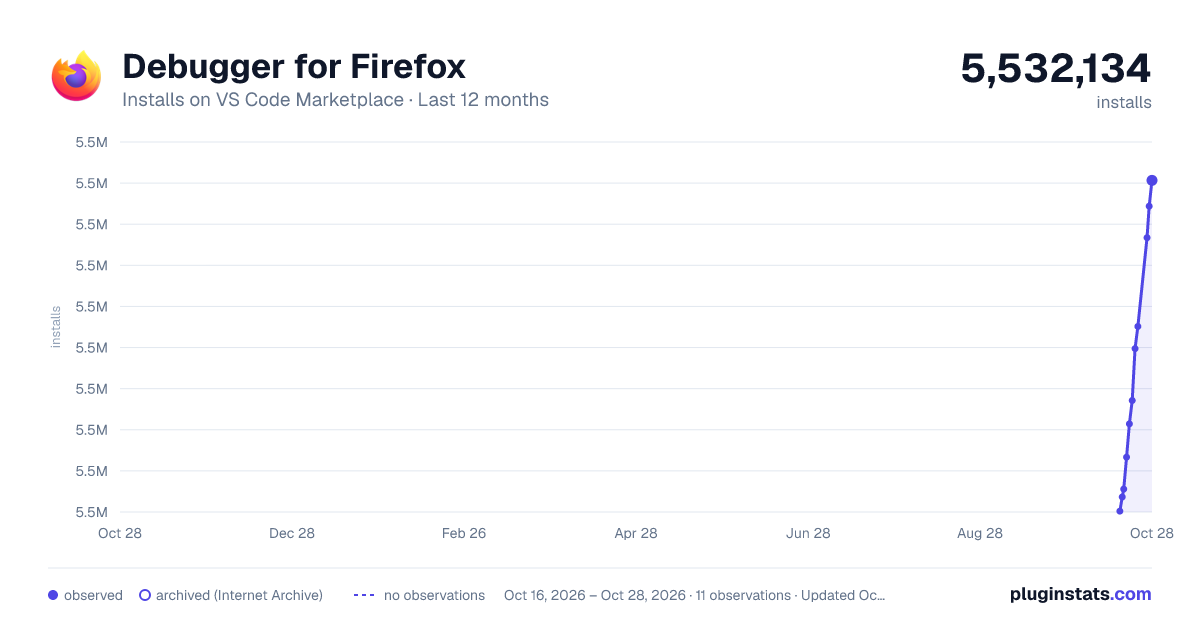
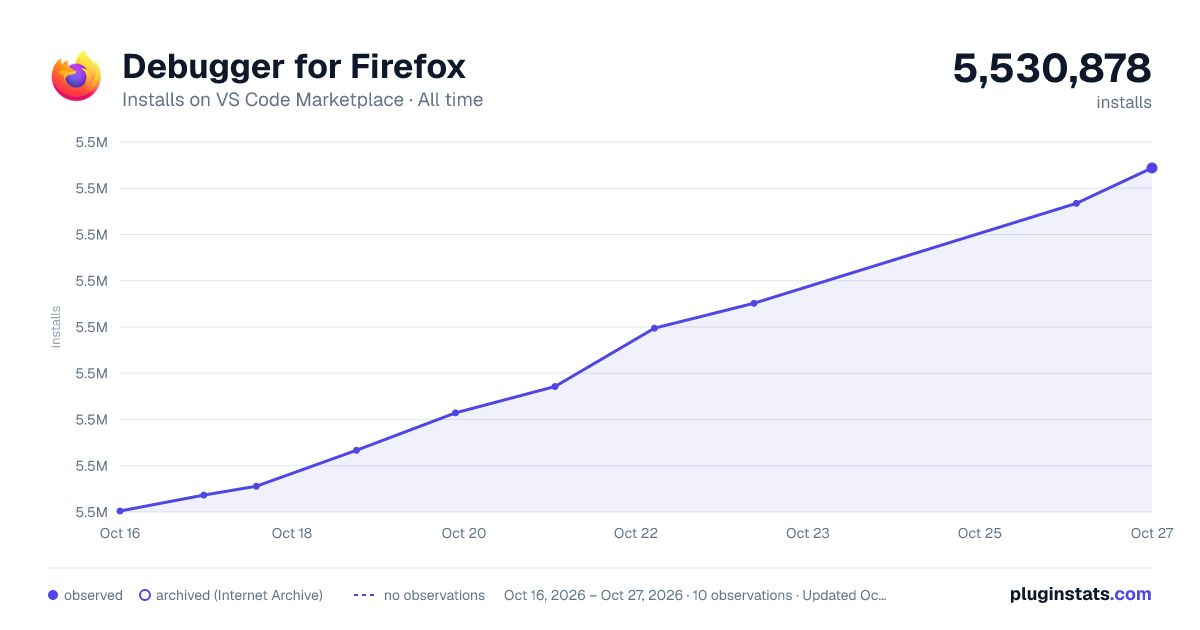
Debugger for Firefox has 5,518,669 recorded installs on VS Code Marketplace.
It ranks #169 of 2,501 tracked VS Code Marketplace listings by installs.
It is rated 4.5 out of 5 from 47 ratings.
PluginStats has 4 daily observations since Oct 16, 2026; the latest is from Oct 19, 2026.
Rating: 4.45 / 5 from 47 ratings
About Debugger for Firefox
VS Code Debugger for Firefox
Debug your JavaScript code running in Firefox from VS Code.
A VS Code extension to debug web applications and extensions running in the Mozilla Firefox browser. 📦 Install from VS Code Marketplace.
Supported features
• Pause breakpoints, including advanced conditional and inline modes • Pause on object property changes with Data breakpoints • Inject logging during debugging using logpoints • Debugging eval scripts, script tags, and scripts that are added dynamically and/or source mapped • *Variables* pane for inspecting and setting values • *Watch* pane for evaluating and watching expressions • *Console* for logging and REPL • Debugging Firefox extensions • Debugging Web Workers • Compatible with remote development
Getting Started
You can use this extension in launch or attach mode.
In launch mode it will start an instance of Firefox navigated to the start page of your application and terminate it when you stop debugging. You can also set the reAttach option in your launch configuration to true, in this case Firefox won't be terminated at the end of your debugging session and the debugger will re-attach to it when you start the next debugging session - this is a lot faster than restarting Firefox every time. reAttach also works for WebExtension debugging: in this case, the WebExtension is (re-)installed as a temporary add-on.
In attach mode the extension connects to a running instance of Firefox (which must be manually configured to allow remote debugging - see below).
To configure these modes you must create a file .vscode/launch.json in the root directory of your project. You can do so manually or let VS Code create an example configuration for you by clicking the gear icon at the top of the Debug pane.
Finally, if .vscode/launch.json already exists in your project, you can open it and add a configuration snippet to it using the *"Add Configuration"* button in the lower right corner of the editor.
Launch
Here's an example configuration for launching Firefox navigated to the local file index.html in the root directory of your project:
You may want (or need) to debug your application running on a Webserver (especially if it interacts with server-side components like Webservices). In this case replace the file property in your launch configuration with a url and a webRoot property. These properties are used to map urls to local files:
The url property may point to a file or a directory, if it points to a directory it must end with a trailing / (e.g. http://localhost/my-app/). You may omit the webRoot property if you specify the pathMappings manually. For example, the above configuration would be equivalent to
Setting the pathMappings manually becomes necessary if the url points to a file or resource in a subdirectory of your project, e.g. http://localhost/login/index.html.
Attach
To use attach mode, you have to launch Firefox manually from a terminal with remote debugging enabled. Note that if you don't use Firefox Developer Edition, you must first configure Firefox to allow remote debugging. To do this, open the Developer Tools Settings and check the checkboxes labeled "Enable browser chrome and add-on debugging toolboxes" and "Enable remote debugging" (as described here). Alternatively you can set the following values in about:config:
Preference Name | Value | Comment
devtools.debugger.remote-enabled | true | Required devtools.chrome.enabled | true | Required devtools.debugger.prompt-connection | false | Recommended devtools.debugger.force-local | false | Set this only if you want to attach VS Code to Firefox running on a different machine (using the host property in the attach configuration)
Then close Firefox and start it from a terminal like this:
Windows
"C:\Program Files\Mozilla Firefox\firefox.exe" -start-debugger-server
(This syntax is for a regular command prompt (cmd.exe), not PowerShell!)
OS X
/Applications/Firefox.app/Contents/MacOS/firefox -start-debugger-server
Linux
firefox -start-debugger-server
Navigate to your web application and use this launch.json configuration to attach to Firefox:
If your application is running on a Webserver, you need to add the url and webRoot properties to the configuration (as in the second launch configuration example above).
Skipping ("blackboxing") files
You can tell the debugger to ignore certain files while debugging: When a file is ignored, the debugger won't break in that file and will skip it when you're stepping through your code. This is the same as "black boxing" scripts in the Firefox Developer Tools.
There are two ways to enable this feature: • You can enable/disable this for single files while debugging by choosing "Toggle skipping this file" from the context menu of a frame in the call stack. • You can use the skipFiles configuration property, which takes an array of glob patterns specifying the files to be ignored. If the URL of a file can't be mapped to a local file path, the URL will be matched against these glob patterns, otherwise the local file path will be matched. Examples for glob patterns: • "${workspaceFolder}/skipThis.js" - will skip the file skipThis.js in the root folder of your project • "**/skipThis.js" - will skip files called skipThis.js in any folder • "/node_modules/" - will skip all files in node_modules folders anywhere in the project • "http?(s):/**" - will skip files that could not be mapped to local files • "/google.com/" - will skip files containing /google.com/ in their url, in particular all files from the domain google.com (that could not be mapped to local files)
Path mapping…
Description from the VS Code Marketplace listing.
- debug
- debuggers
- firefox
- vscode
Charts
Images: 30d · 1y · all time · 1600×900 dark
Adoption over time
7/30/90-day growth
Ranking history
Ratings over time
Listing placement
Filled points are observed values; hollow points come from Internet Archive snapshots of the listing page. Dashed segments span periods with no observations — values between points are not interpolated.
Each band is one page of 20. Installs on a log scale. Placement is projected from installs, so it can differ from the marketplace's own sort order. Hover a dot to see the listing.
Recent observations
Full history (4)Similar VS Code Marketplace Debuggers plugins
All 20 Debugger for Firefox alternatives


Data source
Install counts, average rating, and rating counts come from the public Visual Studio Marketplace gallery API. Installs are cumulative and exclude updates.
Listing: https://marketplace.visualstudio.com/items?itemName=firefox-devtools.vscode-firefox-debug. First seen Oct 16, 2026; last successful collection Oct 19, 2026. See the methodology.