 PluginStats
Run in Terminal installs statistics
By kortina (2 listings) · VS Code Marketplace · Other
Use a keyboard shortcut to run any command in the Integrated Terminal.
Run in Terminal has 130,567 recorded installs on VS Code Marketplace, a change of +0.2% over the past 7 days, ranking #2024 of 2,502 tracked listings.
Rating: 4.67 / 5 from 3 ratings
About Run in Terminal
Run in Terminal, an Extension for vscode
Use a keyboard shortcut to run any command in the Integrated Terminal of Visual Studio Code.
You can install it from the VSCode Marketplace.
I built this because I wanted something for vscode like benmills' amazing vimux for vim.
The send-to-terminal extension was close to what I wanted,
but I wanted to be able to run more than 2 commands per filetype match.
run-in-terminal is based on send-to-terminal, but allows an arbitrary number of commands per filetype.
The native Tasks functionality in vscode is also close, but configuration is only possible at
the project level, not the global level.
Here is what Run in Terminal looks like:

keybindings.json
The simplest way to configure a keybindings.json using the cmd argument for the runInTerminal.run command:
...
{
    "key": "ctrl+e",
    "command": "runInTerminal.run",
    "args": {"cmd": "/usr/bin/env bash ${relativeFile}", "match": ".*"},
    "when": "resourceLangId == shellscript"
},
{
    "key": "ctrl+e",
    "command": "runInTerminal.run",
    "args": {"cmd": "/usr/bin/env python ${relativeFile}", "match": ".*"},
    "when": "resourceLangId == python"
},
...
Note above that when using keybindings.json you might use the 'when' context (rather than the match expression) to specify different commands with the same keybinding for different filetypes. If you do so, use '.*' as your match expression.
settings.json
If you are using VSCodeVim, things look a little bit different, because there is no support for a 'when' context to perform different commands for different filetypes.
'runInTerminal.commands'
Here is what you might put in your settings.json when configuring with VSCodeVim:
...
    "vim.normalModeKeyBindingsNonRecursive": [
        {
            "before": ["<leader>", "r", "a"], "after": [],
            "commands": [ {"command": "runInTerminal.runLast" } ]
        },
        {
            "before": ["<leader>", "r", "l"], "after": [],
            "commands": [ {"command": "runInTerminal.run", "args": {"name": "l"}} ]
        },
        {
            "before": ["<leader>", "r", "b"], "after": [],
            "commands": [ {"command": "runInTerminal.run", "args": {"name": "b"}} ]
        },
        {
            "before": ["<leader>", "r", "s"], "after": [],
            "commands": [ {"command": "runInTerminal.run", "args": {"name": "s"}} ]
        }
    ],
    "runInTerminal.commands": [
        {"match": "_spec\\.rb$", "name": "l", "cmd": "./bin/rspec ${relativeFile}:${line}"},
        {"match": "_spec\\.rb$", "name": "b", "cmd": "./bin/rspec ${relativeFile}"},
        {"match": "_spec\\.rb$", "name": "s", "cmd": "./bin/rspec"},
        {"match": "(spec|test)\\.js$", "name": "b", "cmd": "xvfb-run ./node_modules/karma/bin/karma start --single-run=true --single-file=\"${relativeFile}\""}
    ],
...
Note above, you specify each keybinding in your vim settings only once with a target name, and then in your runInTerminal.commands, you can specify multiple commands with the same name but different file match expressions. In this case, <leader> r b maps to the name 'b', which has a command for ruby and for javascript.
'runInTerminal.clearBeforeRun'
...
    "runInTerminal.clearBeforeRun": false, // defaults false
...
Substitution Tokens
You can use the following substitution tokens in cmd strings:
${column}${cwd}${env.Name}(replace environment variables)${file}${fileBasename}${fileBasenameNoExt}${fileDirname}${fileExtname}${line}${relativeFile}${workspaceRoot}
Commands
runInTerminal.run
You should provide an object as the value of the arguments key when calling this command. This object must have either (i) a name pointing to a command in runInTerminal.commands or (ii) a file match expression and cmd to execute.
(i)
...
    "command": "runInTerminal.run",
    "args": {"name": "focused"},
...
(ii)
...
    "command": "runInTerminal.run",
    "args": {"match": "\\.py$", "cmd": "/usr/bin/env python ${relativeFile}"},
...
runInTerminal.runLast
Runs the last cmd run by runInTerminal.run again.
Example of a Javascript / Typescript Line Runner
Here is an example of a VS Code extension, written in typescript, with a line runner bound to ,rl:
The settings.json:
https://github.com/kortina/vscode-markdown-notes/blob/ba40b5cea0d10873b571e3e91d453dd7119cb89d/.vscode/settings.json#L8
A shell script that finds the jest bdd description given a file:lineno:
https://github.com/kortina/vscode-markdown-notes/blob/ba40b5cea0d10873b571e3e91d453dd7119cb89d/jest-focused.sh
More Example Settings
My runInTerminal.commands in settings.json:
https://github.com/kortina/dotfiles/blob/f9465ac8dd82738b3f7a4415dd0c49412c86f841/vscode/settings.json#L68
My vim.normalModeKeyBindingsNonRecursive bindings to runInTerminal in settings.json:
https://github.com/kortina/dotfiles/blob/f9465ac8dd82738b3f7a4415dd0c49412c86f841/vscode/settings.json#L181
Known Issues
- The
${relativeFile}substitution token only works when you have opened an entire folder withvscode, not a single file. - Unknown behavior when many commands in 'runInTerminal.commands' match both the
matchexpression andnameof the command run.
Development and Release
To run locally
# install deps
npm install --dev
To create a new release,…
Description from the VS Code Marketplace listing.
- terminal
README badge
Show your rank in a README or on your website. The badge updates automatically.
Charts
Images: 30d · 1y · all time · 1600×900 dark
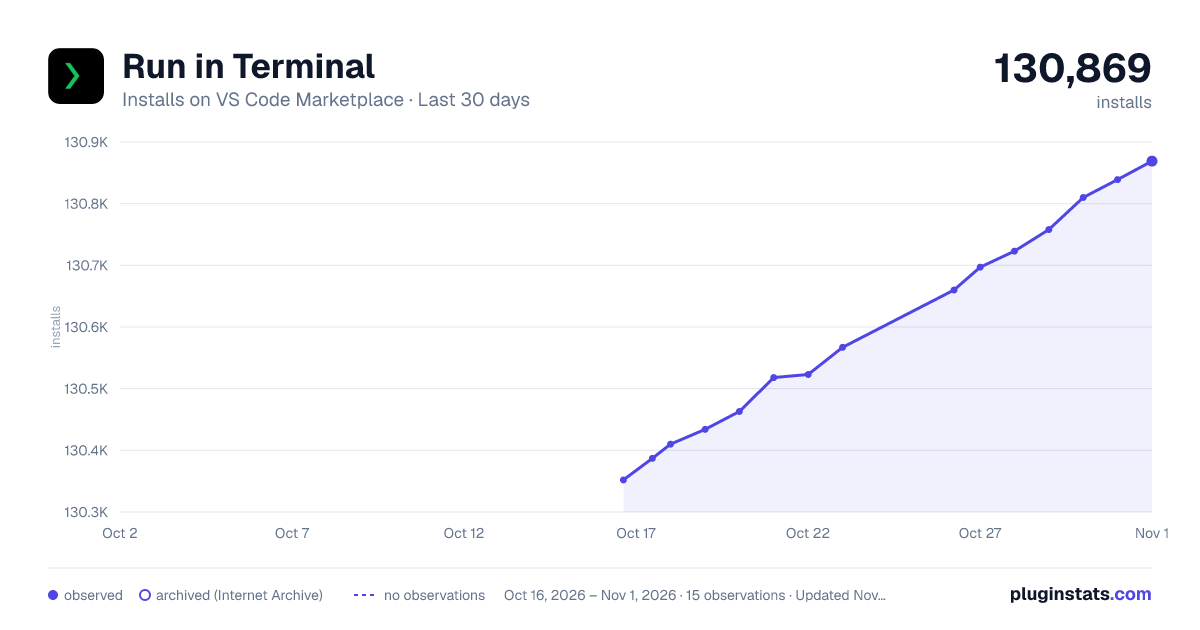
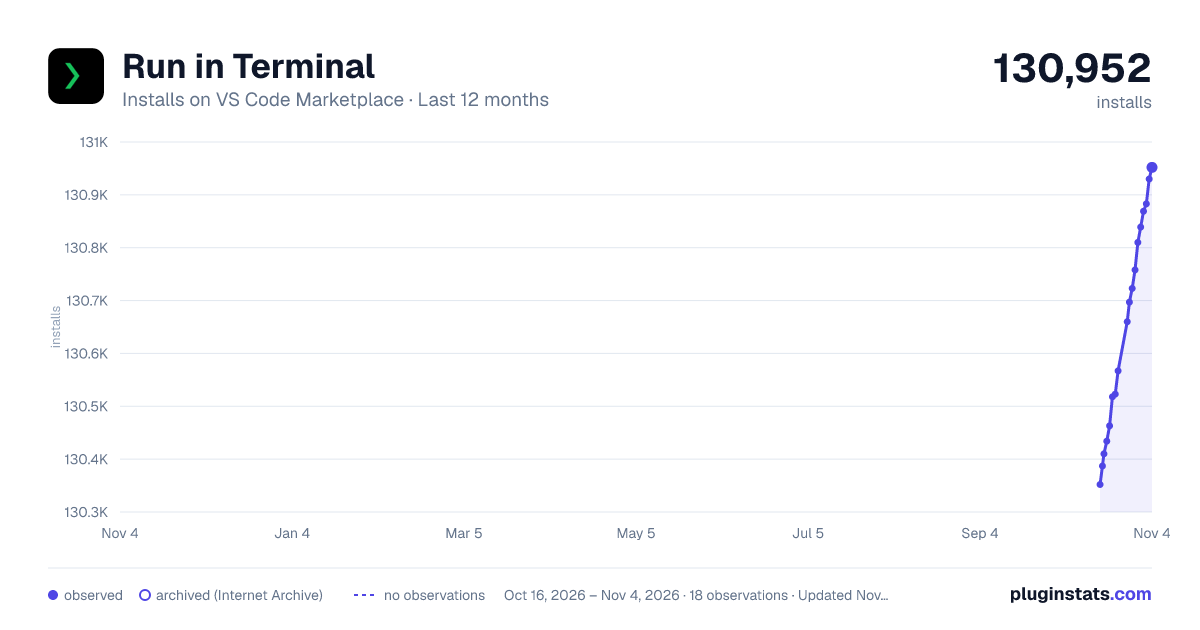
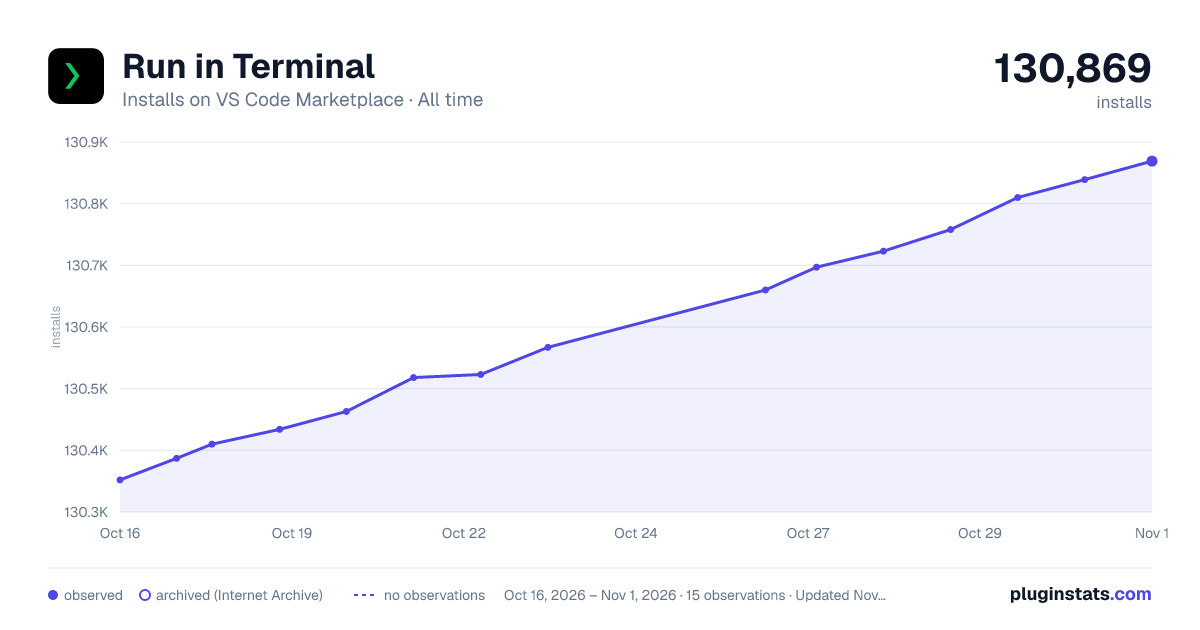

Adoption over time
7/30/90-day growth
Ranking history
Ratings over time
Listing placement
Listing placement
Filled points are observed values; hollow points come from Internet Archive snapshots of the listing page. Dashed segments span periods with no observations — values between points are not interpolated.
Each band is one page of 20. Installs on a linear scale. Placement is projected from installs, so it can differ from the marketplace's own sort order. Hover a dot to see the listing.
Recent observations
Full history (8)Similar VS Code Marketplace Other plugins
All 20 Run in Terminal alternativesData source
Install counts, average rating, and rating counts come from the public Visual Studio Marketplace gallery API. Installs are cumulative and exclude updates.
Listing: https://marketplace.visualstudio.com/items?itemName=kortina.run-in-terminal. First seen Oct 16, 2026; last successful collection Oct 23, 2026. See the methodology.