 PluginStats
bazel-stack-vscode installs statistics
By StackBuild · VS Code Marketplace · Programming Languages
Bazel Support for Visual Studio Code
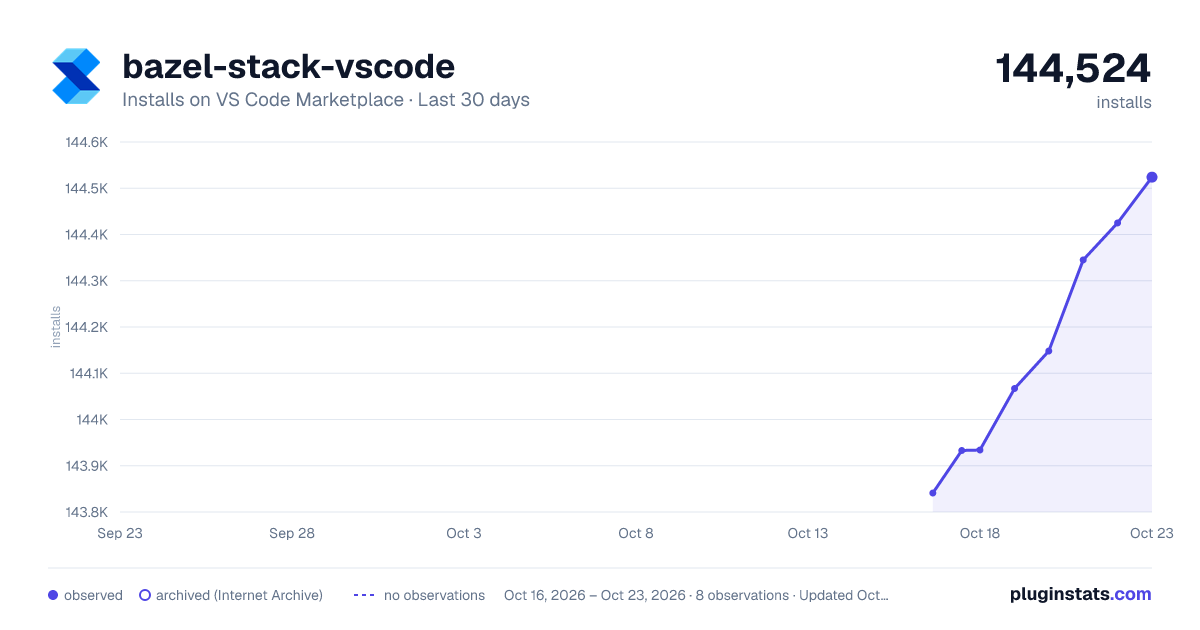
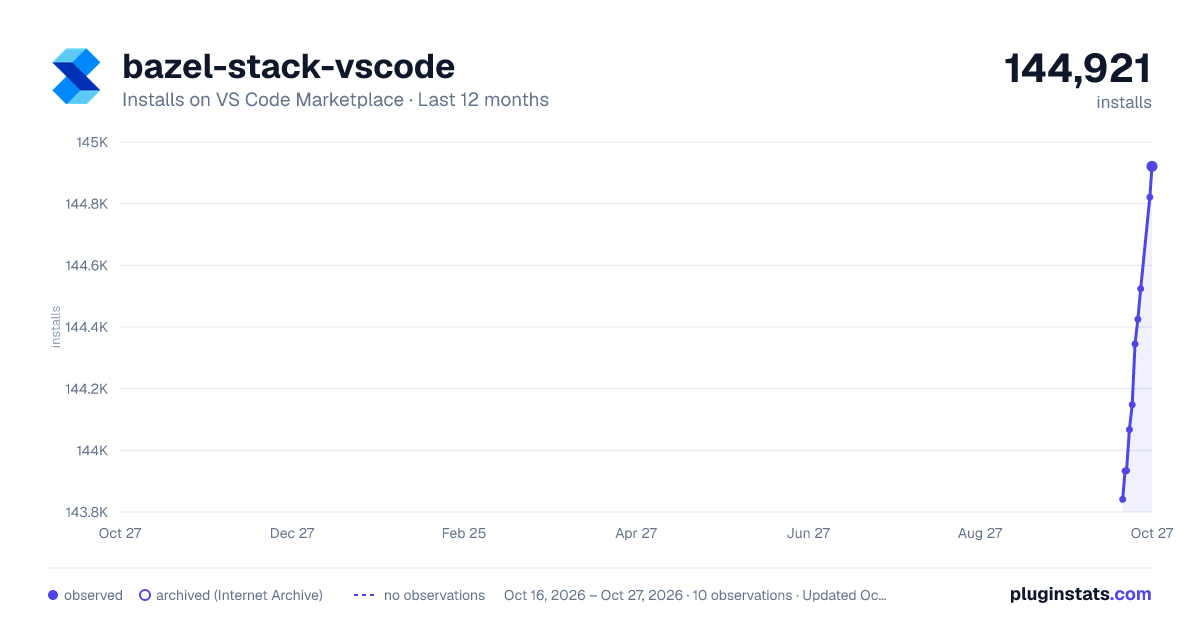
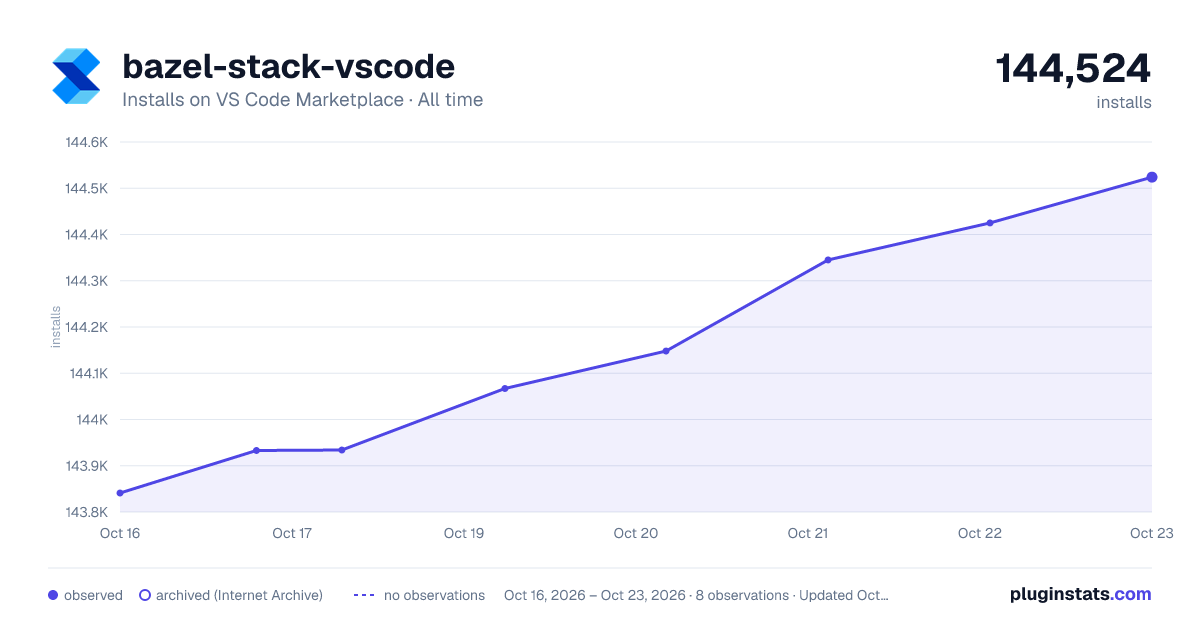
bazel-stack-vscode has 143,934 recorded installs on VS Code Marketplace.
It ranks #1902 of 2,500 tracked VS Code Marketplace listings by installs.
It is rated 5.0 out of 5 from 2 ratings.
PluginStats has 3 daily observations since Oct 16, 2026; the latest is from Oct 18, 2026.
Rating: 5.00 / 5 from 2 ratings
About bazel-stack-vscode
bazel-stack-vscode
Bazel Support for Visual Studio Code.
Bazel Stack VSCode
Documentation
Marketplace
This extension provides editor support for the starlark language and the bazel dialect of starlark.
The following operating systems are supported:
• linux • mac • windows
NOTE: while the list above is sorted alphabetically, windows is not an afterthought; one of the main supporters of bazel-stack-vscode is a windows-only shop).
Contributions
The major contribution points include:
Language
• starlark language (matches .sky, .star files). • bazel language (matches BUILD, BUILD.bazel, .bzl and related files). • bazelrc language (matches .bazelrc and related files).
Grammar
• starlark grammar (syntax highlighting for starlark language). • bazel grammar (syntax highlighting for bazel language). • bazelrc grammar (syntax highlighting for bazelrc language).
Commands
See Keybindings for description of commands bound to keyboard shortcuts. Other commands included are typically meant to be activated by menus or buttons (see Tools).
Keybindings
• shift+cmd+space runs the bsv.bzl.redo command; to use this, click on a build/test *code action* to run it the first time; then slap the space bar while holding down the command key to quickly rebuild/retest it. • ctrl+shift+cmd+b runs the bsv.bzl.copyLabel command. To use this, place your cursor in the name of a build rule (e.g. name = "my_f|oo_library") and stroke the keybinding; the full label //pkg/app:my_foo_library will be copied to the clipboard. • cmd+; runs the bsv.bzl.goToLabel command. To use this, stroke the keybinding (designed to be ergonomically similar to the builtin cmd+p menu); this will open an input box where you can type/paste in a bazel label; press ENTER to move to the rule/file implied by the label. • shift+cmd+t runs the workbench.view.extension.bazel-explorer command. This will show the Tools. • ctrl+shift+cmd+p runs the bsv.buildozer.wizard command. To use this, stroke the keybinding; a sequence of input boxes / picks will guide you through formulating a buildozer command.
View
• The bazel-explorer contains a number of so-called Tools. Each tool has a similar look-and-feel for enablement, configuration, documentation/help, and possible launch/execution of the tool. See Tools for reference.
Debugger
• Support for bazel language debugging via the debug adapter protocol. See description of the Starlark Debugger Tool for details.
Breakpoint
• Support for setting breakpoints for the bazel language. See Debugger.
Snippet
Assorted bazel language snippets for templating out rule, provider implementations, etc.
Tools
The *activity view* contains a list of tree items; each top-level item represents a "tool". The tool may be something like buildifier, which actually downloads and runs an executable; or something like a *service* that shows information (e.g. bazel info).
Each "tool" component has a set of configurable elements; to configure them either expand the Settings tree item and click on it, or go directly to your user/workspace settings and hunt for the corresponding configuration item (e.g. bsv.bzl.lsp.enableCodelenses).
Buildifier Tool
Buildifier provides linting and formatting support for the bazel language. It is highly recommended to always format on save: to do this, add the following to your settings.json:
Buildozer Tool
Buildozer performs bulk editing of BUILD files and can be very useful for various refactoring activities. If you are buildozer expert, you may not need this. For the rest of us who use buildozer relatively infrequently, you can use the bsv.buildozer.wizard to help step through the various possibilities and construct a buildozer command. See Keybindings.
Starlark Debugger Tool
The starlark debugger tool launches the debug adapter tool when a bazel language debug session is starting. You can customize the settings used for the adapter or the bazel server.
See the Debugging section of the docs for more details.
Starlark Language Server Tool
The starlark language server provides LSP support for the bazel and starlark languages. Supported features include:
• code actions: code action links for [LABEL], build, test, run, debug, codesearch, and ui. • [LABEL]: clicking on this code action will copy the label to the clipboard. • build: clicking on this code action will run bazel build [LABEL] in an integrated terminal. • test: clicking on this code action will run bazel test [LABEL] in an integrated terminal. • run: clicking on this code action will run bazel run [LABEL] in an integrated terminal. • debug: clicking on this code action will run `bazel build [LABEL] --experimental_skylark_debug` and start a starlark debugging session. • codesearch: clicking on this code action will show the Codesearch UI for that label. This allows you to "livegrep" withing the transitive set of source files required to build [LABEL]. • ui: clicking on this code action will open an external link to the [LABEL] in the Bzl UI. • hover: • hover over a rule/provider/aspect to get documentation about the it (e.g. ge*nrule). • hover over a rule attribute to get documentation about the attribute (e.g. s*rcs = ["...]). • hover over a function to get documentation about the function (e.g. ran*ge(1, 1, 1)). • completion: • completion for core starlark functions (e.g. type rev -> reversed(sequence)). • completion for bazel builtin function/rules/providers/attributes (e.g. jav -> java_binary(...)). • completion for third-party and custom starlark rules is available on a subscription basis. • jump-to-definition: • F12 on any string literal; if it looks like a relative or canonical bazel label, will open the corresponding BUILD or source file (works with default and external workspaces).
Remote Cache Tool
The bzl tool contains a lightweight and fast LRU remote cache implementation.…
Description from the VS Code Marketplace listing.
- bazel
- bazelrc
- debuggers
- keybindings
- snippet
- starlark
Where bazel-stack-vscode sits in the listing
Each band is one page of 20. Installs on a log scale. Placement is projected from installs, so it can differ from the marketplace's own sort order. Hover a dot to see the listing.


Charts
Images: 30d · 1y · all time · 1600×900 dark

Adoption over time


7/30/90-day growth


Ranking history


Filled points are observed values; hollow points come from Internet Archive snapshots of the listing page. Dashed segments span periods with no observations — values between points are not interpolated.
Recent observations
Full history (3)Similar VS Code Marketplace Programming Languages plugins
Data source
Install counts, average rating, and rating counts come from the public Visual Studio Marketplace gallery API. Installs are cumulative and exclude updates.
Listing: https://marketplace.visualstudio.com/items?itemName=StackBuild.bazel-stack-vscode. First seen Oct 16, 2026; last successful collection Oct 18, 2026. See the methodology.