 PluginStats
Go to Next/Previous Member installs statistics
By Mishkin Faustini · VS Code Marketplace · Other
Visual Studio Code Extenion to navigate through the functions, variables, and classes using quick and easy keycommands similar to functionality provided by IntelliJ IDE's (next/previous function) or Resharper (next/previous member)
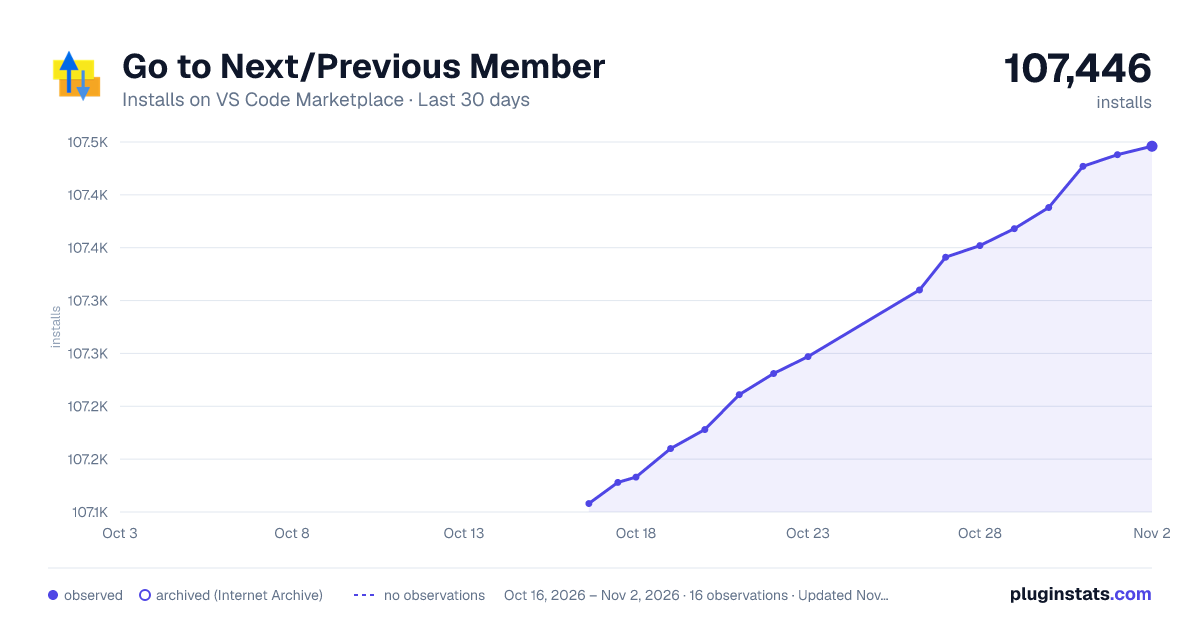
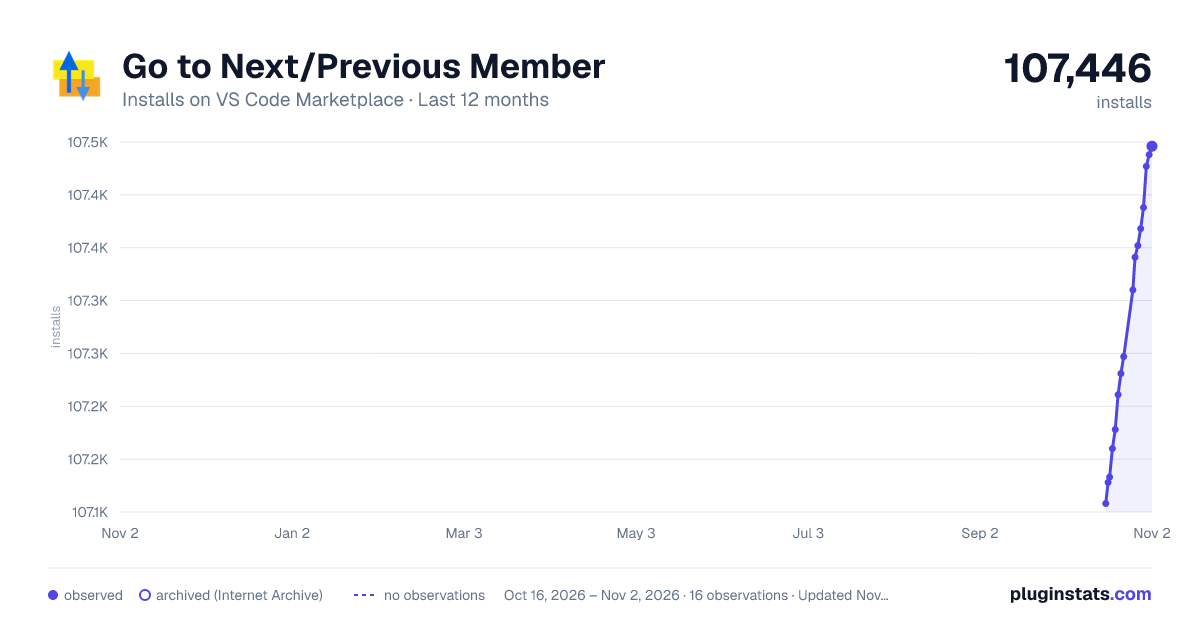
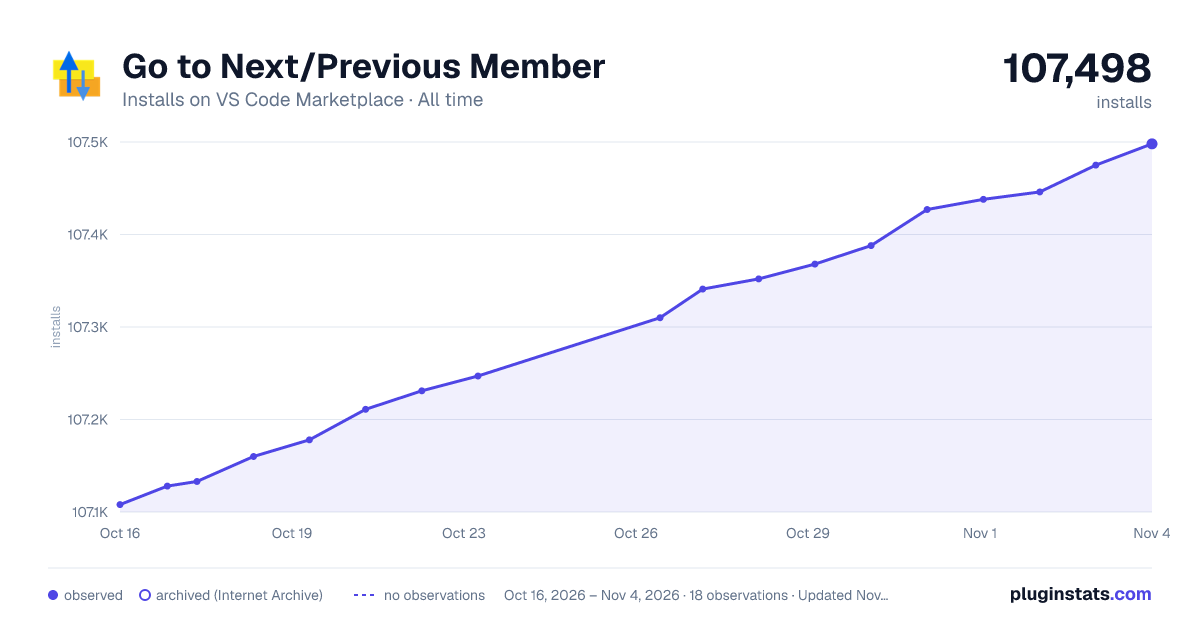
Go to Next/Previous Member has 107,133 recorded installs on VS Code Marketplace.
It ranks #2269 of 2,500 tracked VS Code Marketplace listings by installs.
It is rated 4.8 out of 5 from 25 ratings.
PluginStats has 3 daily observations since Oct 16, 2026; the latest is from Oct 18, 2026.
Rating: 4.80 / 5 from 25 ratings
About Go to Next/Previous Member
vscode-goto-next-previous-member
Visual Studio Code Extension to navigate through the functions, variables, and classes using quick and easy keycommands similar to functionality provided by IntelliJ IDE's (next/previous function) or Resharper (next/previous member)
Features
This Extension provides two key commands to navigate up and down through the members in your file.
Requirements
• vscode@1.28.0+ • Works in both VS Code Desktop and code-server environments
Commands and Settings
Commands
This extension provides the following commands that can be used in keyboard shortcuts:
| Command | Description | Default Shortcut |
| gotoNextPreviousMember.previousMember | Move To Previous Member | ctrl+up | | gotoNextPreviousMember.nextMember | Move To Next Member | ctrl+down |
You can customize these commands in your keybindings.json to target specific symbol types. For example:
Settings
This extension provides the following settings that can be configured in your settings.json:
1. gotoNextPreviousMember.symbolKinds (default: [] - all symbols included) • An array of symbol types to include when navigating • When empty or not set, all symbol types are included • Example setting:
Available symbol types:
| Symbol Kind |
| "array" | | "boolean" | | "class" | | "constant" | | "constructor" | | "enum" | | "enummember" | | "event" | | "field" | | "file" | | "function" | | "interface" | | "key" | | "method" | | "module" | | "namespace" | | "null" | | "number" | | "object" | | "operator" | | "package" | | "property" | | "string" | | "struct" | | "typeparameter" | | "variable" |
2. gotoNextPreviousMember.selectEntireSymbol (default: false) • Determines whether to select the entire symbol when navigating • Example setting: • When true: The entire symbol will be selected when navigating • When false: Only the cursor will be moved to the start of the symbol
3. gotoNextPreviousMember.symbolPosition (default: "center") • Controls where the symbol appears in the viewport when navigating • Possible values: • "top": Position the symbol at the top of the viewport • "center": Position the symbol in the center of the viewport • "bottom": Position the symbol at the bottom of the viewport • Example setting:
Language Support
For the outline to work, the language support plugins need to support symbol information.
For the outline to form a tree structure, the language support plugins need to report the entire definition range as part of symbol.
See VS Code issue [#34968](https://github.com/Microsoft/vscode/issues/34968) and language server protocol issue [#132](https://github.com/Microsoft/language-server-protocol/issues/132) for a discussion.
Here is a list of languages known to work with Code Outline:
| Language/Format | Extension |
| C | C/C++ | | C++ | C/C++, cquery | | Docker | Docker | | HTML | Comes with VS Code | | JavaScript | Comes with VS Code | | JSON | Comes with VS Code | | Markdown | Comes with VS Code | | ruby | Ruby Symbols | | Perl | Perl | | PHP | PHP Symbols | | Python | Python | | TypeScript | Comes with VS Code | | YAML | YAML Support by Red Hat |
Please report any missing extensions and I'll update the list.
Known Issues
If you are experiencing no movement upon running the command:
I have observed an issue with the Visual Studio API to return symbols from vscode.executeDocumentSymbolProvider. One way I have found to possibly fix the issue is to disable all extensions, restart Visual Studio and then enable all extensions and restart again.
Possible Related Issue: https://github.com/OmniSharp/omnisharp-vscode/issues/2192
Release Notes
See CHANGELOG.md
More Visual Studio Code Extensions by mishkinf
Visual Studio Code Navigate Edits History - Goto Last Edit
A Visual Studio Extension that provides the ability to quickly navigate back and forth between recently made edits
Enjoy!
License
MIT
Permission is hereby granted, free of charge, to any person obtaining a copy of this software and associated documentation files (the "Software"), to deal in the Software without restriction, including without limitation the rights to use, copy, modify, merge, publish, distribute, sublicense, and/or sell copies of the Software, and to permit persons to whom the Software is furnished to do so, subject to the following conditions:
The above copyright notice and this permission notice shall be included in all copies or substantial portions of the Software.
THE SOFTWARE IS PROVIDED "AS IS", WITHOUT WARRANTY OF ANY KIND, EXPRESS OR IMPLIED, INCLUDING BUT NOT LIMITED TO THE WARRANTIES OF MERCHANTABILITY, FITNESS FOR A PARTICULAR PURPOSE AND NONINFRINGEMENT. IN NO EVENT SHALL THE AUTHORS OR COPYRIGHT HOLDERS BE LIABLE FOR ANY CLAIM, DAMAGES OR OTHER LIABILITY, WHETHER IN AN ACTION OF CONTRACT, TORT OR OTHERWISE, ARISING FROM, OUT OF OR IN CONNECTION WITH THE SOFTWARE OR THE USE OR OTHER DEALINGS IN THE SOFTWARE.
Description from the VS Code Marketplace listing.
- keybindings
Where Go to Next/Previous Member sits in the listing
Each band is one page of 20. Installs on a log scale. Placement is projected from installs, so it can differ from the marketplace's own sort order. Hover a dot to see the listing.


Charts
Images: 30d · 1y · all time · 1600×900 dark

Adoption over time


7/30/90-day growth


Ranking history


Filled points are observed values; hollow points come from Internet Archive snapshots of the listing page. Dashed segments span periods with no observations — values between points are not interpolated.
Recent observations
Full history (3)Similar VS Code Marketplace Other plugins
Data source
Install counts, average rating, and rating counts come from the public Visual Studio Marketplace gallery API. Installs are cumulative and exclude updates.
Listing: https://marketplace.visualstudio.com/items?itemName=mishkinf.goto-next-previous-member. First seen Oct 16, 2026; last successful collection Oct 18, 2026. See the methodology.