 PluginStats
Mermaid Editor installs statistics
By tomoyukim · VS Code Marketplace · Other
Live editor for mermaid.js in Visual Studio Code
Mermaid Editor has 285,103 recorded installs on VS Code Marketplace, a change of +0.3% over the past 7 days, ranking #1194 of 2,502 tracked listings.
Rating: 4.53 / 5 from 17 ratings
About Mermaid Editor
Mermaid Editor
Mermaid Editor is VSCode extension inspired by official mermaid live editor which provides mainly the following features:
- Live edit
mermaid.jsdiagram file with mermaid.js diagram - Generate image file from
mermaid.jsdiagram file with preferred format (png, jpg, webp and svg). - Copy image to clipboard directly.
- Customize configuration for individual
mermaid.jsdiagram by using atrribute which is available in this extension.
Mermaid Editor does not contain syntax highlighting for Mermaid charting language. But don't warry, a great plugin Mermaid Markdown Syntax Highlighting works with Mermaid Editor.
Mermaid Editor is also available on Open VSX Registry for developers who love FLOSS binaries of VSCode.
Mermaid Editor is implemented as 100% local solution mainly using mermaid.js and VSCode SDK. It means Mermaid Editor does NOT require online environment and NOT send your code to any remote server in order to work.
Enjoy!
Usage
This VSCode extension is activated when opening .mmd or .mermaid file. The supported file extensions follows the official guide.
Open live preview
- Select
Mermaid:Preview mermaidfrom context menu or command palette - Click
Mermaid:Preview diagramicon at right corner ctrl+alt+[on.mmdor.mermaidfile


Generate image
Generate command is only available when mermaid.js diagram file is opened and live preview is activated.
- Select
Mermaid:Generate imagefrom context menu or command palette - Click
Mermaid:Generate imageicon ctrl+alt+]on.mmdor.mermaidfile


Copy image to clipboard
Copy command is only availab e when "Mermaid Editor Preview" is focused.
- Click
Mermaid:Copy imageicon ctrl+alt+;onMermaid Editor Preview
Change scale of live preview
Zoom in/out is supported for live preview.
- Select
Mermaid:Zoom in,Mermaid:Zoom out,Mermaid:Reset zoom,Mermaid:Zoom to specific scalefrom command palette - Click
Mermaid:Zoom in,Mermaid:Zoom outicon focusing live preview panel - Zoom out:
ctrl+alt+- - Zoom in:
ctrl+alt+= - Reset zoom:
ctrl+alt+0

Change mermaid.js version without the extension update
Changing mermaid.js integrated in the extension with an another version is supported.
The following commands are available on the command palette.
This is availabe only online because this feature depends on CDN services as described below.
ATTENTION: This extension does not fully assure to work fine with the other version of mermaid library. Please change it as your own risk.
| Command | Description |
|---|---|
| Mermaid:Update mermaid library to the latest | Update mermaid.js through cdnjs. This extension can refer to the latest version delivered by cdnjs instead of the integrated one after. |
| Mermaid:Set an URL to hosted mermaid library on CDN | Set an arbitrary URL for mermaid.js hosted on CDNs. Note that https://www.jsdelivr.com and https://cdnjs.com are only supported. The other schemes or domains are not supported. |
| Mermaid:Reset mermaid library to the default | Reset mermaid.js library referred by this extension to the integrated one. |
| Mermaid:Show current mermaid library setting | Show the current mermaid.js library referred by this extension. The output is appeard in mermaid-editor channel of the "OUTPUT" tab. Note that mermaid.js version is also displayed in the status bar if the version is determined. |
Attributes
This extension supports attribute to specify preferred configuration for each mermaid.js diagram file. The attribute have to be described in comment of mermaid syntax.
NOTE: The attribute syntax with curly brackets (@config{}, @backgroundColor{}, @outputScale{}) was obsoleted. Use parenthesis (@config(), @backgroundColor(), @outputScale()) instead, please.…
Description from the VS Code Marketplace listing.
- diagram
- javascript
- keybindings
- mermaid
- uml
README badge
Show your rank in a README or on your website. The badge updates automatically.
Charts
Images: 30d · 1y · all time · 1600×900 dark
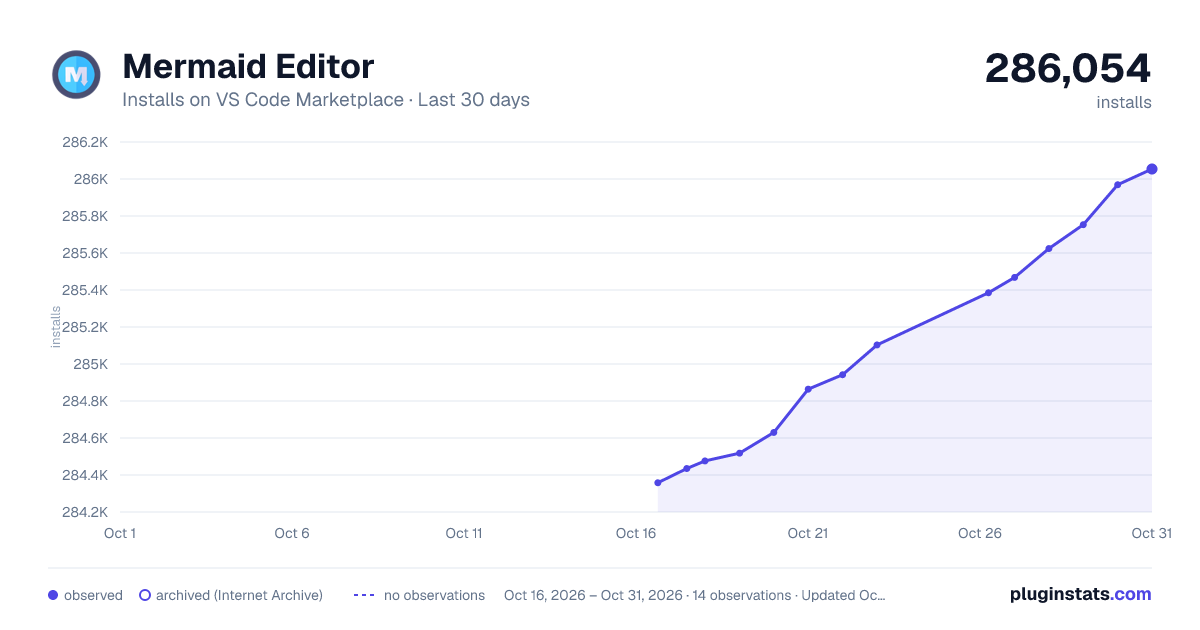
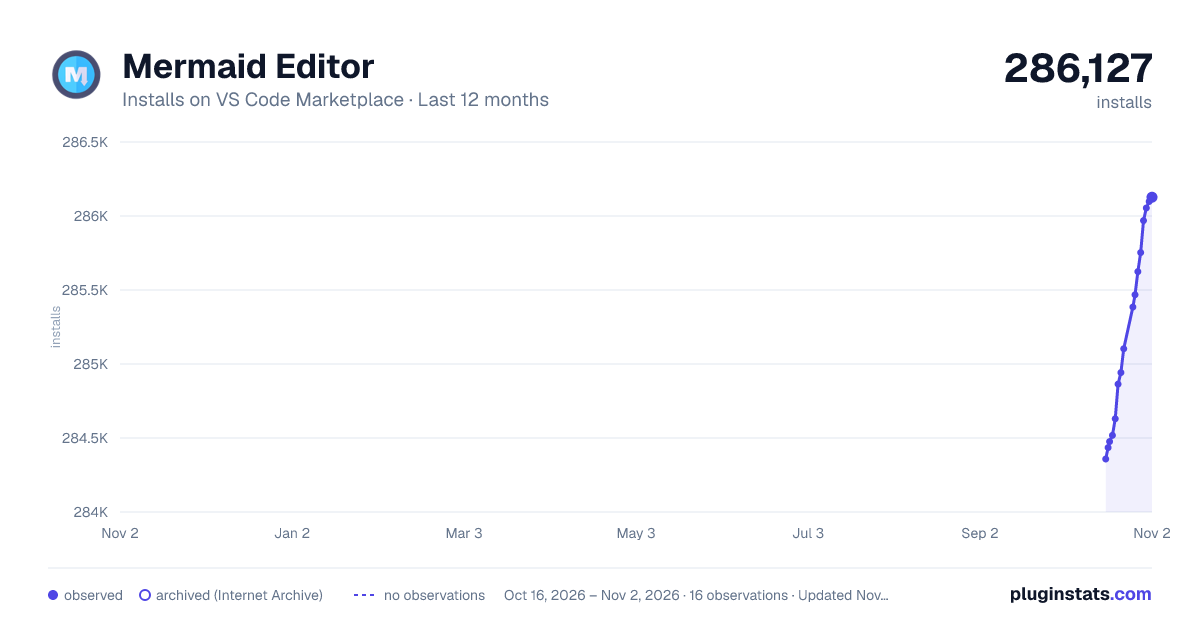
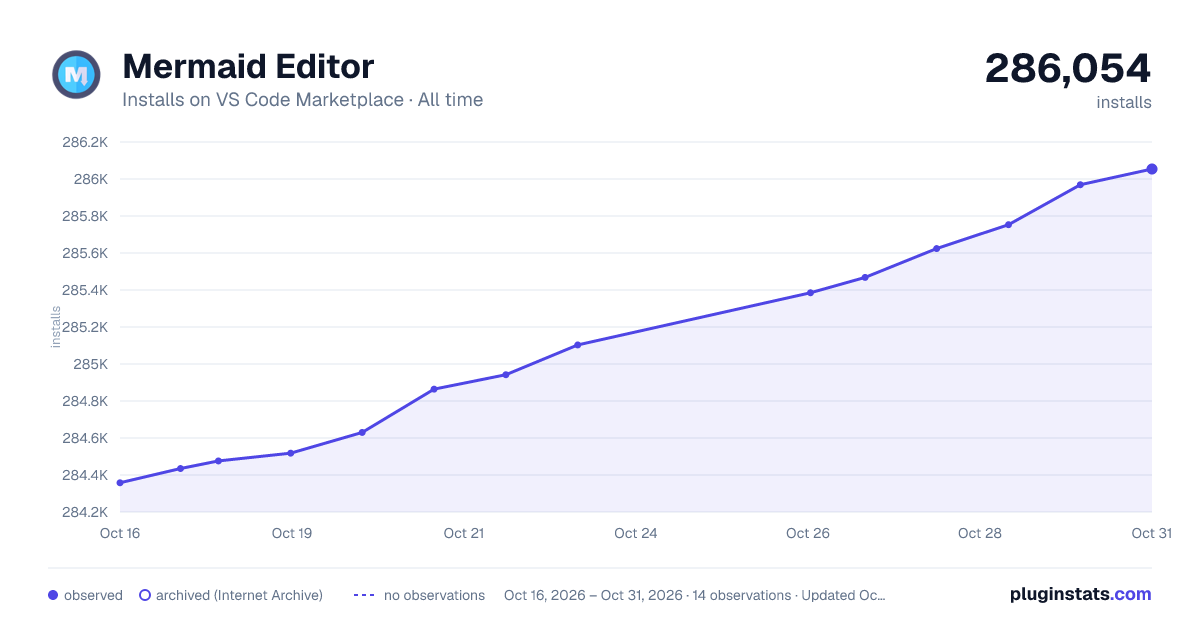

Adoption over time
7/30/90-day growth
Ranking history
Ratings over time
Listing placement
Listing placement
Filled points are observed values; hollow points come from Internet Archive snapshots of the listing page. Dashed segments span periods with no observations — values between points are not interpolated.
Each band is one page of 20. Installs on a linear scale. Placement is projected from installs, so it can differ from the marketplace's own sort order. Hover a dot to see the listing.
Recent observations
Full history (8)Similar VS Code Marketplace Other plugins
All 20 Mermaid Editor alternativesData source
Install counts, average rating, and rating counts come from the public Visual Studio Marketplace gallery API. Installs are cumulative and exclude updates.
Listing: https://marketplace.visualstudio.com/items?itemName=tomoyukim.vscode-mermaid-editor. First seen Oct 16, 2026; last successful collection Oct 23, 2026. See the methodology.