 PluginStats
Live Share Whiteboard installs statistics
By Jonathan Carter (5 listings) · VS Code Marketplace · Other
Adds a real-time collaborative whiteboard to Visual Studio Live Share sessions
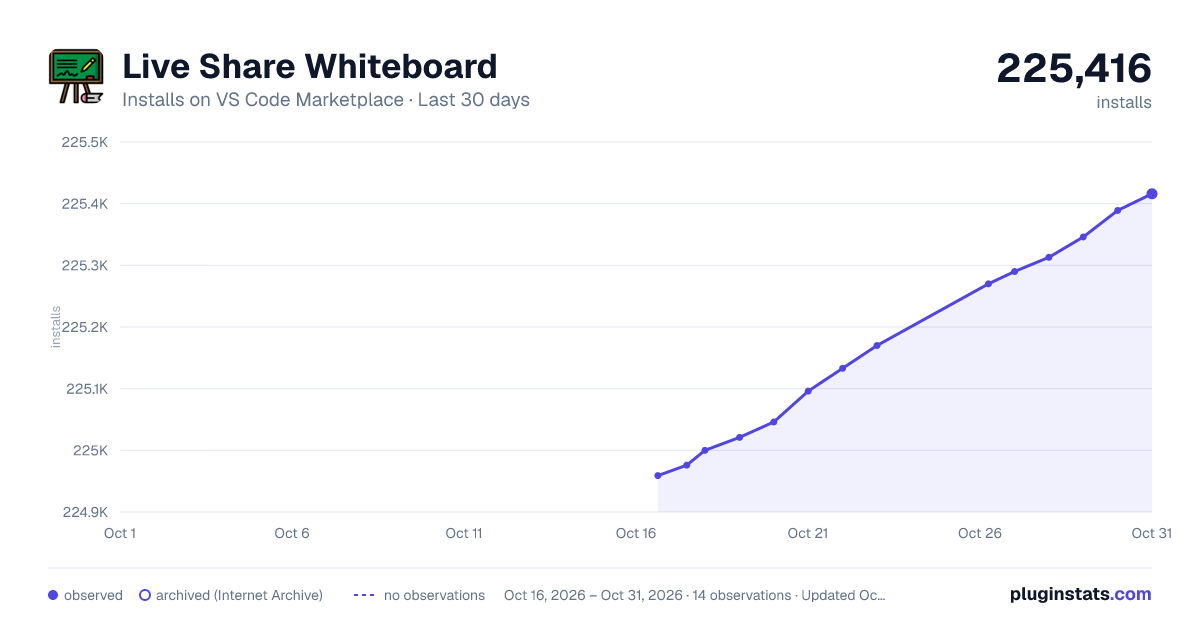
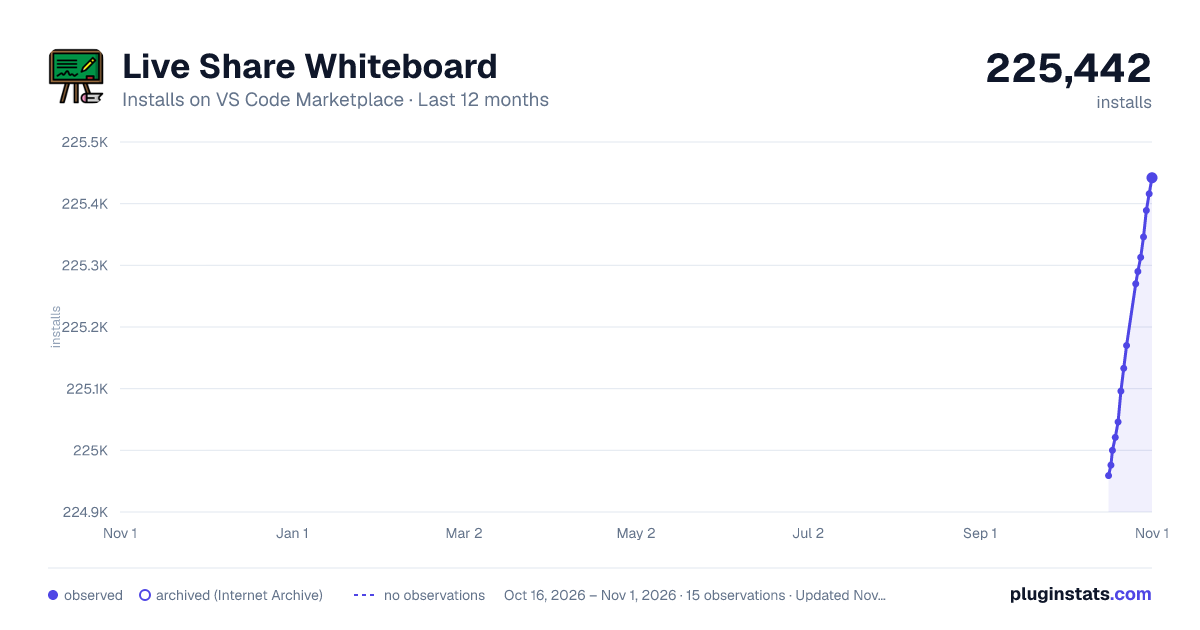
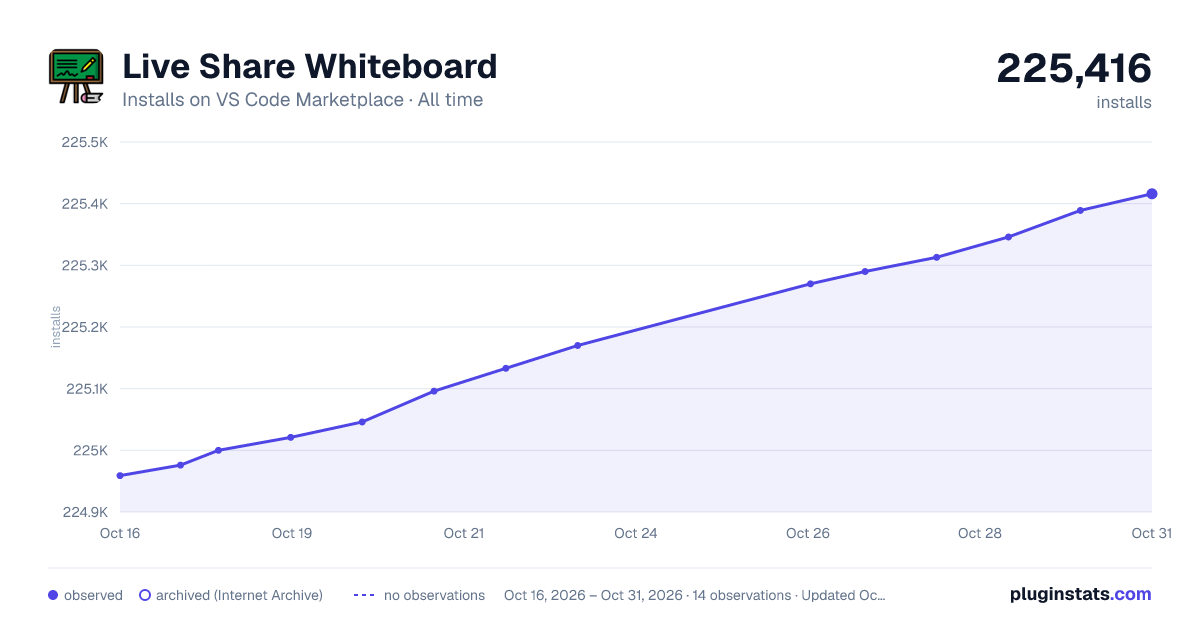
Live Share Whiteboard has 225,000 recorded installs on VS Code Marketplace.
It ranks #1393 of 2,500 tracked VS Code Marketplace listings by installs.
It is rated 5.0 out of 5 from 5 ratings.
PluginStats has 3 daily observations since Oct 16, 2026; the latest is from Oct 18, 2026.
Rating: 5.00 / 5 from 5 ratings
About Live Share Whiteboard
Live Share Whiteboard
Live Share Whiteboard enhances the existing Visual Studio Live Share experience, by enabling you to open an integrated whiteboard, without needing to use a seperate tool or service. All participants within a Live Share session can collaboratively draw on the whiteboard, and see each others changes in real-time. For certain use cases (e.g. technical interviews, mentoring/classrooms), this can provide a useful means of communication, in addition to an audio call and co-editing and debugging.
This is an experimental extension, and isn't meant to replace existing solutions for creating persistent diagrams. For example, you can already use the PlantUML extension today, and synchronize the contents in real-time over Live Share (since it's just a text file + a preview surface). Therefore, the whiteboard is useful for creating ad-hoc/ephemeral drawings/diagrams, that would otherwise be inefficient to create via other means (e.g. UML).
Getting Started
To begin using the collaborative whiteboard within your Visual Studio Live Share sessions, simply perform the following steps:
1. Install this extension, then reload VS Code.
1. Click the Live Share button in your status bar to start a new collaboration session, and invite the developers you'd like to collaborate with.
Make sure the developers you're collaborating with also have the VS Live Share Whiteboard extension installed.
1. Open the Live Share Session Details view, and click the Whiteboard node in the tree to open the integrated whiteboard.
1. Begin drawing! When other developers join the session, they can also open up the whiteboard and see the drawing you've done thus far. From there, everyone can contribute to the whiteboard, using the pencil, shapes and text, and see each other changes.
Known Issues
This is an early/experimental extension, and therefore, has a number of known issues/limitations:
1. If the host closes the whiteboard, then the existing content is lost. Guests can close/re-open the whiteboard, but the host currently can't. If the host does close it, then the whiteboard can still be used and shared, but the previous content will be cleared.
1. The cursor for other participants aren't displayed (like they are within source files).
1. Read-only guests are able to edit the whiteboard, which probably doesn't make sense.
Credit
This extension is only possible due to the amazing Literally Canvas library. It powers the entire whiteboard experience, and the drawing syncronization happens over the Live Share secure channel via the Live Share extensibility API.
Additionally, the extension's icon is graciously provided by techawarong on IconFinder.
Description from the VS Code Marketplace listing.
- Collaboration
- Remote
- Sharing
Where Live Share Whiteboard sits in the listing
Each band is one page of 20. Installs on a log scale. Placement is projected from installs, so it can differ from the marketplace's own sort order. Hover a dot to see the listing.


Charts
Images: 30d · 1y · all time · 1600×900 dark

Adoption over time


7/30/90-day growth


Ranking history


Filled points are observed values; hollow points come from Internet Archive snapshots of the listing page. Dashed segments span periods with no observations — values between points are not interpolated.
Recent observations
Full history (3)Similar VS Code Marketplace Other plugins
Data source
Install counts, average rating, and rating counts come from the public Visual Studio Marketplace gallery API. Installs are cumulative and exclude updates.
Listing: https://marketplace.visualstudio.com/items?itemName=lostintangent.vsls-whiteboard. First seen Oct 16, 2026; last successful collection Oct 18, 2026. See the methodology.