 PluginStats
Pytest Runner for Visual Studio Code installs statistics
By Ernesto Arbitrio · VS Code Marketplace · Testing
Run test (locally ,venv and in docker container) in your 🐍 python codebase using pytest.
Pytest Runner for Visual Studio Code has 132,150 recorded installs on VS Code Marketplace, ranking #2014 of 2,501 tracked listings.
Rating: 5.00 / 5 from 1 ratings
About Pytest Runner for Visual Studio Code
PyTest Runner for VsCode

The Pytest Runner Visual Studio Code extension makes running Python tests effortless using pytest. Whether you're using a local environment or a Docker container, this tool has you covered. It’s designed for developers who need a quick, streamlined way to execute tests directly from their codebase.
NOTE: Pytest Runner is in its early stages 🐣. Contributions are welcome! Found an issue? Open one. Want to enhance it? Submit a PR 😃.
Why Pytest Runner? 🌟
Modern testing environments can be complex. For instance, in my job, most tests run in a Docker-based architecture, requiring remote interpreters and long pytest identifiers like test_mod.py::test_func. This process was tedious and slow, so I created Pytest Runner to eliminate friction and make testing as intuitive as possible.
Inspired by tools like https://vimawesome.com/plugin/pytest-vim, this extension brings speed and ease to testing Python codebases, no matter the setup.
Look at the usage section for more details.
Features 🔥
- Run single tests or test modules using
local or venvpytest command - Run single tests or test modules using pytest through a
docker container - Optional configuration inspection via
setup.cfgorpyproject.tomlfiles.
Configuration file check
If pytest_runner.check_config is enabled, before the test execution, pytest-runner checks the configuration file of your project, for example for a toml file like this:
[tool.pytest.ini_options]
python_classes = ["Test", "Describe"]
python_functions = ["test_", "it_", "and_", "but_", "they_"]
python_files = ["test_*.py",]
testpaths = ["tests",]
or a setup.cfg:
[tool:pytest]
python_classes = Test Describe
python_files = test_*.py
python_functions = test_ it_ they_ but_ and_it_
testpaths =
    tests
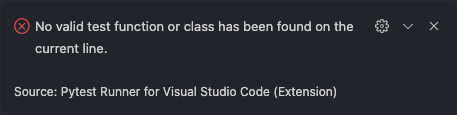
If your test function doesn't start with any of the names above, pytest-runner won't start and it shows you an error ❌ message.
Requirements 📦
- Pytest is the only requirement.
- Currently tested on macOS and Linux.
Extension Settings ⚙️
This extension offers several customizable settings:
pytest_runner.pytest_exec: Specifies the localpytestexecutable. Defaults to your active virtual environment or/usr/bin/pytest.pytest_runner.pytest_exec_docker: Command to run pytest in a Docker container (e.g.,docker-compose run --rm test-container pytest).pytest_runner.check_config: Enables/disables configuration checks (default: false).pytest_runner.pytest_options: Additional pytest options (e.g., -sv, -x).
These options can be set in each settings.json within .vscode in the project root directory or in the settings.json of VSCode (not recommended).
Usage 📖
Available Commands:
Run Test: Run a single test locally.Run Test Docker: Run a single test in Docker.Run Test Module: Run all tests in the current file locally.Run Test Module Docker: Run all tests in the current file via Docker.
You can run them using the VSCode command palette (⇧⌘P or ctr⇧P)
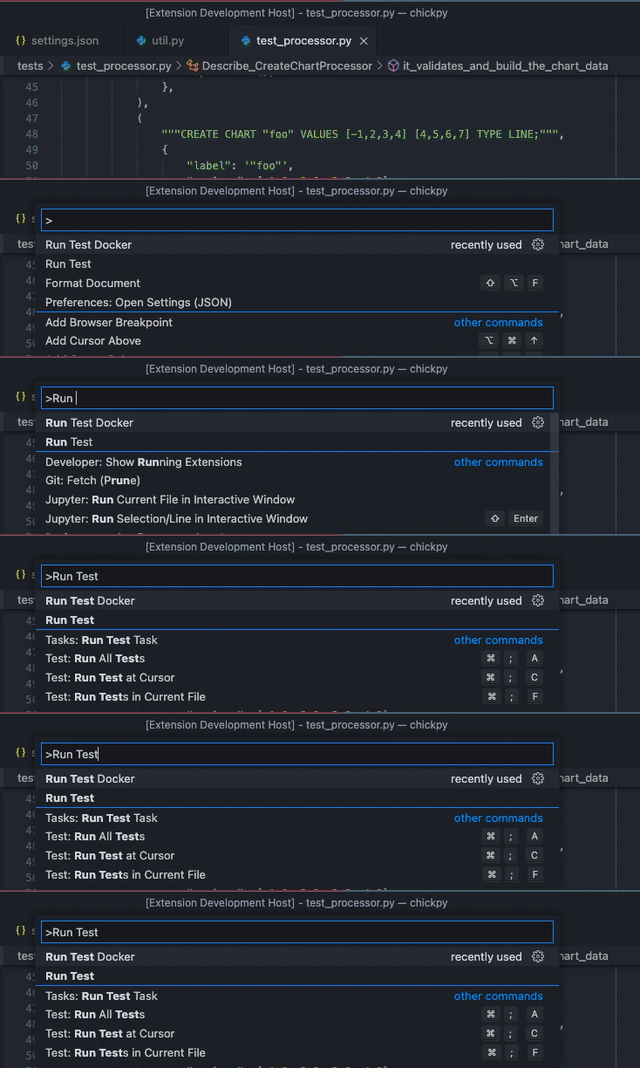
or through the 2 custom buttons on the status bar.

Running Tests
To run a single test you have 2 options:
- Simply place your cursor anywhere inside the target test function or class. The extension automatically detects the context and executes the corresponding test without requiring precise cursor placement on the definition line.
- Select the test name or portion of it and run the desired command.
According to the command the test will be executed in the local environment
Run Testor in the docker containerRun Test Docker
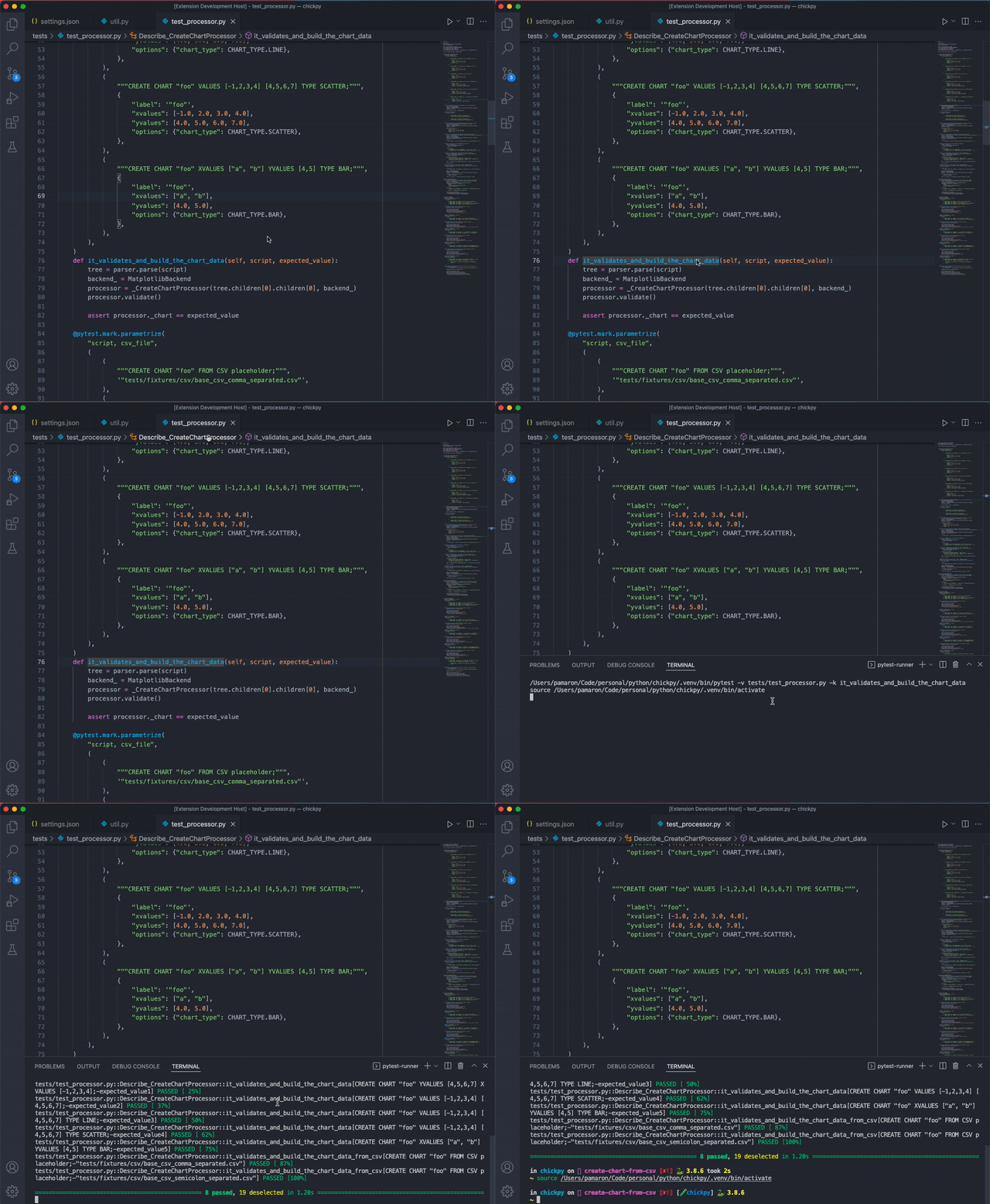
If you wanna run all the tests in your current python module you can just use Run Test Module or Run Test Module Docker independently of the cursor location.
💡 Pro Tip: Create keyboard shortcuts for frequently used commands to boost productivity.
Keybindings and shortcuts ⌨️
Define custom shortcuts for faster testing:
The 4 commands in the section above are actually an alias for these:
pytest-runner.run-testpytest-runner.run-test-dockerpytest-runner.run-module-testpytest-runner.run-module-test-docker
To increase the speed I would suggest new entries in the keybindigs in order to map the 2 commands to a keyboard key combination:
- Open
keybinding.json-> command palette (⇧⌘Porctr⇧P)Open Keyboard Shortcut - Add your key combination:
    {
      "key": "ctrl+alt+1",
      "command": "pytest-runner.run-test"
    },
    ...
    {
      "key": "ctrl+alt+2",
      "command": "pytest-runner.run-module-test"
    }
Now you can execute single tests with Ctrl+Alt+1 and module tests with Ctrl+Alt+2 (or your chosen keys).
Known Issues 🧐
Only when pytest_runner.pytest_exec is set to pytest without specifying the complete path of the exectuable, the first time the Run Test will fail due to async problem between terminal venv activation and the send command time.
The second run should work properly.
Do you like pytest-runner?

Release Notes 📋
0.0.13
- Bug fix parsing pyproject.toml, "=", [ \t] or [A-Za-z0-9_-] but "." found
0.0.12…
Description from the VS Code Marketplace listing.
- docker
- pytest
- python
- testing
README badge
Show your rank in a README or on your website. The badge updates automatically.
Charts
Images: 30d · 1y · all time · 1600×900 dark
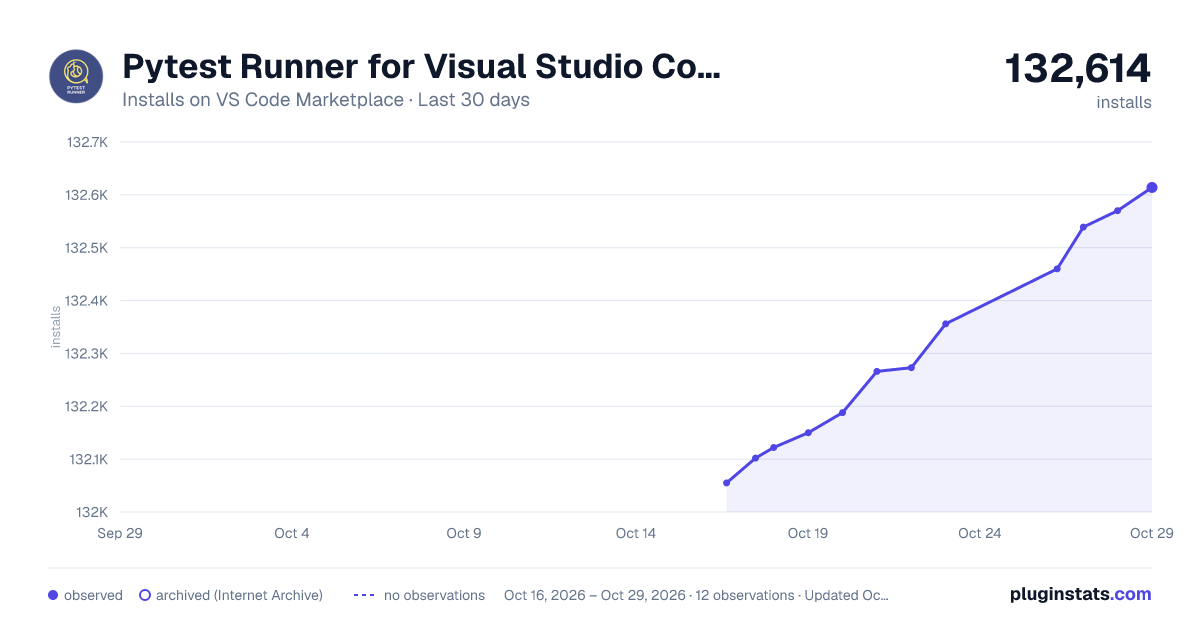

Adoption over time
7/30/90-day growth
Ranking history
Ratings over time
Listing placement
Listing placement
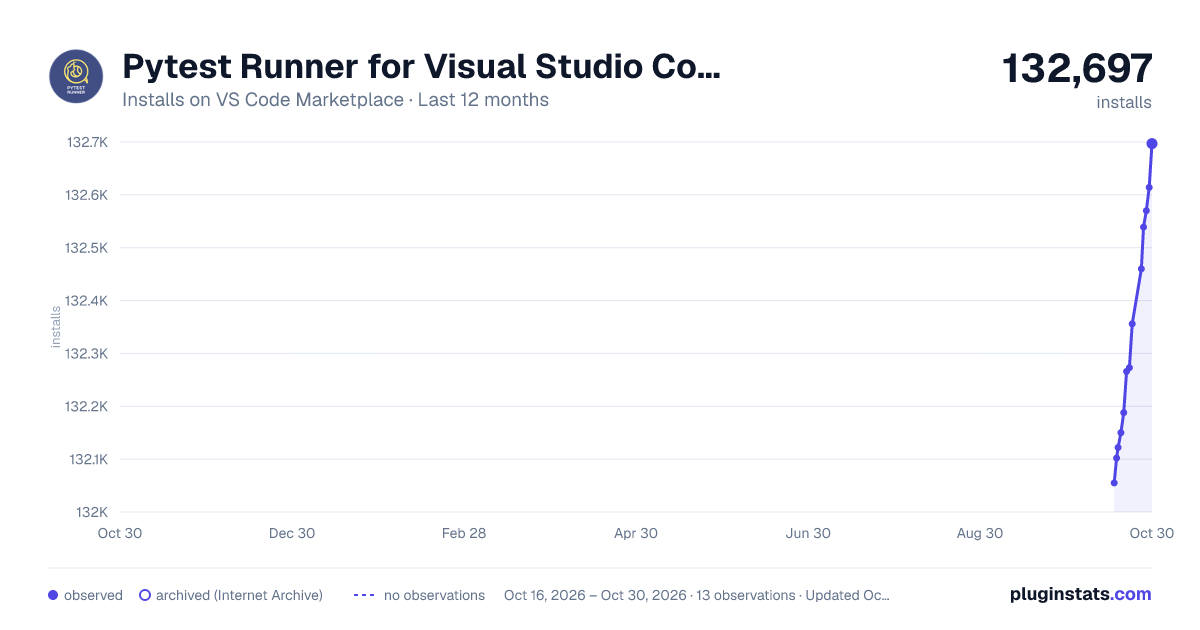
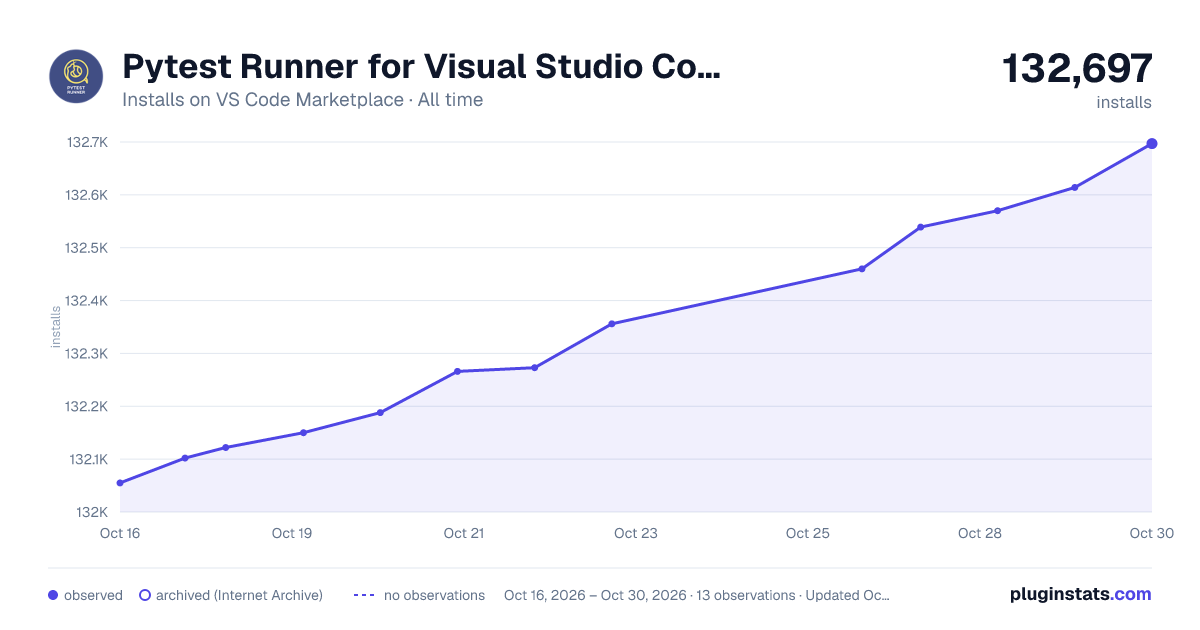
Filled points are observed values; hollow points come from Internet Archive snapshots of the listing page. Dashed segments span periods with no observations — values between points are not interpolated.
Each band is one page of 20. Installs on a linear scale. Placement is projected from installs, so it can differ from the marketplace's own sort order. Hover a dot to see the listing.
Recent observations
Full history (5)Similar VS Code Marketplace Testing plugins
All 20 Pytest Runner for Visual Studio Code alternativesData source
Install counts, average rating, and rating counts come from the public Visual Studio Marketplace gallery API. Installs are cumulative and exclude updates.
Listing: https://marketplace.visualstudio.com/items?itemName=pamaron.pytest-runner. First seen Oct 16, 2026; last successful collection Oct 20, 2026. See the methodology.