 PluginStats
vscode-flutter-i18n-json installs statistics
By esskar · VS Code Marketplace · Other
VS Code extension to create a binding between your translations from .json files and your Flutter app.
vscode-flutter-i18n-json has 165,803 recorded installs on VS Code Marketplace.
It ranks #1743 of 2,500 tracked VS Code Marketplace listings by installs.
It is rated 5.0 out of 5 from 3 ratings.
PluginStats has 3 daily observations since Oct 16, 2026; the latest is from Oct 18, 2026.
Rating: 5.00 / 5 from 3 ratings
About vscode-flutter-i18n-json
vscode-flutter-i18n-json
VS Code extension to create a binding between your translations from .json files and your Flutter app. You can also automagically generate translations for all your locales, based on Google Translate.
Installation
To install the extension just execute the following command:
ext install vscode-flutter-i18n-json
You may also install the extension from the [visual studio code marketplace][1].
Getting started
1. Install the extension 2. Open your project, open the command palette and find the Flutter I18n Json: Initialize command. 3. Enter a default locale, or press enter to use en-US.
Commands
Flutter I18n Json: Initialize
Creates the inital binding between translations from .json files and your Flutter app. The command will ask you for the default locale, the locale that will be used when no other locale can be matched.
The following files will be created:
i18n/.json lib/generated/i18n.dart i18nconfig.json
Flutter I18n Json: Add locale
Adds another locale to your Flutter app. The command will ask you for a new locale.
The following files will be created:
i18n/.json
and updated:
lib/generated/i18n.dart i18nconfig.json
Flutter I18n Json: Update
After you change or add any translations, run the update command to update
lib/generated/i18n.dart
to reflect your translation changes.
Flutter I18n Json: Remove locale
Removes an existing locale from your Flutter app. The command will ask you to pick a locale from the list of existing locales.
The following files will be removed:
i18n/.json
and updated:
lib/generated/i18n.dart i18nconfig.json
Flutter I18n Json: Set Google Translate API Code
Sets the API code for the Google Translate API.
To obtain an API key, you need to have an account with the Google Cloud Platform:
• Go to: https://console.developers.google.com/apis/dashboard • Select (or create) a project • Click button "Enable API's and services" (on top) • Search for "Cloud Translation API" • Click "Enable" • Once enabled, go to the "Credentials" (left side) section on your API overview • Click "Create credential" (top bar) • In de text "We'll help you set up the correct credentials. If you want you can skip this step and create an API key, client ID or service account.", choose the link "API key". • Give it a name and click "Create"
You can copy the key now.
The following file will be updated:
i18nconfig.json
Flutter I18n Json: Create automagic translations from default locale
Generates and adds missing translations to i18n/.json files, based on the translation keys and values in i18n/.json.
When using this command, you don't have to manually add every translation key and translated value to all i18n/.json files.
Usage
JSON
Use a simple key-value pair JSON format to define your translations.
In the above example "hello" is the key for the translation value "Hello!".
Placeholders are automatically detected and are enclosed in curly brackets ({}):
Here, {name} is a placeholder within the translation value for "greetTo".
Dart
Let's add some translations in i18n/en-US.json:
After you run the update command, you will see that in lib/generated/i18n.dart, a getter hello and a method greetTo were created:
Using the generated I18n class is showcased in the example below:
When translating something, simply call your translation like this:
_This returns a string you can direcly use in e.g. a Text() widget_
Nesting
Nesting is supported which allows you to hierarchically structure the translations.
The above file will generate the following dart code
`
Arrays
Arrays of strings is supported too.
The above file will generate the following dart code
`
Changing locale manually
Locale can be changed manually using static locale parameter. To make application reload from anywhere in the app you can use static onLocaleChanged callback:
Calling this anywhere in your app will now change the app's language
Generate translations
After you run the Create automagic translations-command, all translation files will be supplemented with the new translations.
For instance, if you added the greetTo key from above, with this command your i18n/es-ES.json goes from
to
The run the update command will run automatically after any successful automagic translation, so you'll see that the Spanish WidgetsLocalizations are updated as:
Text direction
Starting form version 0.12.0 the module detects the text direction automatically - based on the language code. If you want to change the automatic behaviour, you can change the text direction in the i18nconfig.json file:
{ rtl: ["ar-AR"], ltr: [] }
Troubleshooting
iOS
By default, your languages are not supported by iOS out of the box. To enable them, add the following to your your_project/ios/Runner/Info.plist file:
_(with en, es and ru being examples for English, Spanish and Russian)_
Your file should look something like this:
There are still some [unresolved issues][2] in Flutter when trying to use localization with the iOS simulators. For more information to address this issue check the [flutter documentation][3].
No Material-/CupertinoLocalizations found.
Global widgets may throw exceptions informaing you that they cannot find any MaterialLocalizations (No MaterialLocalizations found.). You need to install them manually and add their delegates to your localizationsDelegates.
in your pubspec.yaml:
dev_dependencies: flutter_localizations: sdk: flutter
in your app:
Description from the VS Code Marketplace listing.
- dart
Where vscode-flutter-i18n-json sits in the listing
Each band is one page of 20. Installs on a log scale. Placement is projected from installs, so it can differ from the marketplace's own sort order. Hover a dot to see the listing.


Charts
Images: 30d · 1y · all time · 1600×900 dark
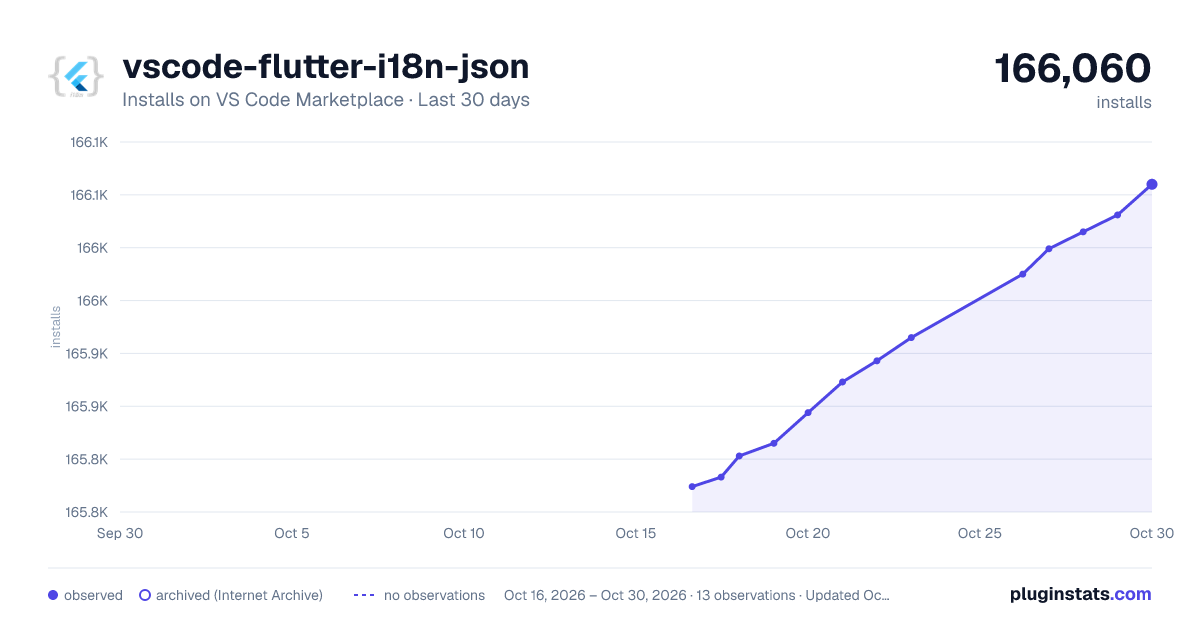
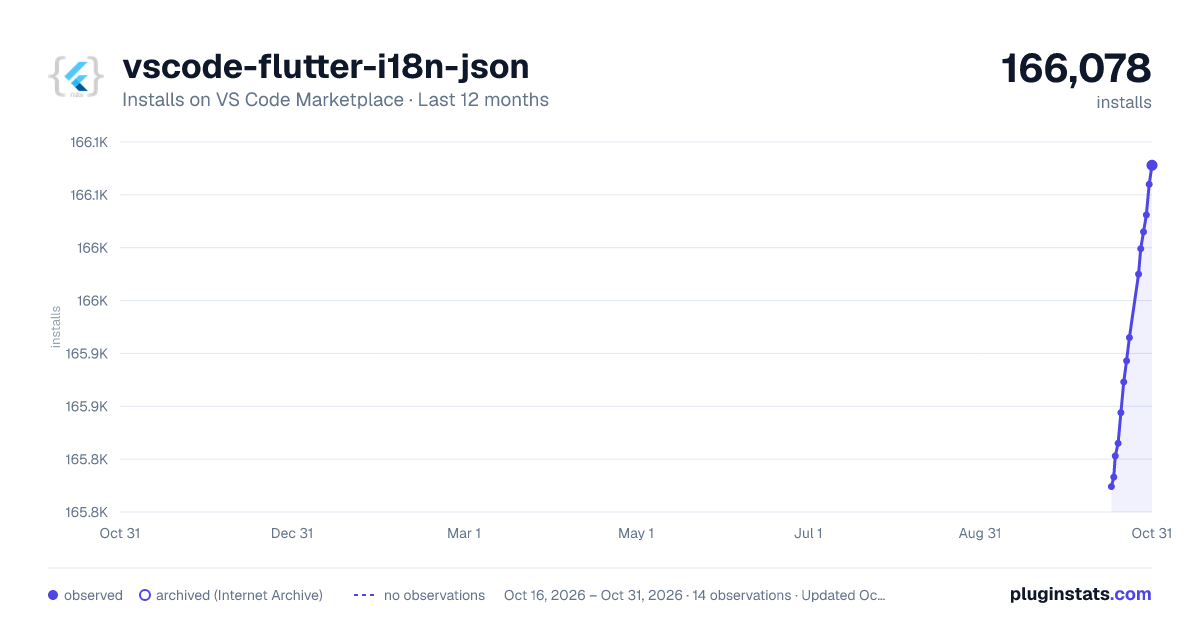
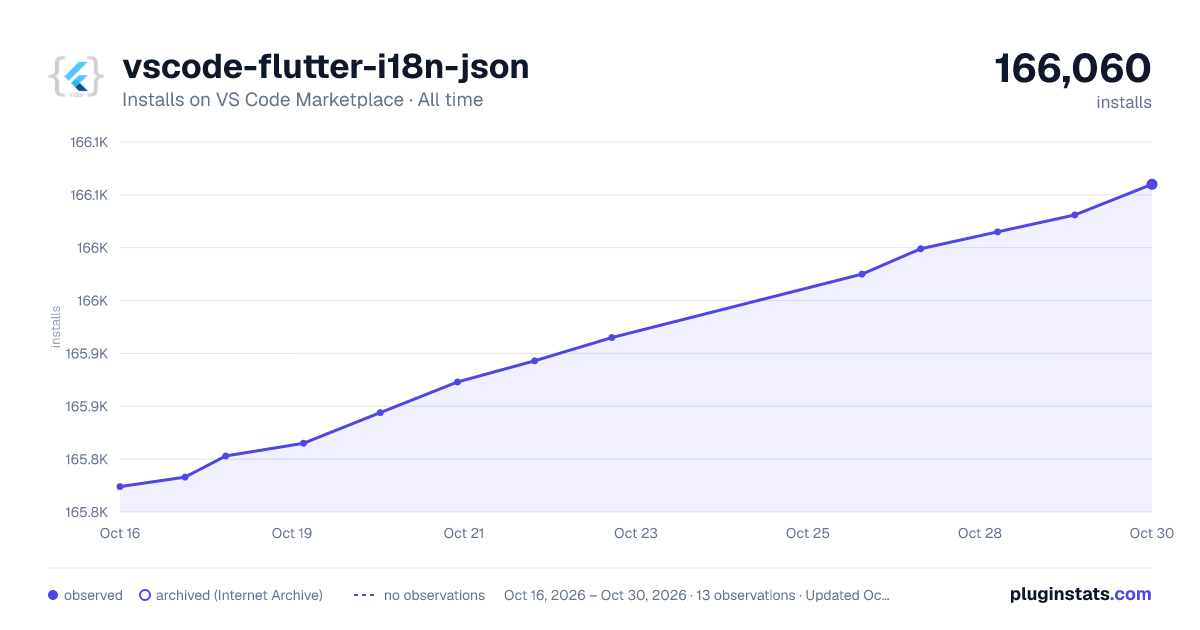

Adoption over time


7/30/90-day growth


Ranking history


Filled points are observed values; hollow points come from Internet Archive snapshots of the listing page. Dashed segments span periods with no observations — values between points are not interpolated.
Recent observations
Full history (3)Similar VS Code Marketplace Other plugins
Data source
Install counts, average rating, and rating counts come from the public Visual Studio Marketplace gallery API. Installs are cumulative and exclude updates.
Listing: https://marketplace.visualstudio.com/items?itemName=esskar.vscode-flutter-i18n-json. First seen Oct 16, 2026; last successful collection Oct 18, 2026. See the methodology.