 PluginStats
Mypy Type Checker installs statistics
By Microsoft (223 listings) · VS Code Marketplace · Programming Languages
Type checking support for Python files using Mypy.
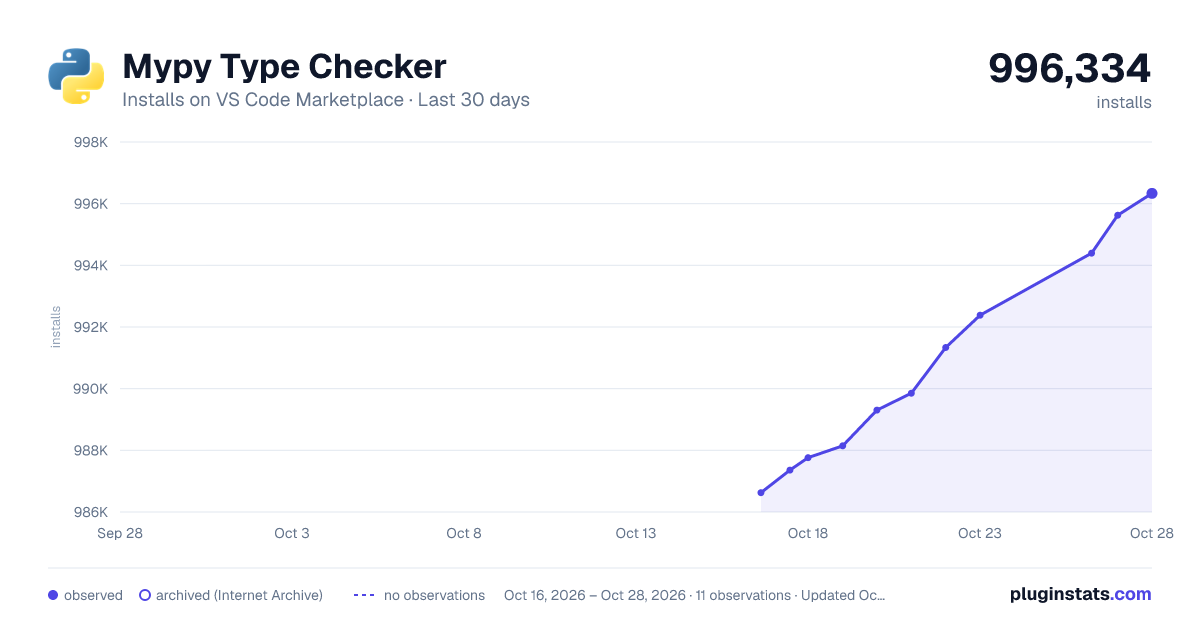
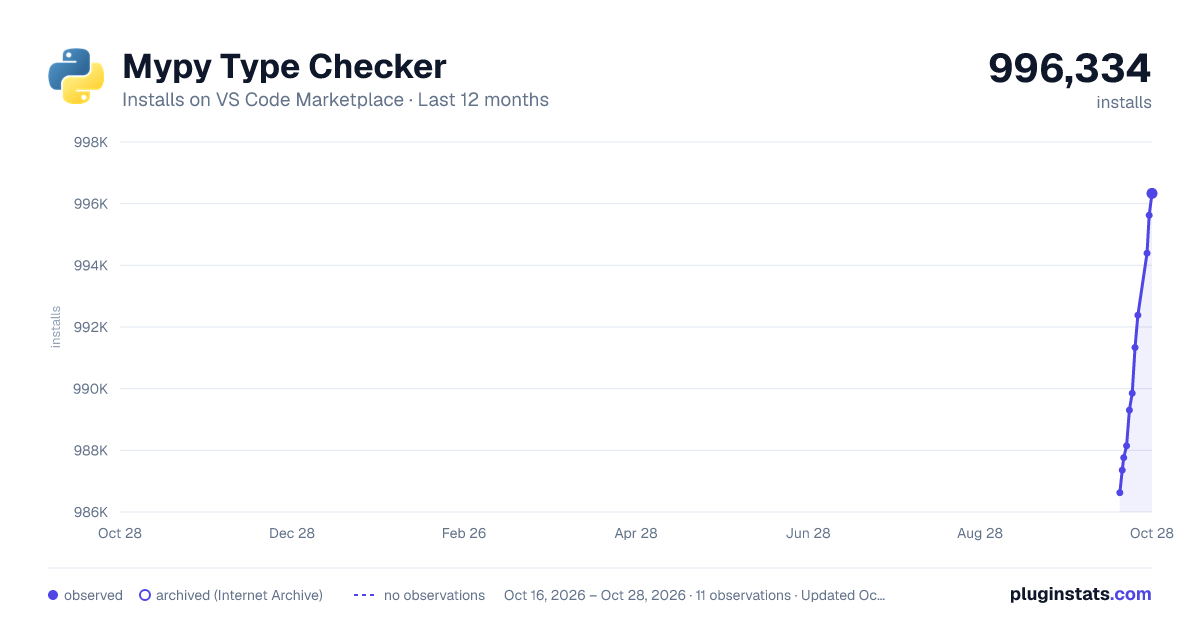
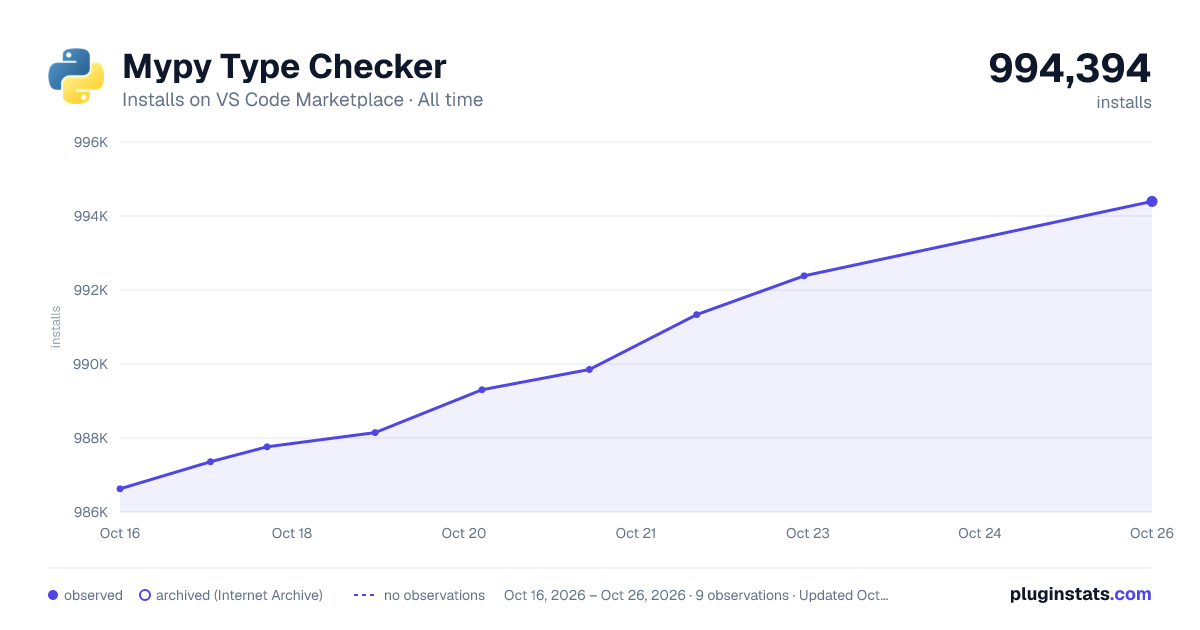
Mypy Type Checker has 987,762 recorded installs on VS Code Marketplace.
It ranks #545 of 2,500 tracked VS Code Marketplace listings by installs.
It is rated 3.3 out of 5 from 16 ratings.
PluginStats has 3 daily observations since Oct 16, 2026; the latest is from Oct 18, 2026.
Rating: 3.31 / 5 from 16 ratings
About Mypy Type Checker
Mypy extension for Visual Studio Code
A Visual Studio Code extension with support for the Mypy type checker. This extension ships with mypy=1.15.0.
Note: The minimum version of Mypy this extension supports is 1.15.0. If you have any issues with Mypy, please report it to this issue tracker as this extension is just a wrapper around Mypy.
This extension supports all actively supported versions of the Python language.
For more information on Mypy, see
Usage and Features
The Mypy extension provides a series of features to help your productivity while working with Python code in Visual Studio Code. Check out the Settings section for more details on how to customize the extension.
• Integrated type checking: Once this extension is installed in Visual Studio Code, Mypy will be automatically executed when you open a Python file, reporting any errors or warnings in the "Problems" window. • Customizable Mypy version: By default, this extension uses the version of Mypy that is shipped with the extension. However, you can configure it to use a different binary installed in your environment through the mypy-type-checker.importStrategy setting, or set it to a custom Mypy executable through the mypy-type-checker.path settings. • Per-project environments: In a monorepo, enable mypy-type-checker.usePerProjectEnvironments to use the selected Python environment for each project configured through python-envs.pythonProjects. • Workspace-wide type checking: By default, this extension will only report errors and warnings for files open in the editor. However, you can configure it to report errors and warnings for the entire workspace through the mypy-type-checker.reportingScope setting. • Mono repo support: If you are working with a mono repo, you can configure the extension to offer type checking for Python files in subfolders of the workspace root folder by setting the mypy-type-checker.cwd setting to ${fileDirname}. You can also set it to ignore/skip type checking for certain files or folder paths by specifying a glob pattern to the mypy-type-checker.ignorePatterns setting. • Customizable linting rules: You can customize the severity of specific Mypy error codes through the mypy-type-checker.severity setting. • Mypy Daemon support: This extension supports the Mypy daemon (dmypy) for faster type checking when the reporting scope is set to the entire workspace. To enable it, set the mypy-type-checker.preferDaemon setting to true.
Disabling Mypy
You can skip type checking with Mypy for specific files or directories by setting the mypy-type-checker.ignorePatterns setting.
If you wish to disable Mypy for your entire workspace or globally, you can disable this extension in Visual Studio Code.
Settings
There are several settings you can configure to customize the behavior of this extension.
Settings Default Description
mypy-type-checker.args [] Arguments passed to Mypy to enable type checking on Python files. Each argument should be provided as a separate string in the array. Example: "mypy-type-checker.args" = ["--config-file=<file>"]
mypy-type-checker.cwd ${workspaceFolder} Sets the current working directory used to lint Python files with Mypy. By default, it uses the root directory of the workspace ${workspaceFolder}. You can set it to ${fileDirname} to use the parent folder of the file being linted as the working directory for Mypy. You can also set it to ${nearestConfig} to use the nearest parent/ancestor folder which contains a mypy.ini, .mypy.ini, pyproject.toml, or setup.cfg file.
mypy-type-checker.severity { "error": "Error", "note": "Information" } Mapping of Mypy's message types to VS Code's diagnostic severity levels as displayed in the Problems window. You can also use it to override specific Mypy error codes. For example: { "error": "Error", "note": "Information", "name-defined": "Warning" }
mypy-type-checker.path [] Path or command to be used by the extension to type check Python files with Mypy. Accepts an array of a single or multiple strings. If passing a command, each argument should be provided as a separate string in the array. If set to ["mypy"], it will use the version of Mypy available in the PATH environment variable. Note: Using this option may slowdown type checking. Examples: - ["~/global_env/mypy"] - ["conda", "run", "-n", "lint_env", "python", "-m", "mypy"]
mypy-type-checker.interpreter [] Path to a Python executable or a command that will be used to launch the Mypy server and any subprocess. Accepts an array of a single or multiple strings. When set to [], the extension will use the path to the selected Python interpreter. If passing a command, each argument should be provided as a separate string in the array.
mypy-type-checker.importStrategy useBundled Defines which Mypy binary to be used to type check Python files. When set to useBundled, the extension will use the Mypy binary that is shipped with the extension. When set to fromEnvironment, the extension will attempt to use the Mypy binary and all dependencies that are available in the currently selected environment. Note: If the extension can't find a valid Mypy binary in the selected environment, it will fallback to using the Mypy binary that is shipped with the extension. Note: The mypy-type-checker.path setting takes precedence and overrides the behavior of mypy-type-checker.importStrategy.
mypy-type-checker.usePerProjectEnvironments false Uses the selected Python environment for each project configured through python-envs.pythonProjects. Explicit mypy-type-checker.path and mypy-type-checker.interpreter settings take precedence.
mypy-type-checker.showNotifications off Controls when notifications are shown by this extension. Accepted values are onError, onWarning, always and off.…
Description from the VS Code Marketplace listing.
- mypy
- python
Where Mypy Type Checker sits in the listing
Each band is one page of 20. Installs on a log scale. Placement is projected from installs, so it can differ from the marketplace's own sort order. Hover a dot to see the listing.


Charts
Images: 30d · 1y · all time · 1600×900 dark

Adoption over time


7/30/90-day growth


Ranking history


Filled points are observed values; hollow points come from Internet Archive snapshots of the listing page. Dashed segments span periods with no observations — values between points are not interpolated.
Recent observations
Full history (3)Similar VS Code Marketplace Programming Languages plugins
Data source
Install counts, average rating, and rating counts come from the public Visual Studio Marketplace gallery API. Installs are cumulative and exclude updates.
Listing: https://marketplace.visualstudio.com/items?itemName=ms-python.mypy-type-checker. First seen Oct 16, 2026; last successful collection Oct 18, 2026. See the methodology.